iOS app development in Swift

Native iPhone and Apple Watch apps from our in-house team in Rajkot, India, led by Dharmesh, our iOS Development Lead. We write Swift, with UIKit or SwiftUI, and handle the parts that usually cause trouble: Bluetooth devices, subscriptions, offline data and App Store review.

Platforms
iPhone · Apple Watch
Language
Swift
Interface
UIKit · SwiftUI
Company team
70+ in-house

Who this suits

  • Products where iPhone users come first, or that lean on Apple's own frameworks.
  • Hardware makers who need an iPhone or Apple Watch app for a Bluetooth device.
  • Subscription apps that need App Store purchases to work properly.
  • Teams continuing an existing Swift app another team built.

What we take on

What we build on iPhone and Apple Watch.

  • Swift apps

    New apps and new features in Swift, with UIKit or SwiftUI depending on the product and the code you already have.

  • Apple Watch

    Apple Watch companion apps that show and control the same live session as the iPhone. Our published one is in WatchKit; new watch work today is normally SwiftUI.

  • Bluetooth devices

    Core Bluetooth connections to your hardware: pairing, reconnecting, live data, stored data and firmware updates.

  • Subscriptions

    App Store purchases and subscriptions with StoreKit, including restores and what happens when a payment fails.

  • Apple Health and device data

    Apple Health sync, offline storage with Core Data or SQLite, and upload queues that survive a poor connection.

  • Accounts and push

    Sign in with Apple, Google or a phone code, Firebase, and push notifications through APNs.

  • App Store release

    Builds, listings and review notes, and working out the cause when Apple rejects a build. Approval stays with Apple.

Technologies: Swift · UIKit · SwiftUI · WatchKit · Core Bluetooth · StoreKit · HealthKit · Core Data · Firebase

Choosing the build

UIKit or SwiftUI?

Both are current, and a real app often uses both.

SwiftUI
A new app or new screens, where its speed of building helps and you do not need older iOS versions.
UIKit
An existing UIKit app, or screens that need very detailed control. Rewriting working UIKit screens rarely pays for itself.
Flutter instead
You need Android at the same time and the app has no unusual platform needs.
Flutter app development

Proof

Work we have published

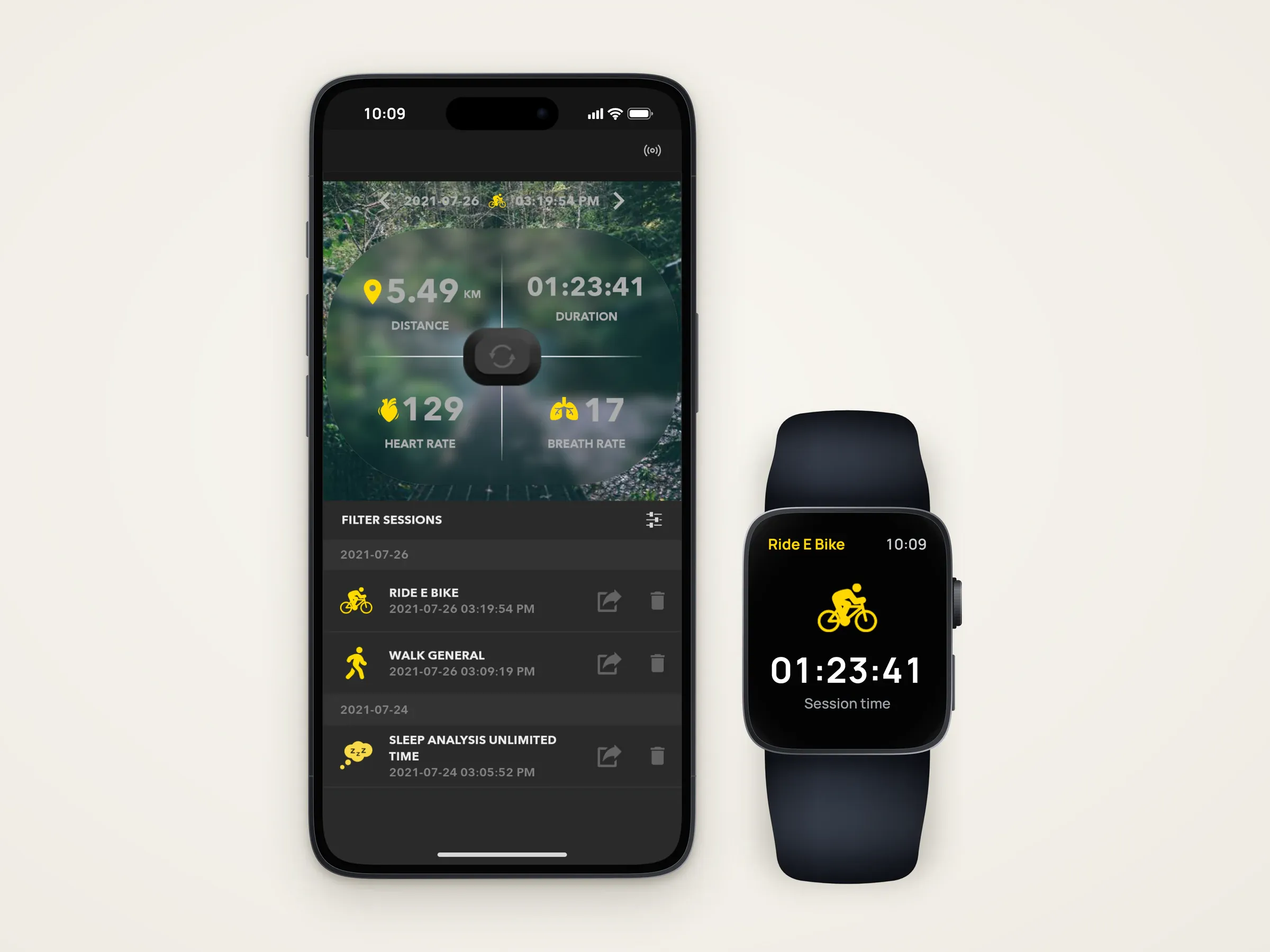
Rendered iPhone and Apple Watch seen from the front on a plain light background. The phone shows a recorded session in the app — 5.49 km, 01:23:41, heart rate 129 and breath rate 17 over a map, above the list of sessions. The watch has an illustrated face showing the same e-bike session's time.

Render; phone screen from the delivered app; watch face illustrated.

Mobile app · iOS, Apple Watch, Android

Connected Performance Platform

iPhone, Apple Watch and Android apps with their back end for a sports wearable — heart rate and breathing from a clip-on sensor on a smart shirt, live and as training history.

Period
2018–2023
Platforms
iOS, Apple Watch, Android
Our scope
UI/UX design, iOS and Apple Watch, Android, Back end
Read the case study
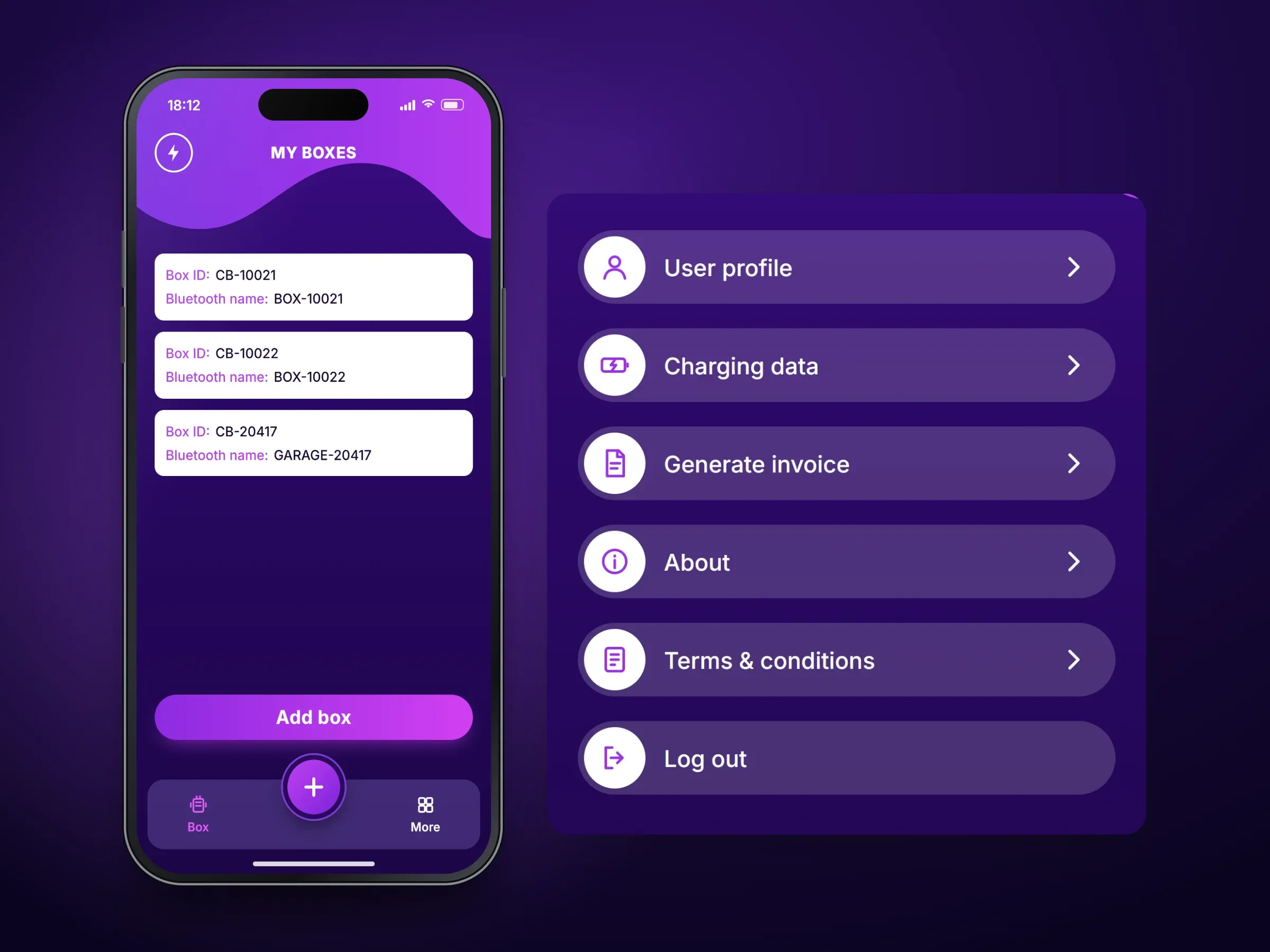
Recreated screens of the EV charging app: the charging list of eight sessions with dates, charging energy in kWh, box IDs and Chart and Total buttons beside an enlarged Add box form or list of boxes, or the My Boxes screen beside an enlarged account menu

Screens recreated from the delivered app with neutral naming and example data.

Mobile app · iOS

EV Charging Control App

A mobile app for the owners of a smart EV charging box — register each box by scanning its code, set its details and power limit, and see every charging session with its energy use.

Platforms
iOS
Our scope
Box registration, Charging records, Account
Read the case study
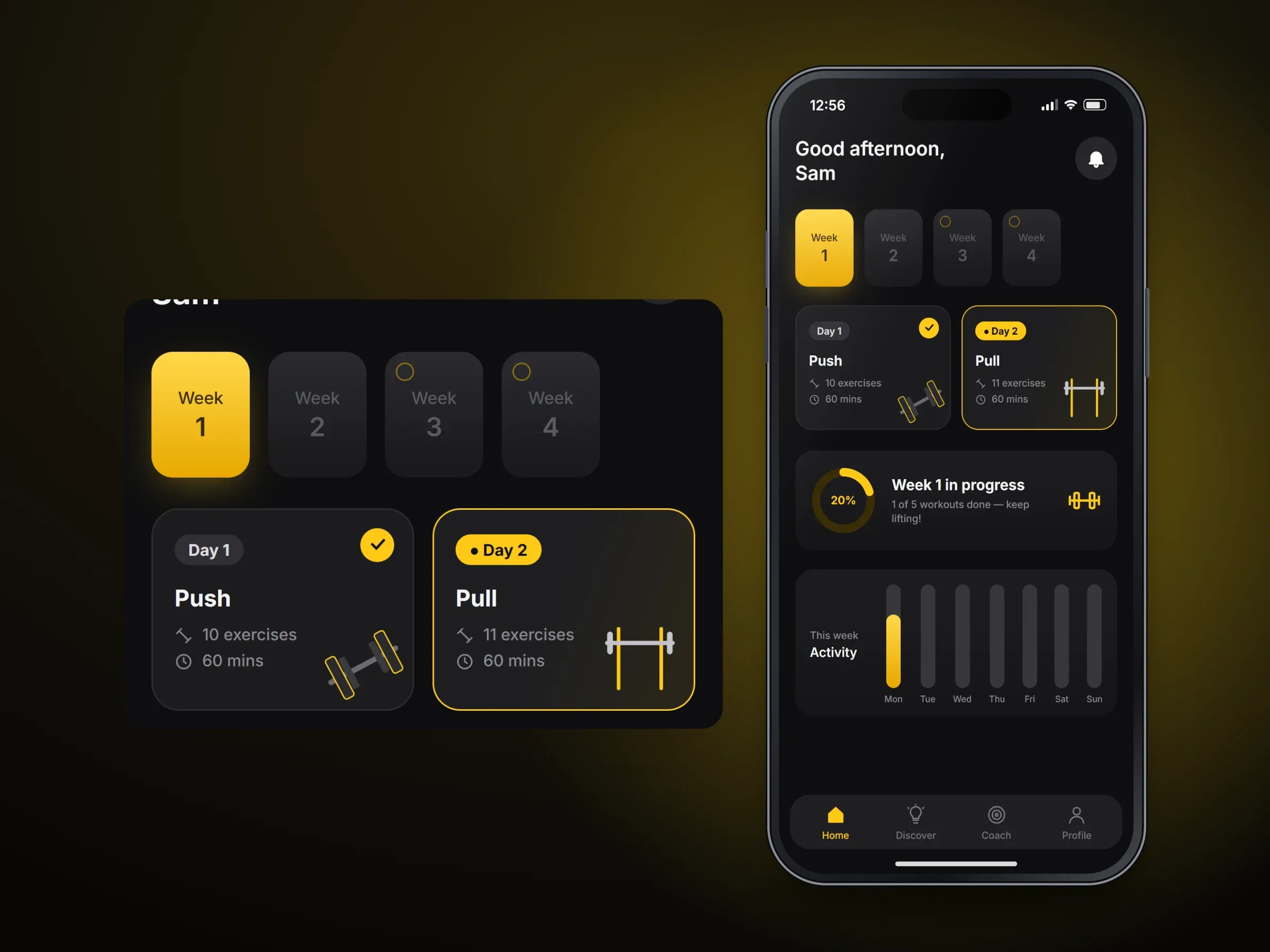
Recreated home screen of the strength-training app with weeks 1 to 4, a completed Day 1 Push workout, the next Day 2 Pull workout, a 20% weekly progress ring and an activity chart, with an enlarged panel of part of the screen

Screens recreated from the delivered app with neutral naming and example data.

Mobile app · iOS

Strength Training App

A mobile app that builds a strength-training programme from the lifter's own answers, lays it out week by week and tracks progress, with training articles and a gear shop.

Platforms
iOS
Our scope
Programme set-up, Training week, Discover
Read the case study

More projects we have worked on

Who you work with

The developer who leads this work

  • Dharmesh

    Dharmesh

    iOS Development Lead

    Dharmesh leads native iOS development: iPhone and Apple Watch apps.

How an engagement runs

  1. You tell us what you need and what exists today.
  2. We agree a written scope, or a dedicated team, with you.
  3. We build in short cycles you review, then release and support.
How we work, in detail

Questions

Before you get in touch

Do you build Apple Watch apps?

Yes. The Connected Performance case study includes a WatchKit companion to the iPhone app, for a client's sports sensor. The sensor hardware and firmware were the client's; the apps were our work.

Can I see an iOS app of yours on the App Store?

Not one we can link to today. Our iOS clients stay confidential, so the case studies below remove their names, and each says how its images were made. A language is named only where it is on record. On a call we can talk through the technical detail.

Can you fix an app that broke after an iOS update?

Yes. We reproduce the fault on current iOS, update what the change affected and prepare the release. We need the source code and App Store Connect access.

Can you add subscriptions to our app?

Yes, with StoreKit. Rules on paying outside the app differ by country and keep changing, so we check them for your product and region before design starts.

Do I need a Mac or a developer account?

You do not need a Mac. You do need your own Apple Developer account, so the listing stays in your company's name. A company account needs a D-U-N-S number, which can take time, so start early.

Start a project

Tell us about your iPhone app.

What it should do, who will use it, and whether any code exists today. A few sentences is enough.

What happens next

Your message goes to Ghanshyam Gadhiya, partner and CEO, who replies by email. If it is easier, you can also reach us on WhatsApp.

About: ios app development

What would you like to do? (optional)

What it does, who it is for, what exists today, and any timing you are working to.

Prefer to message? WhatsApp +91 97235 23243

We use these details only to reply about your project. See our privacy notice.