For new personal Google Play developer accounts · by Keshav Infotech
Google Play closed testing with 14 real testers
A managed 14-day closed test on real Android devices, with up to one screenshot from each tester every day. Delivered by Keshav Infotech through 12RealTesters, our dedicated closed-testing service.
$49 USD per app · $0 to start · paid after the tester milestone
You continue on 12realtesters.com, the service’s own site, run by Keshav Infotech. Google decides production access; we do not guarantee approval. See real campaign examples or ask about your app.
- Price
- $49 USD per app (current introductory price)
- To start
- $0 service fee until the tester milestone. Paid apps: purchase cost prepaid
- Testers
- 14 assigned (12 required + 2 cover)
- Campaign
- 14 days on real Android devices
- Evidence
- Up to 196 dated screenshots
Google’s requirement
Why new Play developers need a closed test first.
Google Play requires personal developer accounts created after 13 November 2023 to test an app before it can be published: a closed test with at least 12 testers who have been opted in continuously for the 14 days before you apply for production access. Until then, production stays switched off in Play Console. The rule is in Google Play’s testing requirements for new personal developer accounts.
It does not apply in the same way to every account. Your own Play Console shows the requirements that apply to yours, and it is the only record Google acts on.
Finding 12 email addresses is the easy part. The hard part is keeping 12 real people opted in and using the app for 14 consecutive days: a tester who leaves and rejoins starts their 14 days again. Instead of recruiting and chasing 12 people yourself, you can hire managed closed testers: that coordination is what this service does.
- Internal testing
- Quick builds for a small trusted group. Useful, but it does not meet this requirement.
- Closed testing
- The track the requirement is measured on. Testers join through your opt-in link.
- Opted in
- Shown by Play Console, which can take time to update. A screenshot cannot prove it.
- Production access
- You apply from the Play Console dashboard once the criteria are met. Google reviews the application and decides.
12 required, 14 assigned
Two more testers than the rule asks for.
Google’s minimum is 12 continuously opted-in testers. We assign 14, because over two weeks someone may switch devices, get locked out of an account or stop being available. The extra two keep the count above the line if someone drops out. They make the campaign more resilient; they do not guarantee uninterrupted opt-in, and they do not guarantee approval.
14 testers assigned to every campaign
What you get
What $49 USD includes, and what it does not.
Managed tester participation with daily evidence. It is not a full QA engagement.
14 assigned real testers
12 for the requirement and 2 more for continuity.
Real Android devices
Physical phones and genuine Google accounts, not emulators or duplicate accounts.
A managed 14-day campaign
We coordinate the group every day and follow up on missed days.
Daily evidence
One screenshot per tester, per day: up to 196 for the campaign, in a private report.
Payment after the tester milestone
No service fee to start. It is invoiced once the required tester progress shows in your Play Console.
One eligible re-test round
If Google asks you to repeat closed testing because it found the participation or activity insufficient, under the Re-test Policy.
Not included
- Approval or production access: Google alone decides
- Full functional QA, scripted test cases or written bug reports
- Fixing crashes, defects or Google Play policy violations
- App development, design, store listing, ASO or Data Safety work
- Developer-account problems
- Testers in a specific country (not guaranteed; ask first)
- Specific devices or Android versions, unless confirmed before the campaign is accepted
- The cost of buying a paid app (agreed and prepaid separately)
Need written feedback, bug reports or testing on named devices? That is QA and software testing, scoped and quoted separately.
How it works
Six steps, and who does each.
- You
Send your app details
Your app name and closed-testing opt-in link, plus any login or steps the app needs. No service fee and no card details at this stage.
- We
Receive 14 tester accounts
Usually within a few hours of the request being reviewed, with a planned start date.
- You
Add them to your closed test
A short step in your own Play Console: the testers join through your opt-in link.
- We
Testing starts on real devices
Each tester installs and uses your app daily and sends one screenshot a day.
- You
You see the tester progress
The $49 USD fee is invoiced once the required tester progress shows in your Play Console.
- We
The campaign runs to day 14
Daily testing and daily evidence continue until the campaign is complete.
Timing depends on when the testers are added and your release is available to them. How quickly Play Console reflects the tester count varies between accounts, so we do not promise a particular day.
Pricing and payment
$49 USD per app, invoiced only after the tester milestone.
- Start$0 service fee — request sent
- TestingTesters opt in and use the app daily
- MilestoneRequired tester progress visible in your Play Console
- Fee due$49 USD, invoiced
- Day 14Campaign and daily evidence completed
Paid apps
Paid apps are accepted. Send valid free-download promo codes, or agree the purchase cost: it is paid in advance and is separate from the $49 USD service fee.
Paying
The invoice arrives at the tester milestone: PayPal, Wise, Bank transfer, UPI, where available from your country. Bank or currency-conversion charges are yours.
Cancelling
Before the tester milestone there is nothing to pay. Once due and paid, the fee is normally non-refundable, except where the law requires otherwise or the service is not provided as agreed.
Full detail on 12realtesters.com:PricingTerms of serviceRe-test policy
Daily evidence
See the report format before you start.
Each day you receive one screenshot per assigned tester through a private report link, organised by date and tester: up to 196 in all. The sample report shows all 14 days of that format.
Illustrative sample report: a fictional app, invented tester names and illustrated screens reused across days. Not a real client campaign.
Open the sample testing report (continues on 12realtesters.com)A screenshot shows
- your app running on a tester’s device that day;
- which tester it came from, in your own report;
- that testing continued across the 14 days.
It does not show
- that every tester stayed continuously opted in: only your Play Console shows that;
- how long a session lasted, or that a given feature was used;
- anything about Google’s decision.
Campaign examples
Real campaigns, with very different apps.
Six of the campaign examples 12RealTesters has published, three with a real screenshot. Each is our team’s description of the work, with identifying details removed. They are not customer reviews, and they do not show that an app was approved.
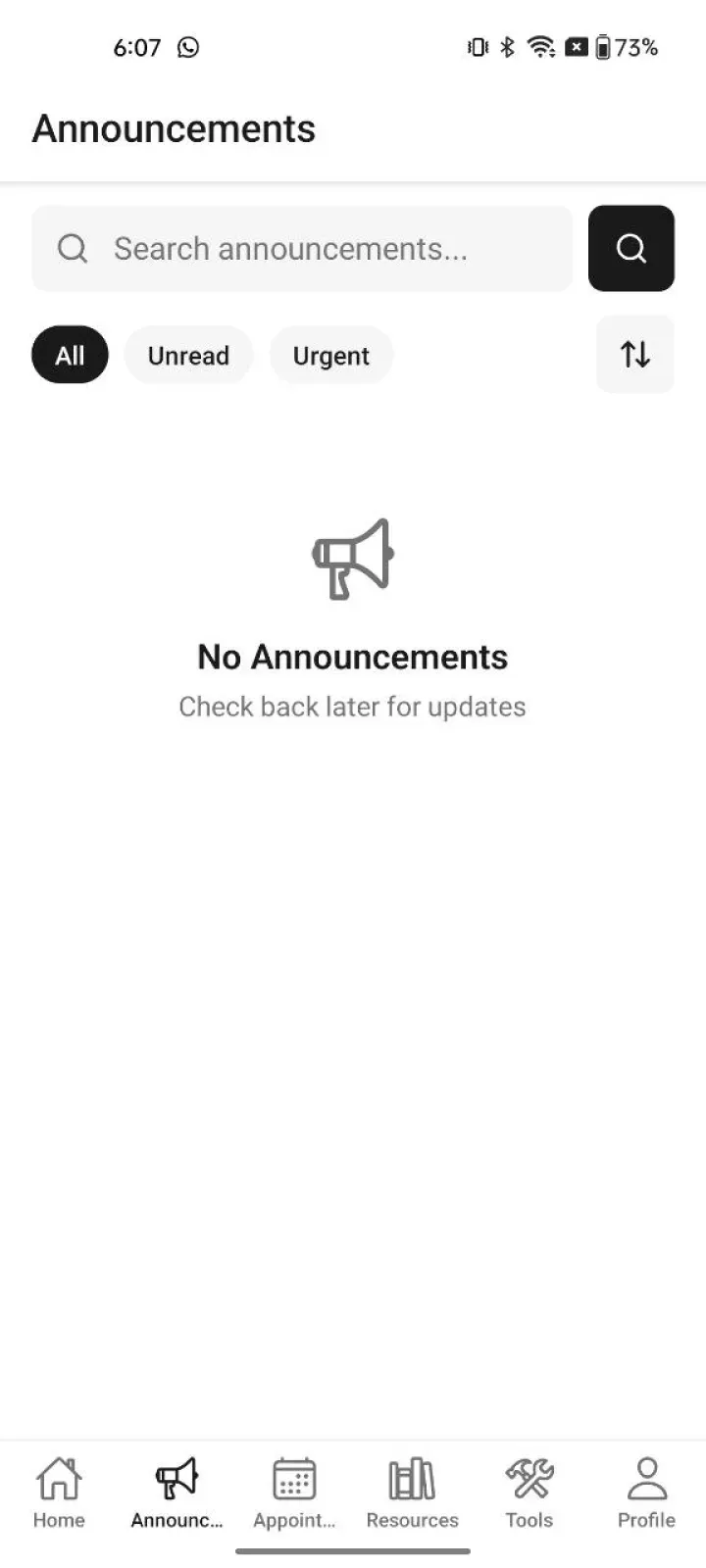
An app behind a loginInside the signed-in area of the login-protected app: the announcements list, empty at the time of capture. 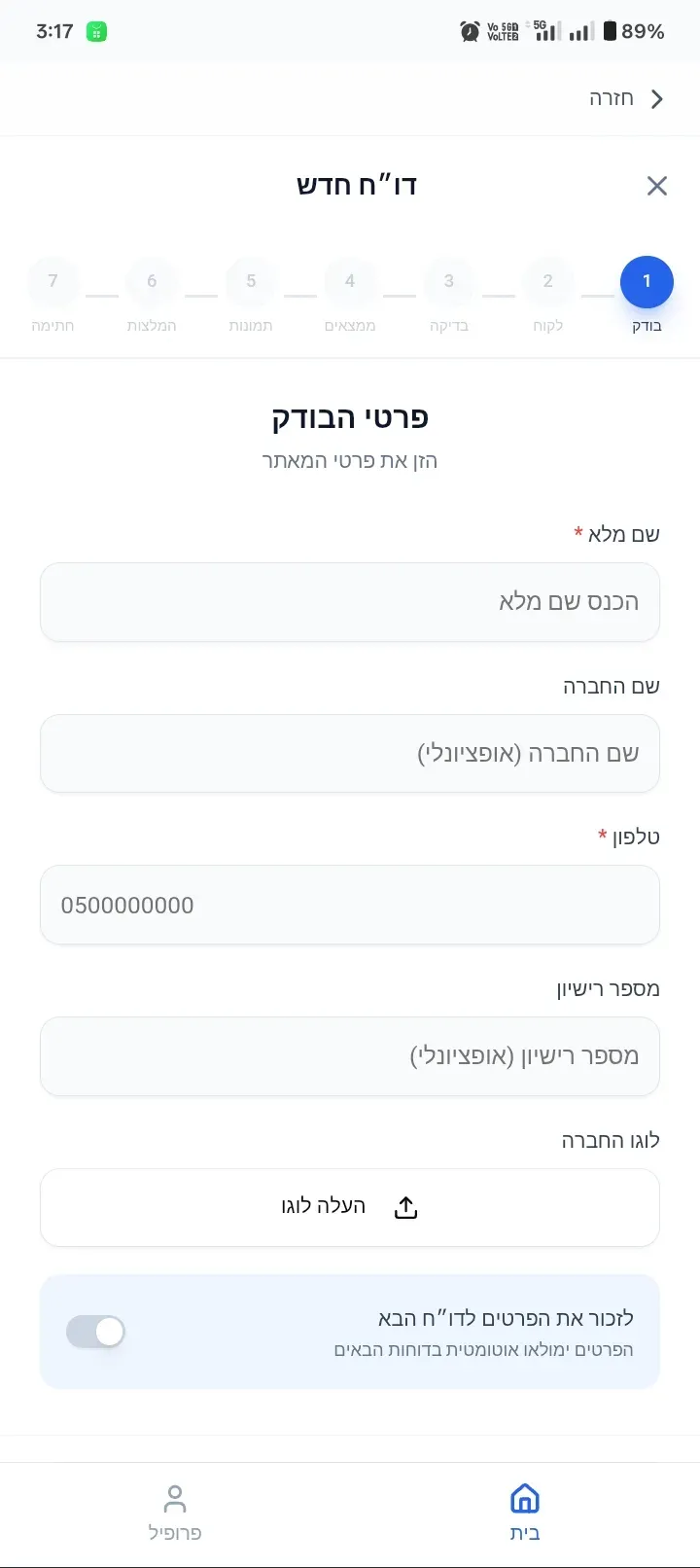
A Hebrew-language business appStep 1 of 7 of the Hebrew-language reporting form, at the start of the flow. 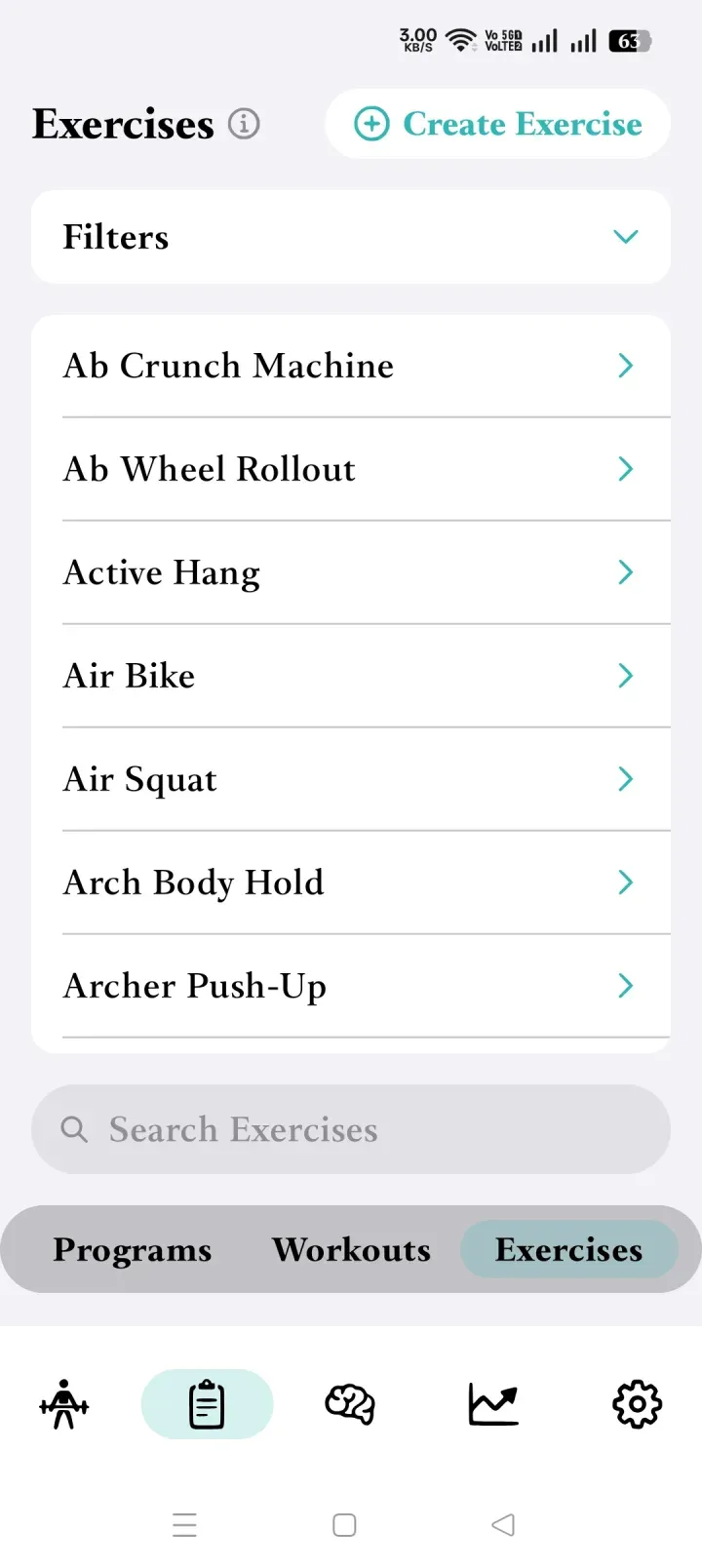
A fitness tracking appThe exercise catalogue of the fitness tracking app.
Real campaign screenshots · identifying details removed · not proof of Google approval
An app behind a login
Nothing in the app works without an account. Without working sign-in details, every day of testing would have ended at the login screen.
Read this example (continues on 12realtesters.com)A Hebrew-language business app
Right-to-left screens and a multi-step reporting form: an app that proves nothing if testers only open it and leave.
Read this example (continues on 12realtesters.com)A fitness tracking app
An exercise logger whose useful screens sit two or three taps below the first one.
Read this example (continues on 12realtesters.com)A document-vault app
Almost empty on first launch: there is little to see until a tester creates folders and moves through its sections.
Read this example (continues on 12realtesters.com)A city parking app
Its key feature only appears after setup, because the car parks offered depend on details such as the vehicle’s height.
Read this example (continues on 12realtesters.com)A casual Android game
An idle game that only shows its loop when the same person returns over several days.
All campaign examples, with their screenshots, on 12realtesters.com (continues on 12realtesters.com)
Who runs it
A dedicated testing service, backed by a software company you can check.
12RealTesters is not a separate company: it is Keshav Infotech's closed-testing service. The same company has operated since 2008 and builds and releases mobile apps and games.
- Founded
- 2008
- In business
- 18+ years
- Team
- 70+ in-house team
- Studio
- Rajkot, India
Our mobile team designs, builds and releases Android apps, including published Google Play apps you can see in our mobile app development work. Closed-testing campaigns are run by the same company.
The marketplace records below are reviews of Keshav Infotech’s work across the services we deliver: apps, games, web and testing.
Questions
Questions developers ask before a closed test
Does Google’s 12-tester rule apply to every developer account?
No. Google applies it to personal developer accounts created after 13 November 2023: at least 12 testers continuously opted in to a closed test for the 14 days before you apply for production access. Your own Play Console shows the requirements that apply to your account.
Why do you assign 14 testers when Google asks for 12?
Over two weeks, some people inevitably switch devices, get locked out of an account or simply stop being available. The 2 extra testers protect the count if someone drops out. They improve continuity; they do not guarantee it, and they do not guarantee approval.
Can you test an app another developer built?
Yes. Who built the app does not matter. We need a build that installs from your closed testing track, your opt-in link, and any login or steps the app needs.
What do you need from me to start?
Your app name, the closed-testing opt-in link from Play Console, and a build that installs and runs on a real Android device. Send login details, access codes or special steps with the request.
When do I pay, and what if I cancel?
No service fee is charged to start. The $49 USD fee is invoiced once the required tester progress shows in your Play Console. If you cancel before that, there is nothing to pay. After it, the fee is normally non-refundable because testing is under way, except where the law requires otherwise or the service is not provided as agreed.
What happens if a tester drops out?
That tester no longer counts as continuously opted in, and if they rejoin their 14 days start again. This is why two extra testers are assigned and the group is followed up daily. Your Play Console remains the record of who is opted in.
I already have some testers. Can you help with the rest?
We can, though the package does not shrink: it is always 14 assigned testers for $49 USD, with no per-tester price. Mention how many testers you already have when you send the request.
Can I upload a new build during the test?
Yes. Testers receive the current release from your closed testing track. Tell us in advance if an update changes the login or blocks the main screen.
Do testers write feedback or bug reports?
Not in the standard package. Testers take part daily and send one screenshot each per day. Written feedback, structured bug reports or a specific journey tested on named devices are separate QA work, quoted separately.
Can you test paid apps, or apps that need a login or OTP?
Yes. For paid apps, send free-download promo codes, or agree purchase funds that are paid in advance and separately from the $49 USD fee. For logins, OTPs or allow-listed accounts, discuss access before the campaign is accepted.
Can testers be in a specific country, or use a specific device or language?
The testers’ Google accounts are registered in India. Google’s rule counts testers and days, not countries, but your closed track must be available where the testers are. Specific countries, devices or Android versions must be confirmed before we accept the campaign. Other languages are supported with translation tools; this is not localisation testing.
What if Google asks for more testing?
If Google asks you to repeat closed testing because it found the closed-testing participation or activity insufficient, one additional eligible 14-day round is provided without another service fee, under the Re-test Policy. Send Google’s message within a reasonable time. It does not cover defects, crashes, an untestable build, policy, account, Data Safety or listing issues, or any other reason unrelated to closed-testing participation; it is not a refund and not unlimited repeats.
Do you guarantee production access?
No, and no testing service can. Our part is the testers, the daily coordination and the evidence. Applying for production access is a separate step in your Play Console; Google reviews that application and makes the decision.
Start your 14-day closed test.
Send your app details and opt-in link on 12RealTesters, Keshav Infotech’s closed-testing service. 14 testers are assigned, and no service fee is charged until the required tester progress shows in your Play Console. For a paid app, any purchase funds are agreed and paid in advance.
Ask about your app
Not sure your app fits?
We reply by email. Sending a question does not start a campaign: to start one, use the start form on 12realtesters.com.
What happens next
Your message goes to Ghanshyam Gadhiya, partner and CEO, who replies by email. If it is easier, you can also reach us on WhatsApp.