Case study · Client name withheld
Field Inspection Camera App
A native iPhone and iPad app for running inspections from a connected camera device with its own Wi-Fi
Field teams use this app to operate a connected camera device and turn the captured footage into inspection records. Our team has built and maintained the native iPhone and iPad app in Swift and UIKit: accounts and sites, starting and stopping inspections, video recording with live preview, device updates, and reports by site and date.
- Client
- Confidential client
- Platforms
- iPhone · iPad
- Our scope
- iPhone and iPad app · Camera device connection · Upload queue
The product
What it does, and for whom
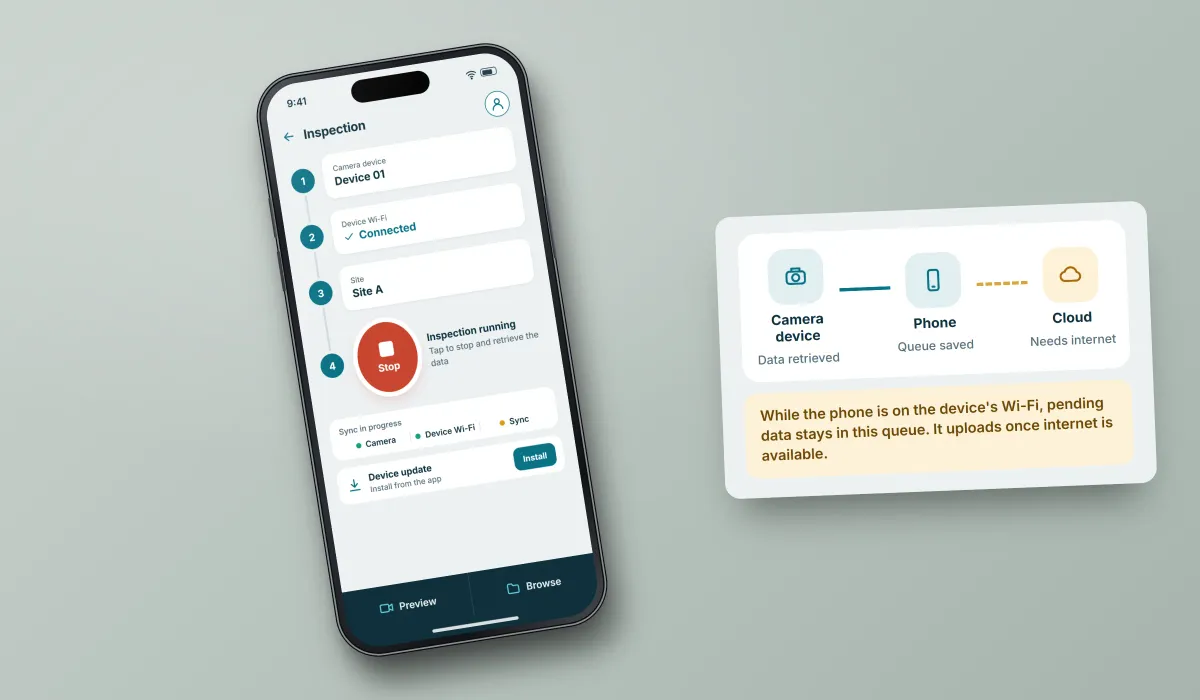
The hard part was connectivity. To control an inspection and retrieve its data, the phone joins the device's own Wi-Fi, yet that data still has to reach the cloud. We built an upload queue that saves pending data while the phone is on the device's network and uploads it once internet is available.
Scope: The camera device and the cloud API are the client's; the app integrates with that API. Our work here is the native iOS app. Back end, Android and web work are not part of what we are describing.
Our contribution
What our team built
iPhone and iPad app
Native development in Swift and UIKit with Core Data: accounts and sites, inspection start and stop, and reports by site and date with processed frames and counts.
Camera device connection
Joining the device's own Wi-Fi to control an inspection and retrieve its data, RTSP live preview, video recording and device updates.
Upload queue
Saving pending data while the phone is on the device's network and uploading it to the client's cloud API once internet is available.
Technologies: Swift · UIKit · Core Data · RTSP
User flow
From connecting the device to reading the report
Four screens in the order a field team meets them.
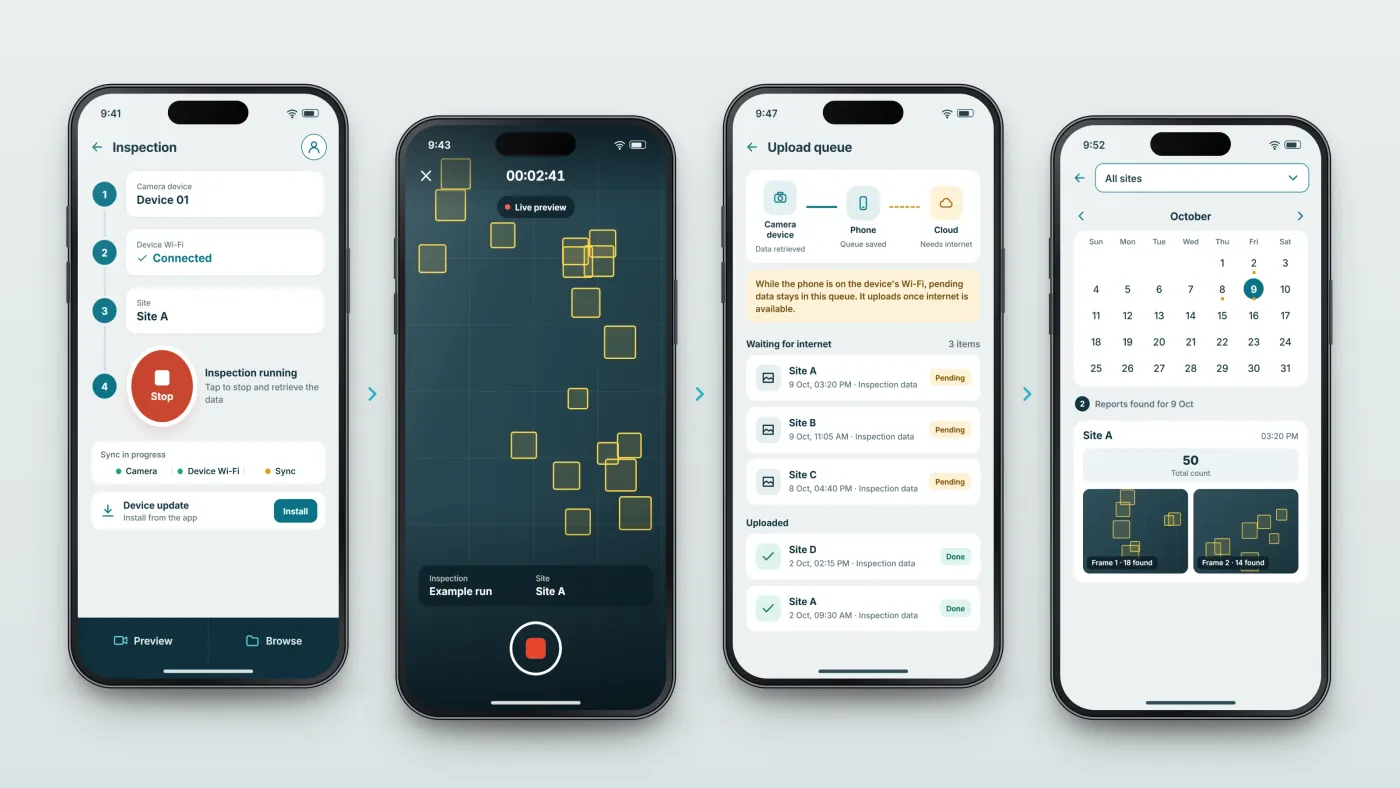
Connect and start
The phone joins the device's Wi-Fi, the user picks a site and the inspection runs.
Watch and record
A live preview shows the camera's view while video is recorded.
Queue the data
Pending data is saved while the phone is on the device's network and uploads once internet is available.
Read the report
Reports by site and date show counts and the processed frames.
The product in use
Inside the app
Running an inspection from the phone
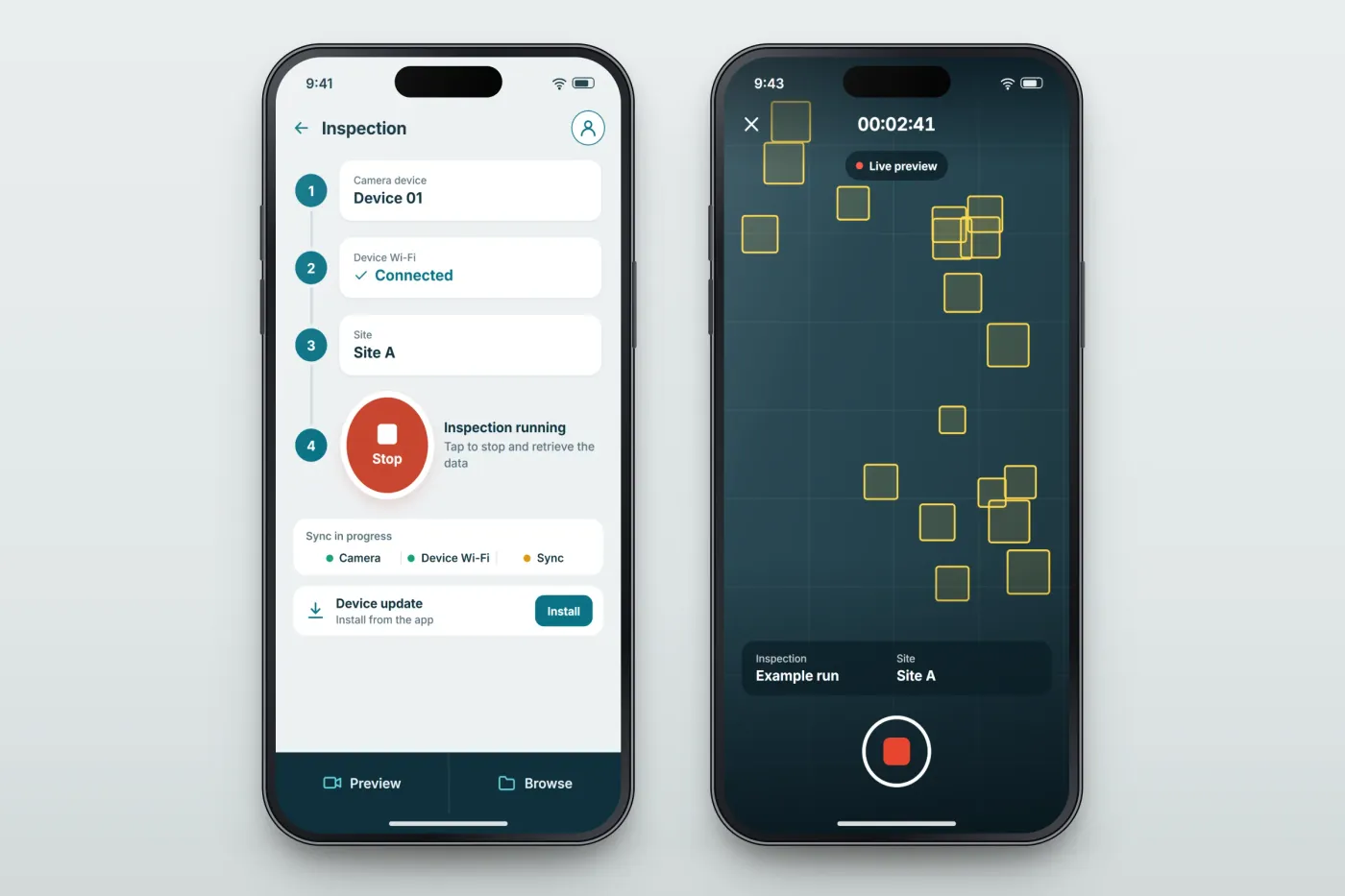
The phone connects to the camera device, the user picks a site, and inspections start and stop from one screen. A live preview shows the camera's view while video is recorded, and device updates are installed from the app.
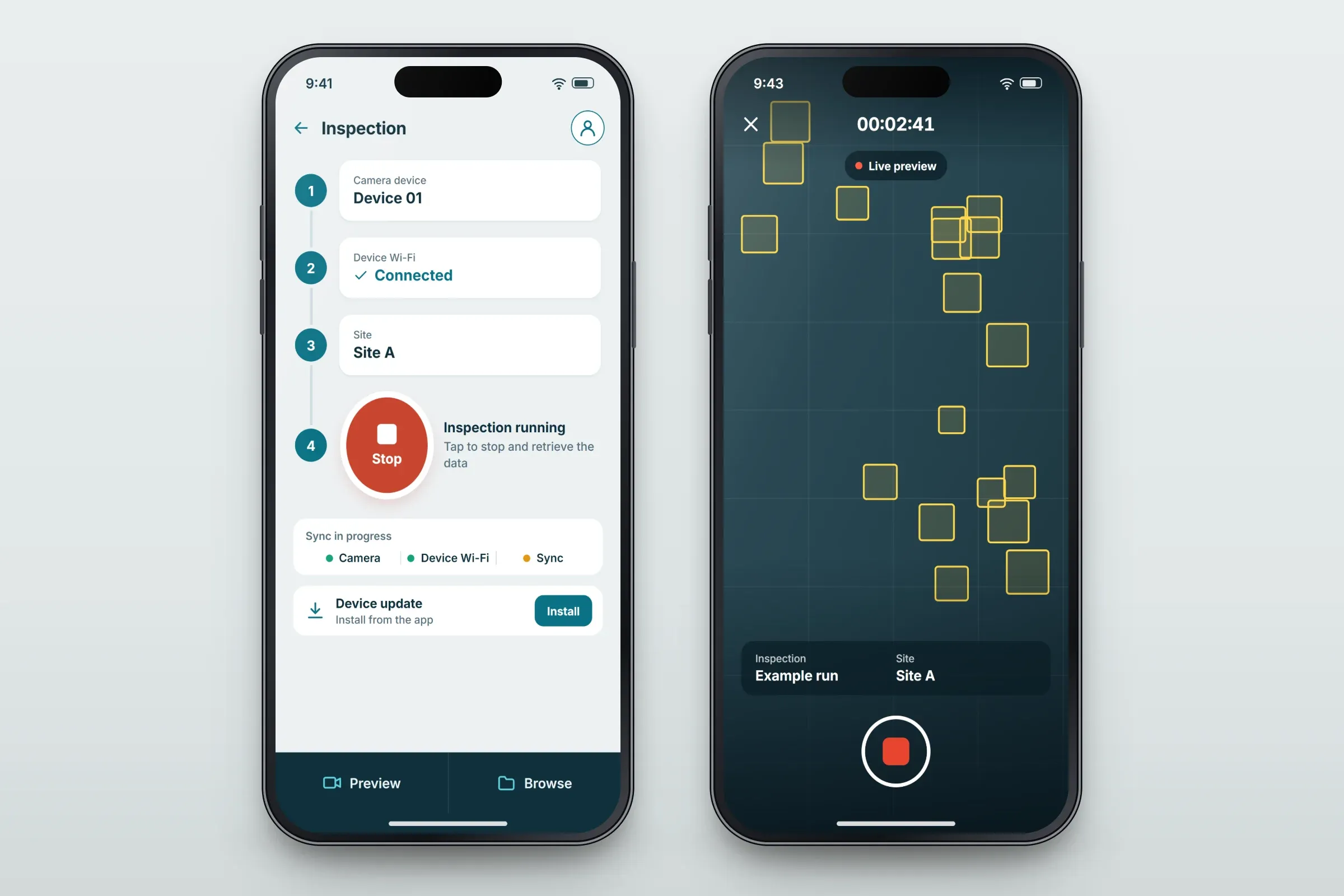
Inspection control and live preview. Close-ups on phones: tap any image for the full screen. An upload queue built for the device's Wi-Fi
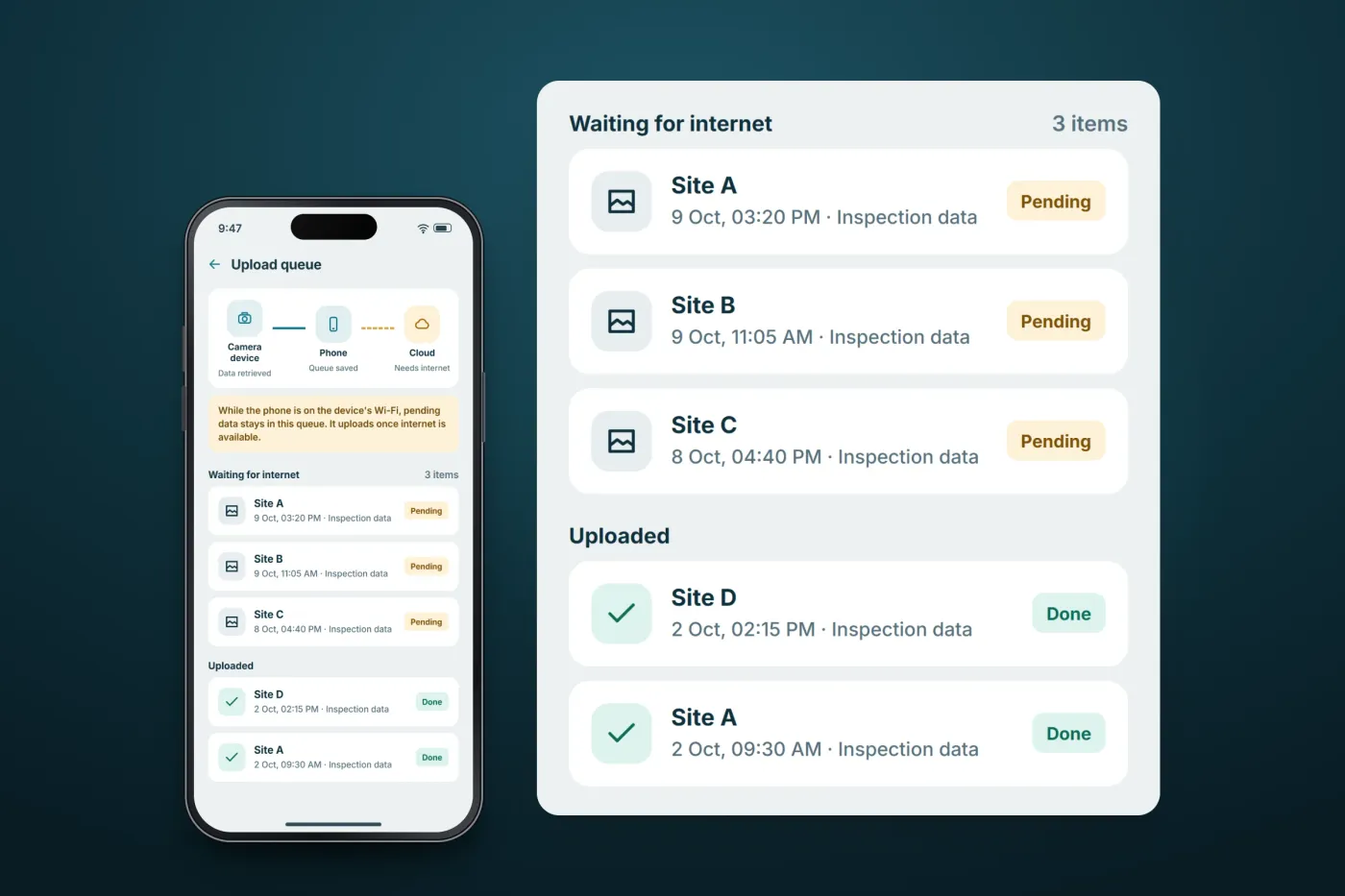
Pending inspection data is saved in a queue while the phone is on the device's network. Once internet is available, the queued data uploads to the client's cloud API.
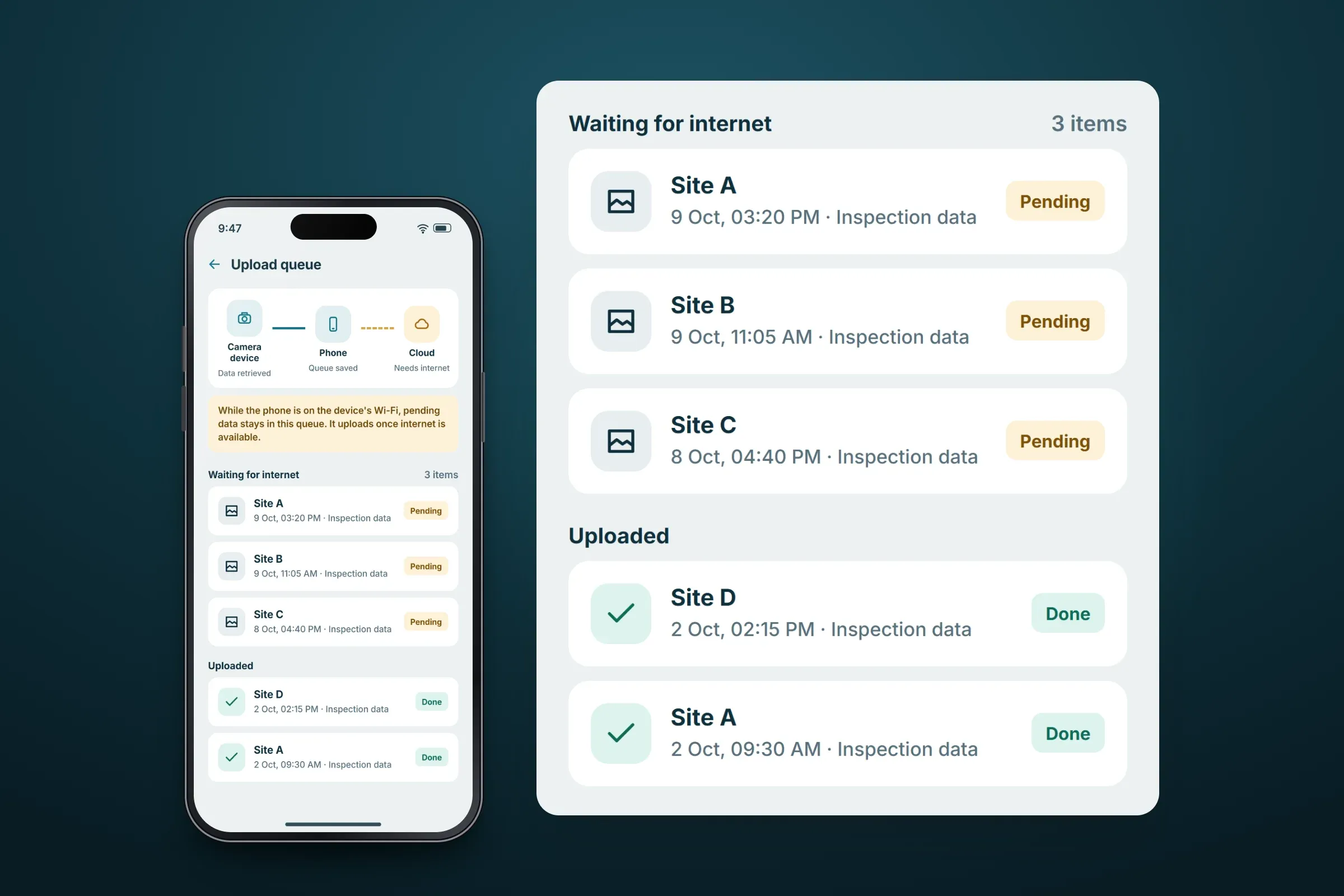
Pending data waits in the queue. Close-ups on phones: tap any image for the full screen. Reports by site and date
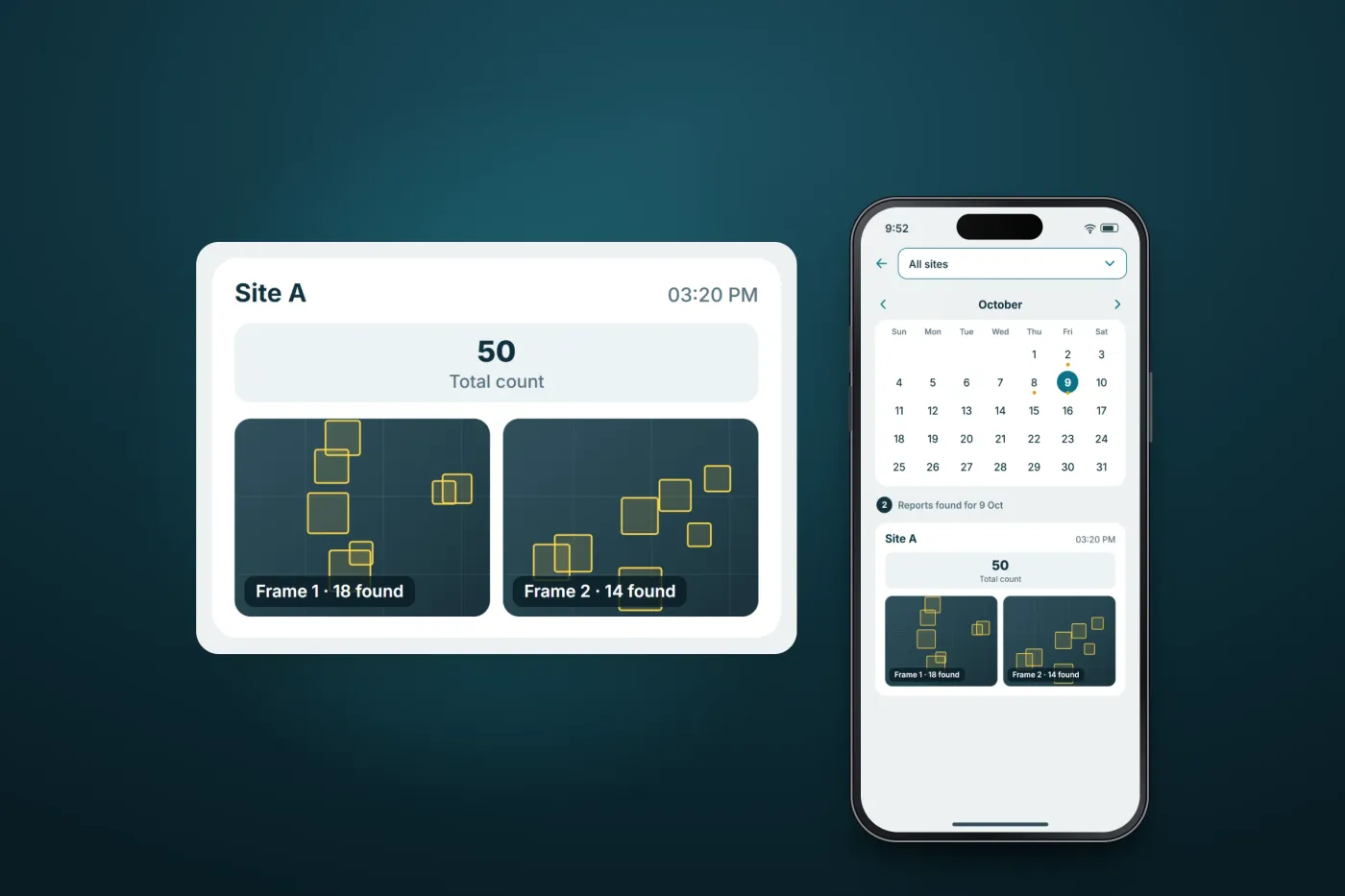
A calendar shows the days with inspections and reports can be narrowed to one site. Each report gives a count alongside the processed frames, and each frame carries its own count.
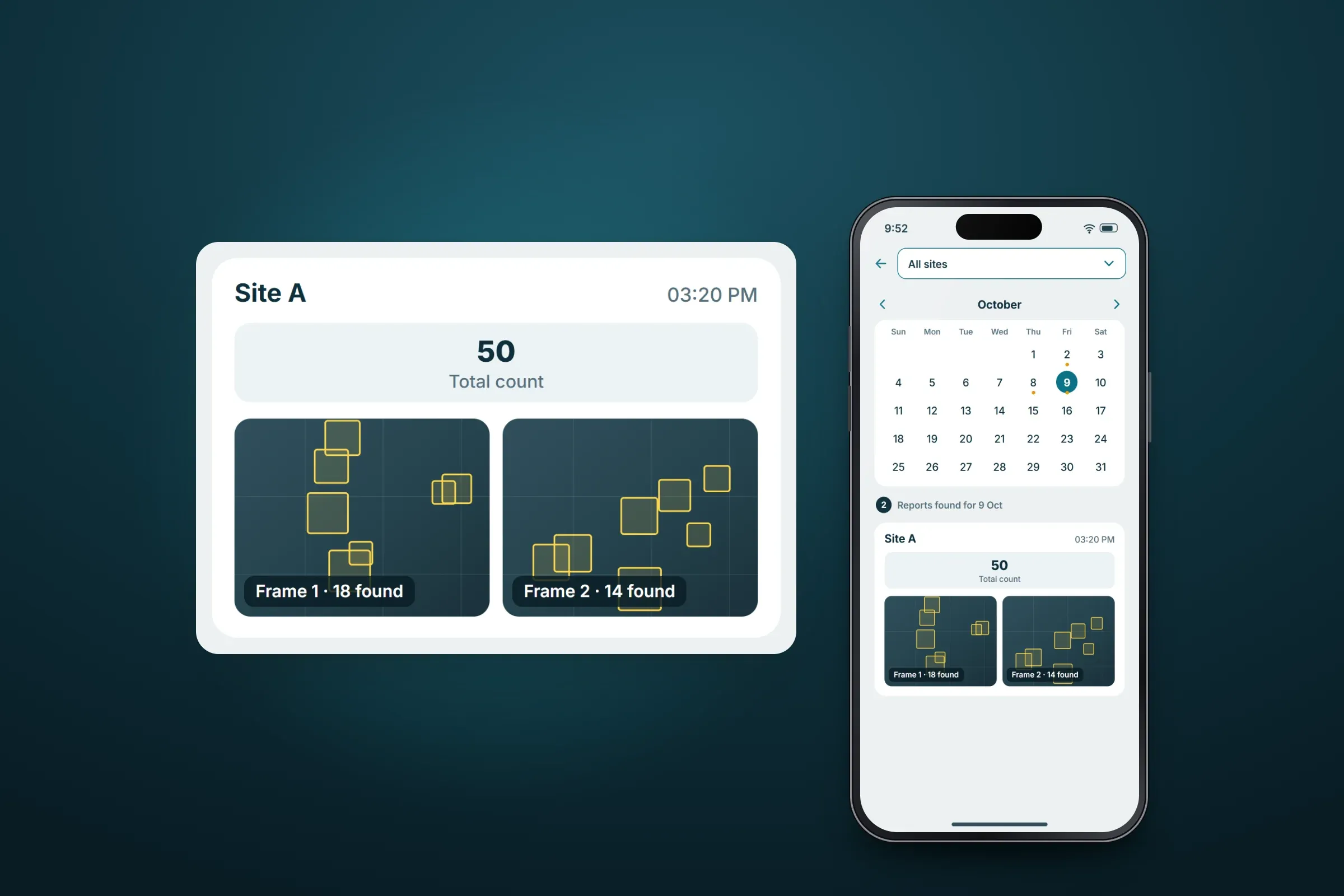
A report with counts and frames. Close-ups on phones: tap any image for the full screen.
About these images: the screens are recreated for this case study, with neutral naming and example data in place of the client's brand, sites and counts. The camera imagery is abstract, the queue view illustrates how the delivered queue behaves, and the layouts are illustrative. None of them are screenshots of the app.
Delivery
The engagement
- A native iPhone and iPad app, live.
- Our team has worked on the app for several years, and the work continues.
Related services