Case study · Client name withheld
Load and Axle Sensor Setup Apps
Two companion Bluetooth apps for setting up a client's vehicle load-sensing systems
The client works with load and axle sensing systems for vehicles. Our team developed two companion mobile apps for them — one for the axle system, one for the load system — that find the sensors over Bluetooth and let a user or technician set the system up, calibrate it and check that it works.
- Client
- Vehicle load-sensing company
- Platforms
- iOS
- Our scope
- Bluetooth connection · Calibration and service tools · Two apps, one structure
The product
What it does, and for whom
Setting up a load-sensing system by hand is slow and easy to get wrong. The apps were made to speed up configuration and cut manual errors: the phone finds the sensors nearby, connects to one, and gives the user the screens to calibrate it and run quick checks. The project's scope also covered sharing the system's information and backing it up.
Scope The sensors, their electronics and firmware are the client's. Our work was the two mobile apps that set them up. To keep the client confidential, the screens on this page are recreated from the delivered apps with neutral naming and example data.
Our contribution
What our team built
Bluetooth connection
Scanning for sensors, listing those in range, connecting to one from the phone, and a clear empty state when none is found.
Calibration and service tools
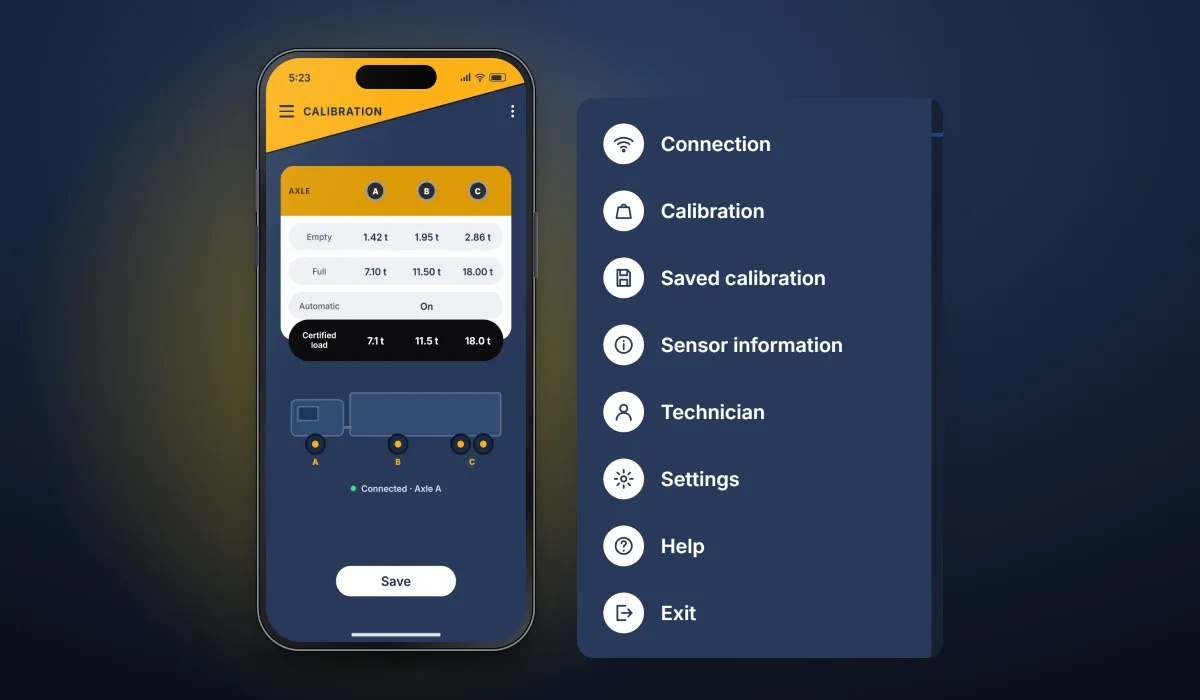
Per-axle calibration with empty, full and certified-load values, saved calibrations, sensor information and the technician menu.
Two apps, one structure
Axle and load apps that share a device list, side menu, calibration and settings, each in its own system's colours; settings for unit type, alarm sound and language.
User flow
Setting up a vehicle's sensors
The axle app's path from finding a sensor to saving a calibration; the load app follows the same structure.
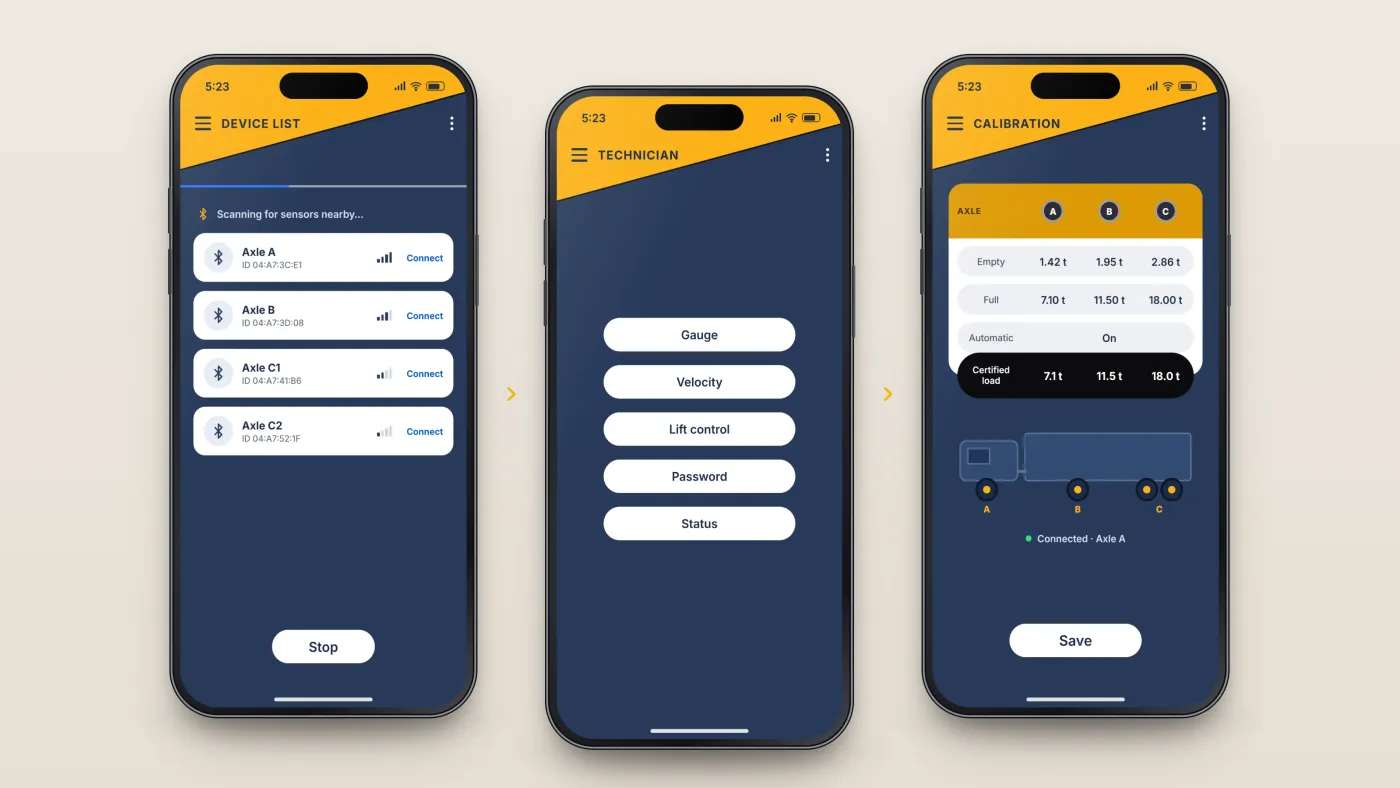
Find the sensors
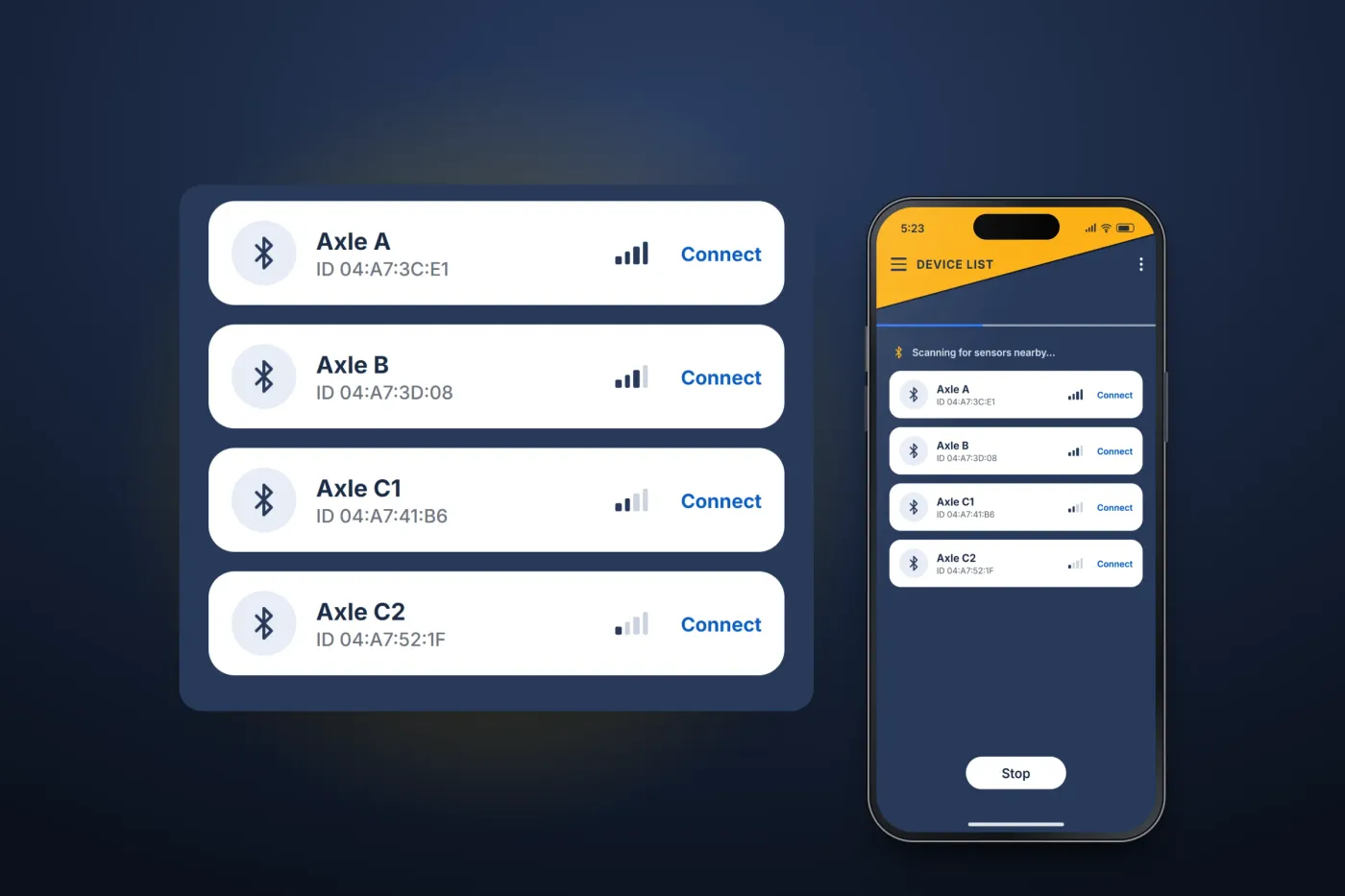
The device list scans for sensors over Bluetooth and lists those in range to connect to.
Open the technician tools
Gauge, velocity, lift control, password and status are grouped in one technician menu.
Calibrate each axle
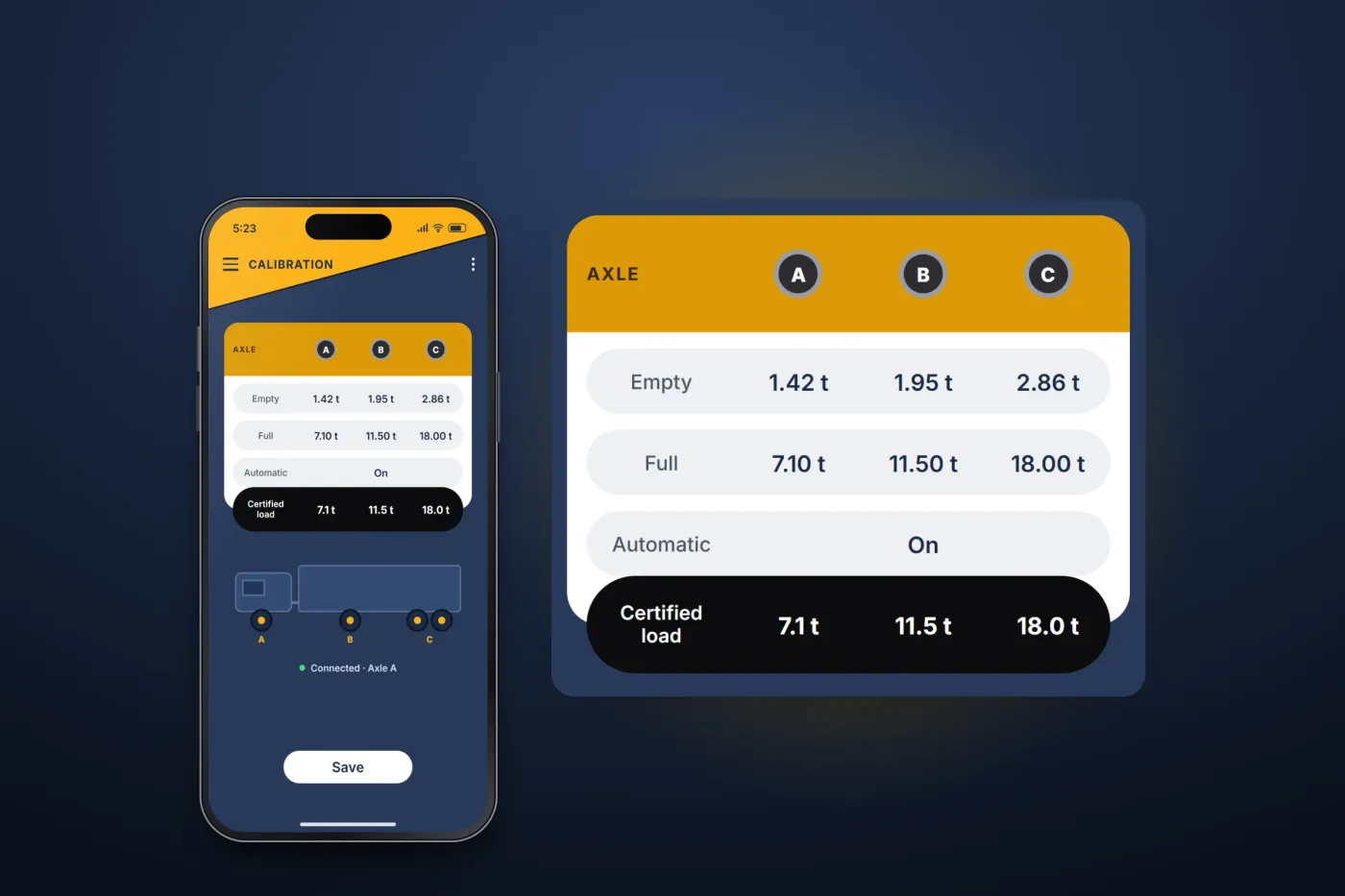
Empty, full and certified-load values are set for axles A, B and C, with an automatic option, then saved.
The product in use
Inside the apps
Finding the sensors
Both apps open on a device list that scans for sensors over Bluetooth. Sensors in range appear in a list to connect to; when none is found, the app says so and offers to scan again.
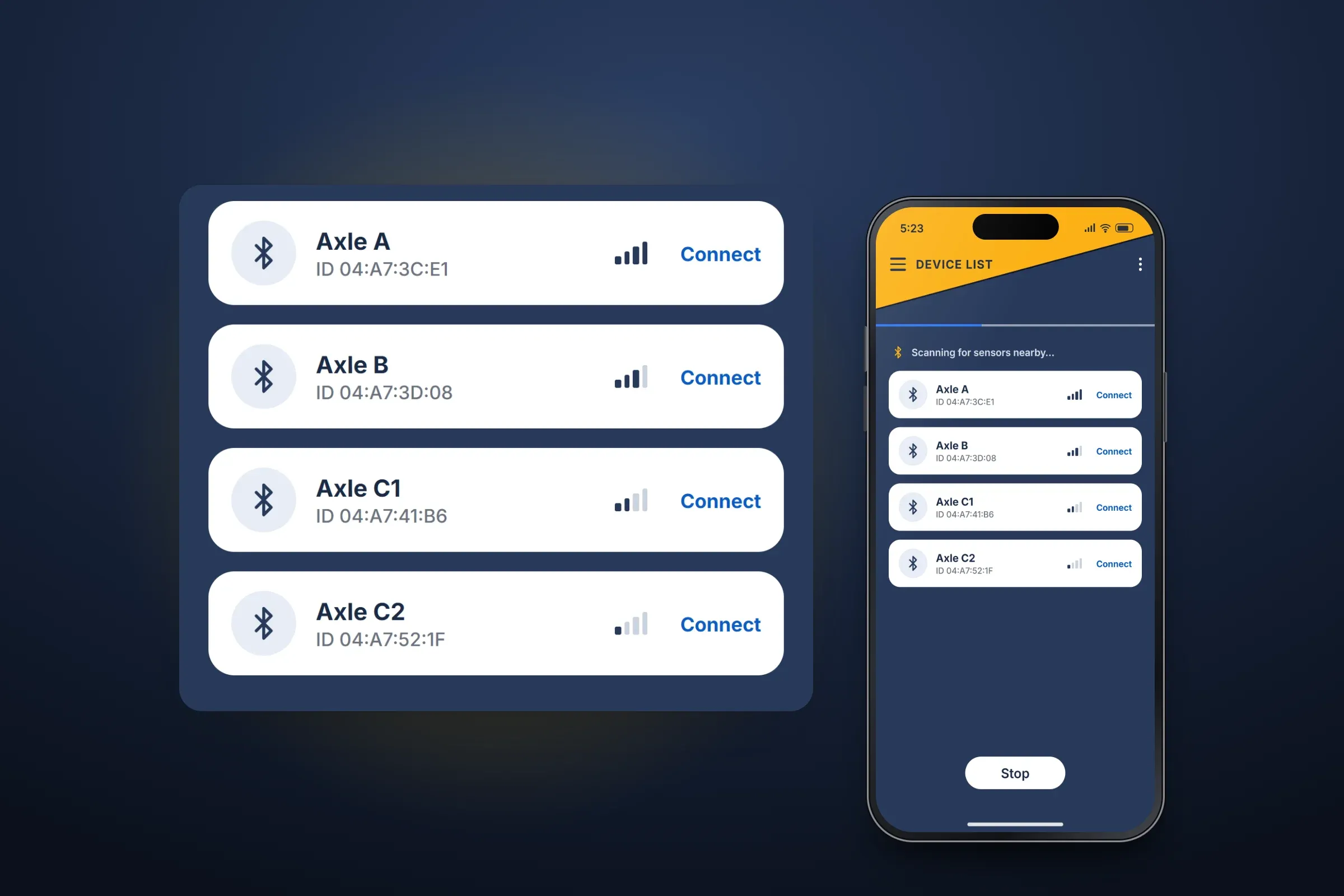
Scanning for sensors. Close-ups on phones: tap any image for the full screen. Calibration and technician tools
The calibration screen sets the empty, full and certified-load values for each axle group, with an automatic option, and saves them. A technician menu groups the service functions: gauge, velocity, lift control, password and status.
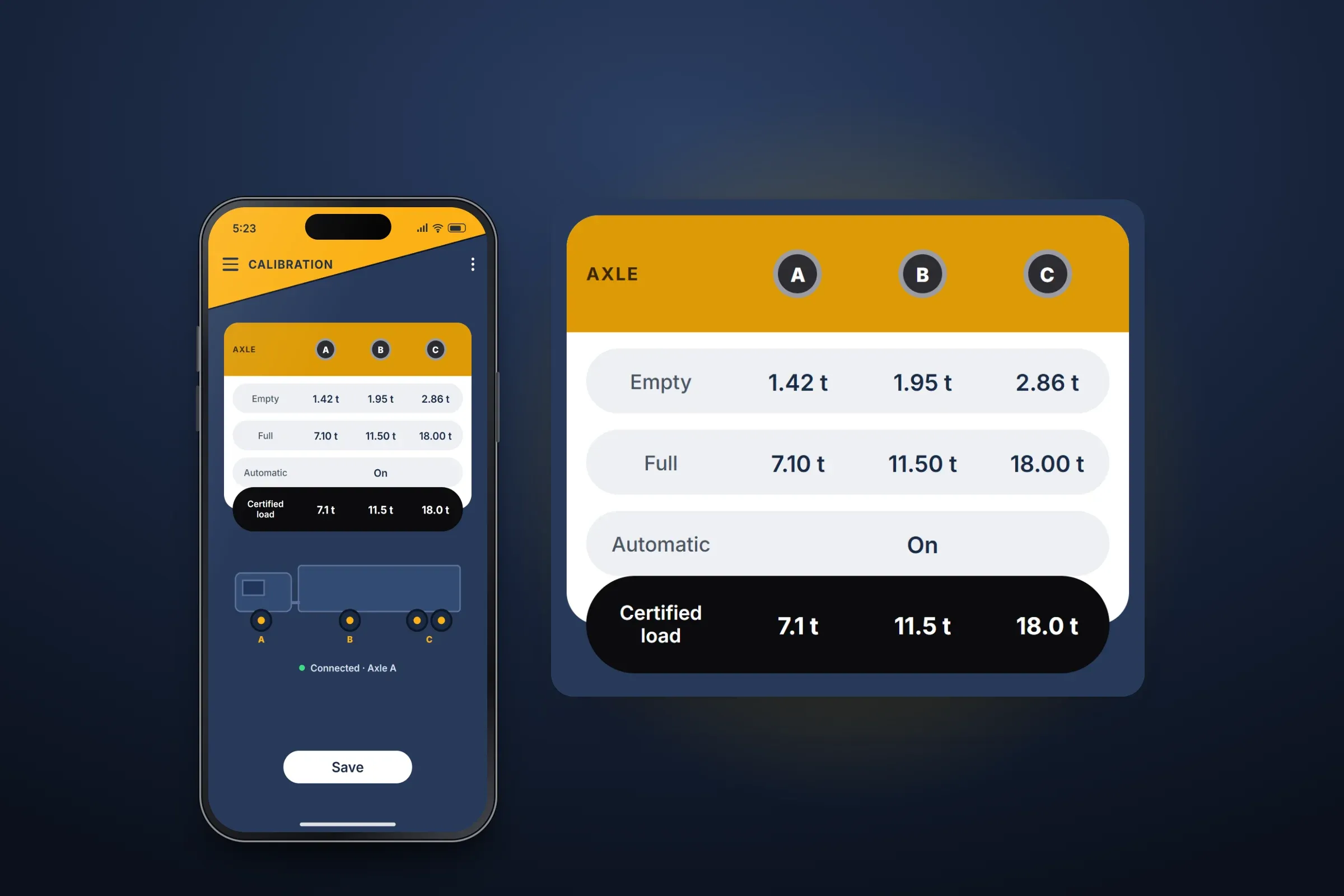
Calibration per axle. Close-ups on phones: tap any image for the full screen. Menus and settings
A side menu leads to connection, calibration, saved calibrations, sensor information, technician tools, settings and help. The load app's settings choose the unit type, the alarm sound and the language.
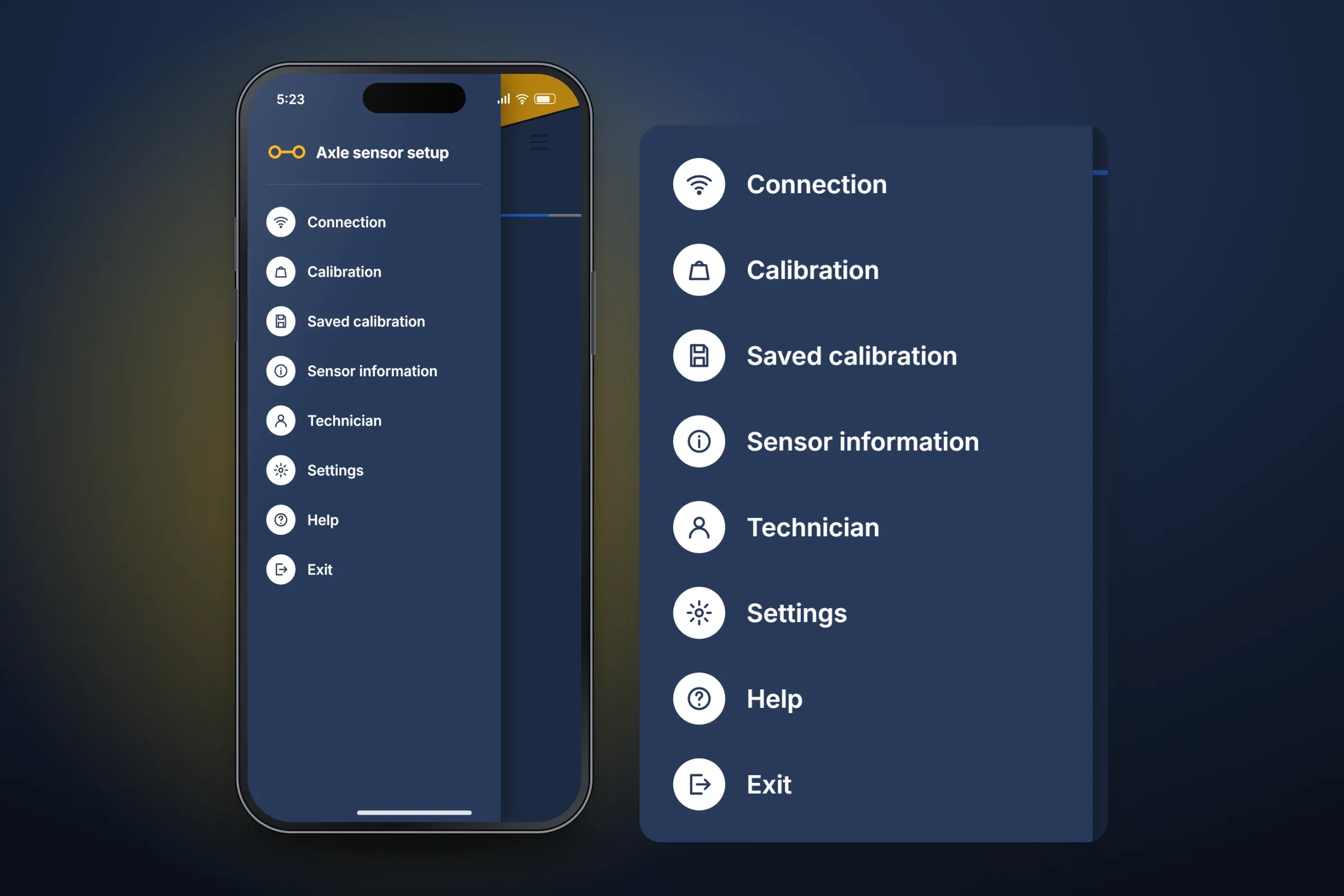
The axle app's menu. Close-ups on phones: tap any image for the full screen.
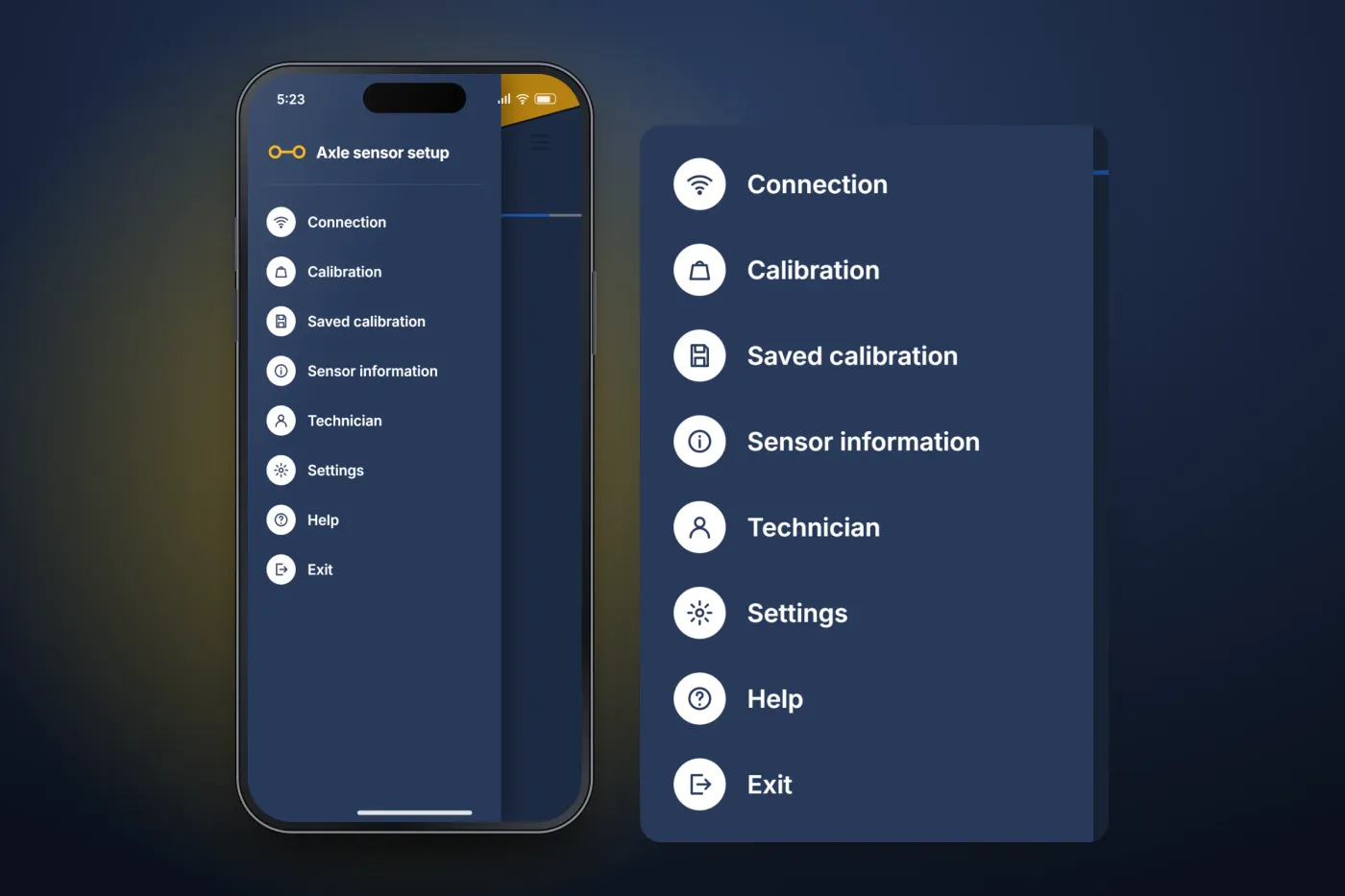
About these images: the screens are recreated from the delivered apps for this case study, with neutral naming and example data in place of the client's brand. They follow the apps' real screens and functions, but they are not screenshots of them.
Related services
The services behind this project
- Mobile app development Native and cross-platform iOS and Android apps, with their back end, from first release to long-term upkeep.
- Apps for IoT and connected devices IoT app development for Bluetooth and Wi-Fi hardware — pairing, live sensor data, device control, sync and firmware updates from the app.