Case study · Client name withheld
Attendance Management App
Check-in, lunch and check-out times, worked hours and last recorded address, on the employee's phone
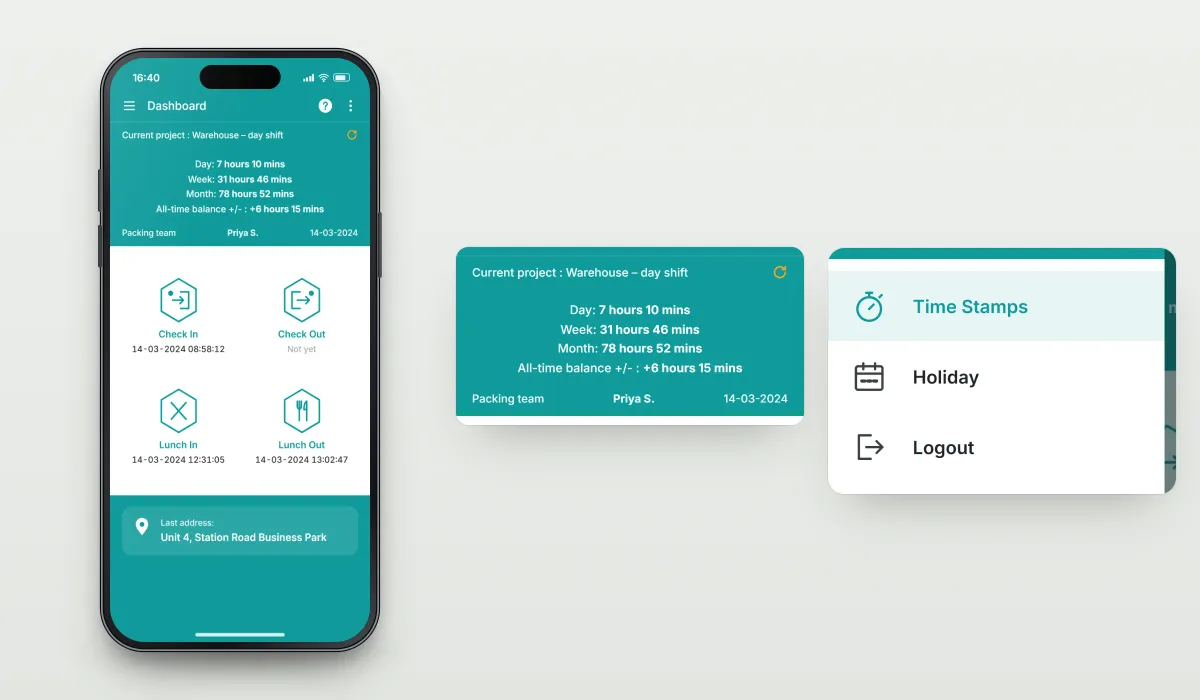
The client offers an attendance management solution for workplaces in different sectors. Our team developed the mobile app employees use to record their working day: check in, lunch in, lunch out and check out, with their worked hours and last recorded address on one dashboard.
- Client
- Workforce software provider
- Platforms
- iOS
- Our scope
- Time recording · Hours and balance · Accounts
The product
What it does, and for whom
Paper timesheets and manual entry are slow and easy to get wrong. The app replaces them with a precise digital record: each check-in and break is time-stamped on the phone, worked hours are added up by day, week and month with a running balance, and the employee's last recorded address is shown alongside. Companies register with their own account, and employees sign in with their employee ID or email.
Scope The client's wider attendance service, its reporting and its business are their own. Our work was the mobile app. To keep the client confidential, the screens on this page are recreated from the delivered app with neutral naming and example data.
Our contribution
What our team built
Time recording
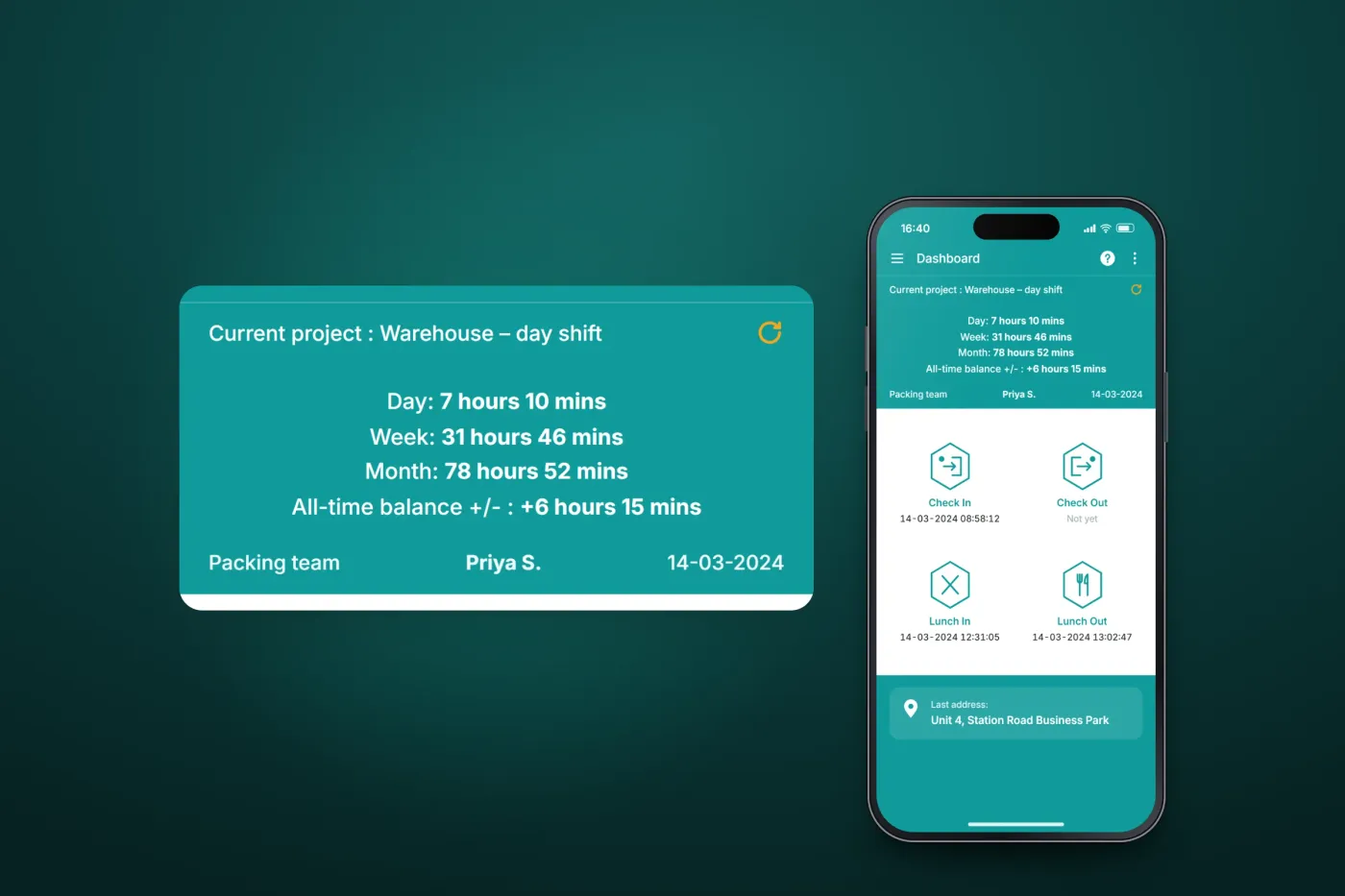
The dashboard's check-in, lunch and check-out buttons with time stamps, and the last recorded address.
Hours and balance
Hours worked today, this week and this month, the all-time balance and the current project.
Accounts
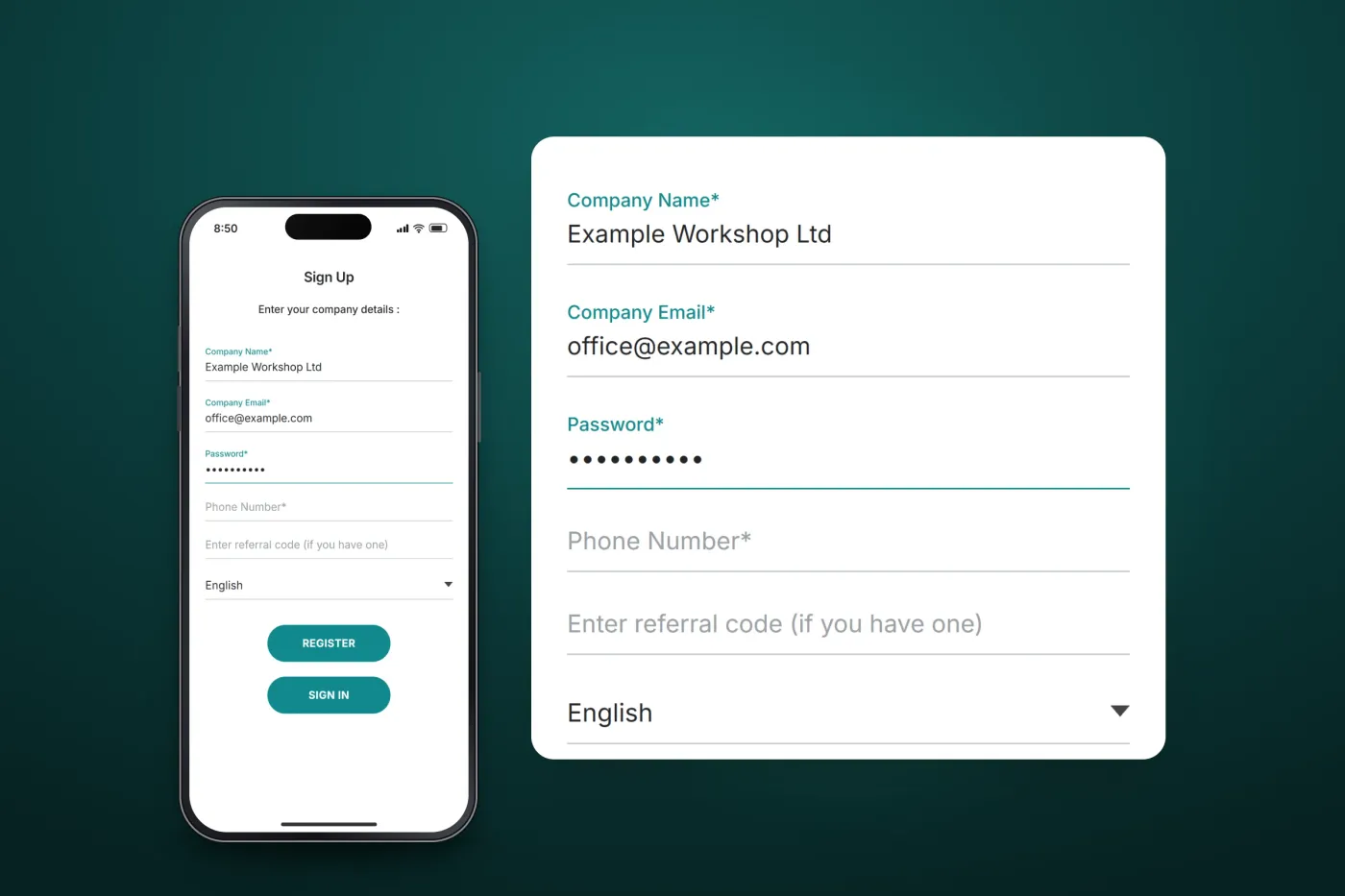
Company sign-up with language and referral code, employee login, and the side menu to time stamps and holidays.
User flow
An employee's working day
What an employee does in the app from signing in to looking back at their records.
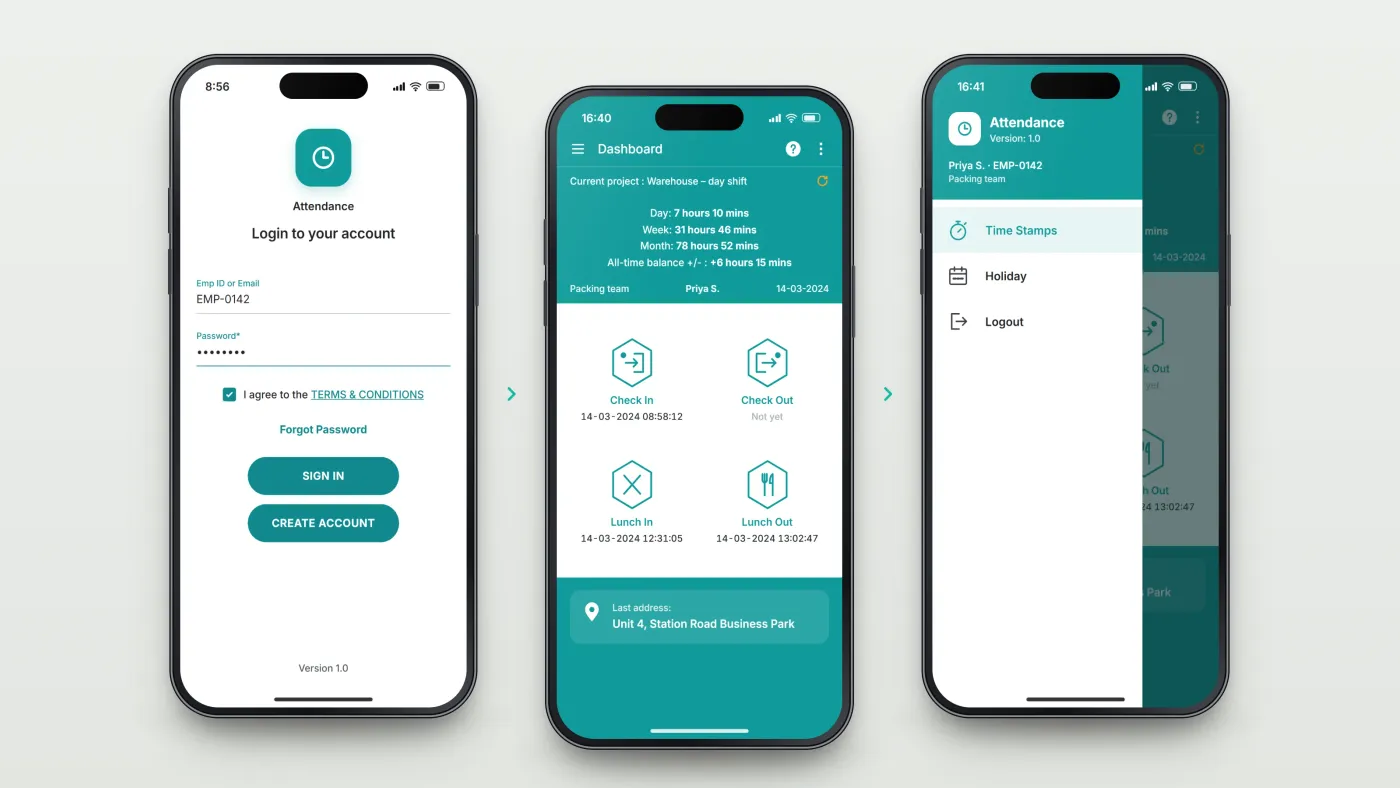
Sign in
With an employee ID or email, after agreeing to the terms.
Record the day
Four buttons record check in, lunch in, lunch out and check out, each with its time stamp; hours worked and the balance update on the same screen.
Look back
The side menu leads to time stamps and holidays.
The product in use
Inside the app
The working day on one screen
The dashboard shows the current project and the hours worked today, this week and this month, with an all-time balance. Four large buttons record check in, lunch in, lunch out and check out, each with its time stamp, and the last recorded address appears below. The side menu shows who is signed in and leads to time stamps and holidays.
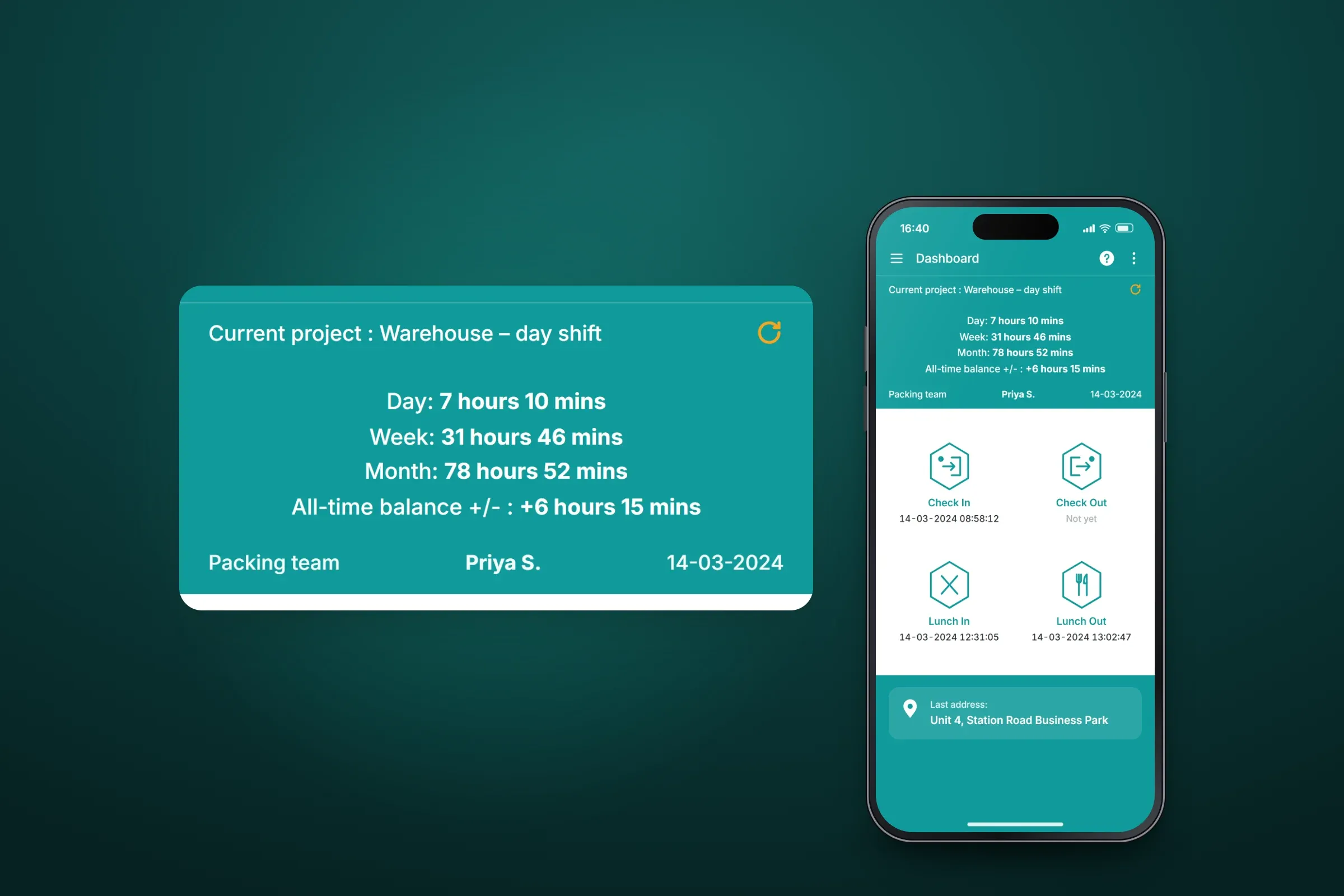
The dashboard, with the hours summary enlarged. Close-ups on phones: tap any image for the full screen. Company sign-up and employee login
A company registers with its name, email, password and phone number, an optional referral code and its language. Employees then sign in with their employee ID or email, after agreeing to the terms and conditions.
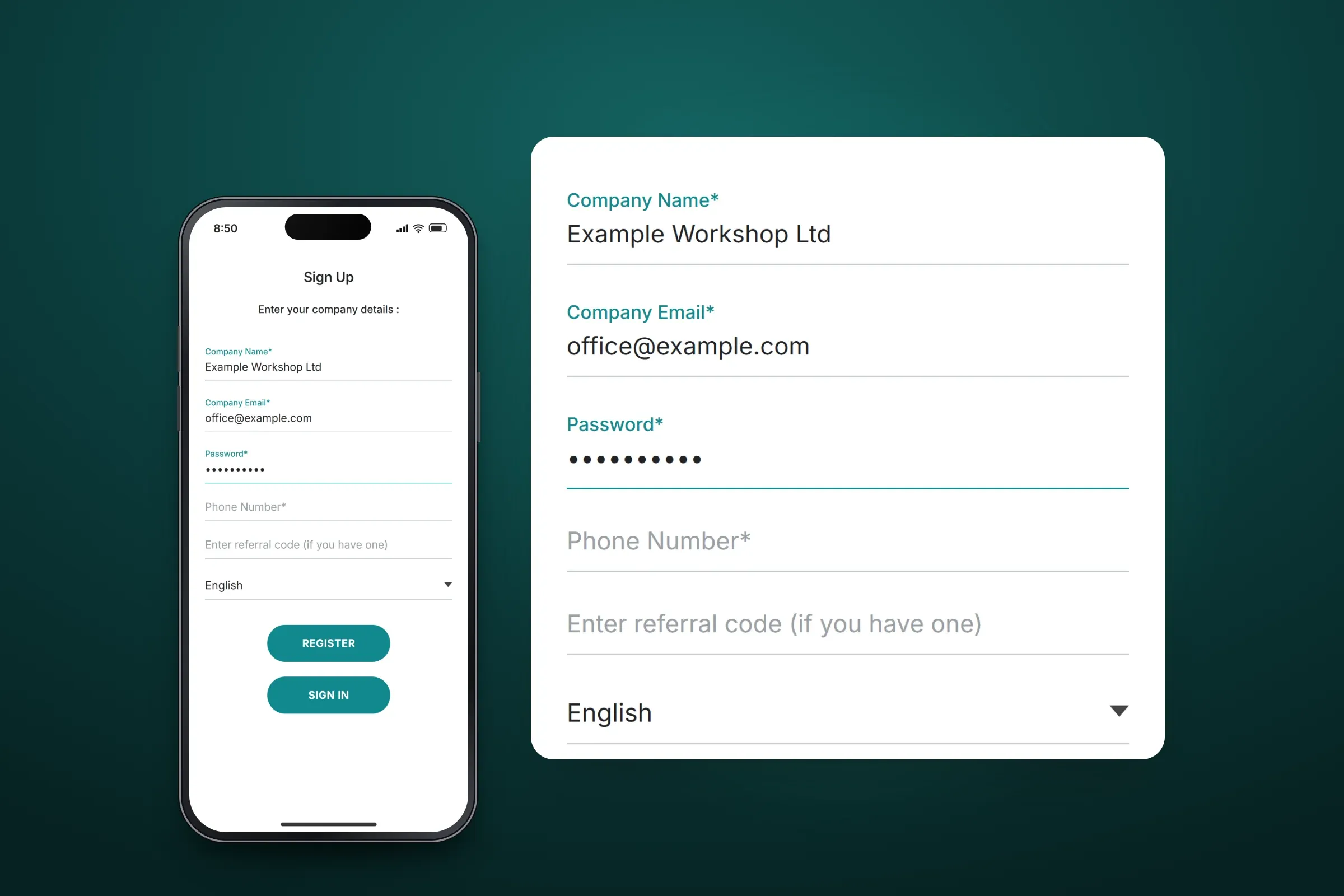
Company registration. Close-ups on phones: tap any image for the full screen.
About these images: the screens are recreated from the delivered app for this case study, with neutral naming and example data in place of the client's brand, people and addresses. They follow the app's real screens and functions, but they are not screenshots of it.
Related services