Case study · Client name withheld
Multi-Role Taxi Platform Apps
Native Android and iOS apps for customers, dispatchers, taxi operators, drivers and partners
The client built its own back end, website and admin panel for a taxi-booking platform. Our team built the native mobile apps that work against them, Android in Java and iOS in Swift, with a separate workflow for each role in a booking. The apps were published on Google Play and the App Store.
- Client
- Confidential client
- Platforms
- Android · iOS
- Our scope
- Android apps · iOS apps · Driver and partner workflows · Maps and payments
- Period
- Development started around 2018
The product
What it does, and for whom
A taxi booking involves people with different jobs. The customer asks for a ride, a human dispatcher manages the booking, and an operator looks after drivers, vehicles and earnings. Driver and partner workflows were first delivered separately and later merged into one app. Payments use Razorpay and Stripe. When Stripe's requirements changed, we moved the card flow from the back end to Stripe PaymentSheet and reworked how payment details are stored.
Scope: The back end, website and admin panel were built by the client. Our work was the Android and iOS apps.
Our contribution
What our team built
Android apps
Native development in Java for the customer, dispatcher and taxi operator roles.
iOS apps
Native development in Swift for the customer and taxi operator roles.
Driver and partner workflows
First delivered separately, then merged into one app.
Maps and payments
Google Maps routing, fare estimates and coupon codes in the customer flow, and payments through Razorpay and Stripe, including the move to Stripe PaymentSheet.
Technologies: Java · Swift · Google Maps · Razorpay · Stripe
User flow
How a booking moves between roles
Four screens in the order a booking moves through the apps.
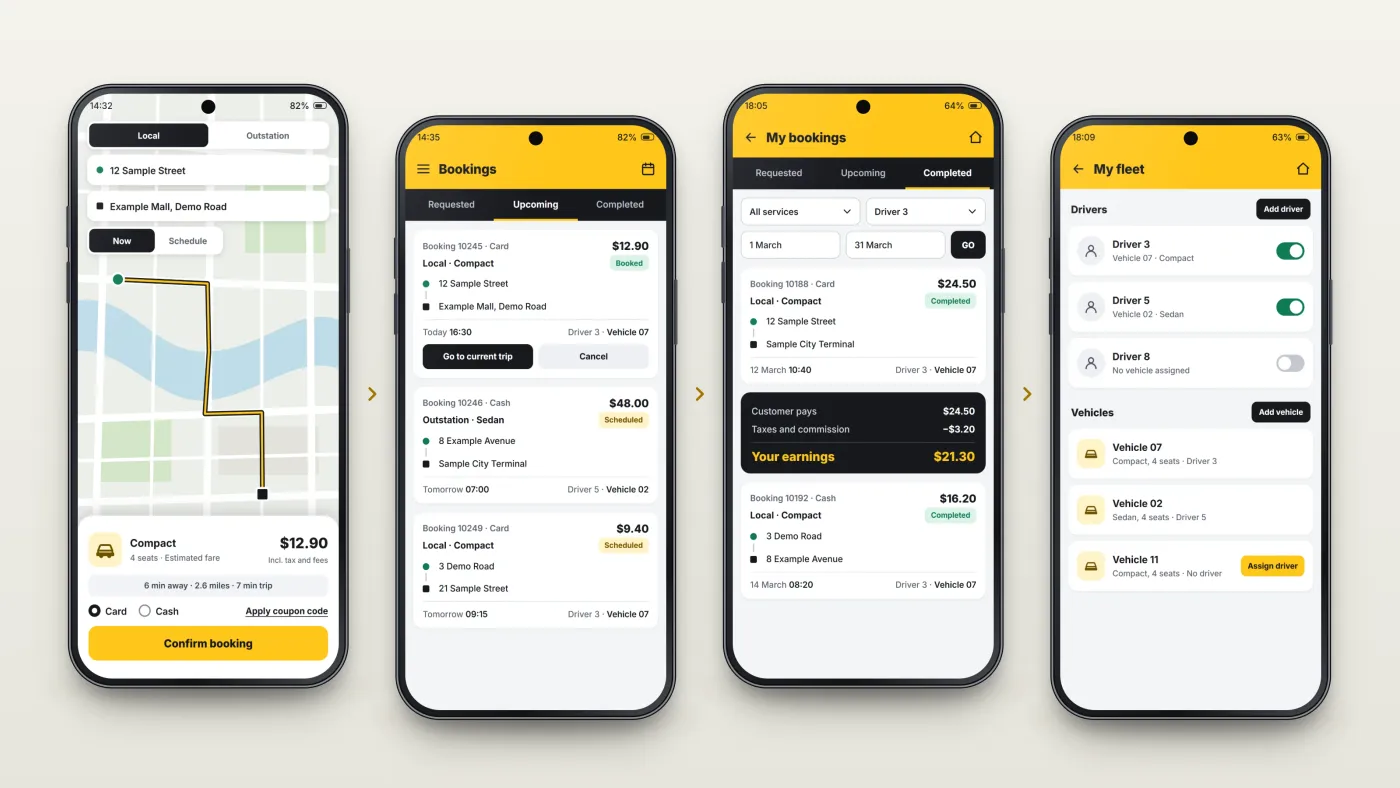
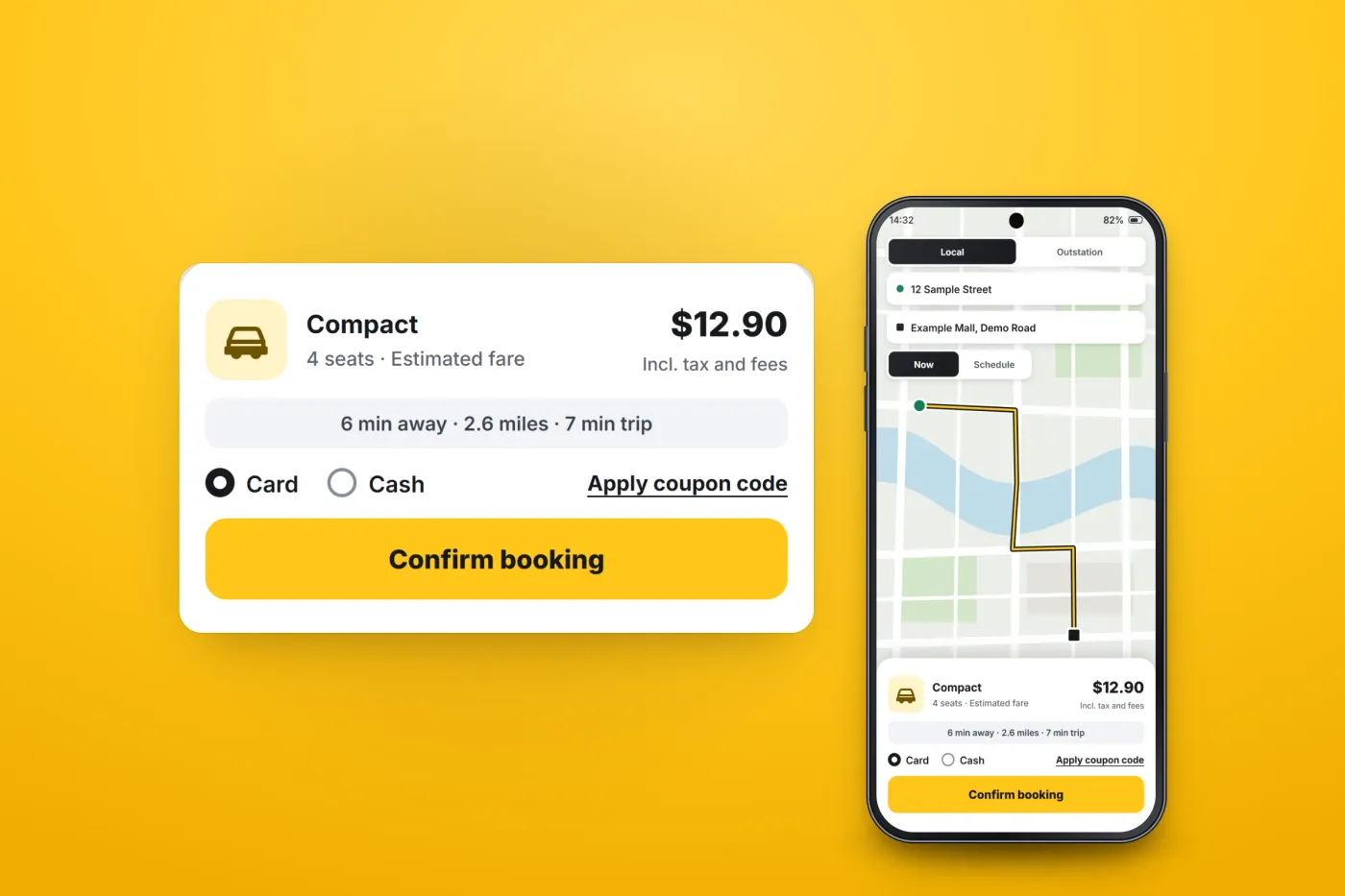
The customer books
An instant or scheduled ride, with the route on Google Maps and a fare estimate.
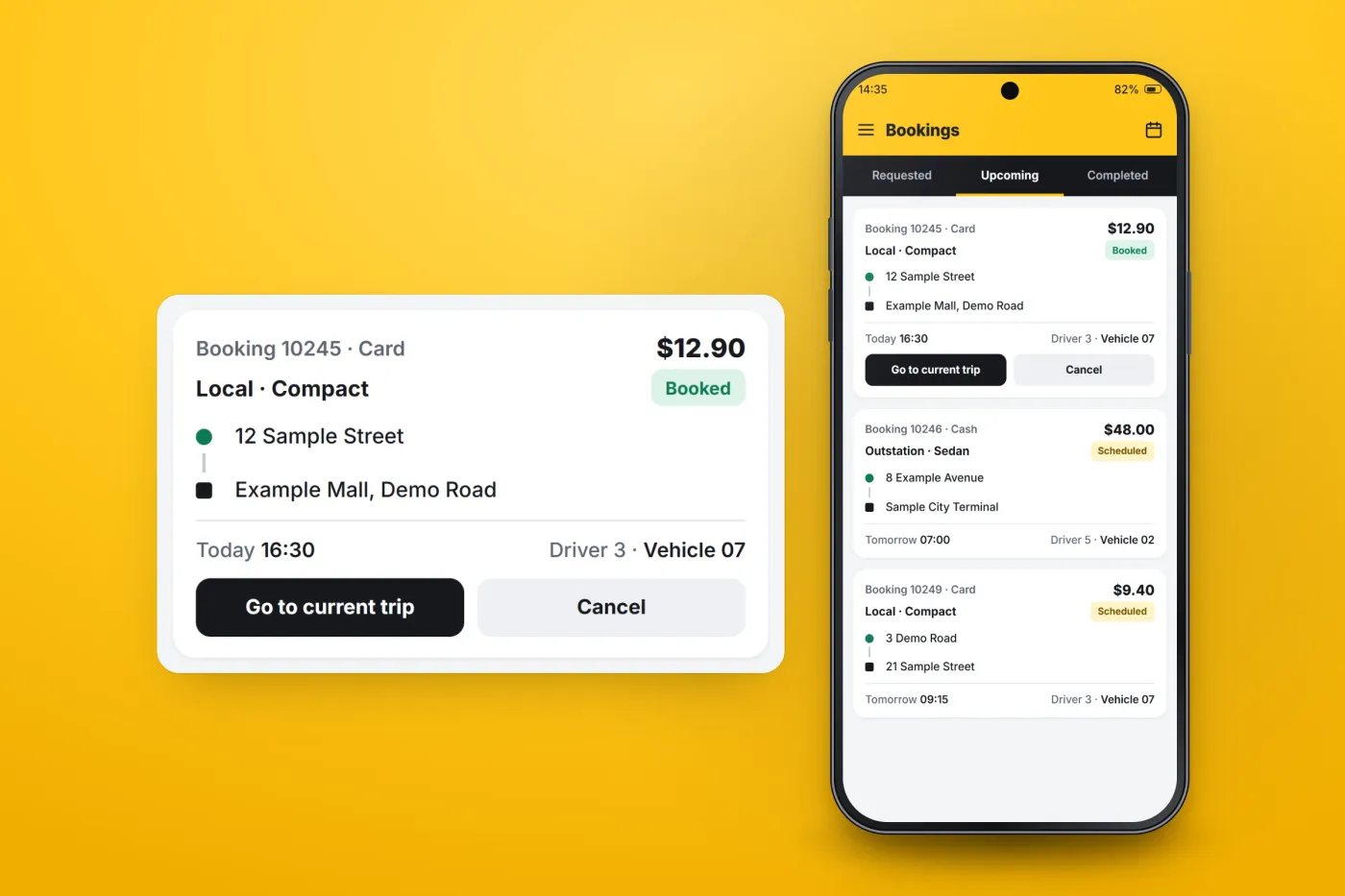
The dispatcher manages it
Requested, upcoming and completed bookings are kept on separate tabs.
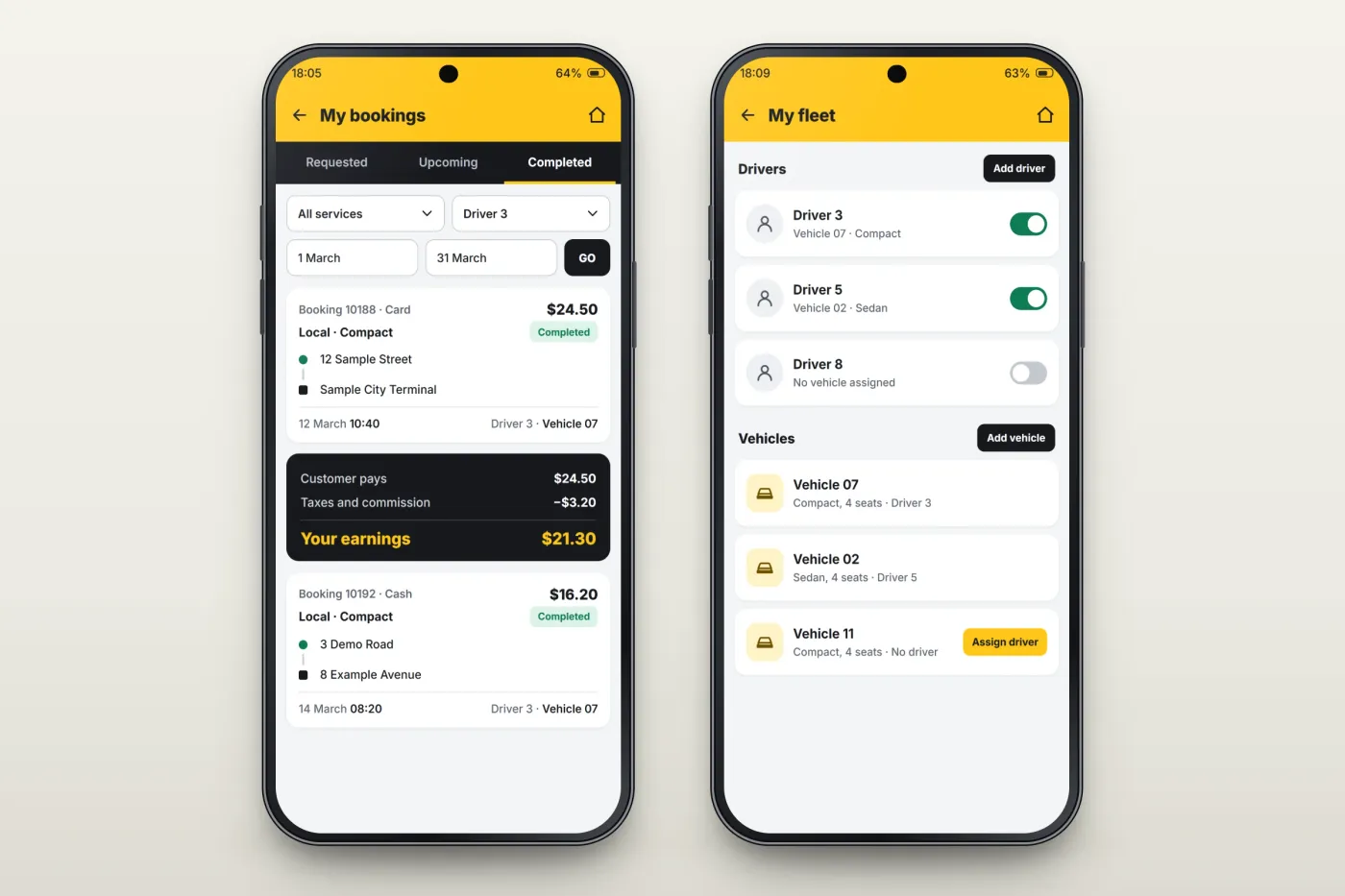
The operator sees earnings
Bookings filter by service and driver, with the earnings for each ride.
The operator runs the fleet
Drivers and vehicles are managed from the same app.
The product in use
Inside the apps
Booking a ride
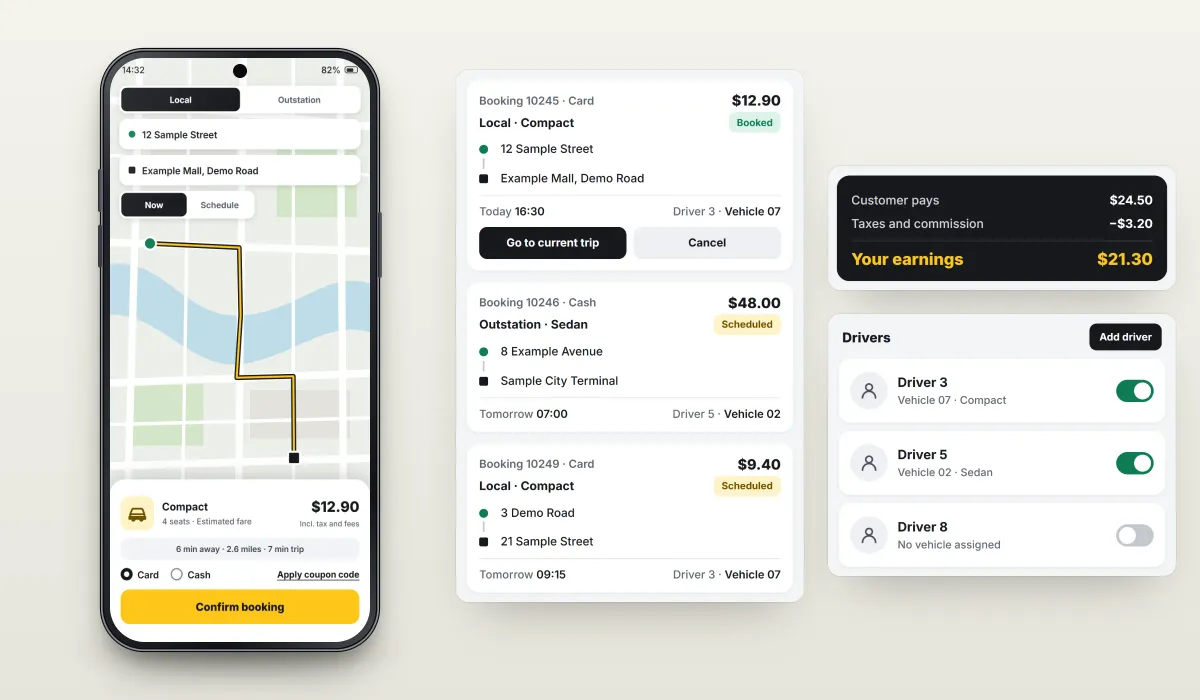
Customers book instant or scheduled rides, local or outstation. Google Maps shows the route, the app gives a fare estimate before confirming, and coupon codes can be applied at the same step.
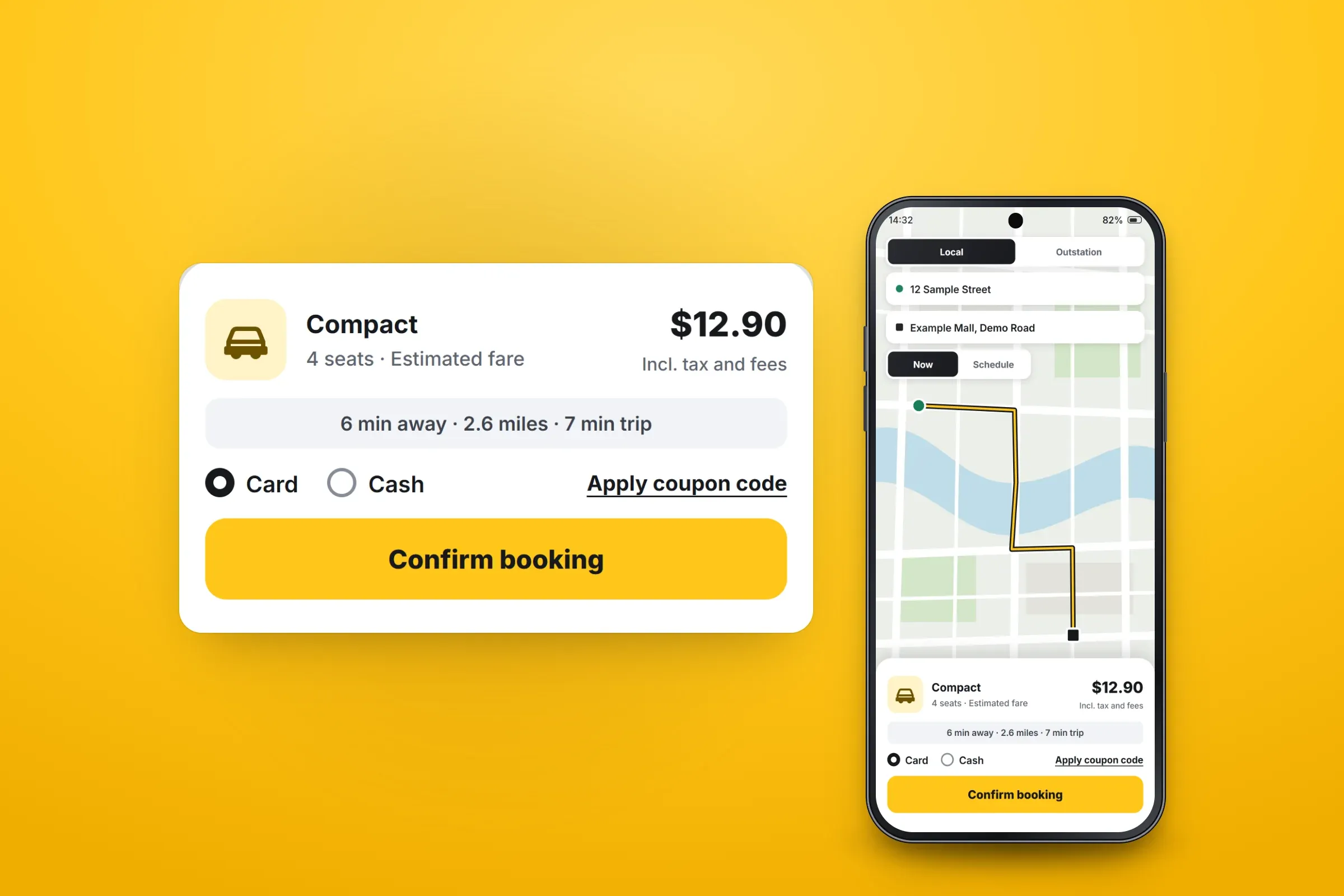
Route, fare estimate and payment choice. Close-ups on phones: tap any image for the full screen. Managing bookings as a dispatcher
Dispatchers work through requested, upcoming and completed bookings. Dispatch is done by a person, not an algorithm, so the app puts each booking's route, time, driver and vehicle in one place.
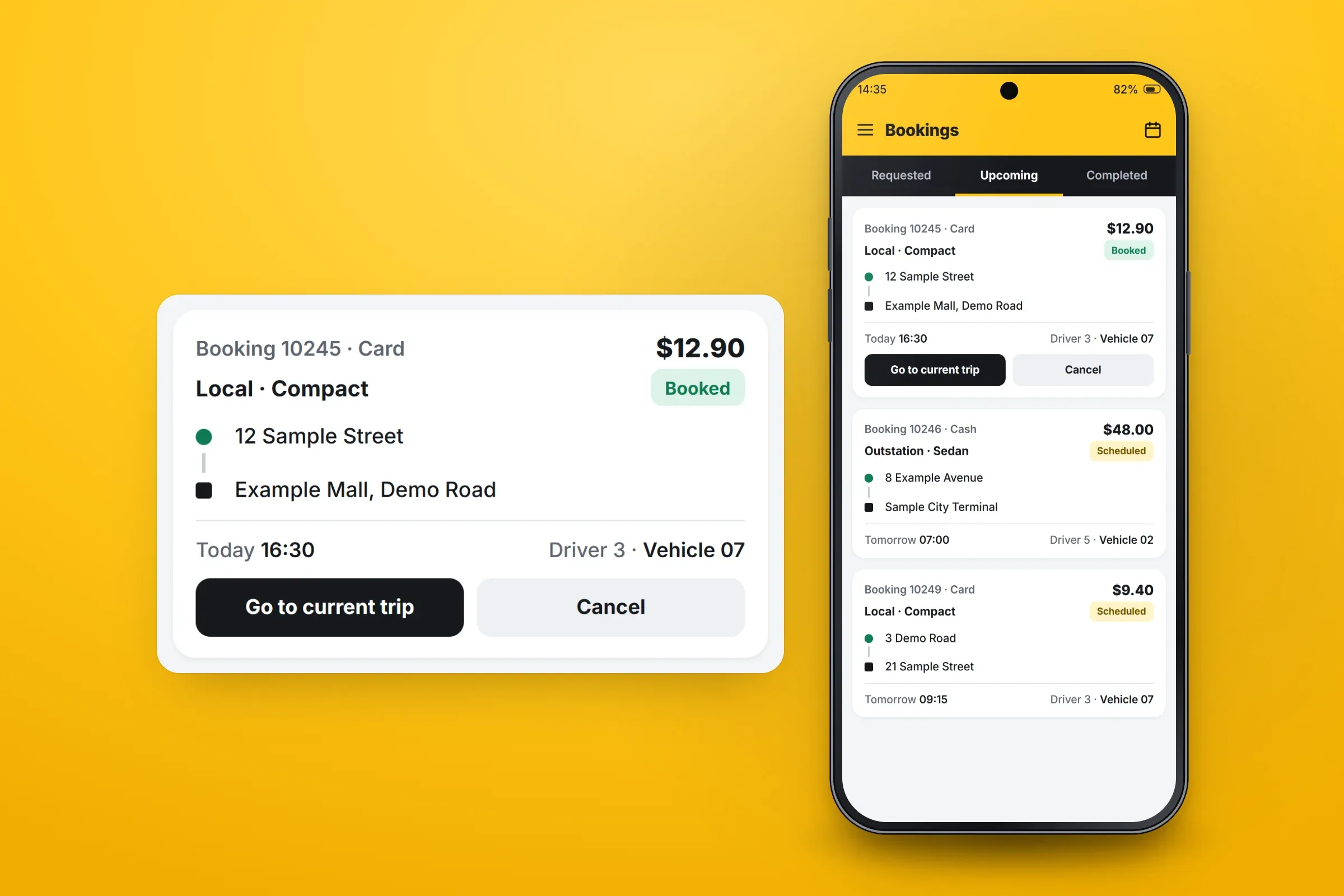
A dispatcher's upcoming bookings. Close-ups on phones: tap any image for the full screen. Running a fleet as an operator
Taxi operators manage their drivers and vehicles, and see earnings per ride, with bookings filtered by service and driver.
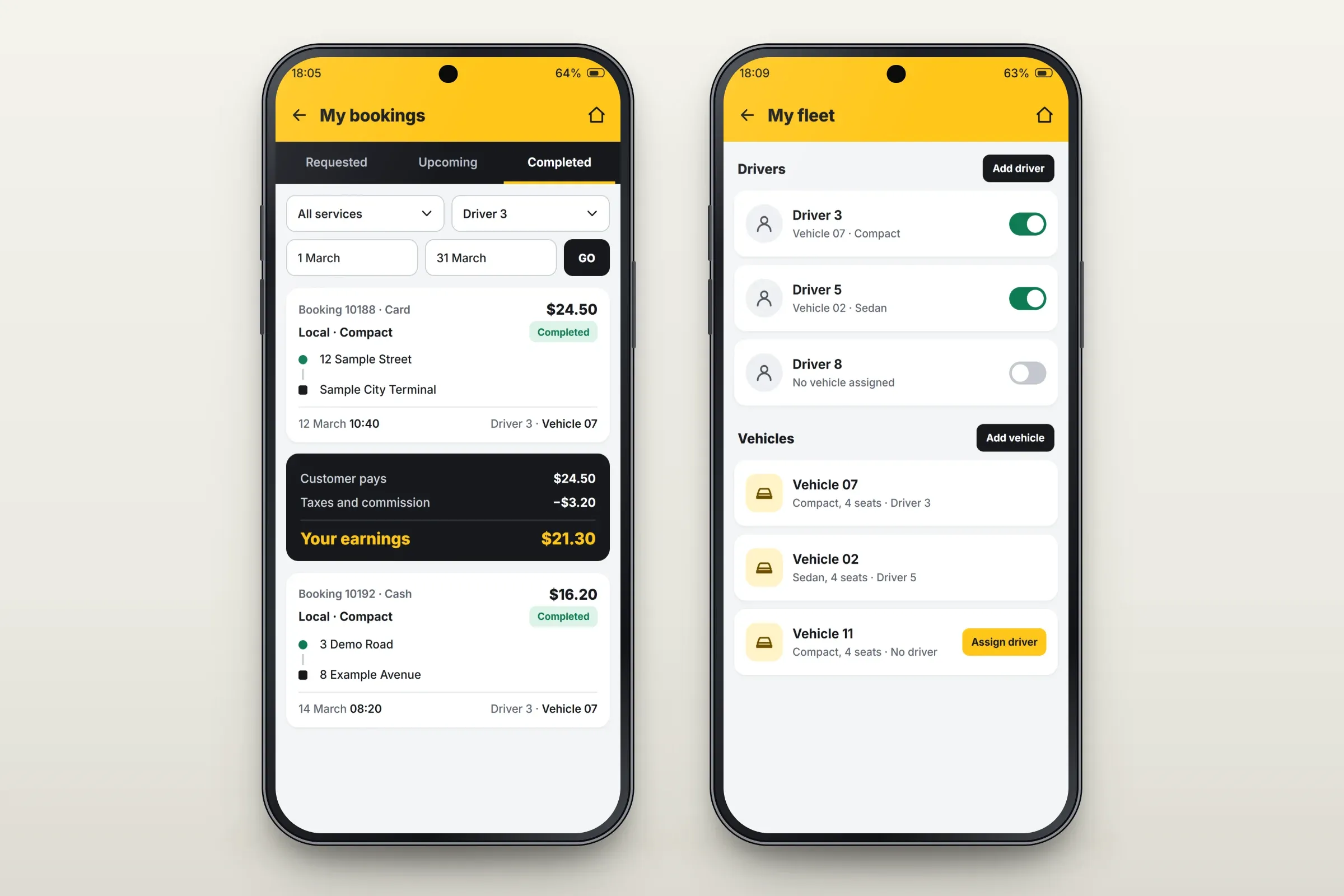
Per-ride earnings, drivers and vehicles. Close-ups on phones: tap any image for the full screen.
About these images: the screens are recreated for this case study, with neutral naming and example data in place of the client's brand, people, places and figures. The map is a drawing, and driver and partner workflows are described in the text rather than shown. The layouts are illustrative and none of them are screenshots of the apps.
Delivery
The engagement
- Customer, dispatcher and taxi operator apps published on Google Play.
- Customer and taxi operator apps published on the App Store.
- Driver and partner workflows delivered separately and later merged into one app.
Related services