Case study · Client name withheld
AI Calorie Tracker App
A native iPhone app that turns a photo, description, barcode or nutrition label into calorie and macro estimates
An AI-assisted calorie and nutrition tracker for iPhone. The client needed meal logging that turns a photo, a typed description, a barcode or a nutrition label into calorie and macro estimates. Our team built the native iOS app and the back-end services and AI endpoints that pass food analysis to third-party AI models.
- Client
- Confidential client
- Platforms
- iOS
- Our scope
- Native iOS app · Back-end services and AI endpoints · Keeping the app responsive
- Period
- 2025 to 2026
The product
What it does, and for whom
Food analysis takes time: an image has to be prepared, sent, analysed and stored. The challenge was keeping the interface responsive through all of that, and making sure a retry did not repeat an analysis.
Scope: The AI models themselves are third-party: there is no on-device or proprietary model, and our endpoints pass requests to them. Calorie and macro figures in the app are estimates.
Our contribution
What our team built
Native iOS app
The iPhone app in Swift and SwiftUI with UIKit integrations, Combine, Swift concurrency and Core Data, including Apple Health sync through HealthKit and subscriptions with trials and restoration through StoreKit 2.
Back-end services and AI endpoints
HTTPS endpoints for food-photo, nutrition-label and text analysis, nutrition plans, corrections and workout analysis, with third-party AI models behind them. Firebase handles sign-in, cloud data, images, messaging and remote configuration.
Keeping the app responsive
Image preparation, AI requests and storage run off the main thread. Pending scans are saved with request IDs, so retries avoid repeating an analysis, and stored nutrition is reused for matching foods.
Technologies: Swift · SwiftUI · UIKit · Combine · Swift concurrency · Core Data · Firebase Auth · Firestore · Firebase Storage · Firebase Cloud Messaging · Firebase Remote Config · HealthKit · StoreKit 2
User flow
From plate to progress
Four screens in the order a user meets them.
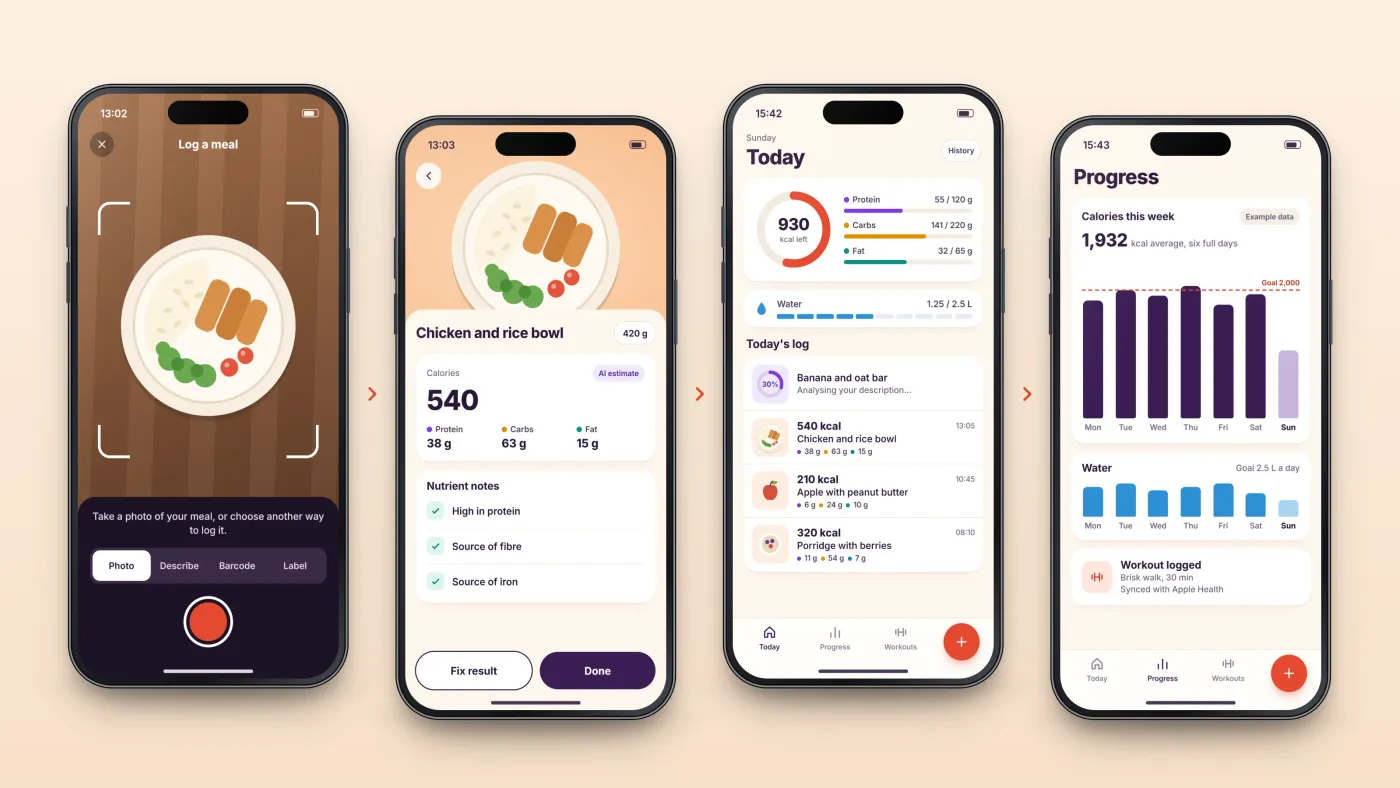
Log the meal
Take a photo, describe it, scan a barcode or capture a nutrition label.
Check the estimate
Calories, macros and nutrient notes come back, and can be corrected.
See the day
The meal joins today's log, counted against personal goals.
Follow progress
Calories, water and workouts build into a view over time.
The product in use
Inside the app
Four ways to log a meal
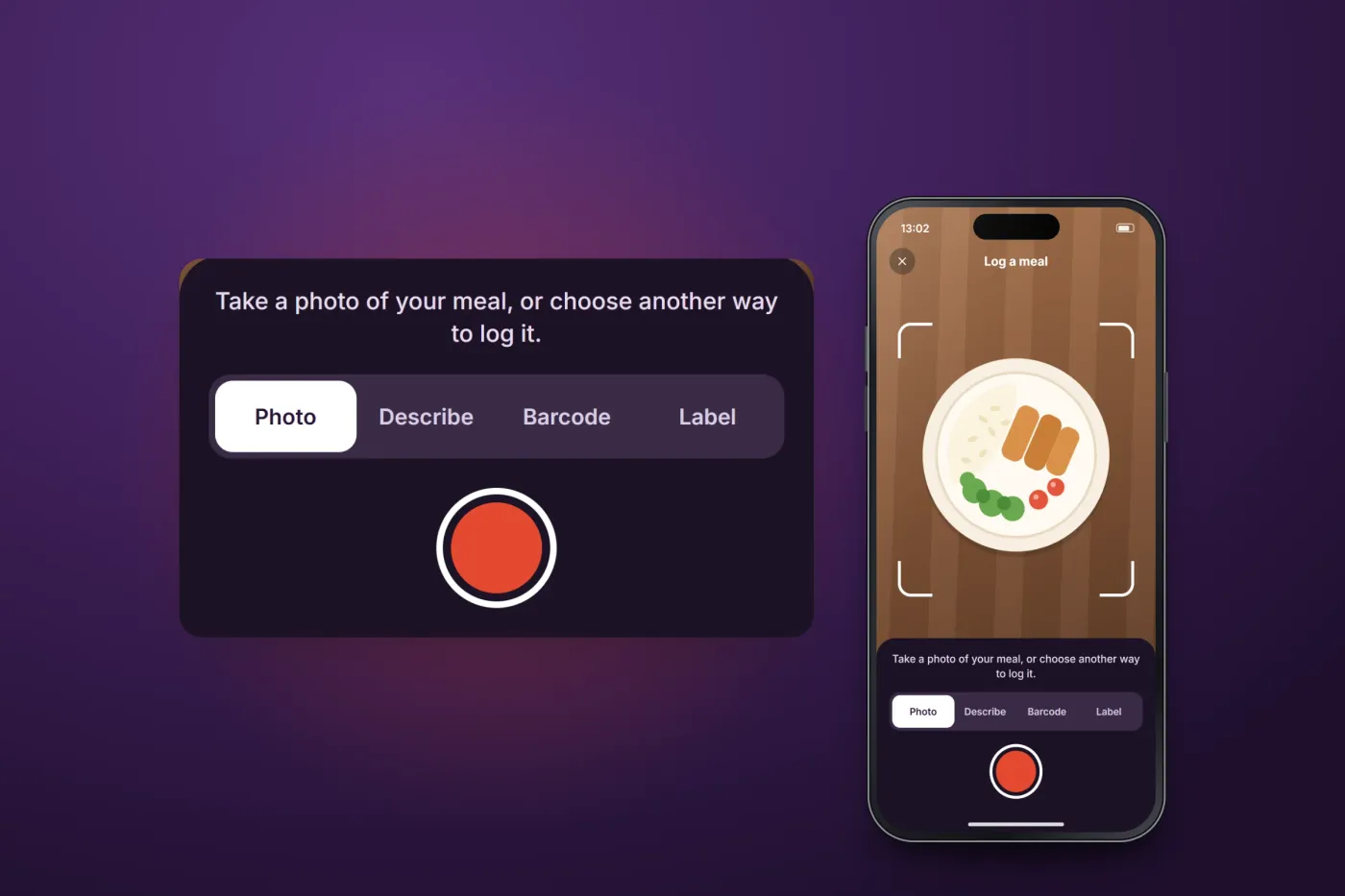
A meal can start as a photo, a typed description, a barcode or a nutrition label.
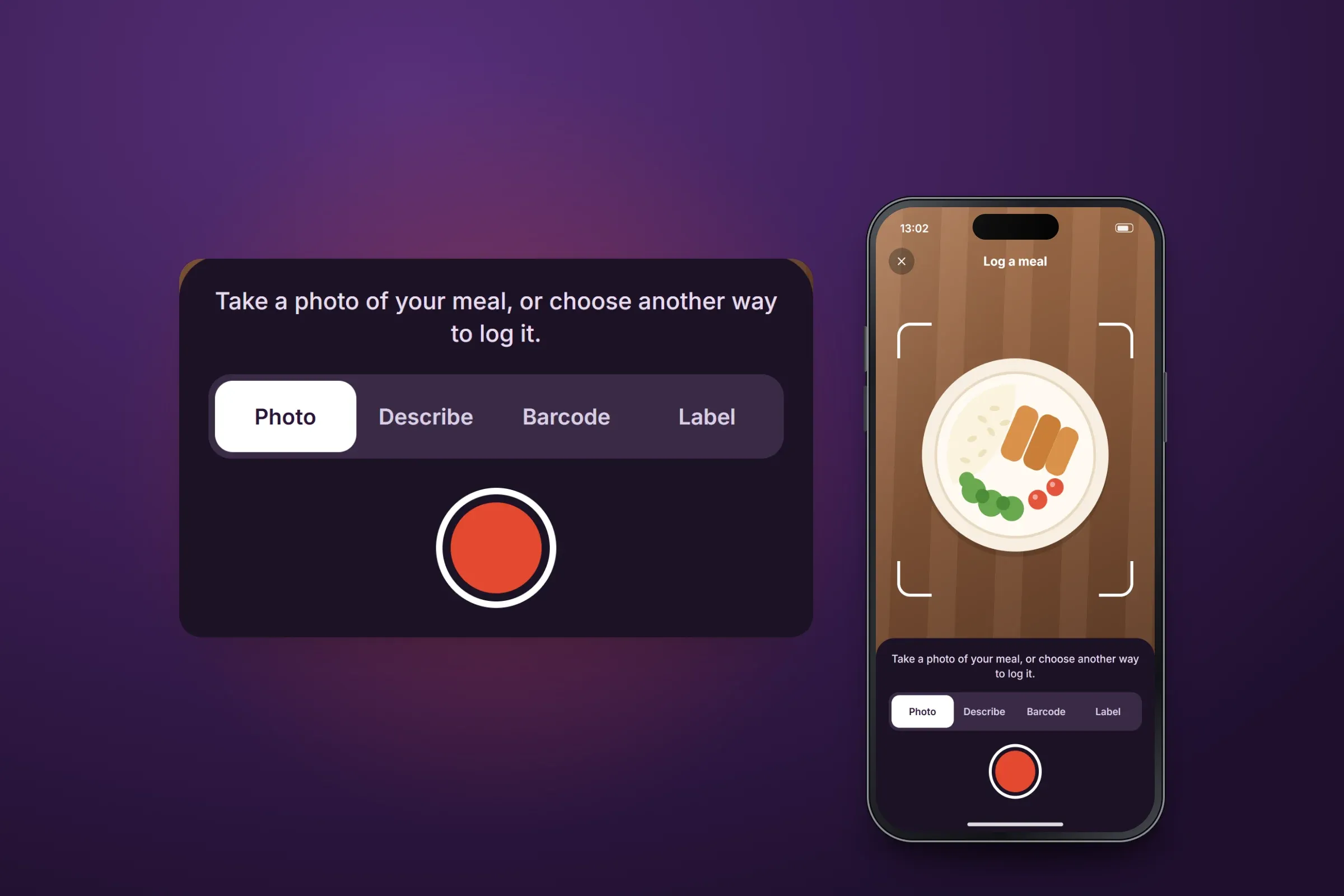
Choosing how to log. Close-ups on phones: tap any image for the full screen. A result the user can correct
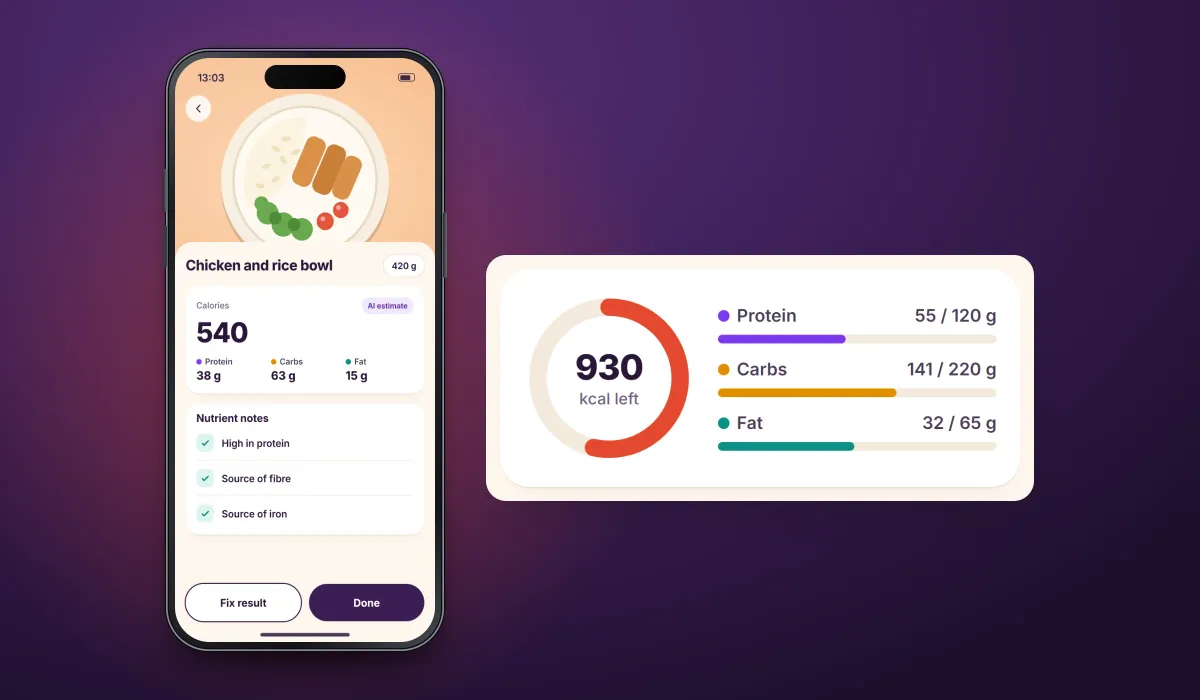
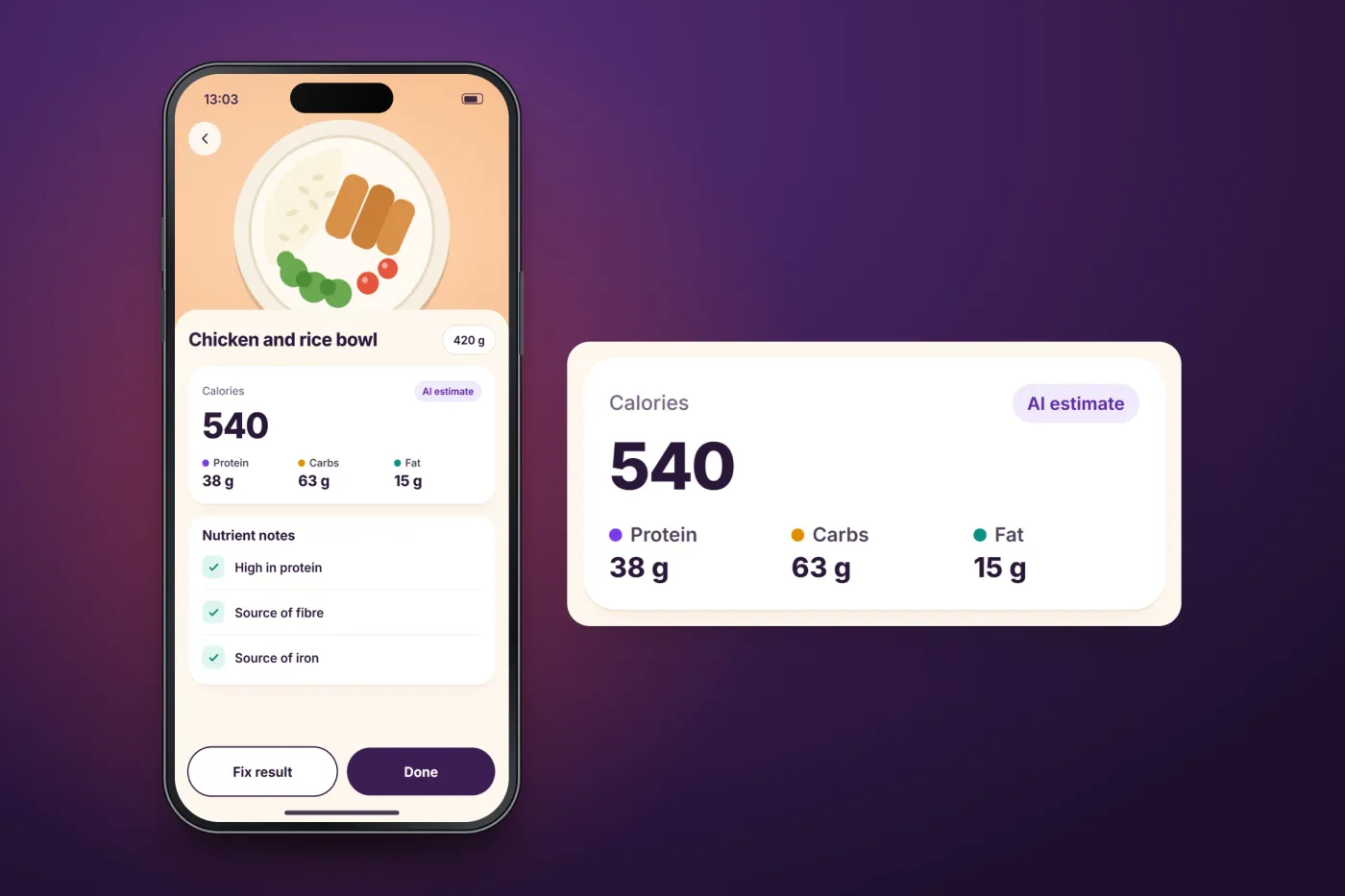
The analysis returns calories and macros for the portion, plus short nutrient notes. If it looks wrong, the user can correct the result.
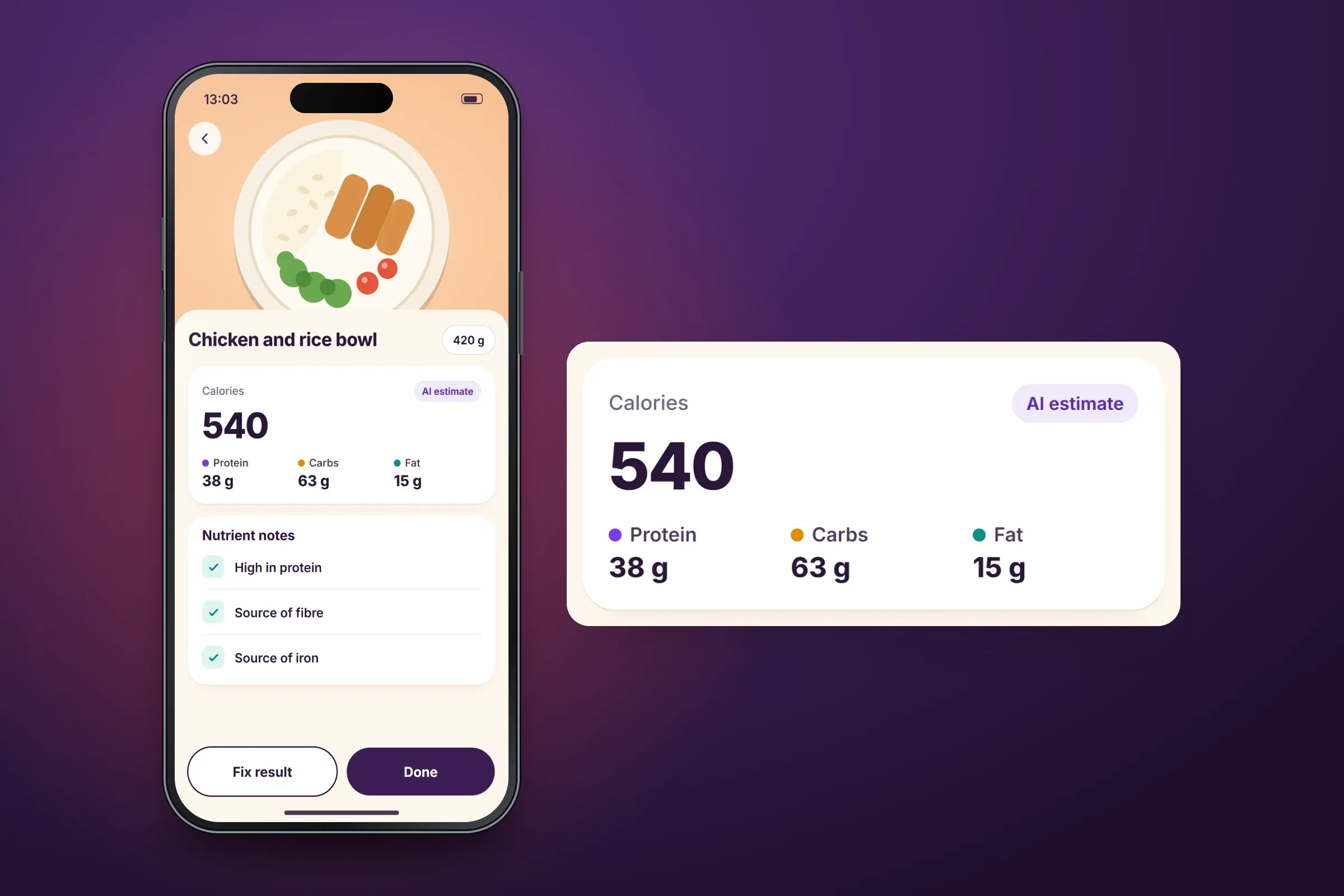
Estimate for one meal. Close-ups on phones: tap any image for the full screen. The day against personal goals
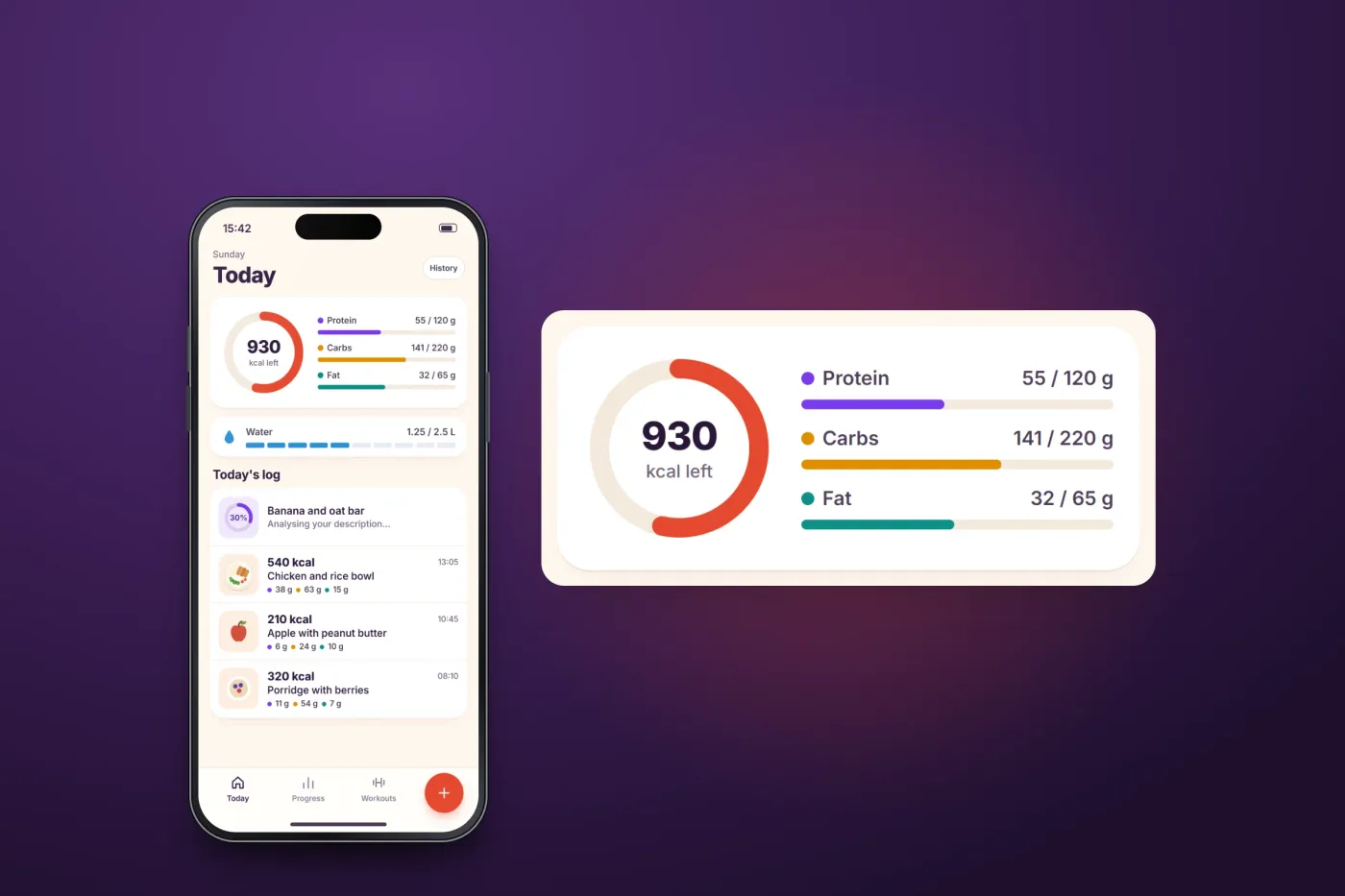
Today's screen tracks calories, macros and water against the user's own goals. An analysis still running appears in the log with its progress.
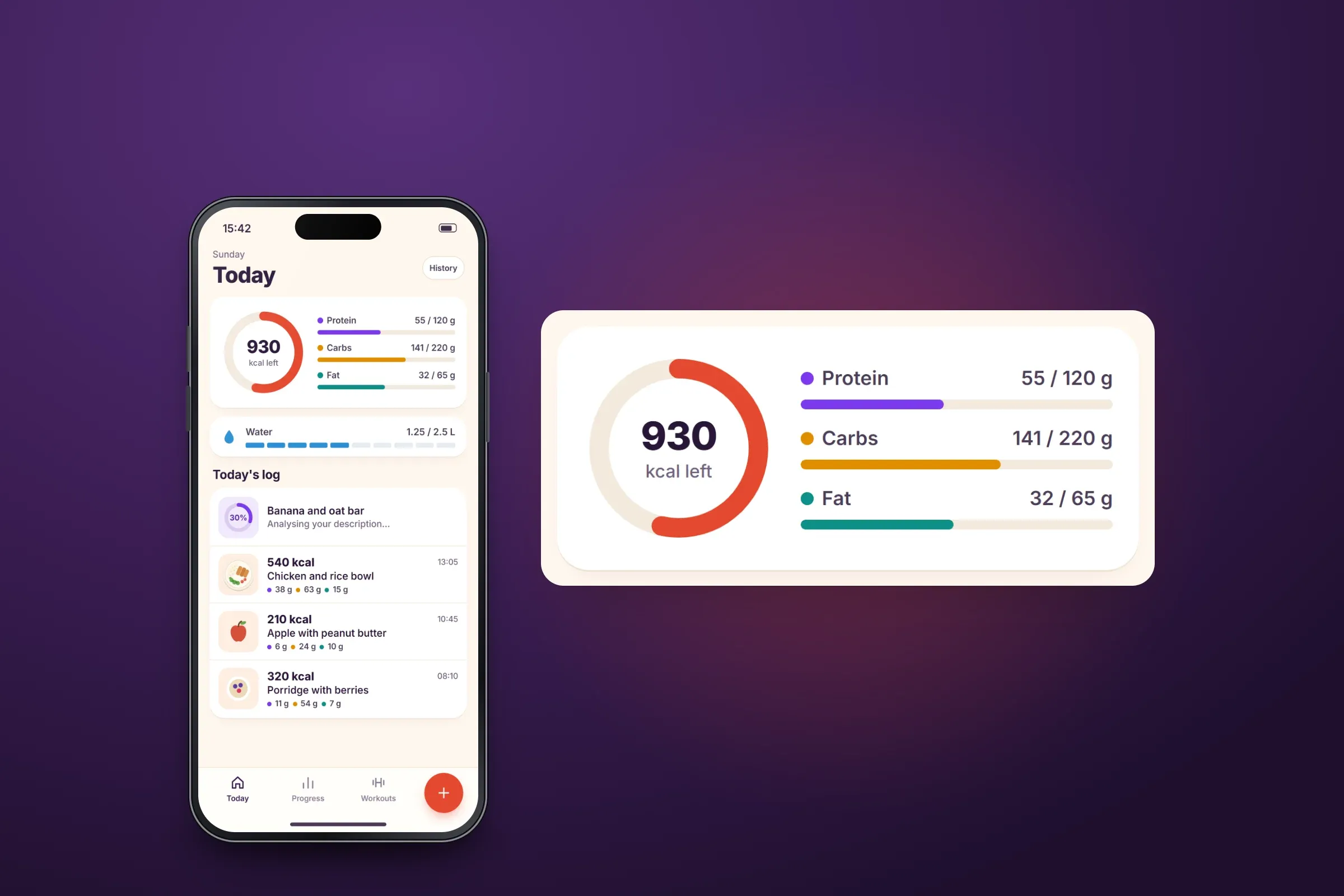
Today's goals and log. Close-ups on phones: tap any image for the full screen. Progress and workouts
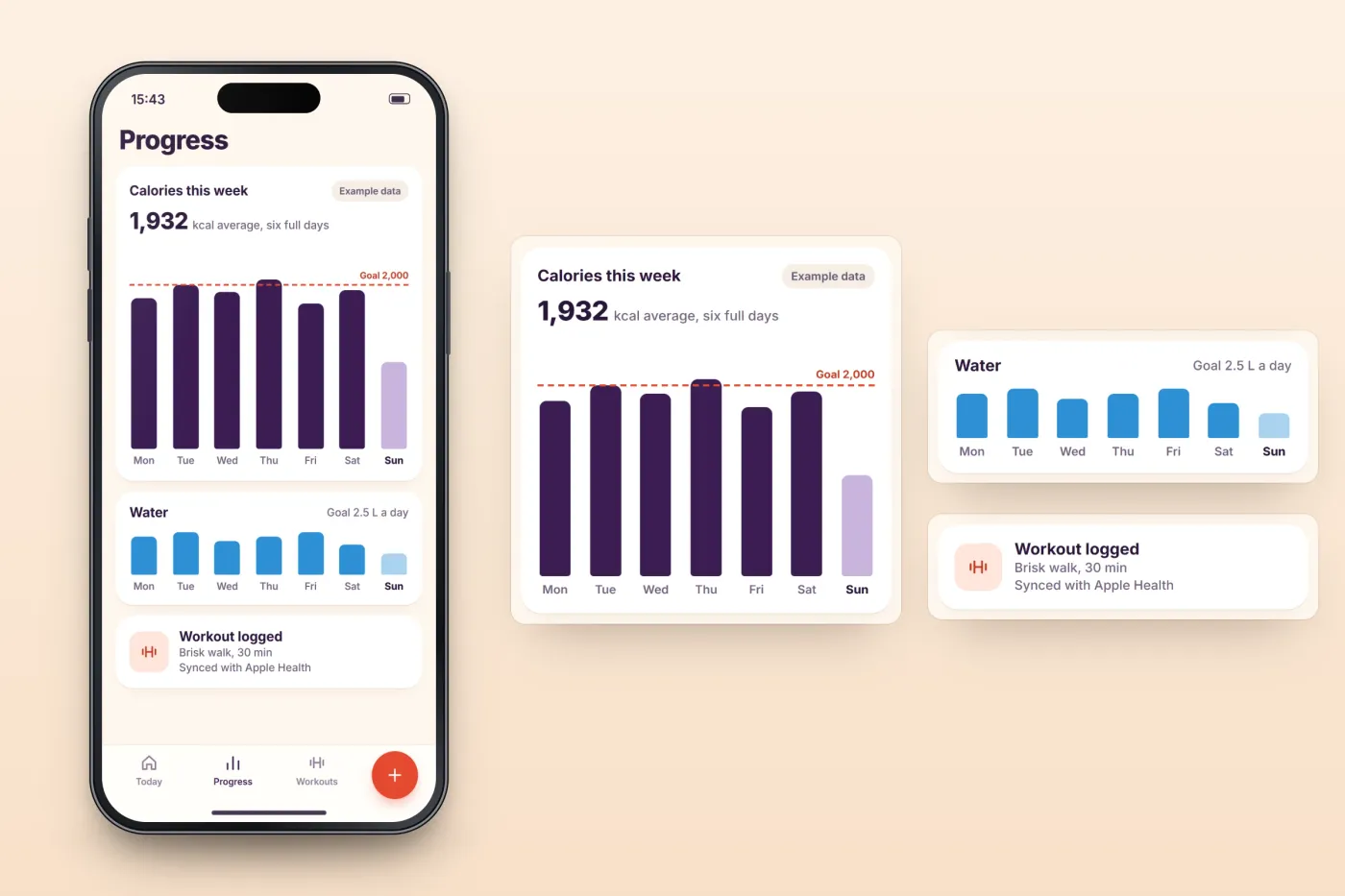
Progress over time is shown against the same goals. Workouts are logged in the app and sync with Apple Health.
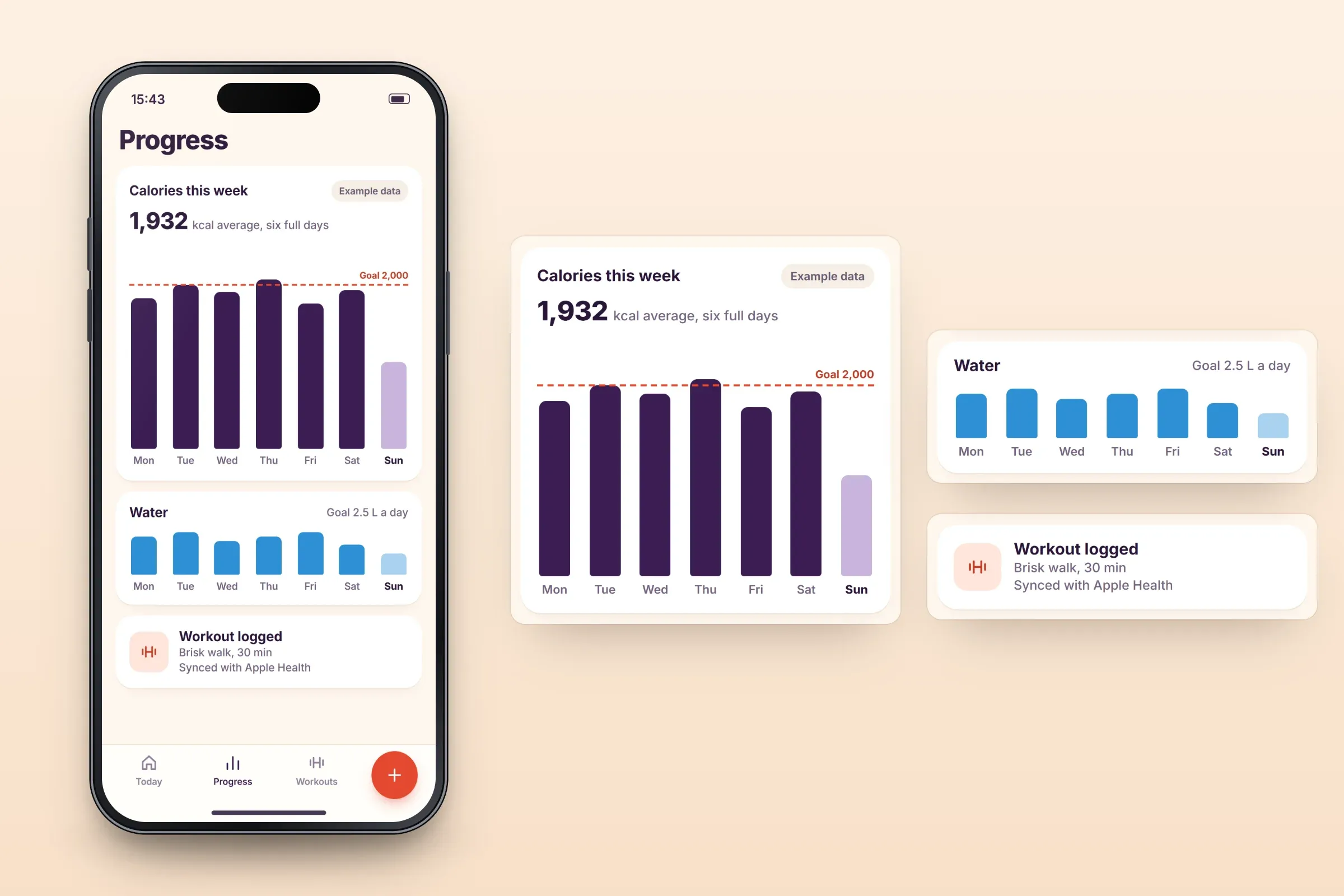
Progress, water and workouts. Close-ups on phones: tap any image for the full screen.
About these images: the screens are recreated for this case study, with neutral naming in place of the client's brand. Meals, goals and figures are made-up examples, and the food is a simple illustration. The images follow the app's functions, but the layouts are illustrative and they are not screenshots of it.
Related services
The services behind this project
- iOS app development Native iPhone and Apple Watch apps in Swift, with UIKit or SwiftUI: subscriptions, Apple Health, Bluetooth devices and App Store release.
- AI features for apps and web products AI in apps and web products: assistants on your own content, automation, photo and text analysis and custom models, with cost, privacy and failure planned in.