Case study · Client name withheld
Youth Life-Coaching Community App
A supportive online community with live coaching calls for teens and young adults
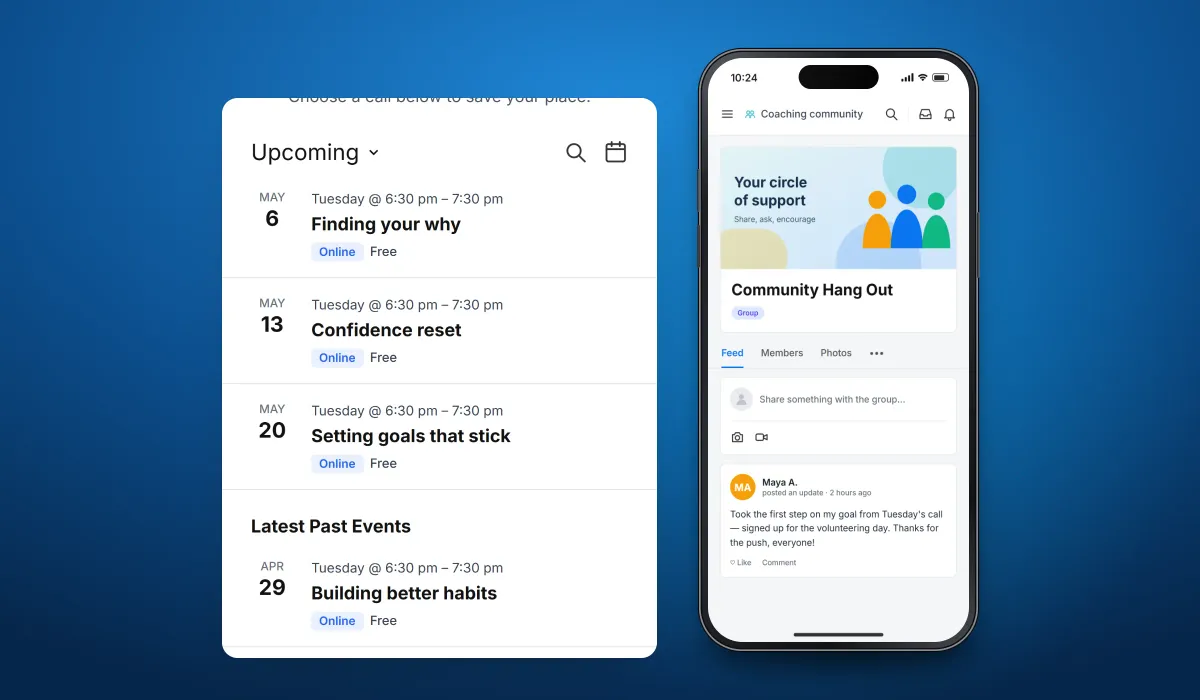
The client runs a faith-based life-coaching programme for teens and young adults. Our team developed the mobile app for its community: members share in a group feed, find and connect with other members, join live coaching calls held online and invite their friends to sign up.
- Client
- Youth life-coaching organisation
- Platforms
- iOS
- Our scope
- Mobile app development
The product
What it does, and for whom
The programme helps young people grow in confidence, find their purpose and get past obstacles — and it works best when they support each other. The app brings coaching and community together: a shared group space with a feed, a members directory, a calendar of live group coaching calls, and profiles from which members can invite friends who are not yet part of it.
Scope The coaching programme, its coaches and its content are the client's. Our work was the mobile app described here. To keep the client confidential, the screens on this page are recreated from the delivered app with neutral naming, fictional members and example events.
Our contribution
What our team built
Mobile app development
The iPhone app: the community group with its feed, members and photos, the members directory, the live coaching calls calendar, member profiles with invitations, and the account menu with login, email, privacy and data-export settings.
User flow
Inside the community
The three screens below, in the order a user meets them.
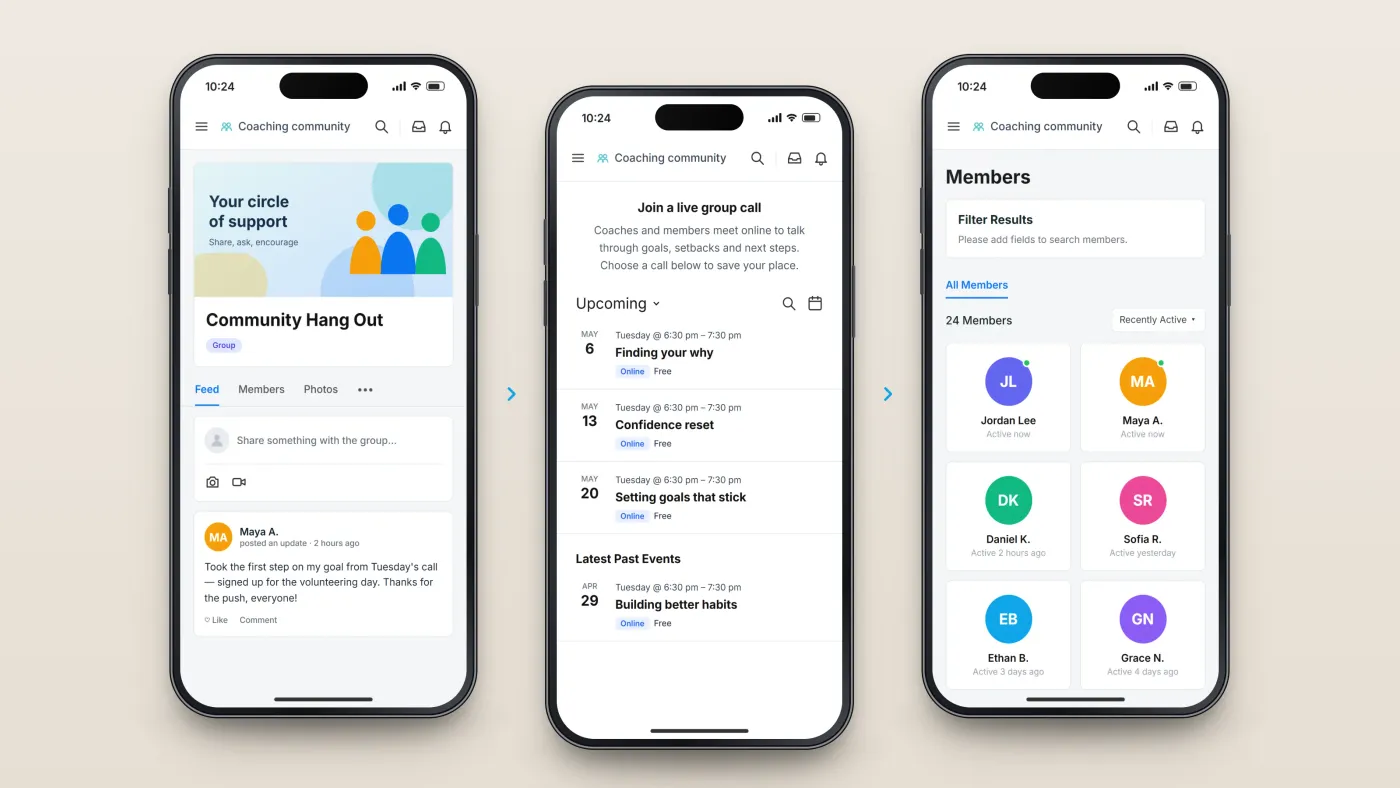
The group
Its feed and posts.
Live calls
Upcoming coaching calls and past events.
Members
The directory of people in the group.
The product in use
Inside the app
Group feed and members
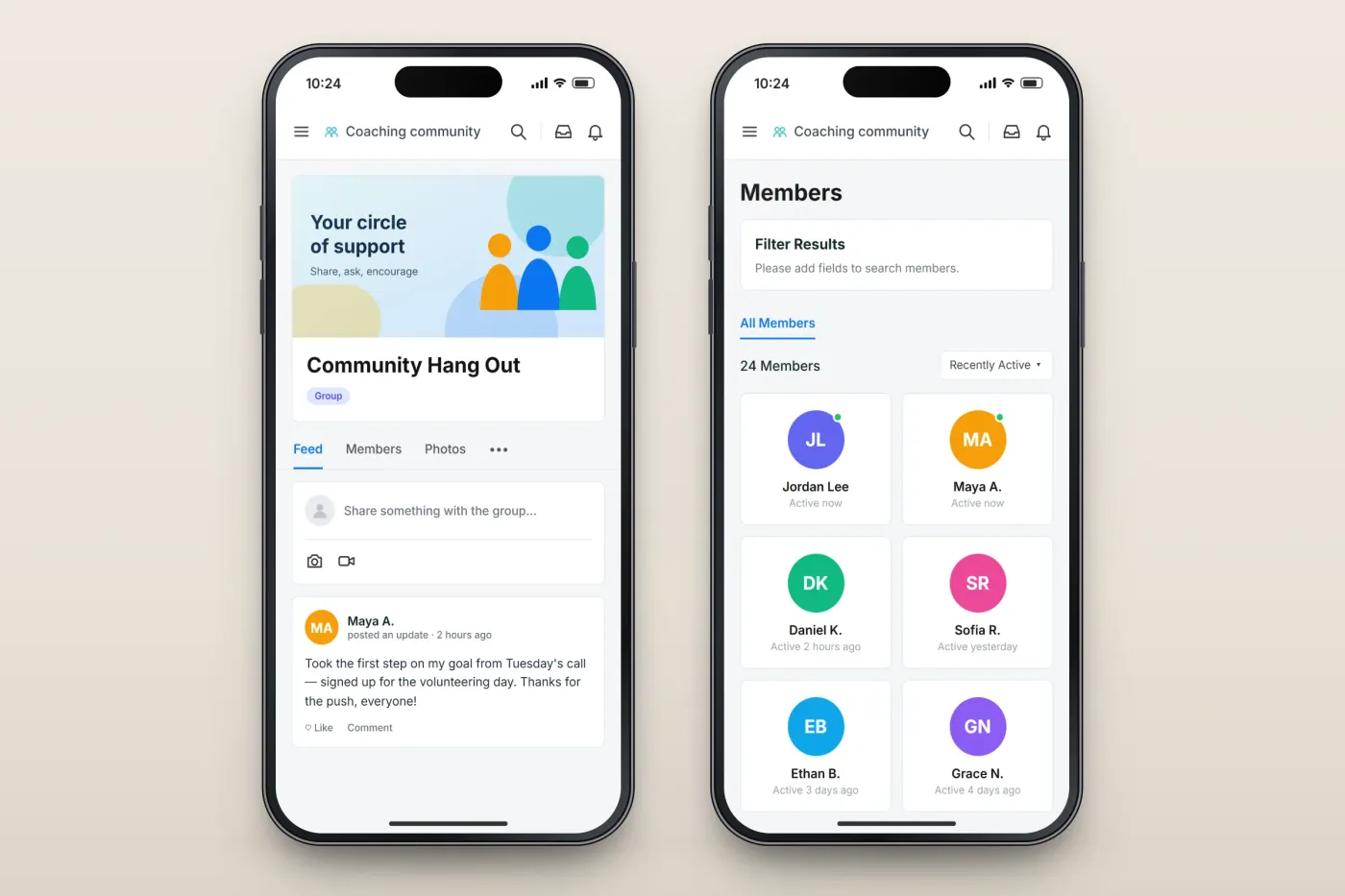
The Community Hang Out group is the heart of the app: a feed where members share updates, photos and videos with the group, alongside the group's members and photos. The members directory lists everyone in the community, shows who is active and can be filtered and sorted.
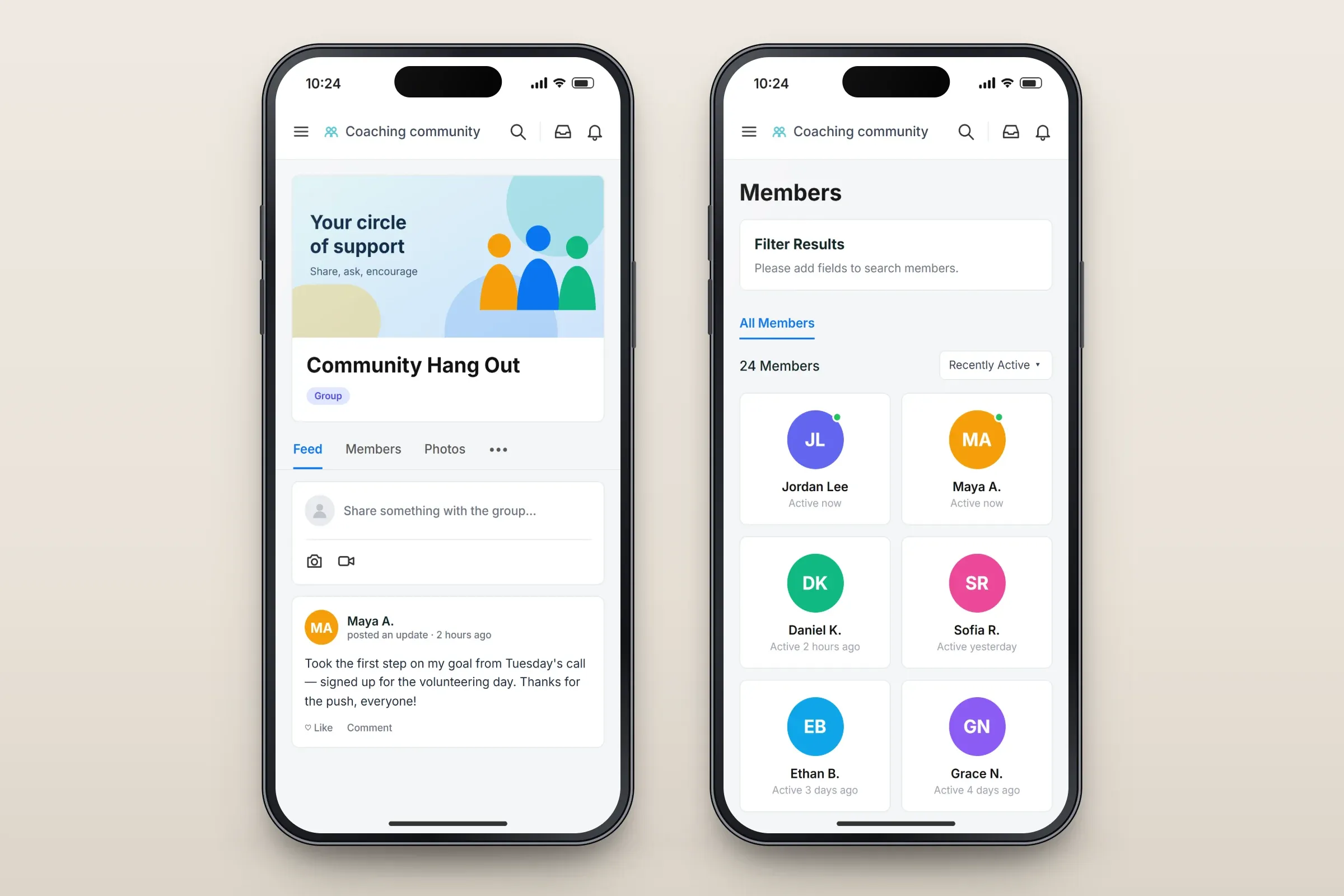
The group feed, and the members directory. Close-ups on phones: tap any image for the full screen. Live coaching calls and invitations
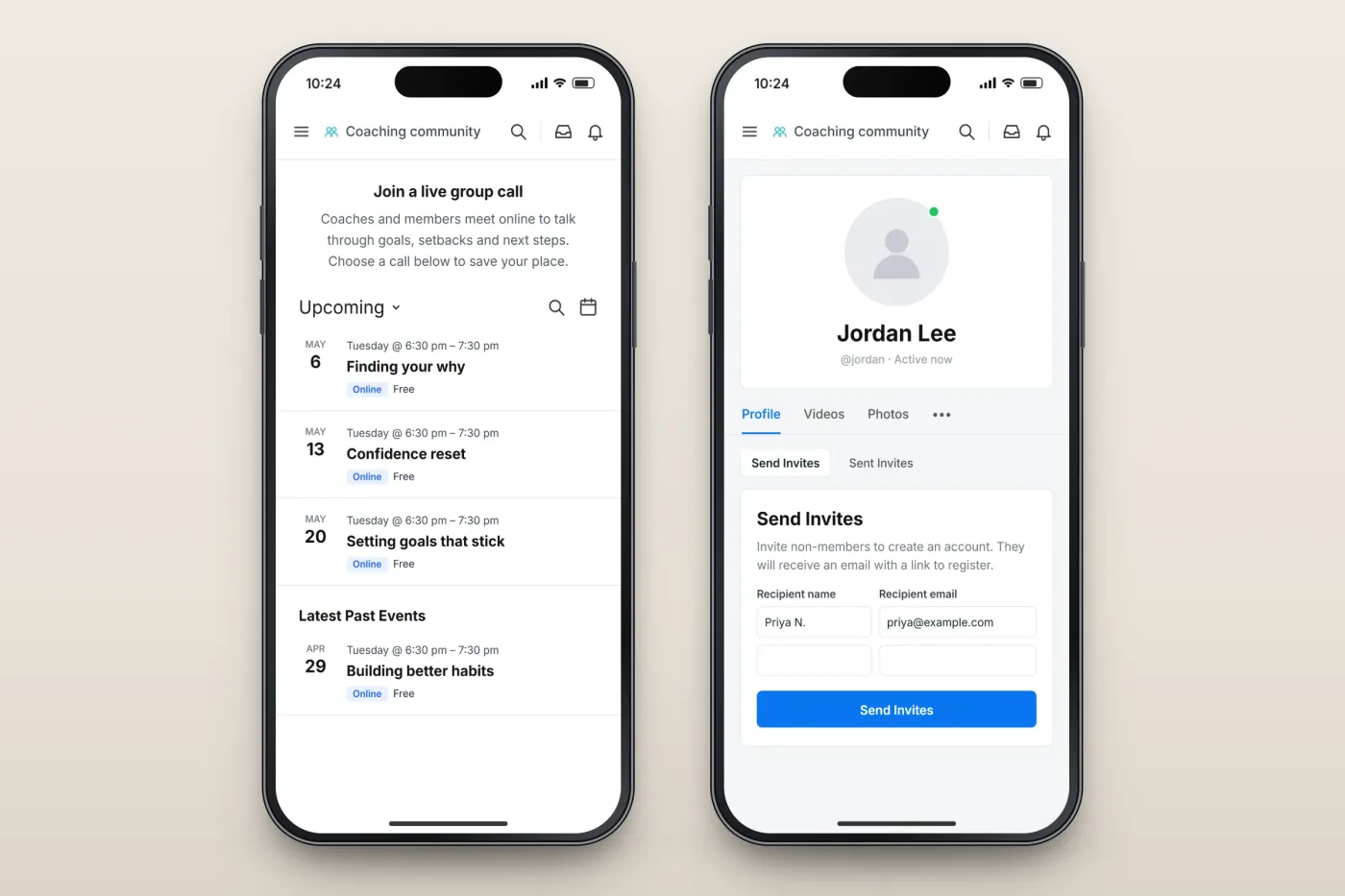
Live coaching calls are held online with a group of members. The calls page lists upcoming calls with their date, time and format, followed by recent past calls. From their profile, members can send invitations to friends, who receive an email with a link to register.
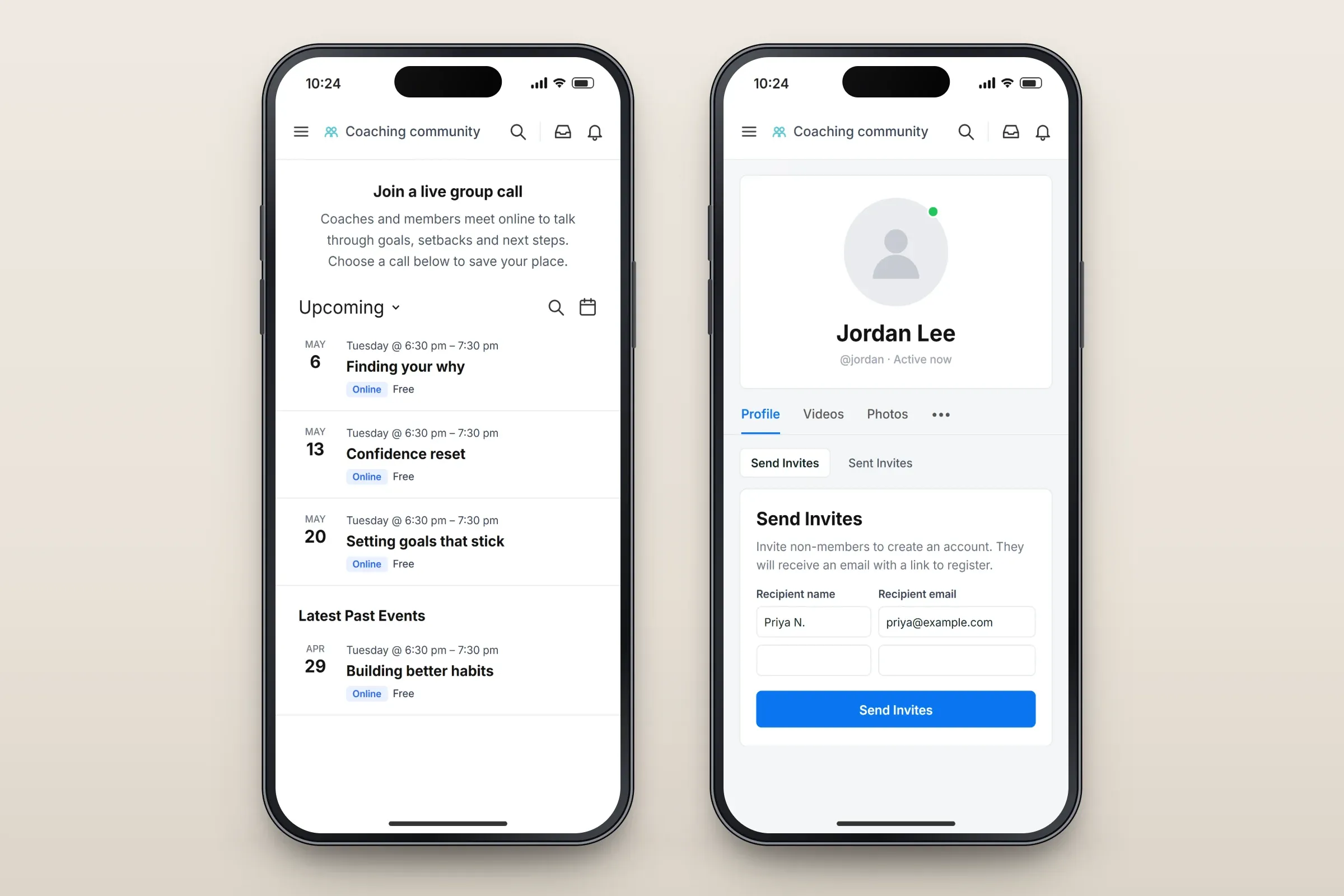
Live coaching calls, and inviting friends from a profile. Close-ups on phones: tap any image for the full screen.
About these images: the screens are recreated from the delivered app for this case study, with neutral naming, fictional members and example events in place of the client's brand and content. They follow the app's real screens and functions, but they are not screenshots of it.
Related services