Case study · Client name withheld
Wi-Fi Lighting Control App
A phone remote for portable RGBW LED lights, single or in groups
The client makes portable RGBW LED lights for architectural and event lighting. Our team developed the mobile app that controls them: pick a colour, set colour and white brightness, run effects and let the light follow sound — for one light or a whole group, over Wi-Fi.
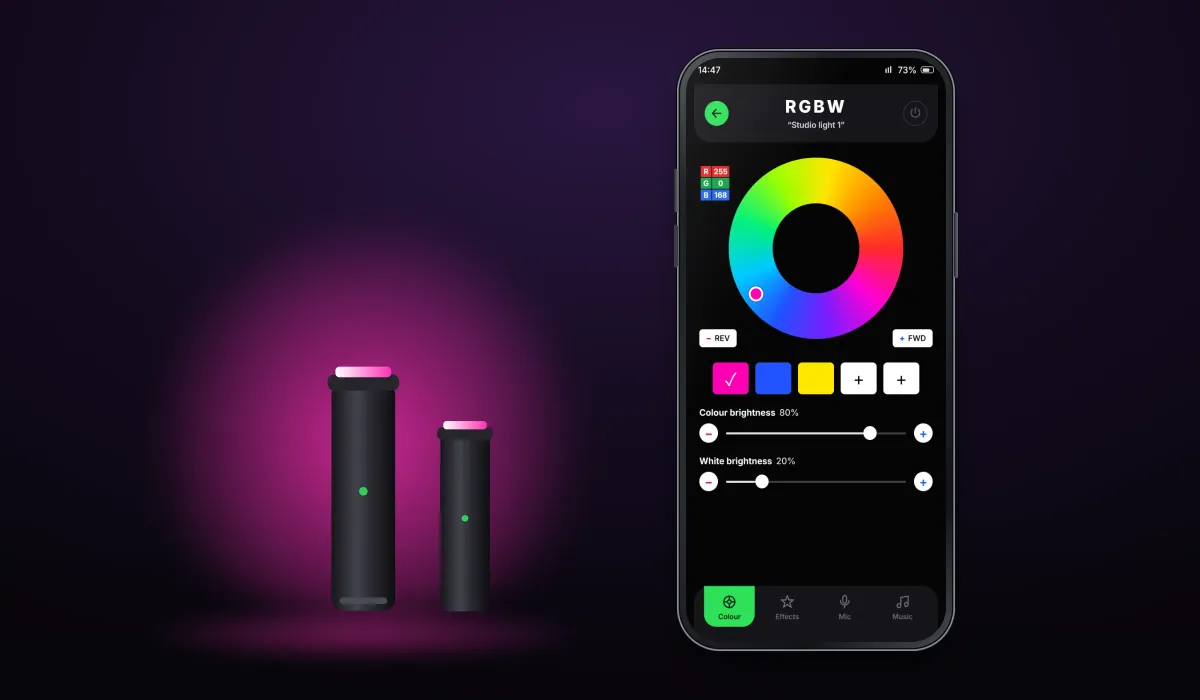
- Client
- Architectural lighting company
- Platforms
- Android
- Our scope
- Lighting control interface · Lights and groups · Device communication
The product
What it does, and for whom
Portable lights are set up in many places at once — a facade, a stage, a room. The app lists the lights on the local network, lets the user control each one or group several together, and sends every change to the lights as Wi-Fi (UDP) messages, so the phone works as a lighting console without extra hardware.
Scope The lights, their electronics and firmware are the client's. Our work was the mobile app that controls them. To keep the client confidential, the screens on this page are recreated from the delivered app with neutral naming and example devices.
Our contribution
What our team built
Lighting control interface
The colour wheel with RGB values and presets, separate colour and white brightness, built-in and custom effects, and microphone mode.
Lights and groups
One list of every light on the network with its current colour and power, and groups that change several lights together.
Device communication
Connecting to the lights on the local network and sending each change to them as Wi-Fi (UDP) messages.
User flow
From light to lighting scene
Four screens in the order a user meets them: choose what to control, set its colour, run an effect, or let the lights follow the room.
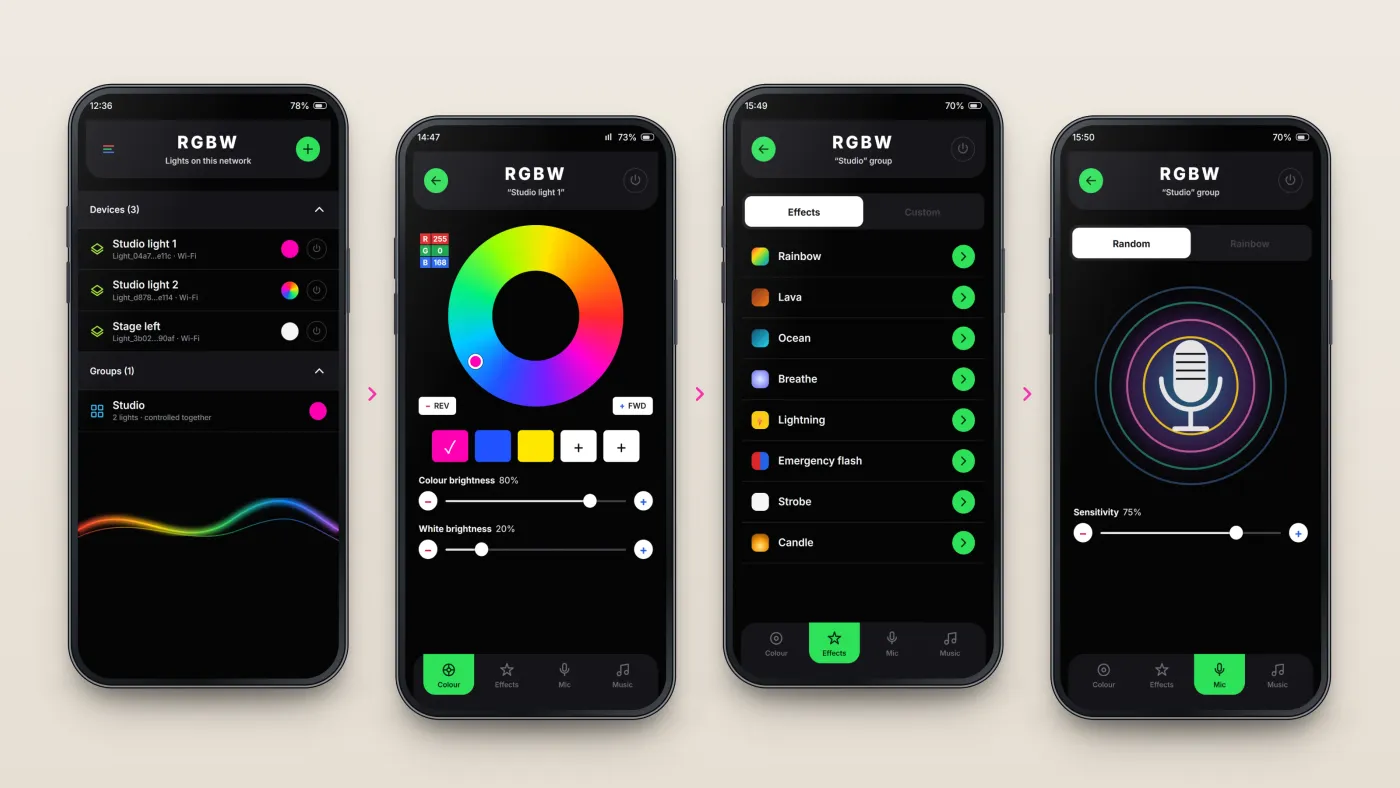
Pick a light or group
Every light on the network appears with its current colour; groups change several lights at once.
Set colour and brightness
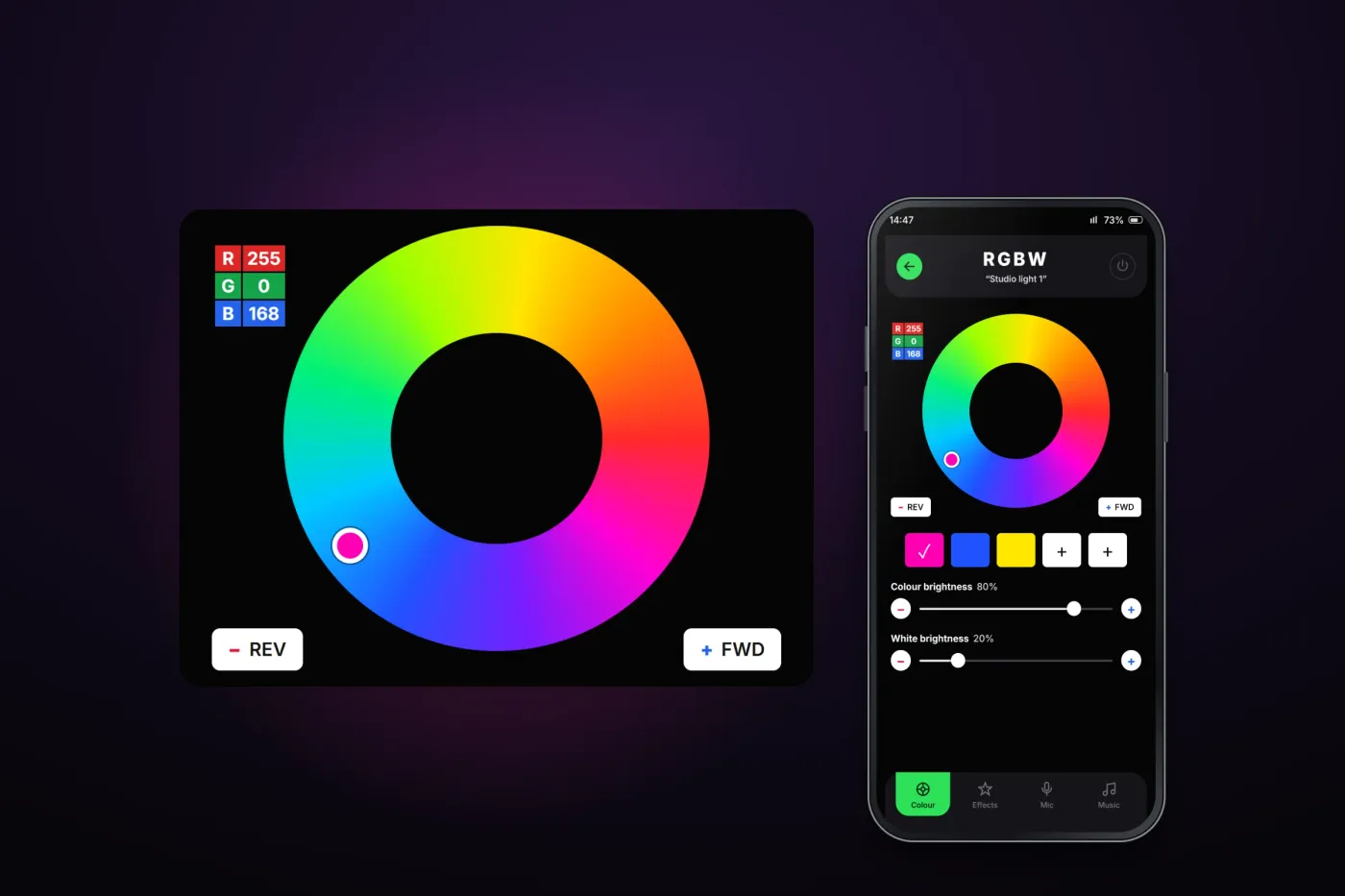
The colour wheel shows exact RGB values; colour and white brightness have separate sliders.
Run an effect
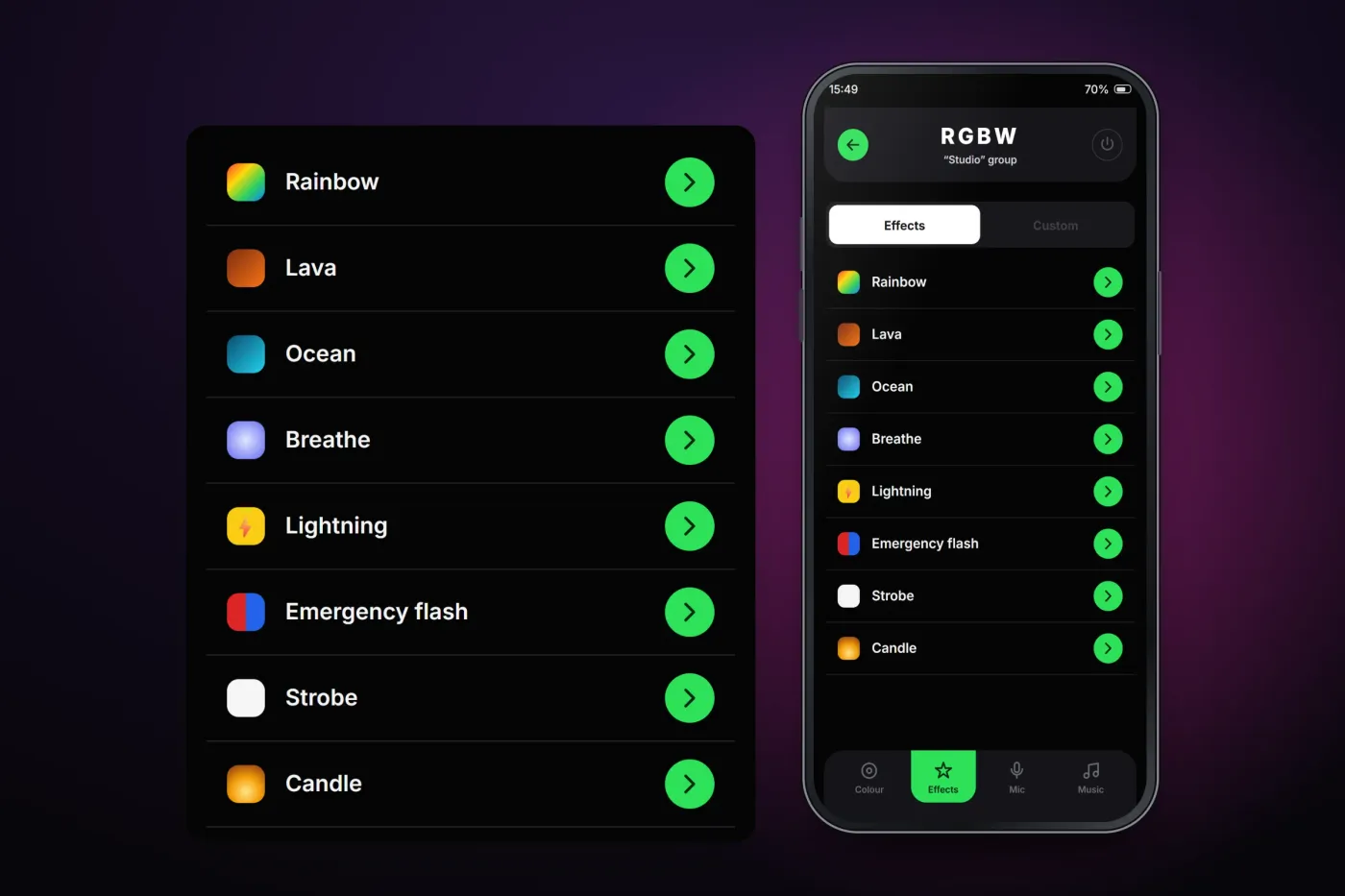
Ready-made effects start with one tap; a custom effect sets its own colour, brightness and speed.
Follow the sound
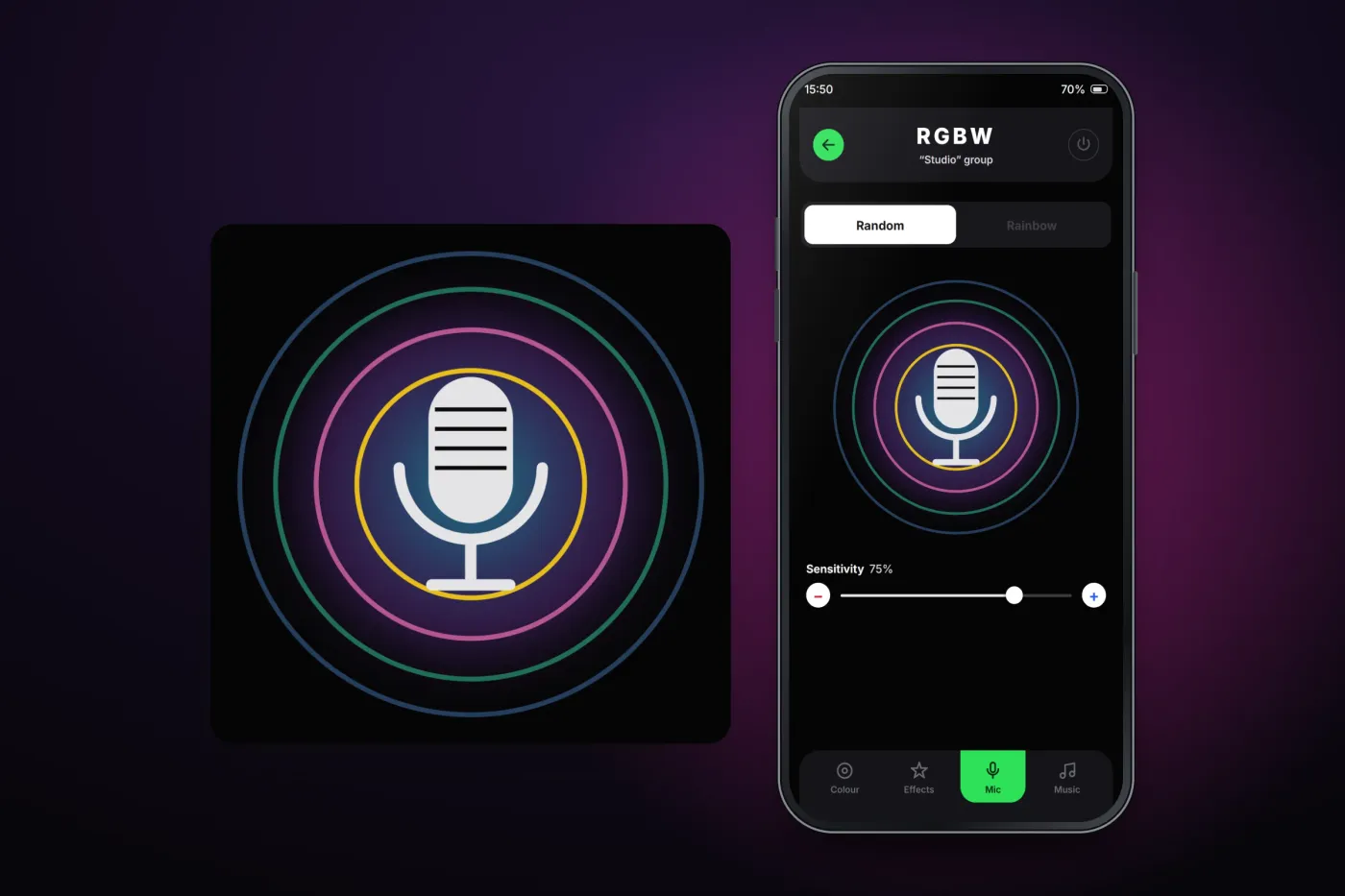
In microphone mode the lights react to the sound around them, with adjustable sensitivity.
The product in use
Inside the app
Colour, lights and groups
A colour wheel with the exact RGB values, preset colours one tap away, and separate sliders for colour and white brightness — the white channel is what makes the lights RGBW. Every light on the network appears in one list with its current colour, and lights can be grouped so a whole room or stage changes together.
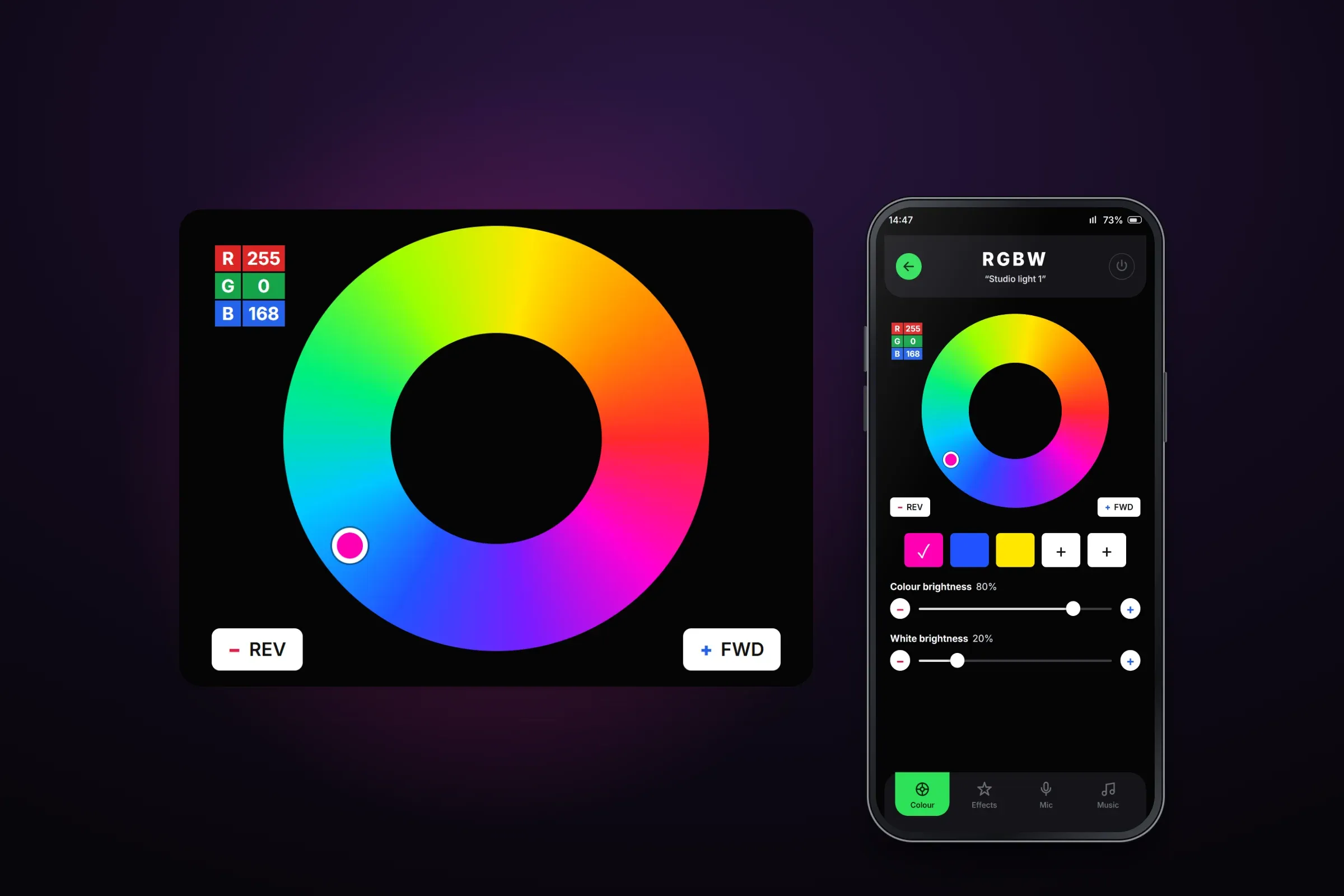
Colour control. Close-ups on phones: tap any image for the full screen. Effects
Ready-made effects such as rainbow, ocean, candle and strobe start with one tap. A custom effect sets its own colour, colour and white brightness, and speed.
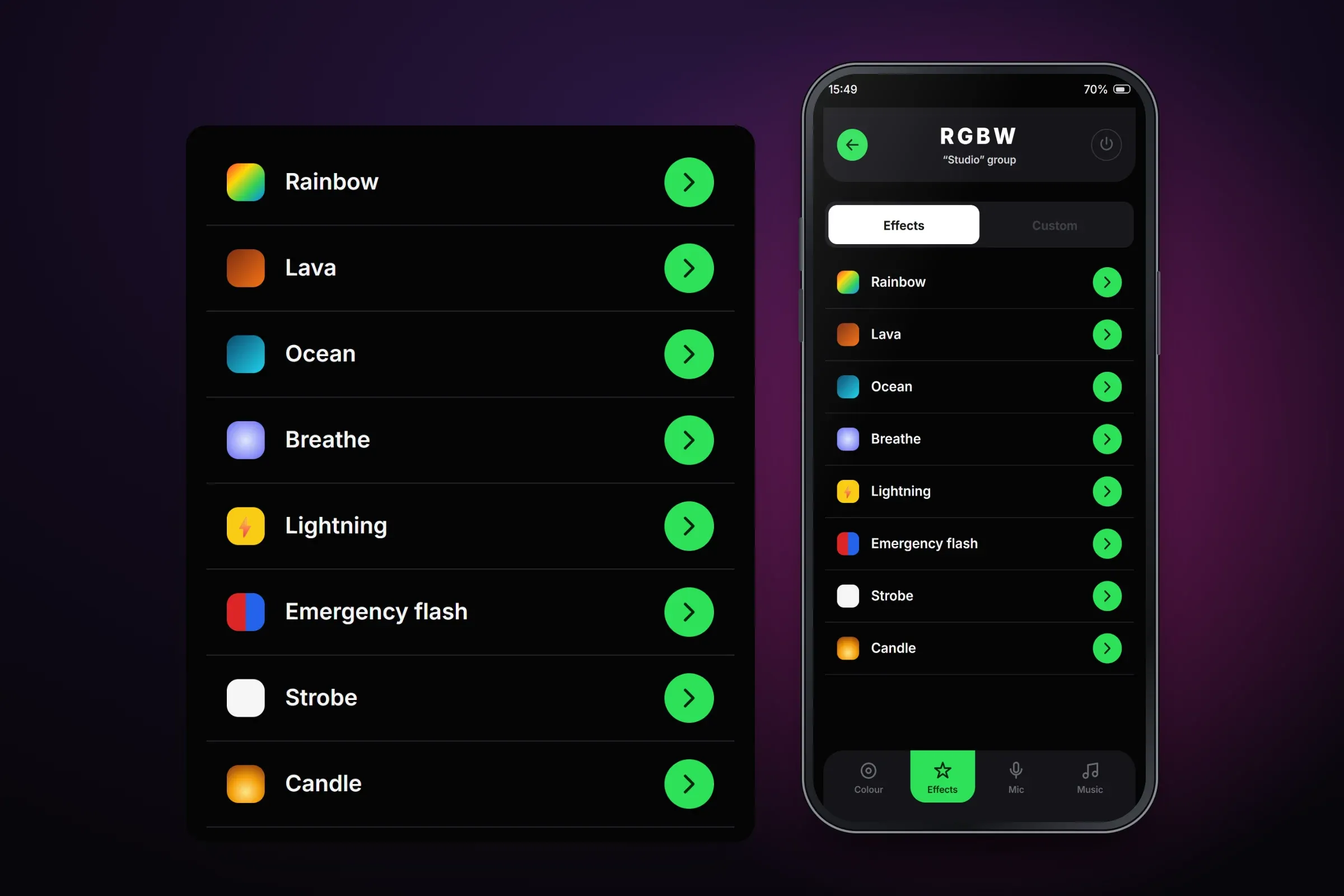
Built-in effects. Close-ups on phones: tap any image for the full screen. Light that follows sound
In microphone mode the phone listens and the lights react to the sound around them, in random colours or a rainbow sequence, with adjustable sensitivity.
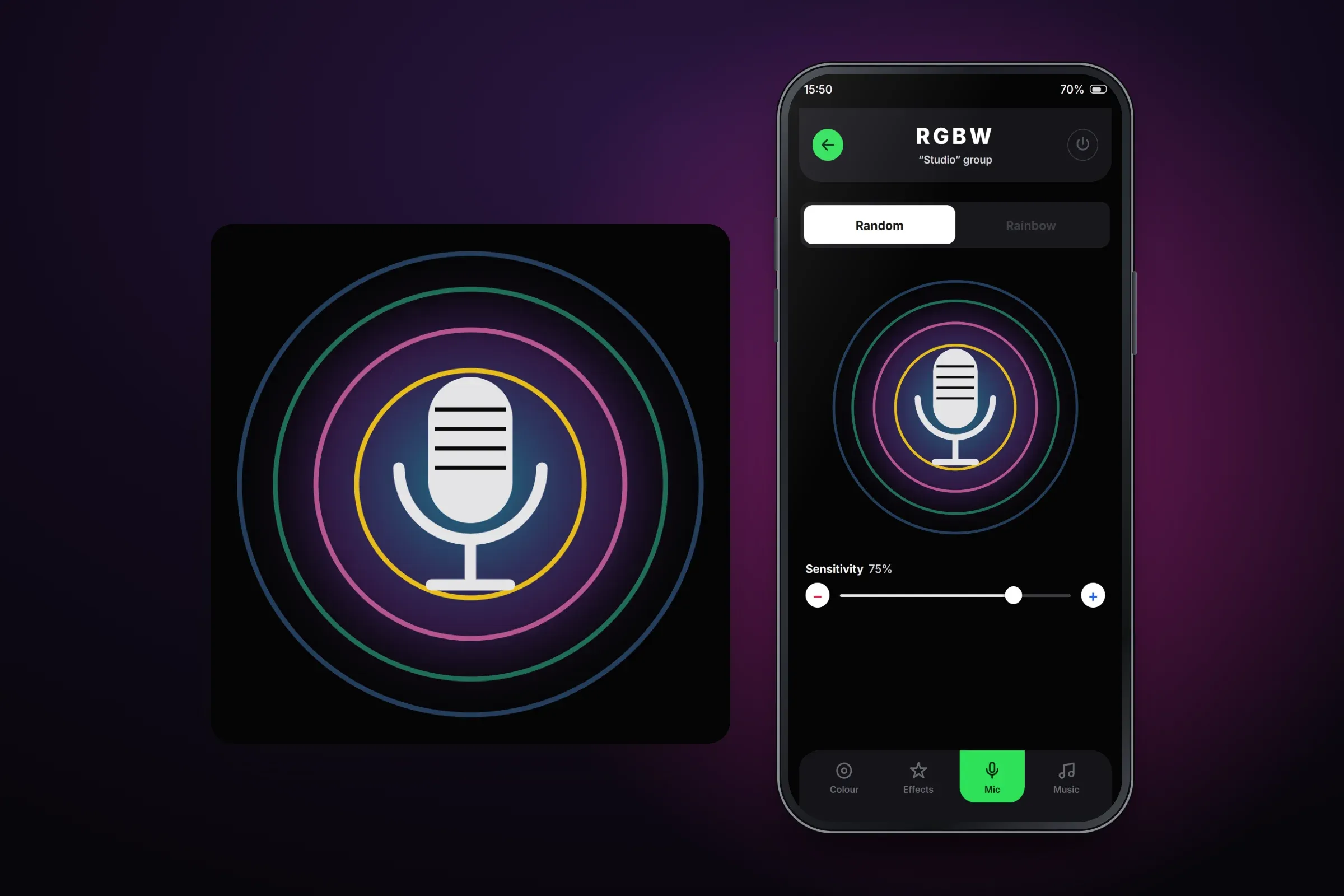
Microphone mode.
About these images: the screens are recreated from the delivered app for this case study, with neutral naming and example devices in place of the client's brand. They follow the app's real screens and functions, but they are not screenshots of it.
Related services
The services behind this project
- Mobile app development Native and cross-platform iOS and Android apps, with their back end, from first release to long-term upkeep.
- Apps for IoT and connected devices IoT app development for Bluetooth and Wi-Fi hardware — pairing, live sensor data, device control, sync and firmware updates from the app.