Case study · Client name withheld
Property Service Request App
Owners raise service requests and follow them by stage, from their phone
The client provides services for properties. Our team developed the mobile app their customers use to ask for that work: owners raise a service request, see all their requests counted by stage, and manage their account and properties. The service the app supports covers visits, quotes and invoices.
- Client
- Property services company
- Platforms
- iOS
- Our scope
- Mobile app development · Accounts and properties
The product
What it does, and for whom
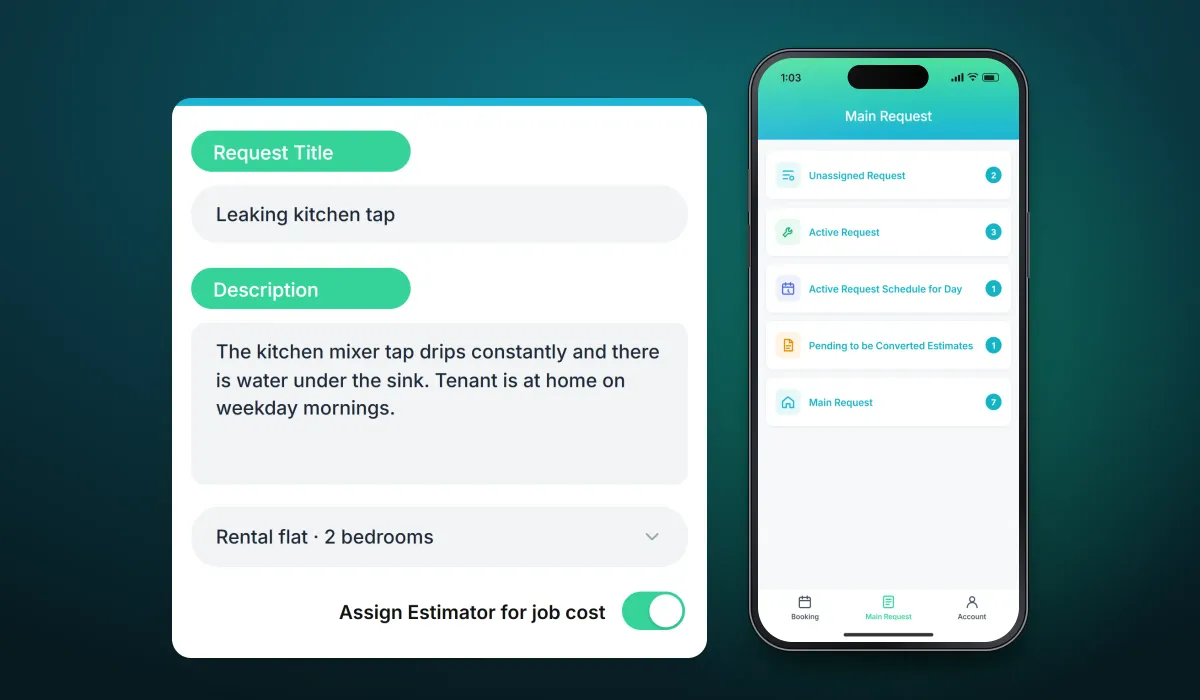
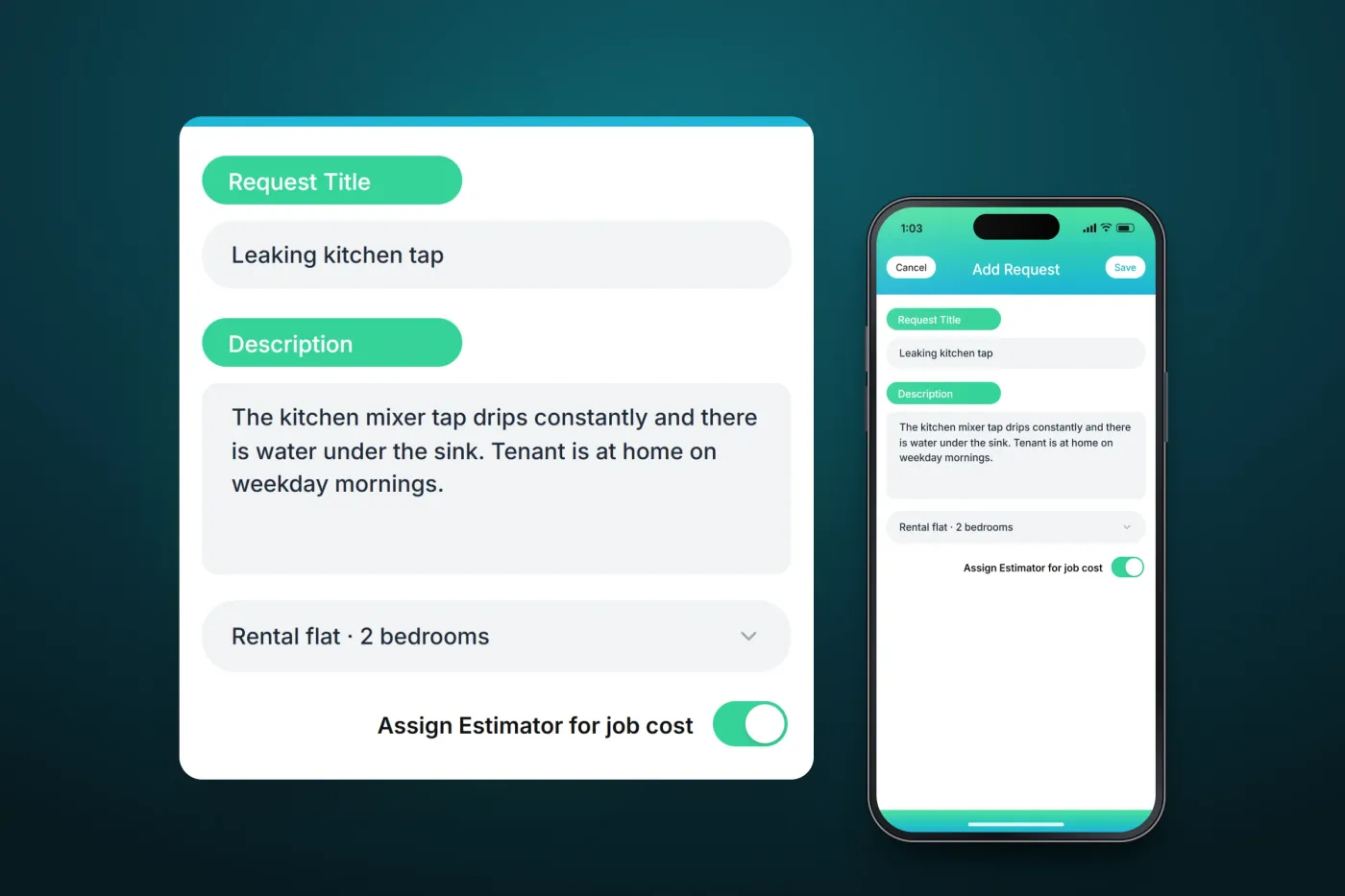
The app gives property owners one place for their service requests. A request carries a title, a description and the property it concerns, and can ask for an estimator to price the job; the overview then shows what is unassigned, active, scheduled for today or waiting as an estimate.
Scope The service work, the visits and the pricing are the client's. Our work was the mobile app. To keep the client confidential, the screens on this page are recreated from the delivered app with neutral naming and example data.
Our contribution
What our team built
Mobile app development
The iOS app for property owners: raising service requests, the overview of requests by stage, and asking for an estimator to price a job.
Accounts and properties
Login and sign-up, the account menu, and the owner's properties and authorised users.
User flow
From sign-up to a service request
How a property owner gets from registering to asking for work.
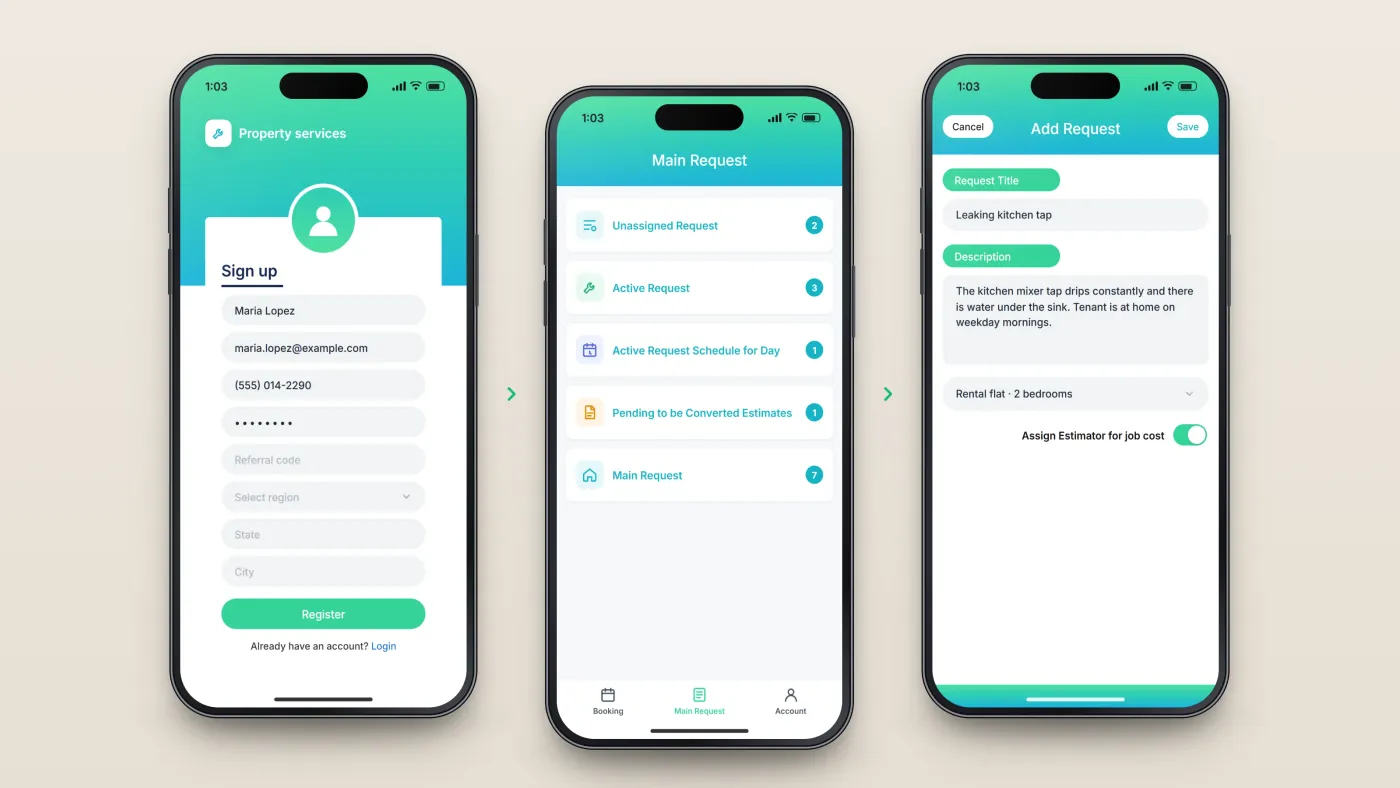
Register
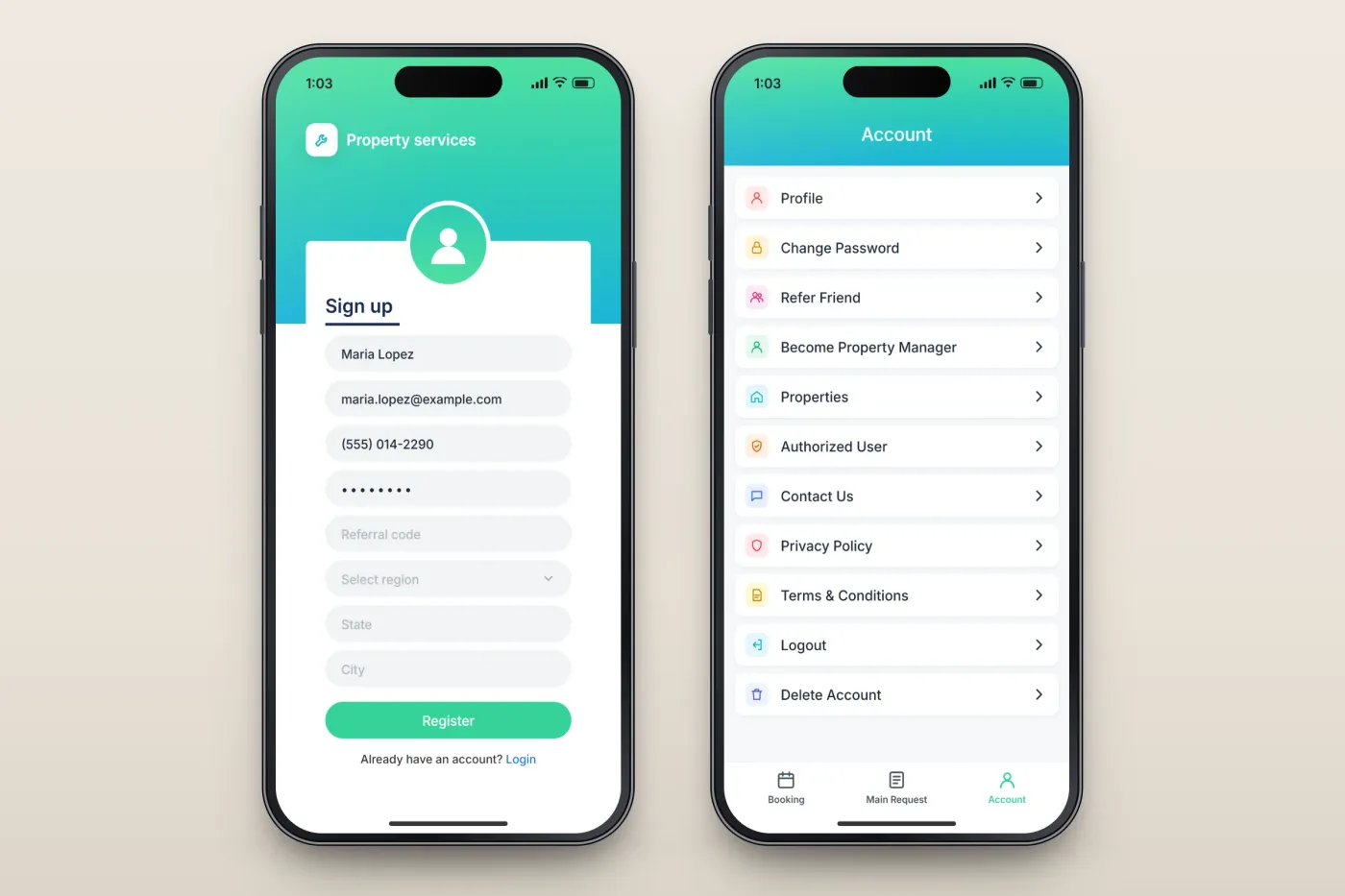
Name, email, phone, password, optional referral code and region.
See requests by stage
Unassigned, active, scheduled for today, pending as estimates, and all.
Raise a request
A title, a description and the property, with an option to ask for an estimator.
The product in use
Inside the app
Requests at a glance, and a new request
The main screen counts the owner's requests by stage: unassigned, active, scheduled for today, pending as estimates, and all requests. A new request takes a title, a description and the property, and can ask for an estimator to price the job.
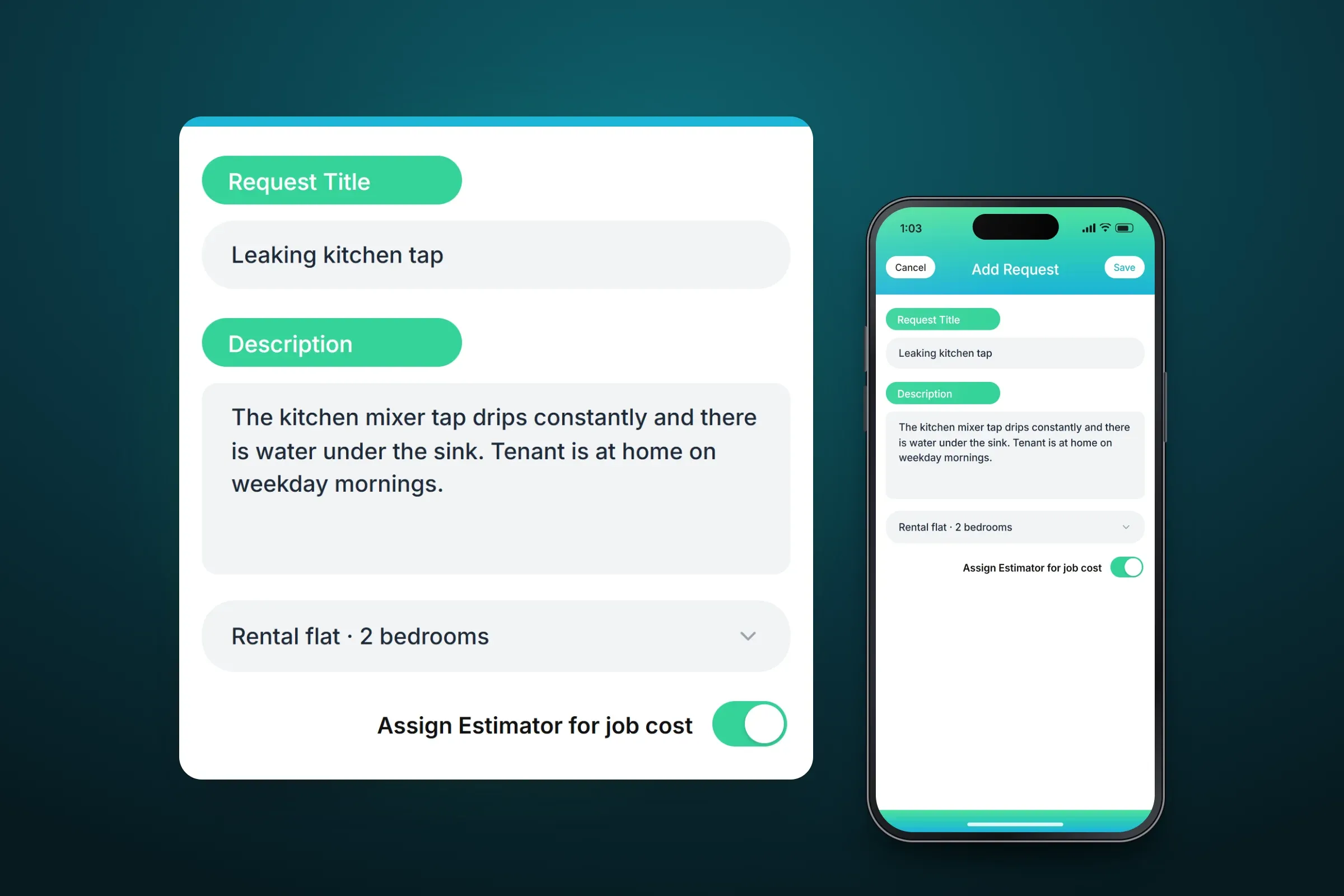
The request overview. Close-ups on phones: tap any image for the full screen. Sign-up and account
New owners register with their name, email, phone number, password, an optional referral code and their region, state and city. The account menu holds the profile and password, the owner's properties and authorised users, an option to become a property manager, referrals, contact, policies and account deletion.
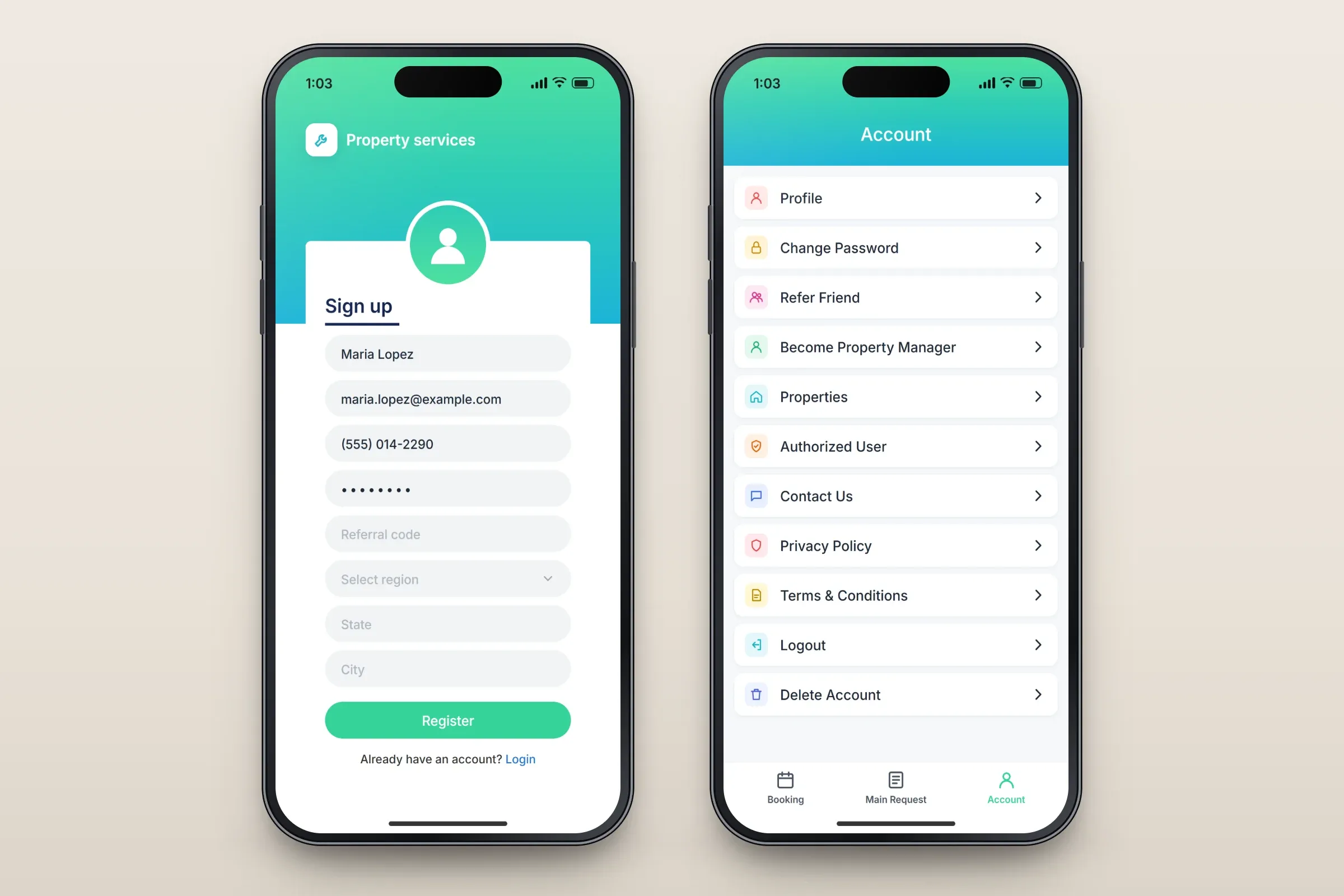
Sign-up, and the account menu.
About these images: the screens are recreated from the delivered app for this case study, with neutral naming and example data in place of the client's brand, people and properties. They follow the app's real screens and functions, but they are not screenshots of it.
Related services