Case study · Client name withheld
Local Community App
A neighbourhood feed with events and chat, for iOS and Android
A community app built around what is close to you. People see a neighbourhood feed, share posts and events, and chat. Our team built the app in Flutter for iOS and Android, with our own Node.js back end. It was published on both stores in 2025.
- Client
- Confidential client · Social app
- Platforms
- iOS · Android
- Our scope
- Flutter app for iOS and Android · Node.js back end · Push messages
- Period
- Published 2025
The product
What it does, and for whom
A local feed is only useful if it stays local, so it shows posts and events from around the user. One Flutter codebase serves both platforms, and Firebase Cloud Messaging handles push messages.
Scope: The product and its brand belong to the client, and the posts in the live app come from its users. No real users, posts or locations appear on this page: every handle, post and message shown here is an example. Our work was the app and its Node.js back end.
Our contribution
What our team built
Flutter app for iOS and Android
The neighbourhood feed, posts and events, and chat, from one Flutter codebase.
Node.js back end
Our own Node.js back end for the app.
Push messages
Firebase Cloud Messaging for push messages.
Technologies: Flutter · Node.js · Firebase Cloud Messaging
User flow
From welcome to conversation
Four screens in the order a user meets them.
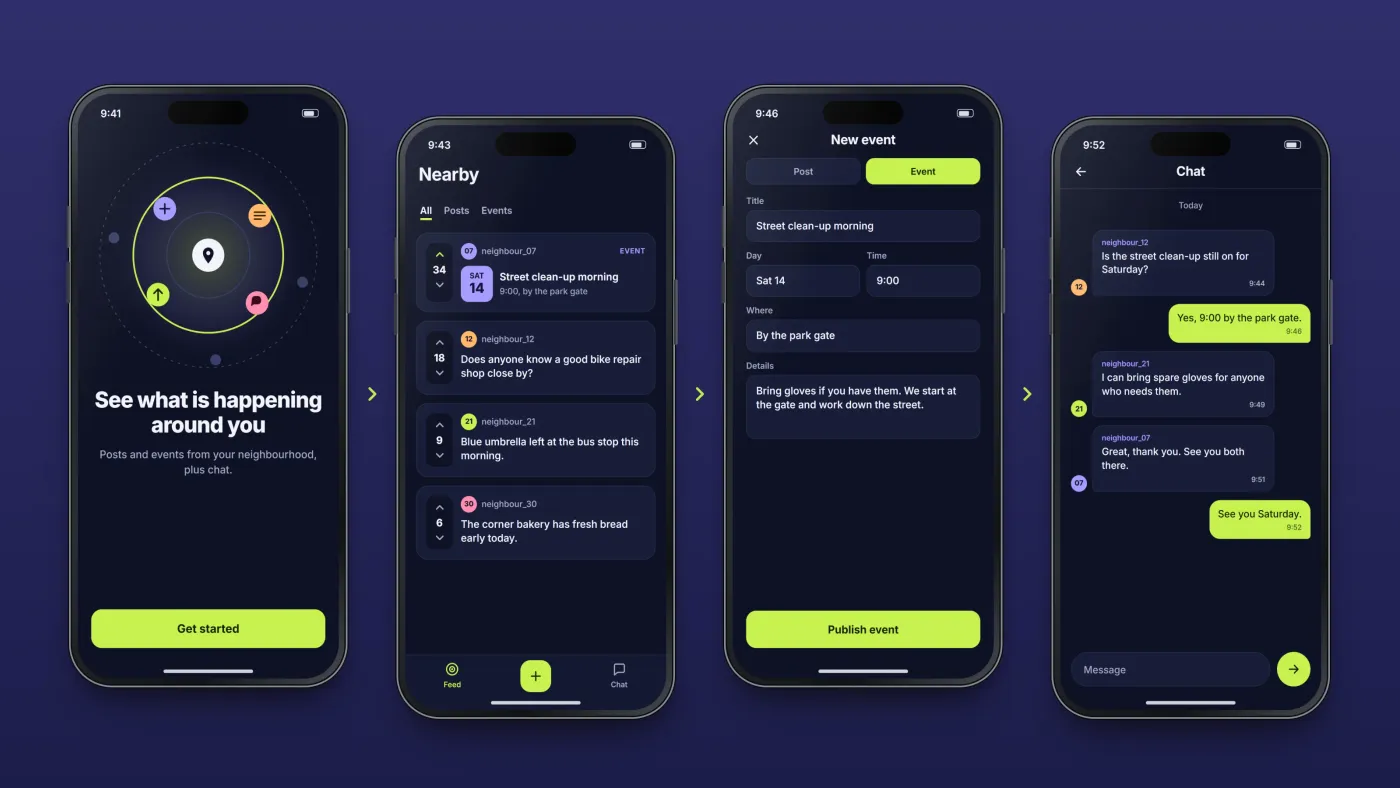
Welcome
A new user starts on a welcome screen.
Local feed
Posts and events from around you.
Share something
People create their own posts and events.
Chat
People talk to each other inside the app.
The product in use
Inside the app
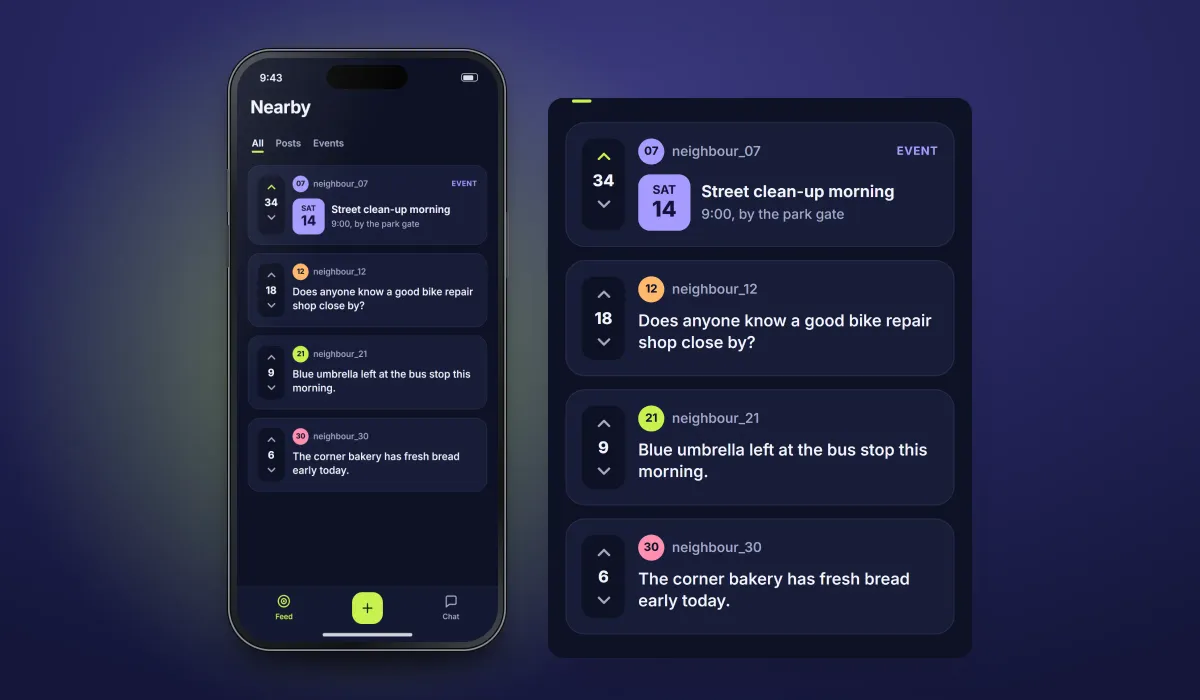
A neighbourhood feed
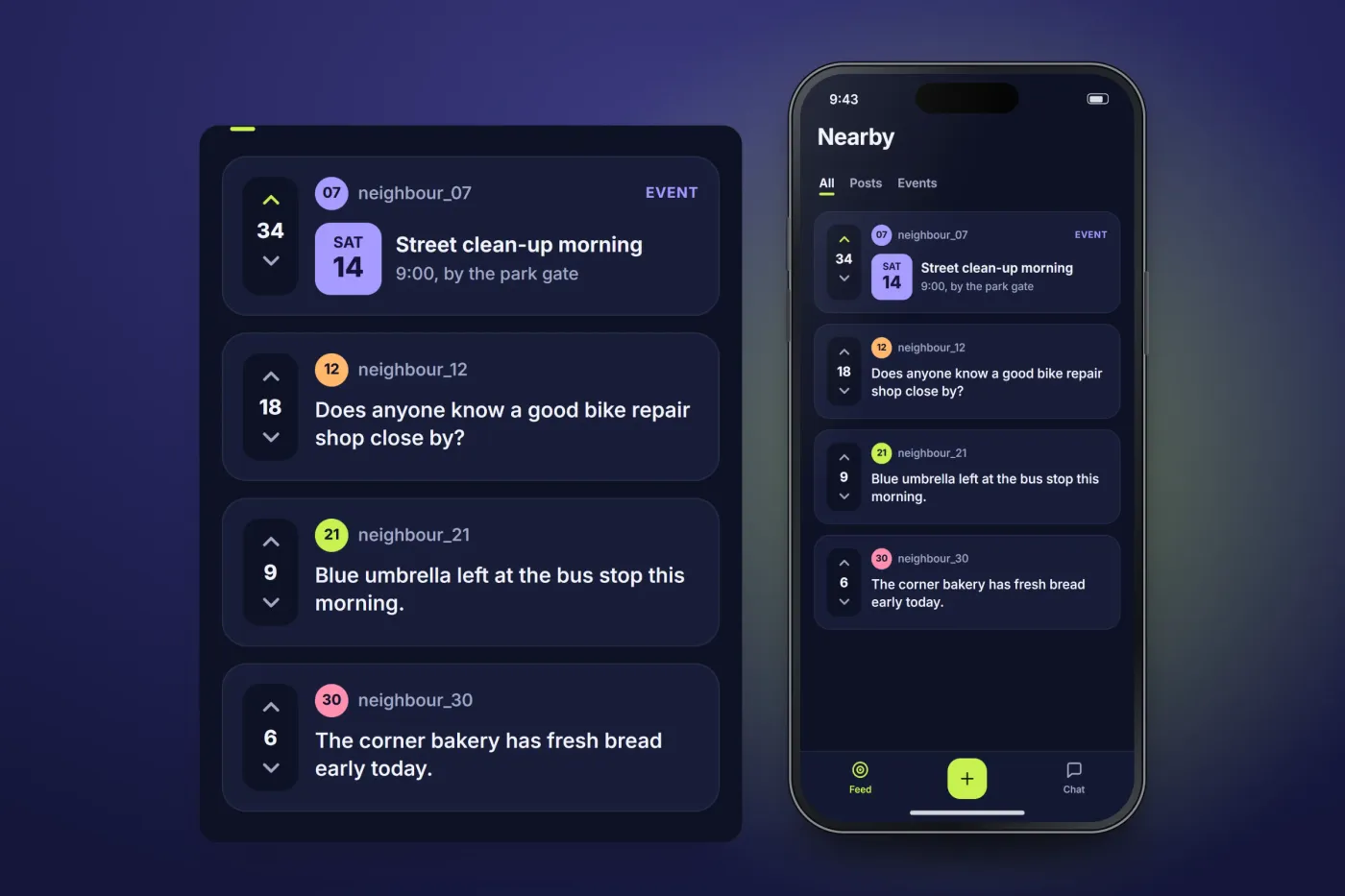
People see posts and events from around them.
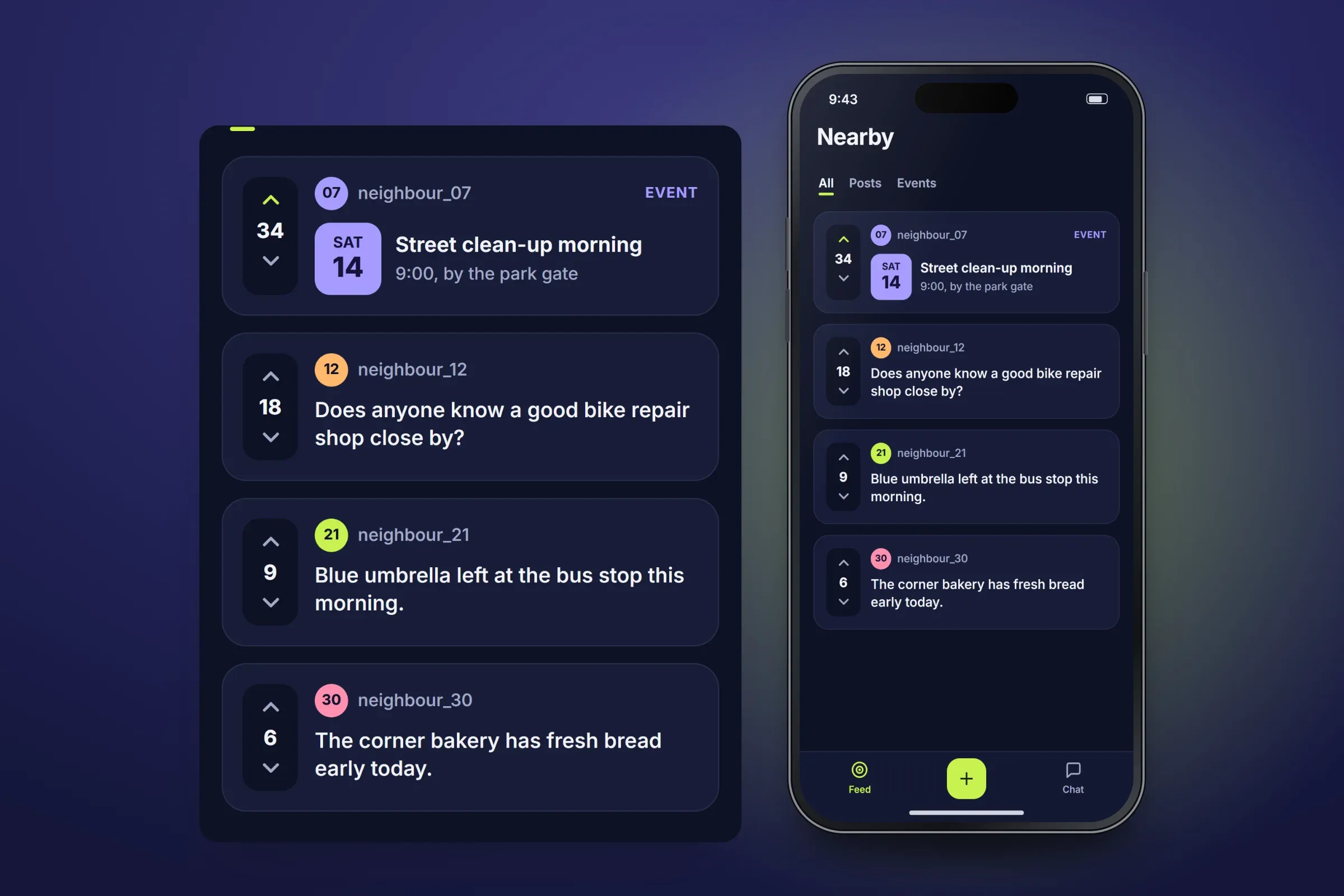
Local feed. Close-ups on phones: tap any image for the full screen. Posts and events
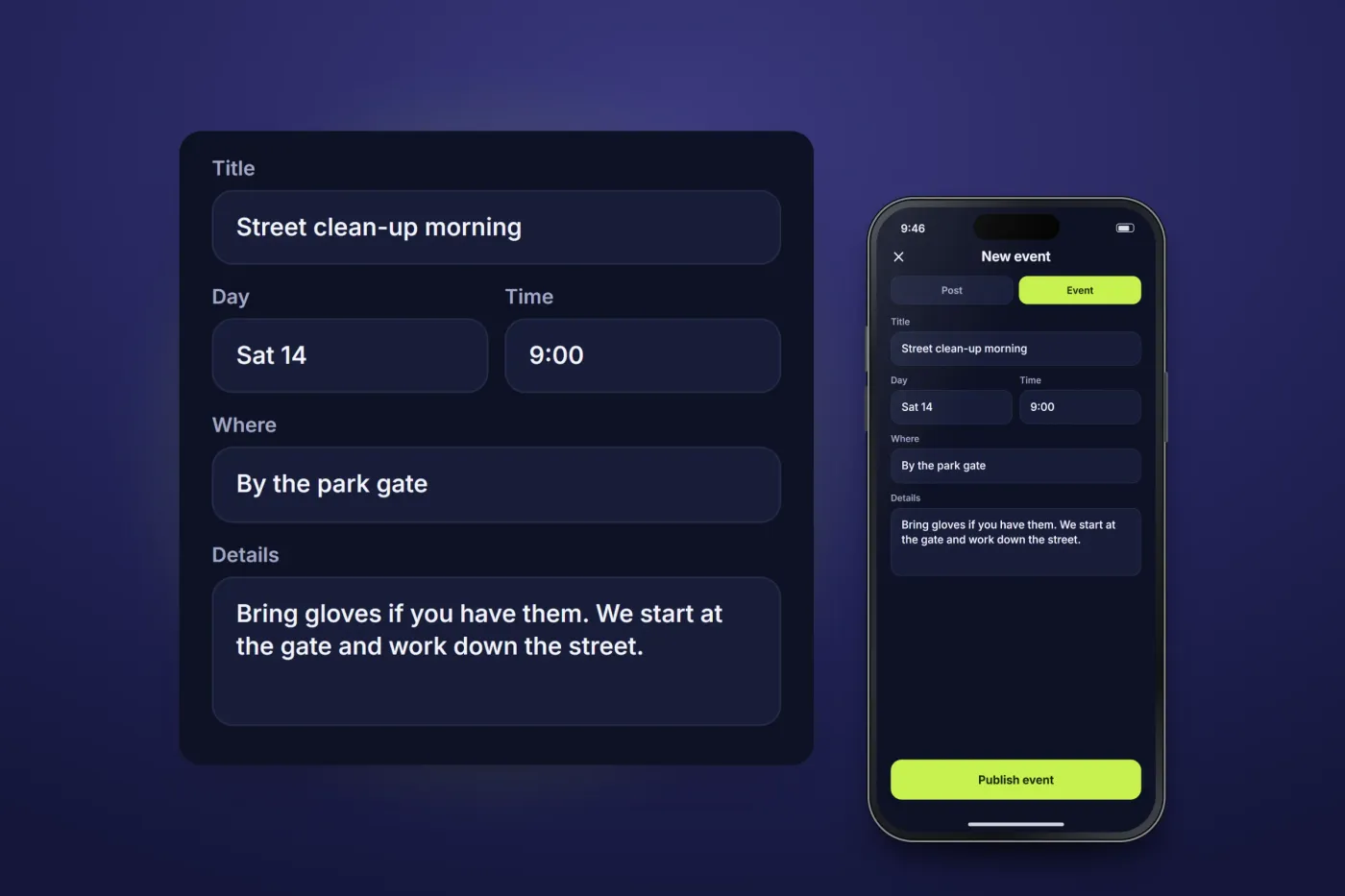
People can share both posts and events.
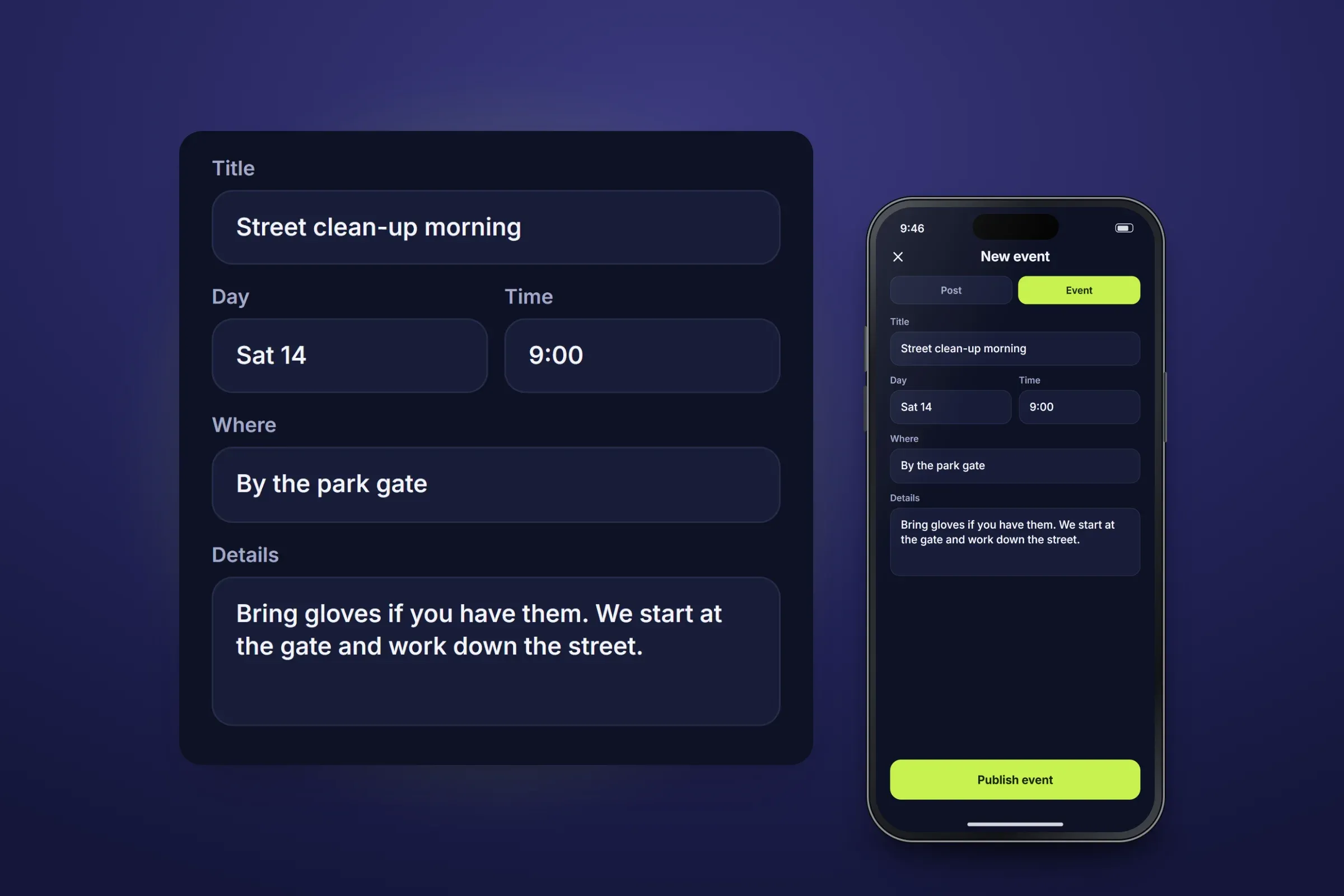
Creating an event. Close-ups on phones: tap any image for the full screen. Chat
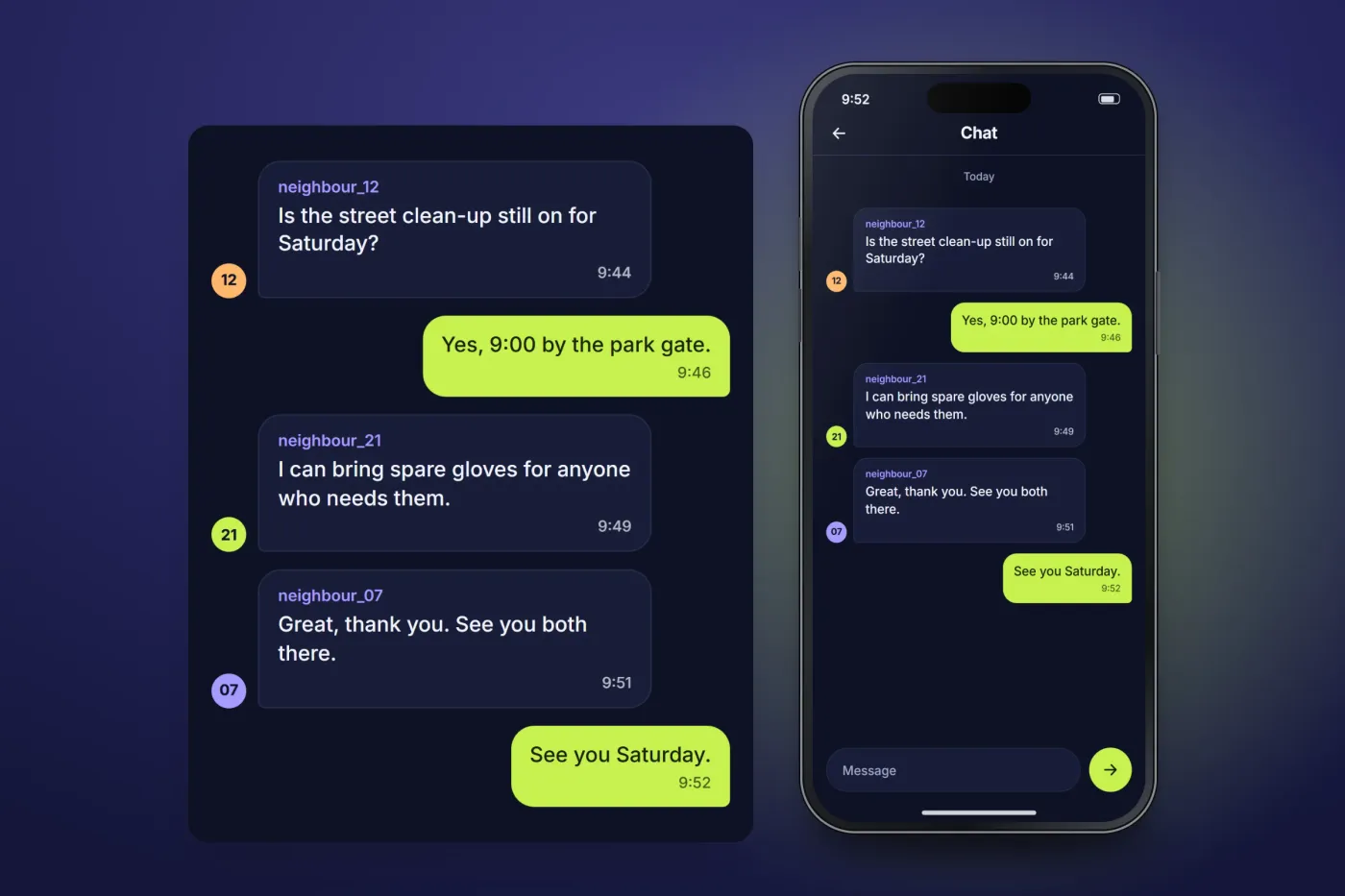
The app includes chat, so people can talk to each other without leaving it.
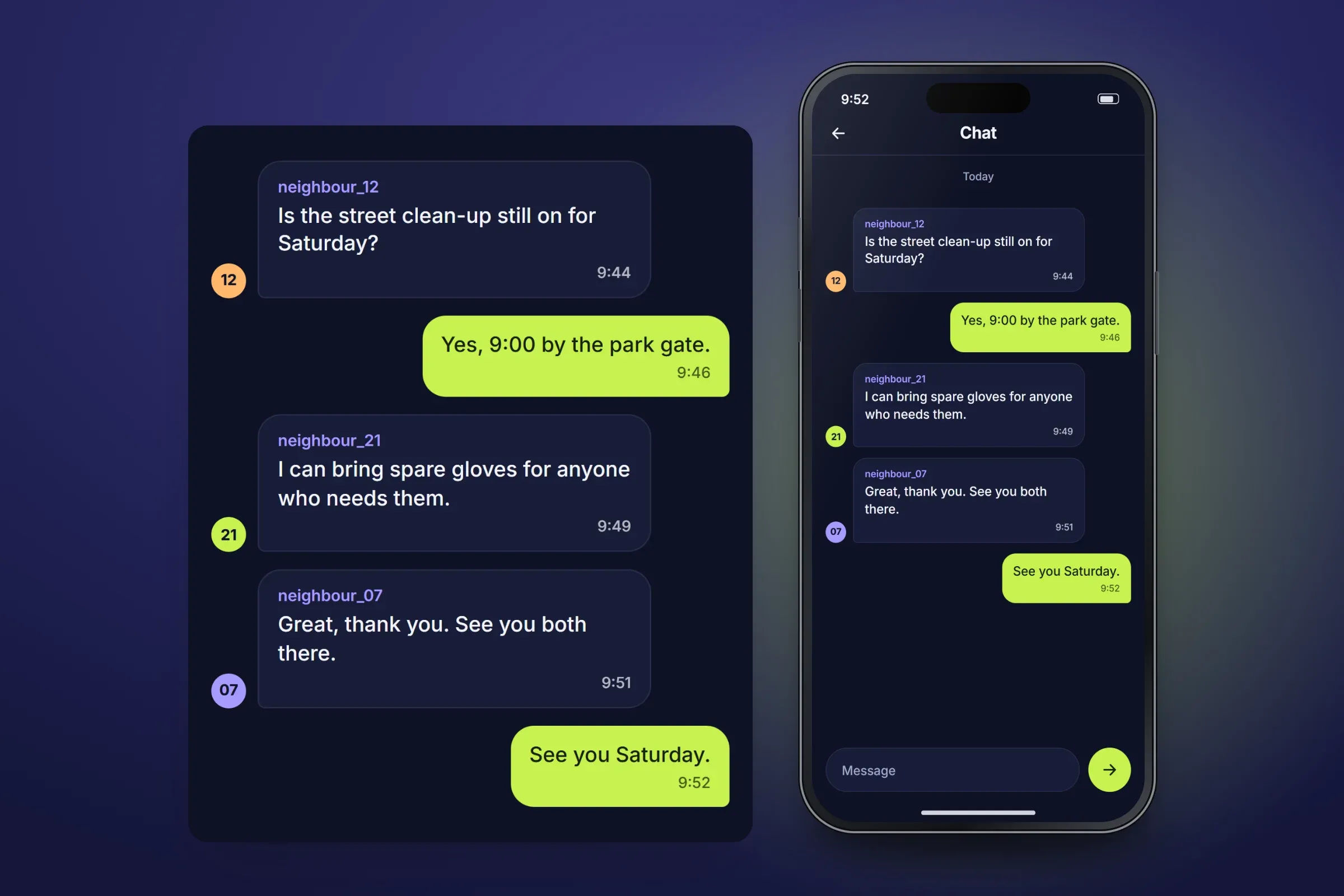
Chat. Close-ups on phones: tap any image for the full screen.
About these images: the screens are recreated for this case study, with neutral naming and example data in place of the client's brand and users. Handles, posts and counts are all examples, and no real person appears. They follow the app's functions, but the layouts are illustrative and they are not screenshots of it.
Delivery
The engagement
- Published on Google Play and the App Store in 2025.
- Live on both stores.
Related services