Case study · Client name withheld
Music Discovery App for Independent Artists
Local music by mood and chart, with a personal library for every fan
The client's platform showcases independent artists and connects them with music lovers in their own city. Our team developed the mobile app: fans sign in, discover music by mood and through local charts, play, shuffle and download playlists, and keep their own library, profile, subscriptions and wallet.
- Client
- Music platform
- Platforms
- Mobile
- Our scope
- Mobile app development
The product
What it does, and for whom
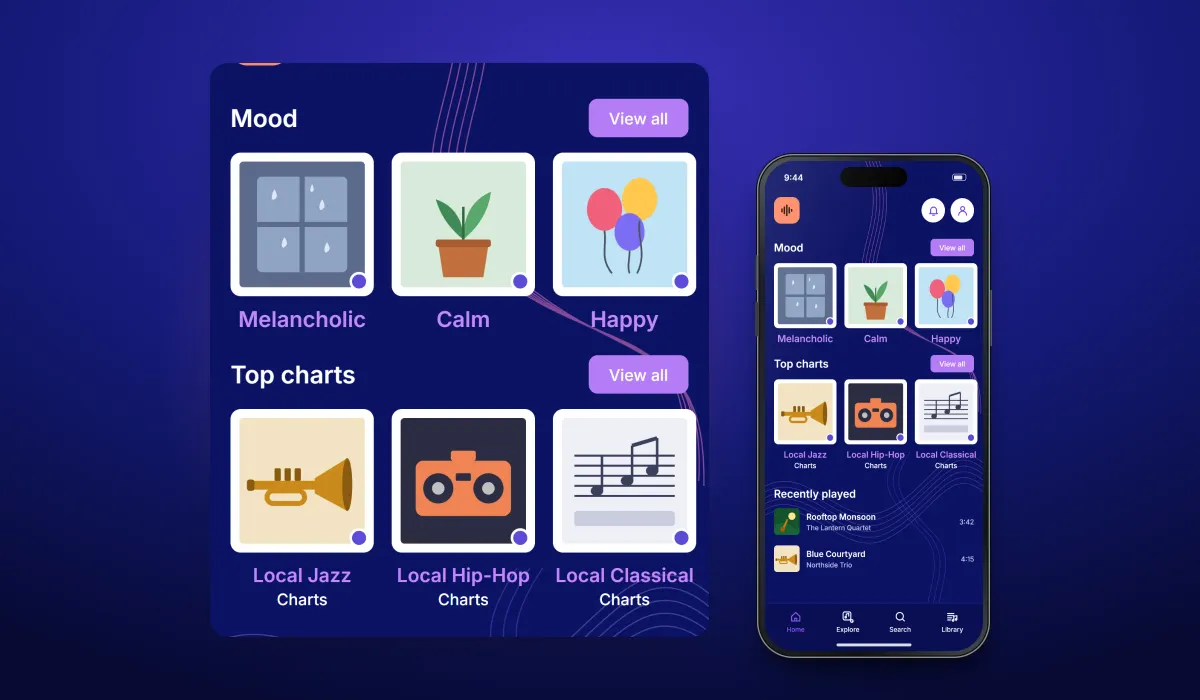
The platform's aim is a hyper-local music scene: artists build a following among fans in their city and earn from their music, and fans discover local talent and support it directly. The app is organised around four tabs — Home, Explore, Search and Library — on a deep blue background with flowing sound-wave lines.
Scope The platform, its artists, music and business model are the client's. Our work was the mobile app described here. To keep the client confidential, the screens on this page are recreated from the delivered app with neutral naming, invented artists, songs and cover art, and example data.
Our contribution
What our team built
Mobile app development
The fan app: sign-in, sign-up and one-time codes, the home screen with moods and local charts, chart playlists with play, download and shuffle, the library, the profile with subscriptions and wallet, and the tab navigation.
User flow
Discovering music
The three screens below, in the order a user meets them.
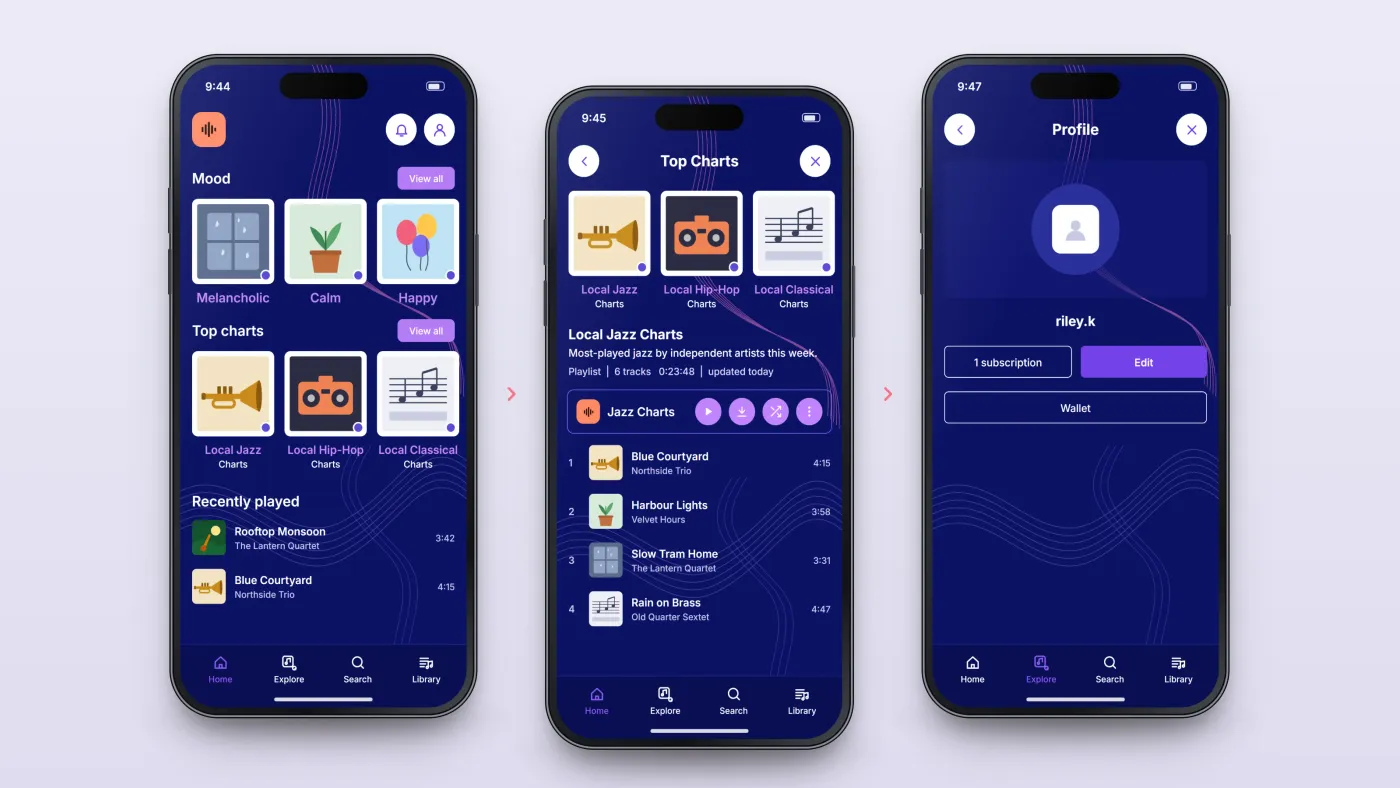
Pick a mood
Mood tiles and local charts on the home screen.
Open a chart
Its playlist of tracks.
Your profile
Subscription and wallet on the profile screen.
The product in use
Inside the app
Moods and local charts
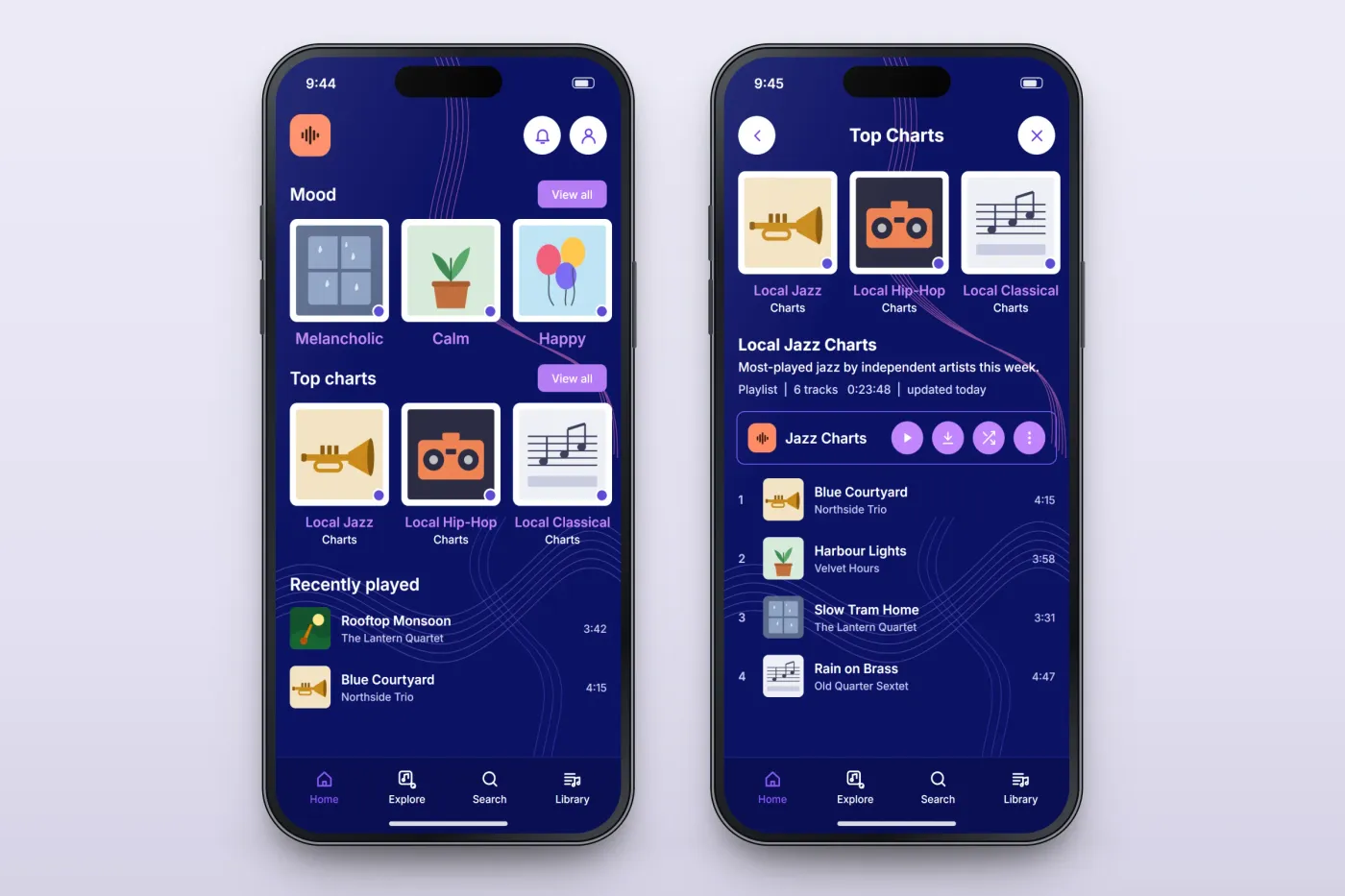
The home screen offers music by mood, such as melancholic, calm and happy, and top charts for local genres, each with a View all link, followed by recently played songs. A chart opens as a playlist with its description, track count, length and last update, and buttons to play, download or shuffle it.
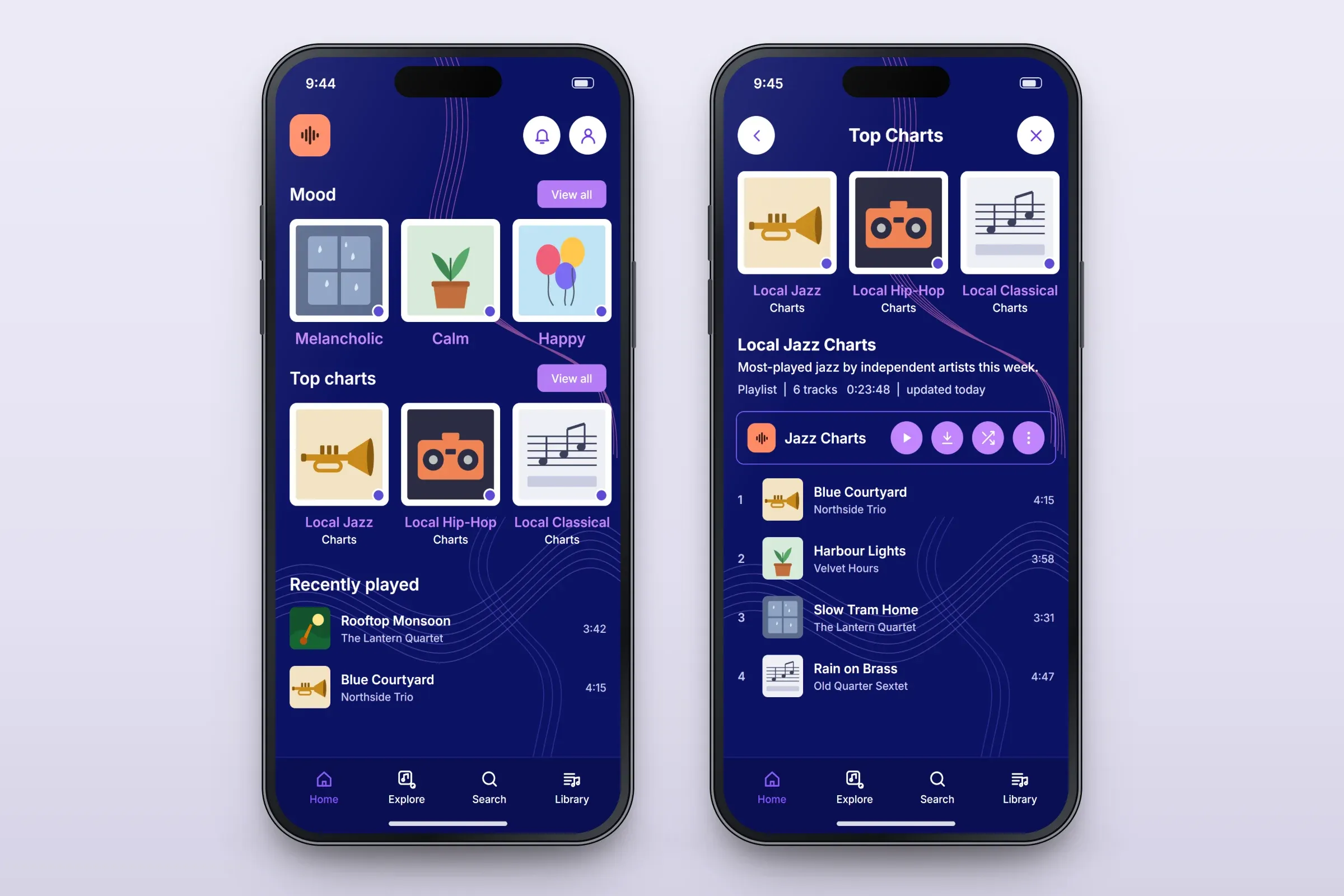
Discovery by mood and local chart, and a chart playlist. Close-ups on phones: tap any image for the full screen. Library and profile
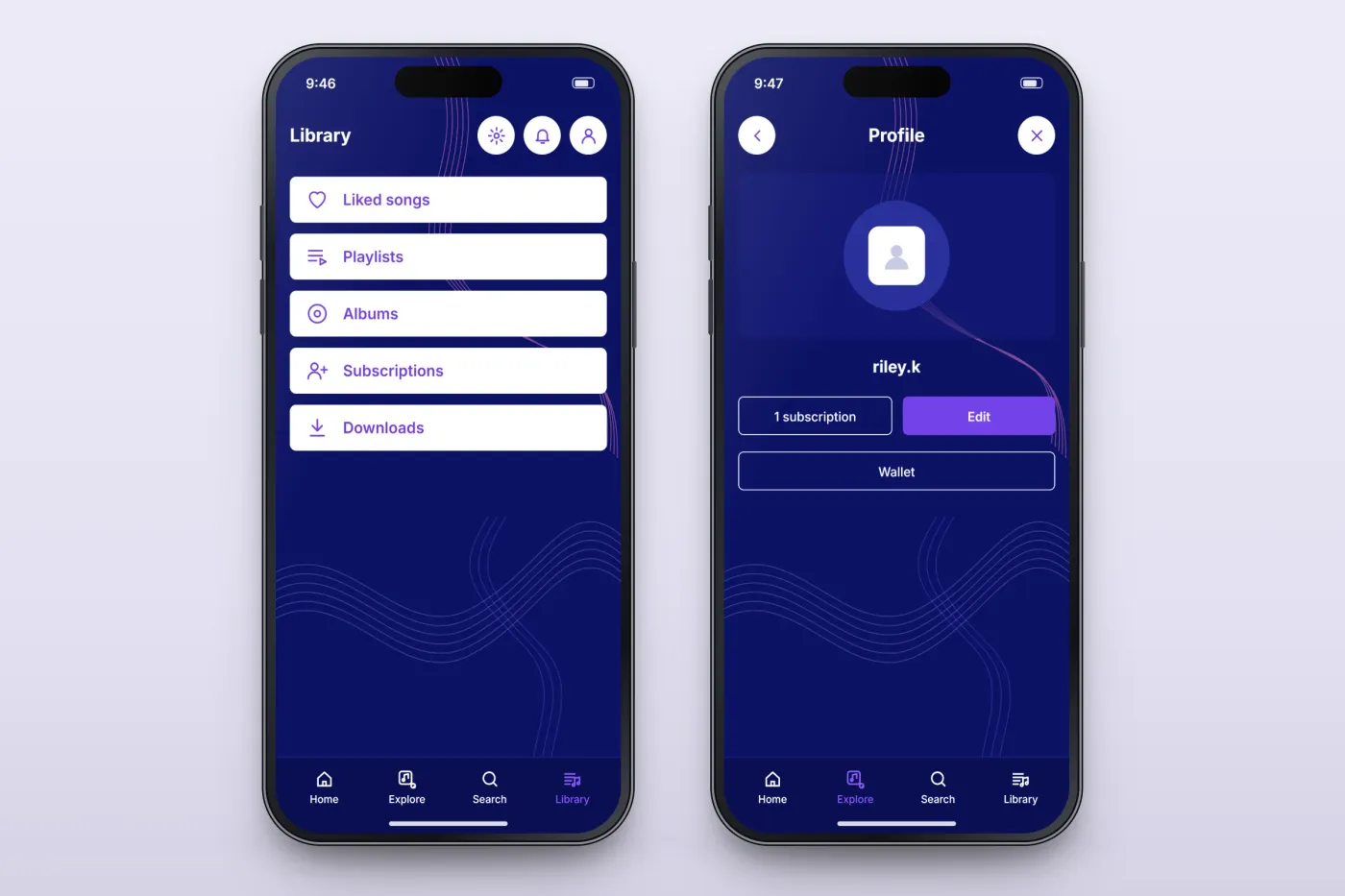
The Library gathers liked songs, playlists, albums, subscriptions and downloads. The profile shows the fan's picture and name, their subscriptions, an Edit button and the wallet.
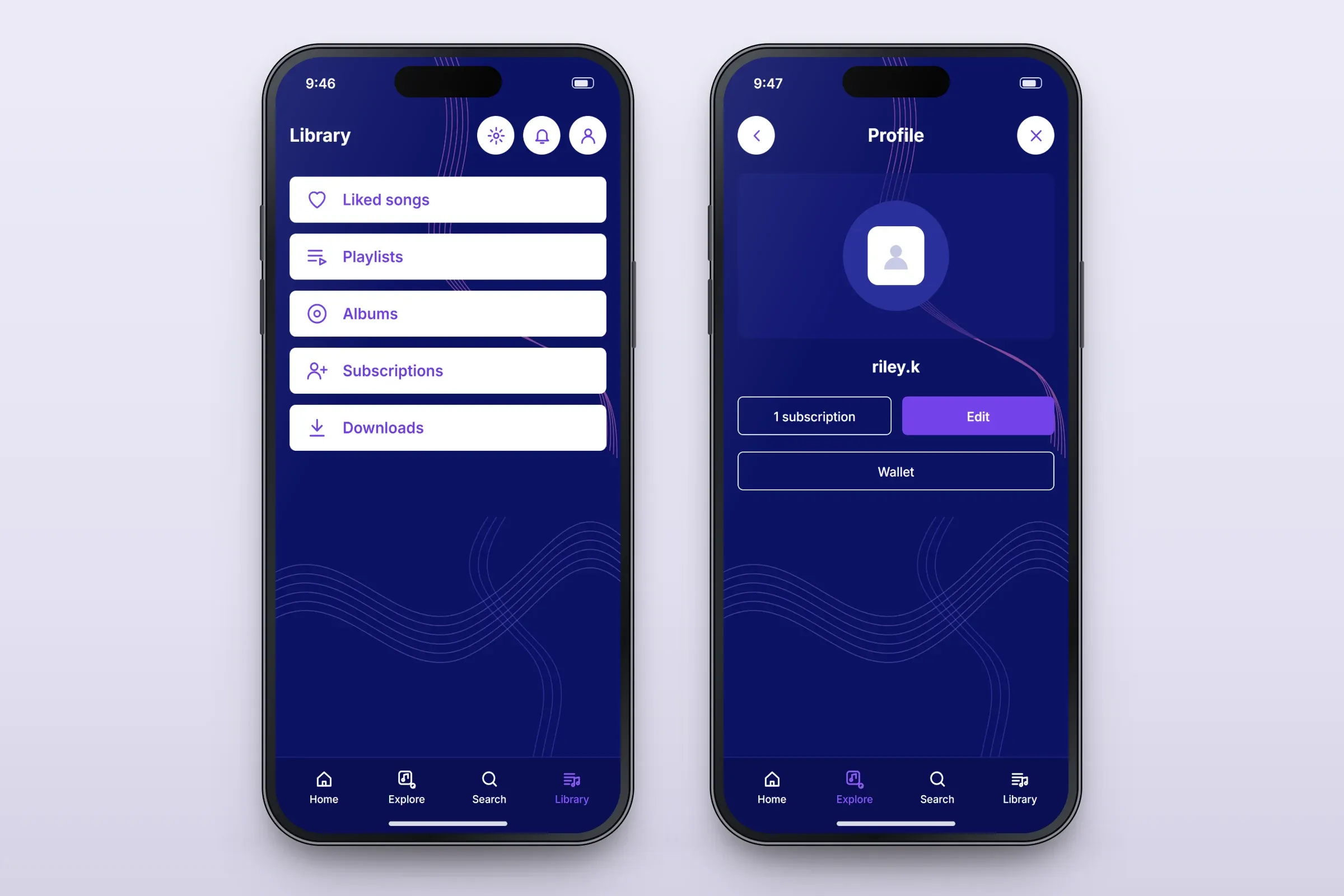
The fan's library, and the profile with subscriptions and wallet. Close-ups on phones: tap any image for the full screen. Sign-in
Fans sign in with email and password or sign up as new users, and confirm their sign-in with a one-time code sent by email.
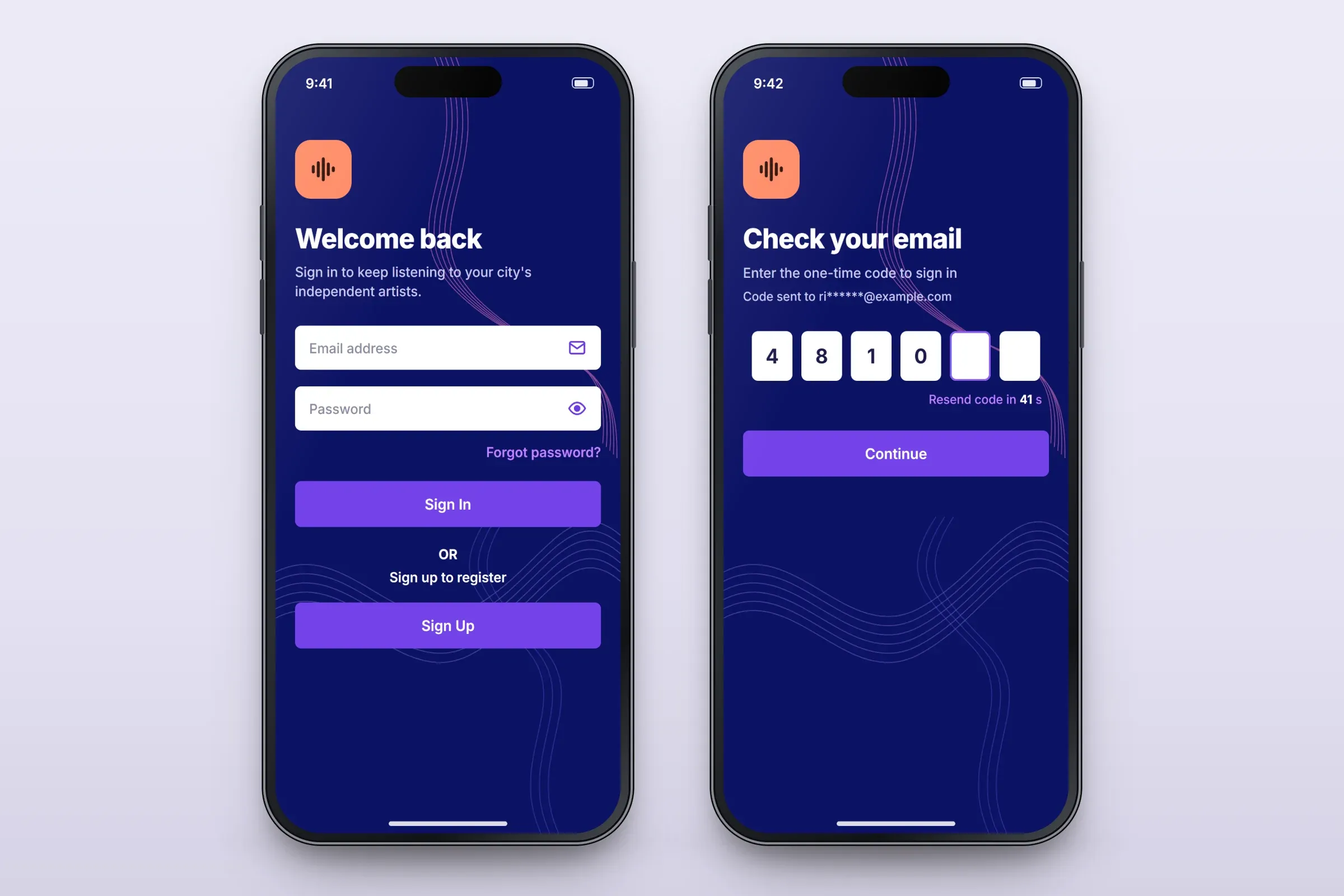
Sign-in, and the one-time code. Close-ups on phones: tap any image for the full screen.

About these images: the screens are recreated from the delivered app for this case study, with neutral naming, invented artists, songs and cover art, and example data in place of the client's brand and content. They follow the app's real screens and functions, but they are not screenshots of it.
Related services