Case study · Client name withheld
Home Hairdresser Booking App
Booking a hairdresser or barber who comes to the customer's address
The client runs a home hairdressing service: skilled hairdressers travel to the customer instead of the customer going to a salon. Our team developed the mobile app that books them — enter an address, choose the hair type and services, compare hairdressers and select one, on request or for a later appointment.
- Client
- Home hairdressing service
- Platforms
- Android
- Our scope
- Mobile app development
The product
What it does, and for whom
A salon visit means travel, parking and waiting. The client's service removes them by sending the hairdresser to the customer's home, workplace or holiday address, with flexible scheduling, discretion and bookings for up to five people. The app is built around that: where, what service, which hairdresser.
Scope The hairdressing service and its hairdressers are the client's. Our work was the mobile app described here. To keep the client confidential, the screens on this page are recreated from the delivered app with neutral naming, English text, example hairdressers and prices, and illustrations in place of its photographs.
Our contribution
What our team built
Mobile app development
The onboarding and explorer mode, customer and hairdresser sign-up, the search by address, hair type, hair structure and services, the list of available hairdressers, hairdresser profiles and the booking step.
User flow
Booking a hairdresser at home
The three screens below, in the order a user meets them.
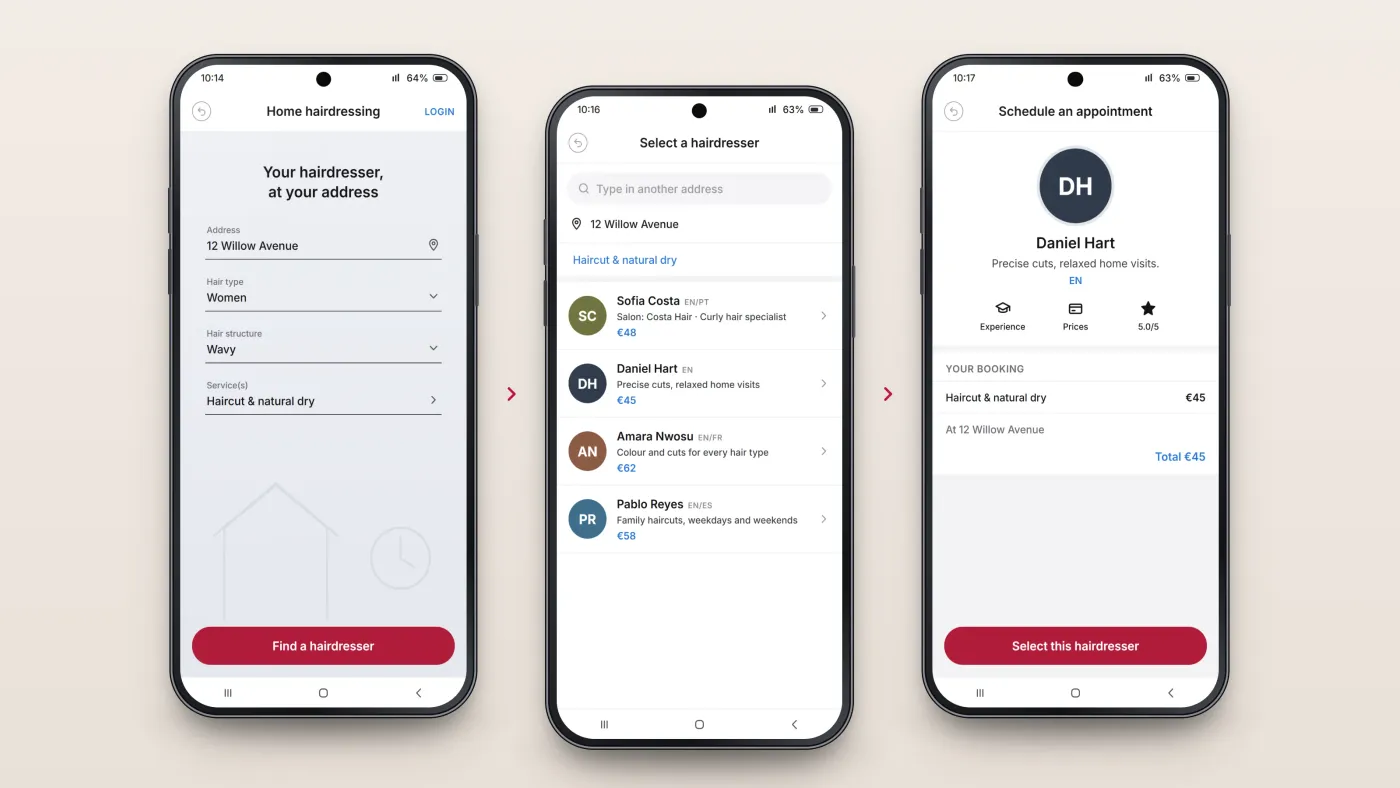
Describe what you need
Address, hair type, hair structure and services.
Choose a hairdresser
A list of hairdressers with their price.
Book
The hairdresser's profile and the booking total.
The product in use
Inside the app
Address, hair and services
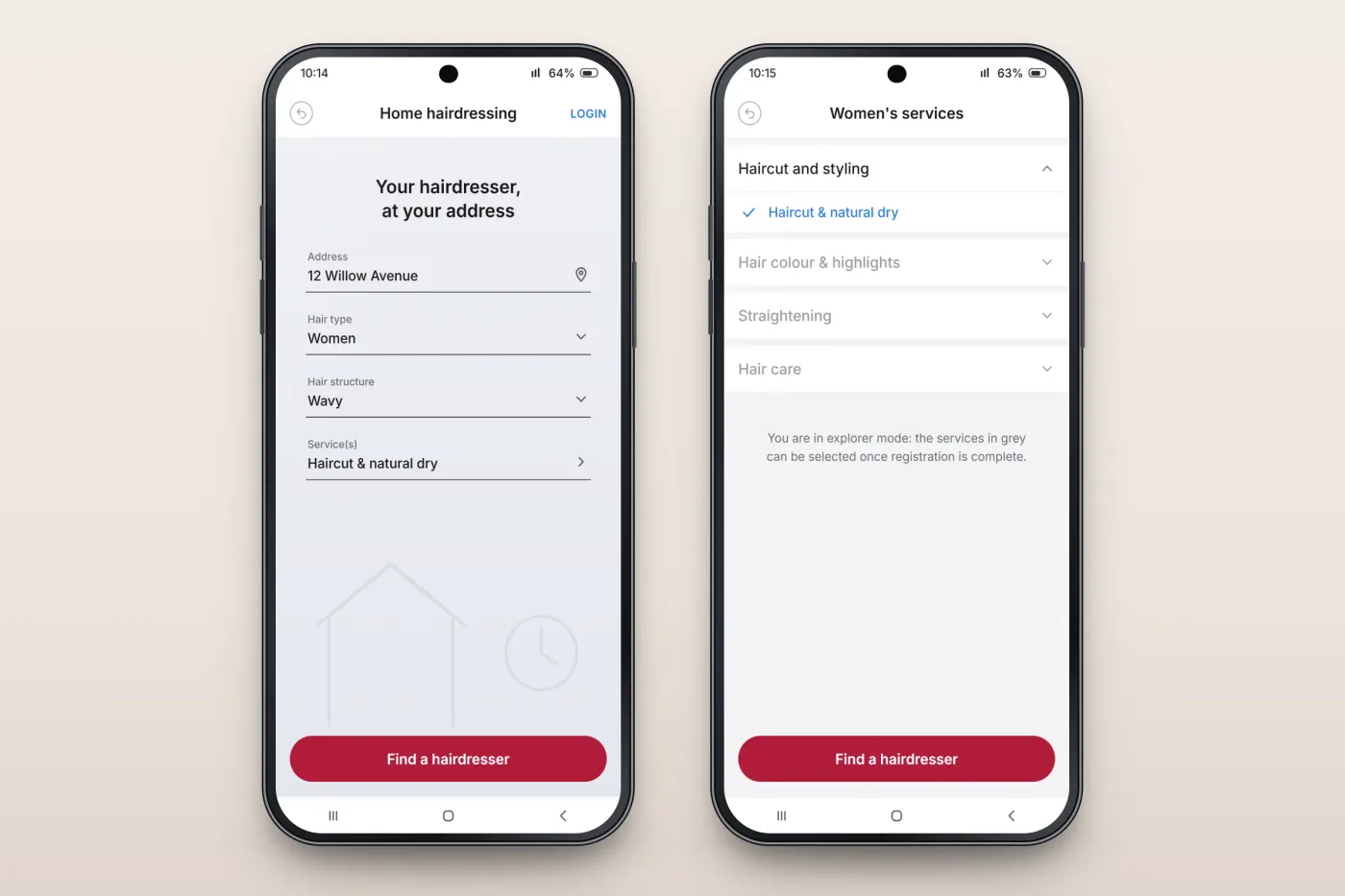
A booking starts with the customer's address, hair type and hair structure. Services are grouped into categories such as haircut and styling, colour and highlights, straightening and hair care; visitors can explore them before registering, and more services become selectable once they sign up.
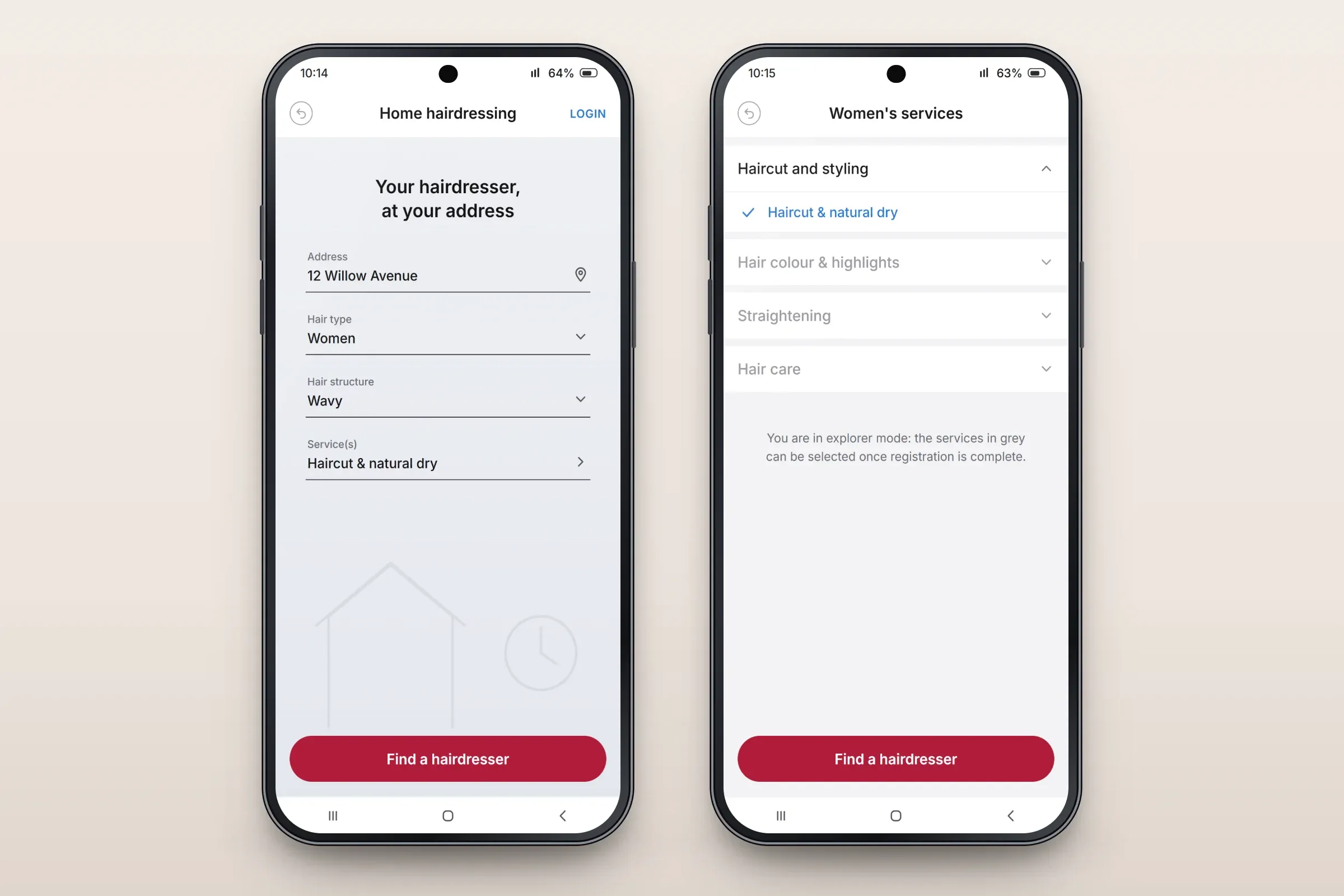
Search form, and the service categories. Close-ups on phones: tap any image for the full screen. Choosing a hairdresser
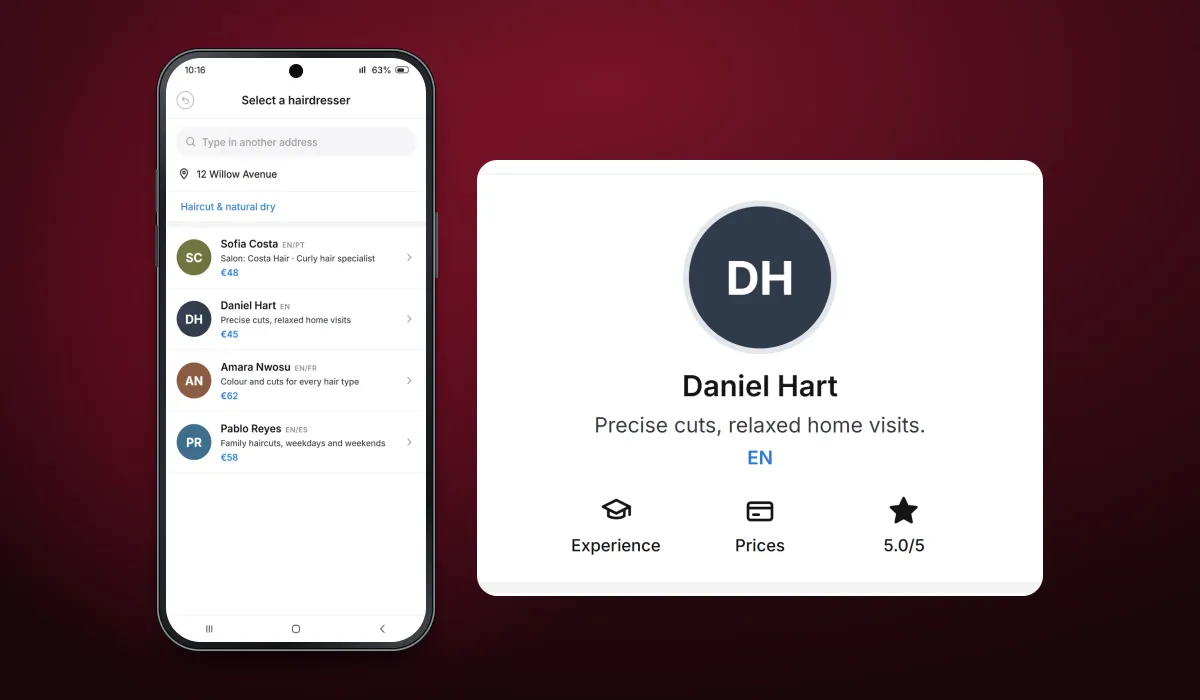
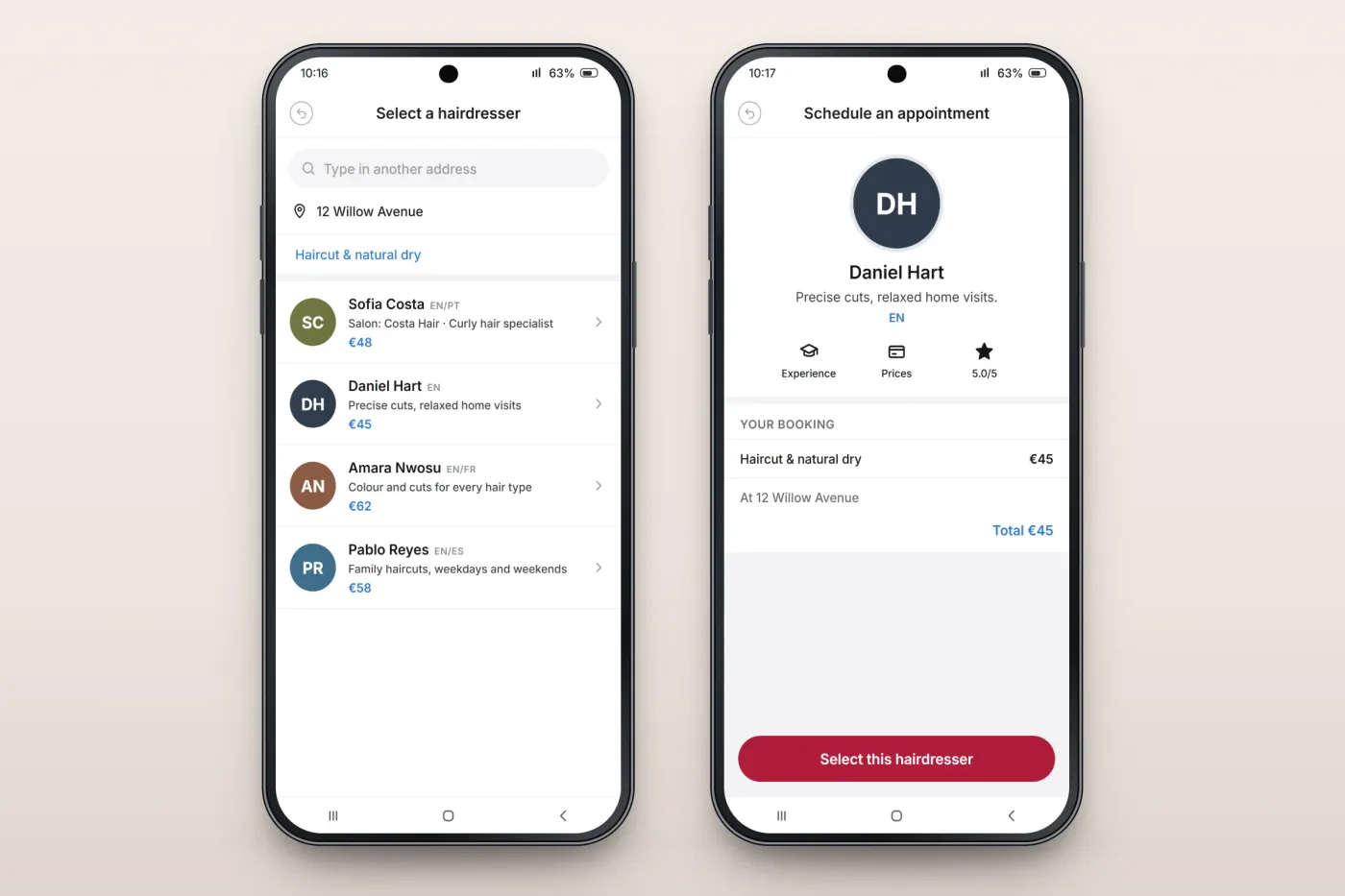
Hairdressers available at the address are listed with the languages they speak, their salon or a short description, and their price for the chosen service. A hairdresser's profile shows their experience, prices and rating, and the booking total before the customer selects them.
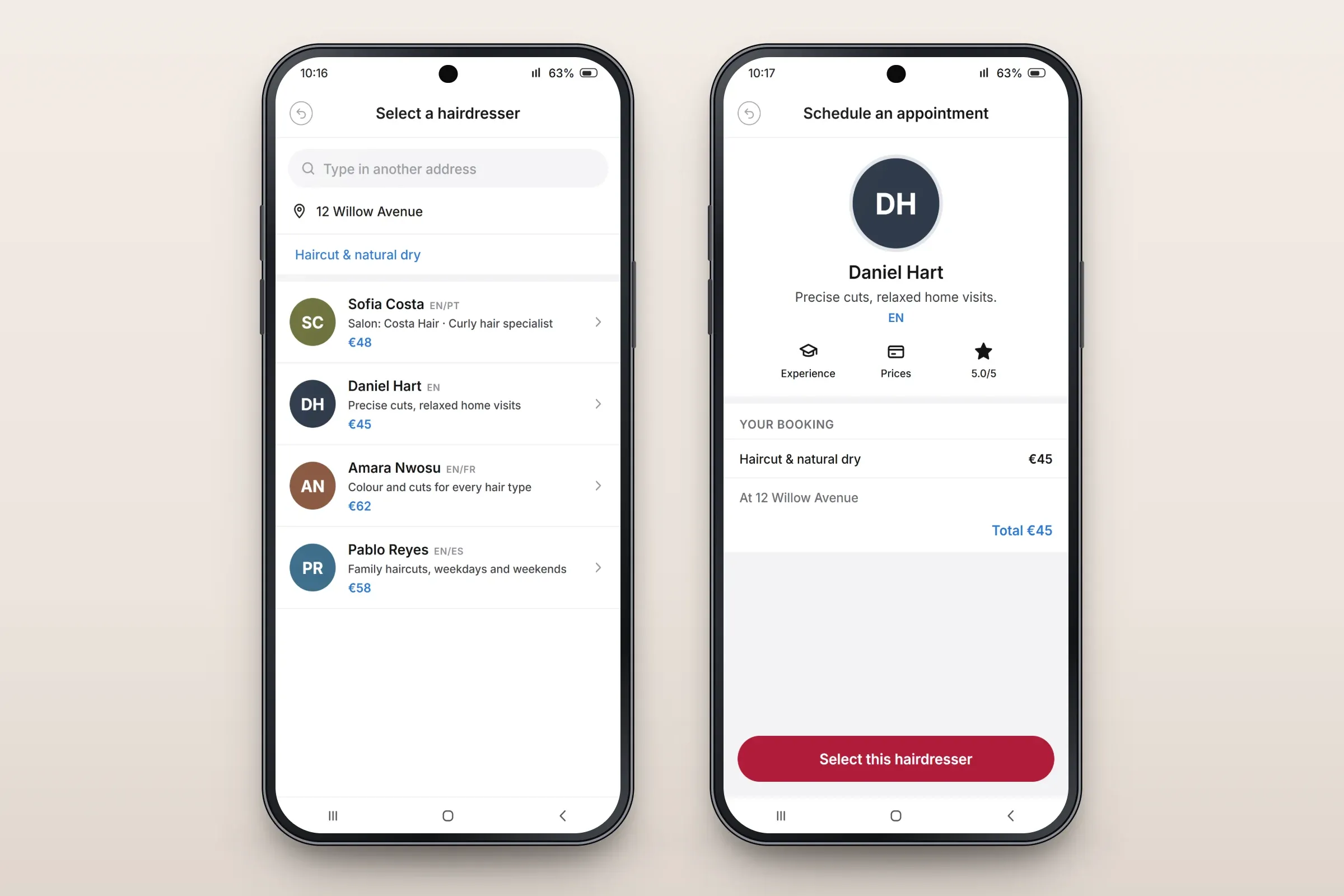
Hairdressers at the address, and a hairdresser's profile. Close-ups on phones: tap any image for the full screen. For customers and hairdressers
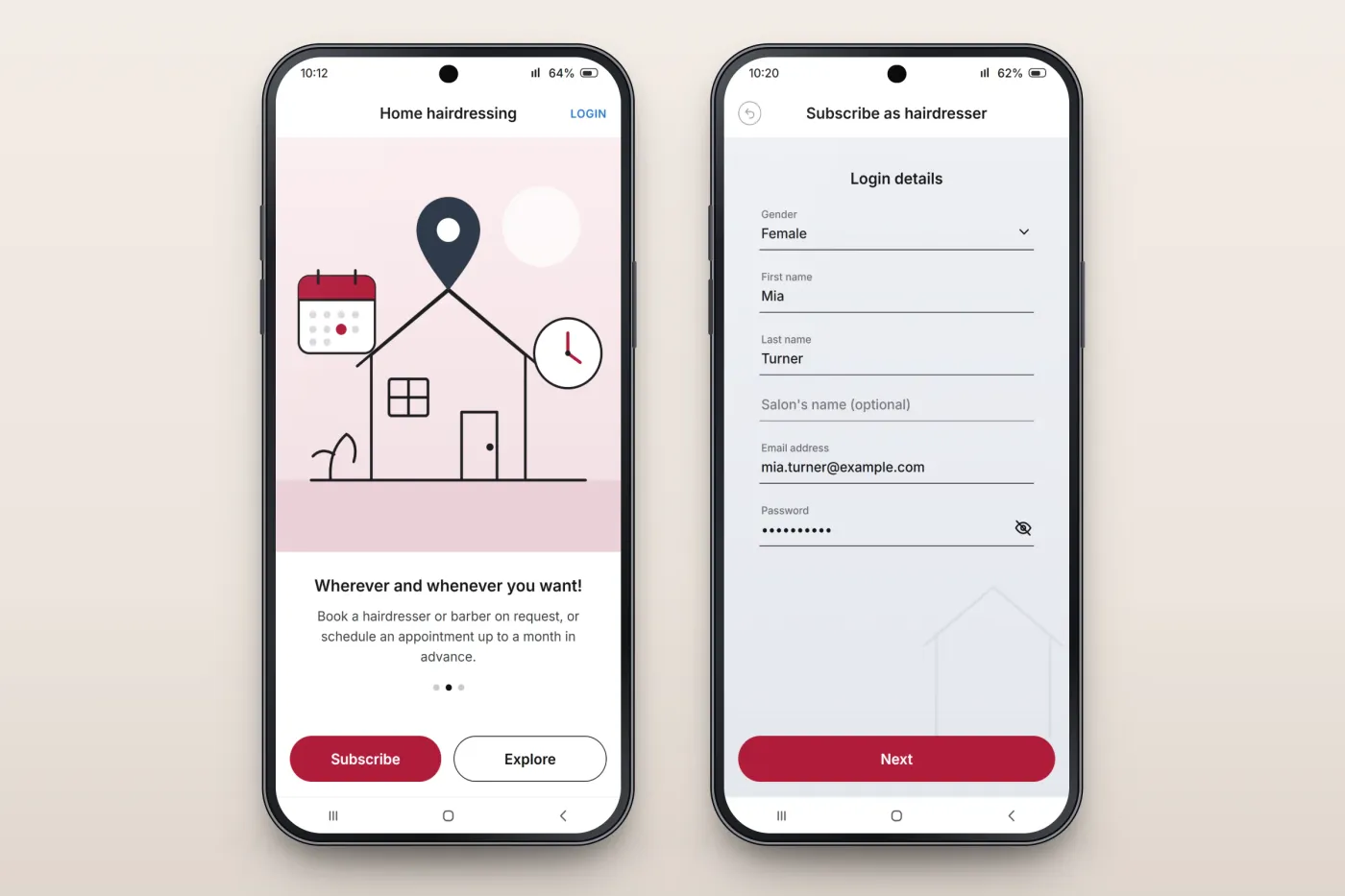
Onboarding explains the service — book on request or schedule up to a month in advance — and leads to subscribing or exploring first. Hairdressers can subscribe from the app too, with their login details and an optional salon name.
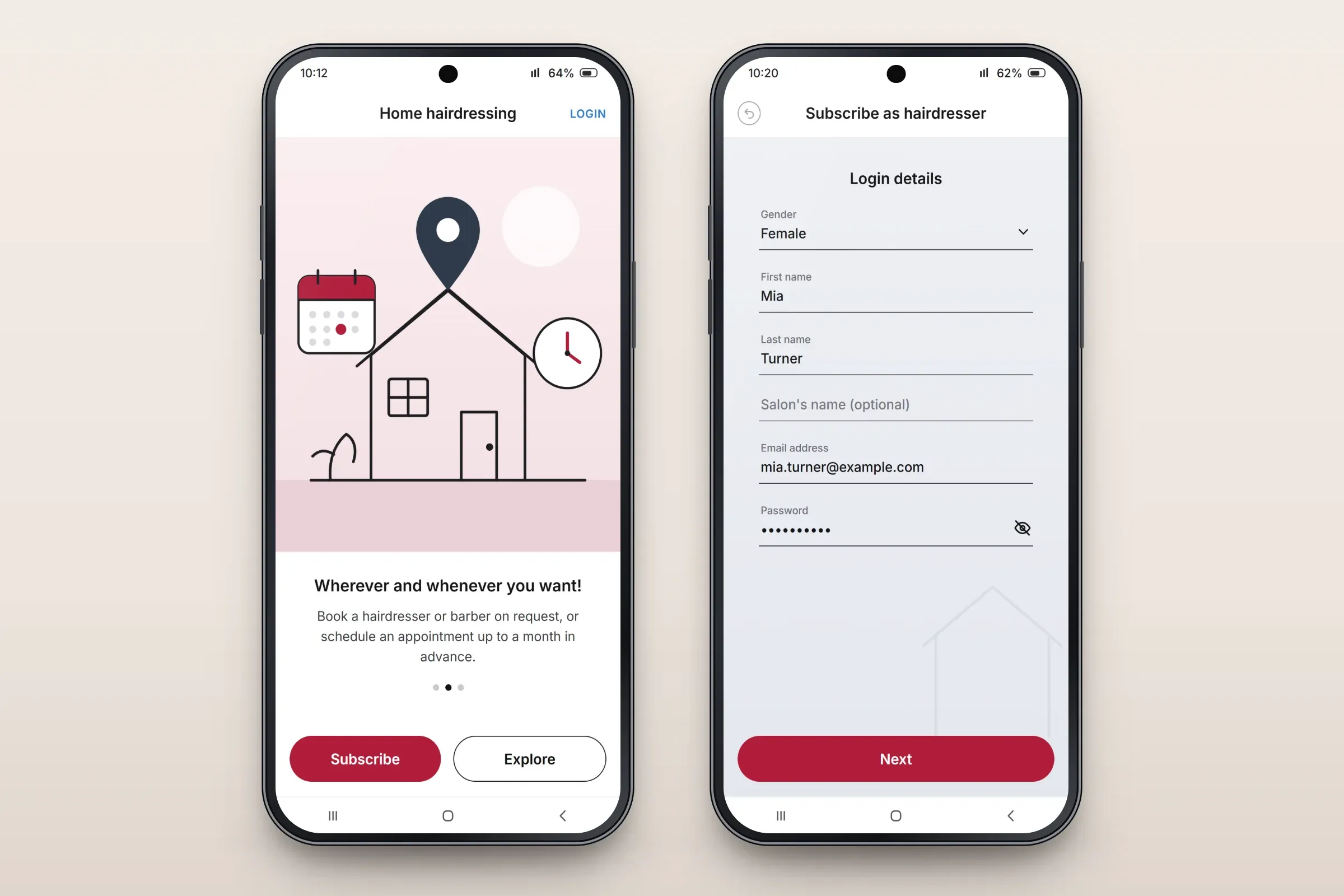
Onboarding, and hairdresser sign-up.
About these images: the screens are recreated from the delivered app for this case study, with neutral naming, English text, example hairdressers and prices, and drawn illustrations and initials in place of the client's brand and photographs. They follow the app's real screens and functions, but they are not screenshots of it.
Related services