Case study · Client name withheld
Festival Companion App
A Flutter app with the programme, reminders, a stand map and push alerts for a multi-day festival
A multi-day festival needed one app for visitors and vendors. Our team developed it in Flutter and Dart with BLoC, for Android and iOS: a programme with reminders, a Google Maps stand map, push alerts and vendor tools.
- Client
- Confidential client
- Platforms
- Android · iOS
- Our scope
- Flutter app · Programme and map · Alerts and vendor tools · Third-party web pages
- Period
- 2024 to 2025
The product
What it does, and for whom
A festival runs across several days and many locations, so people need to know what is on, when, and where to find it. The app keeps the programme by day, lets people set reminders and add events to their calendar, and shows stands and facilities on a map. Tickets and cashless payments open inside the app as a third party's web pages.
Scope: Ticketing and cashless are a third party's web pages shown inside the app, and there is no native QR ticketing. The back end and admin panel are not part of what we are describing here. Our work was the mobile app.
Our contribution
What our team built
Flutter app
One Flutter and Dart code base for Android and iOS, structured with BLoC.
Programme and map
The programme with reminders and calendar entries, and the Google Maps stand map with directions.
Alerts and vendor tools
Push alerts through Firebase Cloud Messaging, tools for vendors, and Firebase Analytics and Crashlytics.
Third-party web pages
Showing the ticketing and cashless pages inside the app through WebView.
Technologies: Flutter · Dart · BLoC · Google Maps · Firebase Cloud Messaging · Firebase Analytics · Firebase Crashlytics
User flow
Finding your way through the festival
Four screens in the order a visitor might use them.
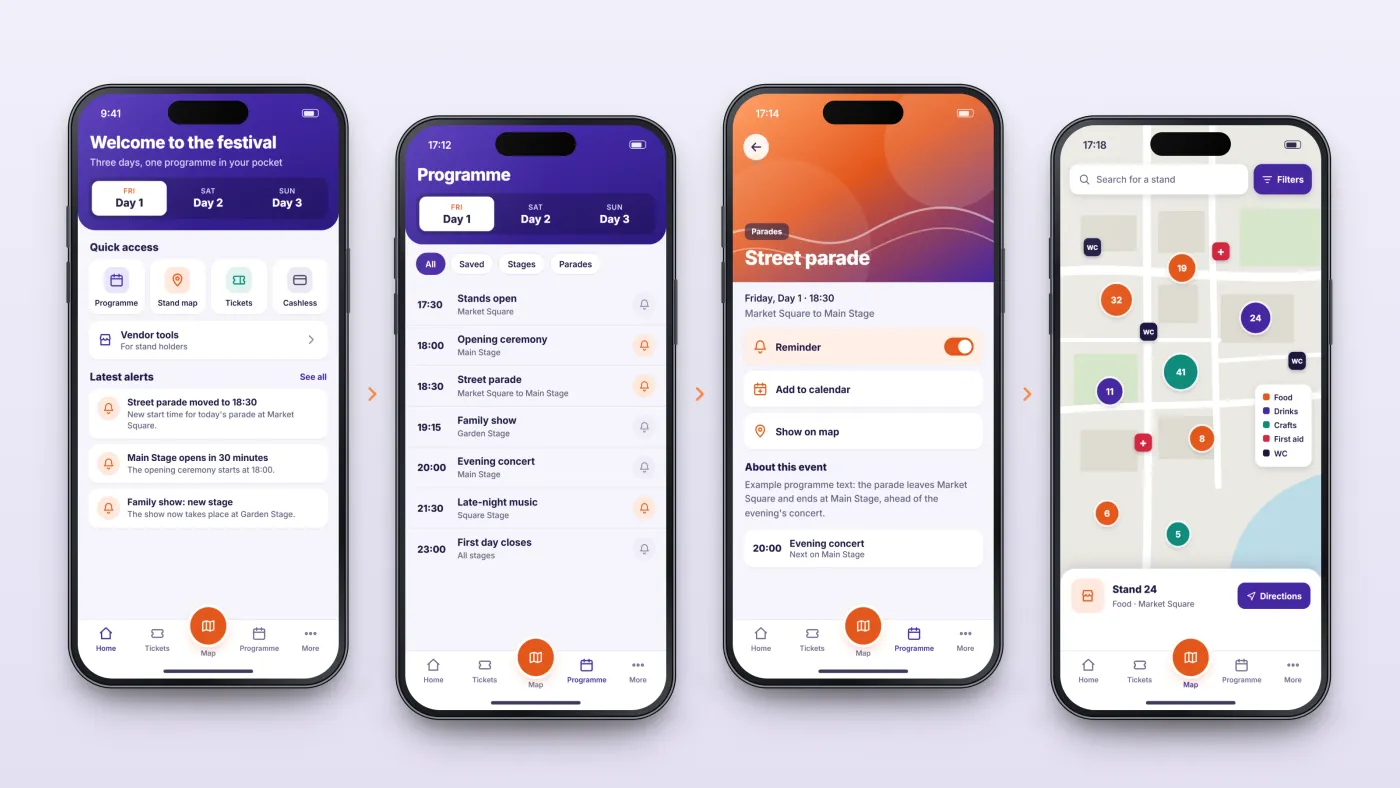
Start from home
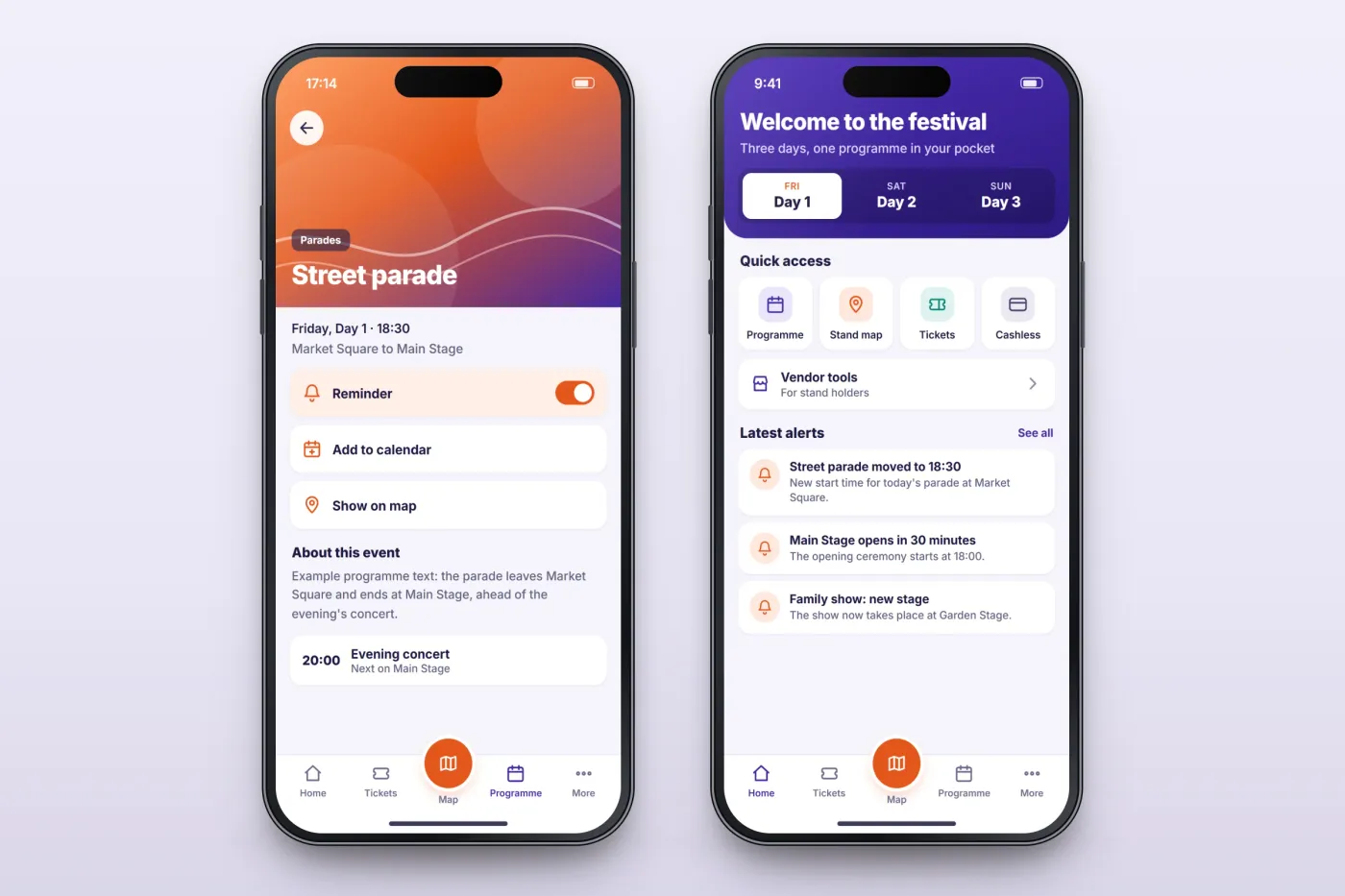
Quick access to the programme, the map, tickets and cashless, with the latest alerts.
Check the programme
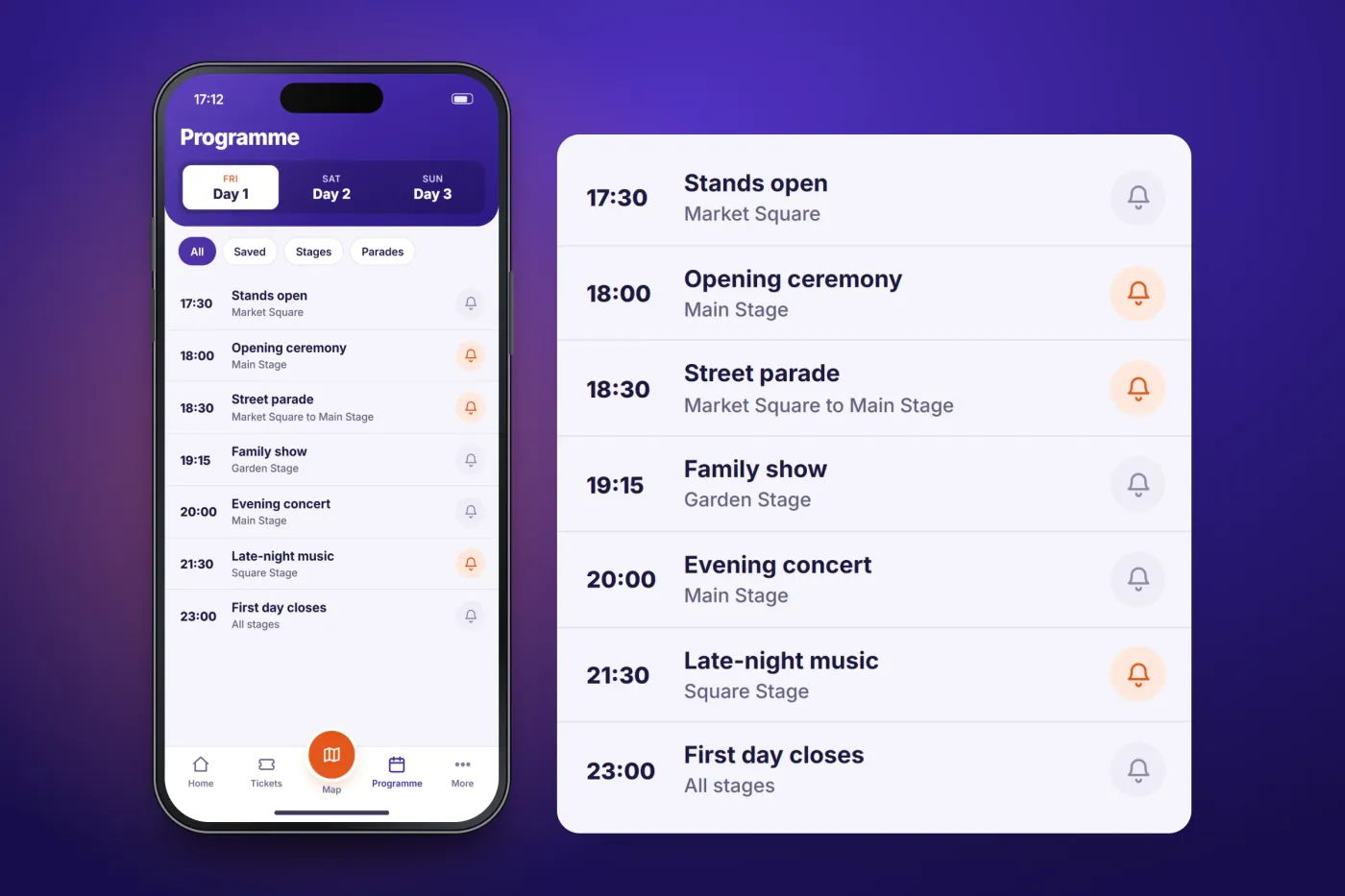
Events are listed by day, with time and location.
Set a reminder
An event's page sets a reminder or adds it to the calendar.
Find it on the map
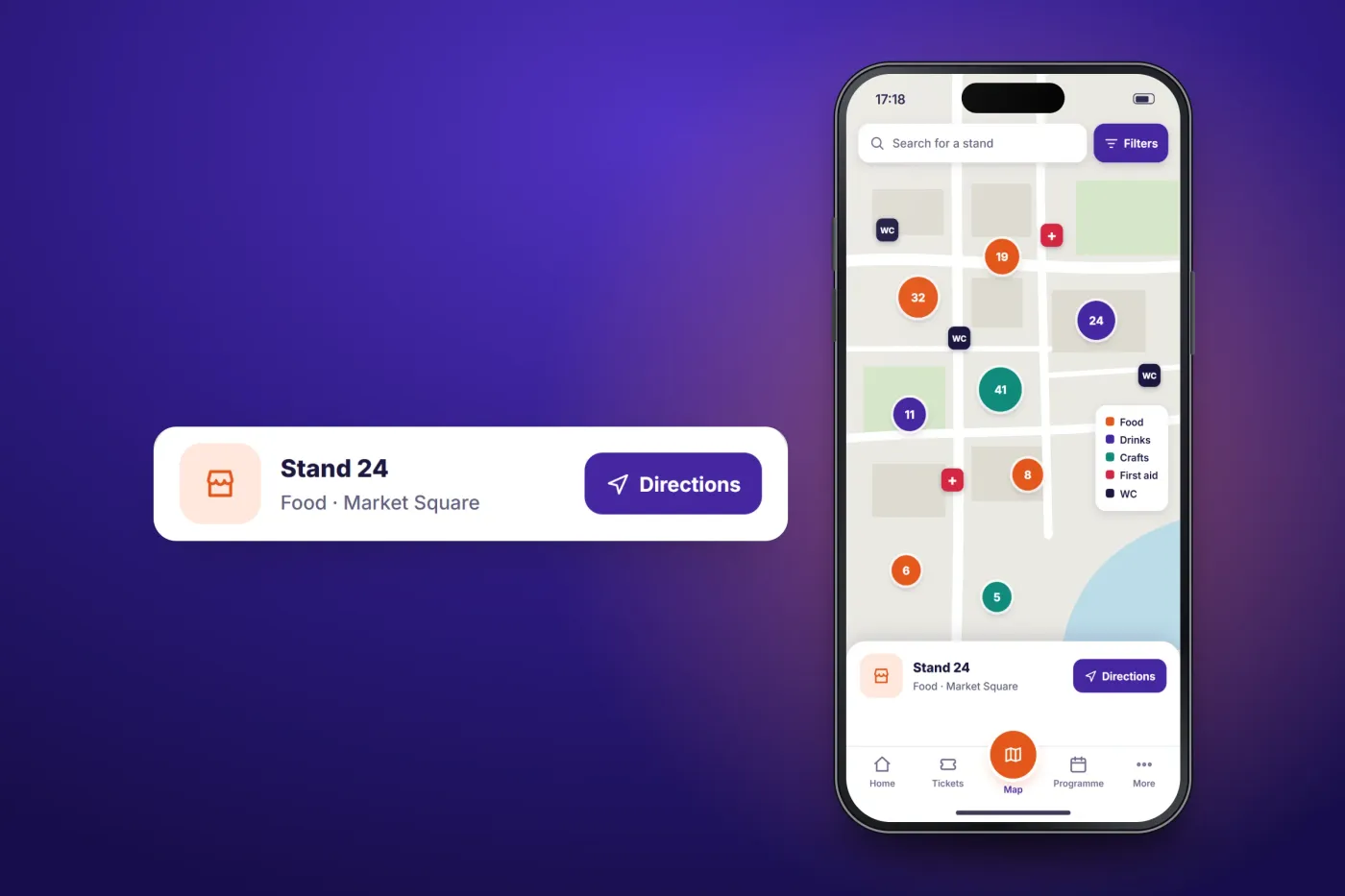
The stand map shows stands and facilities and gives directions.
The product in use
Inside the app
The programme by day
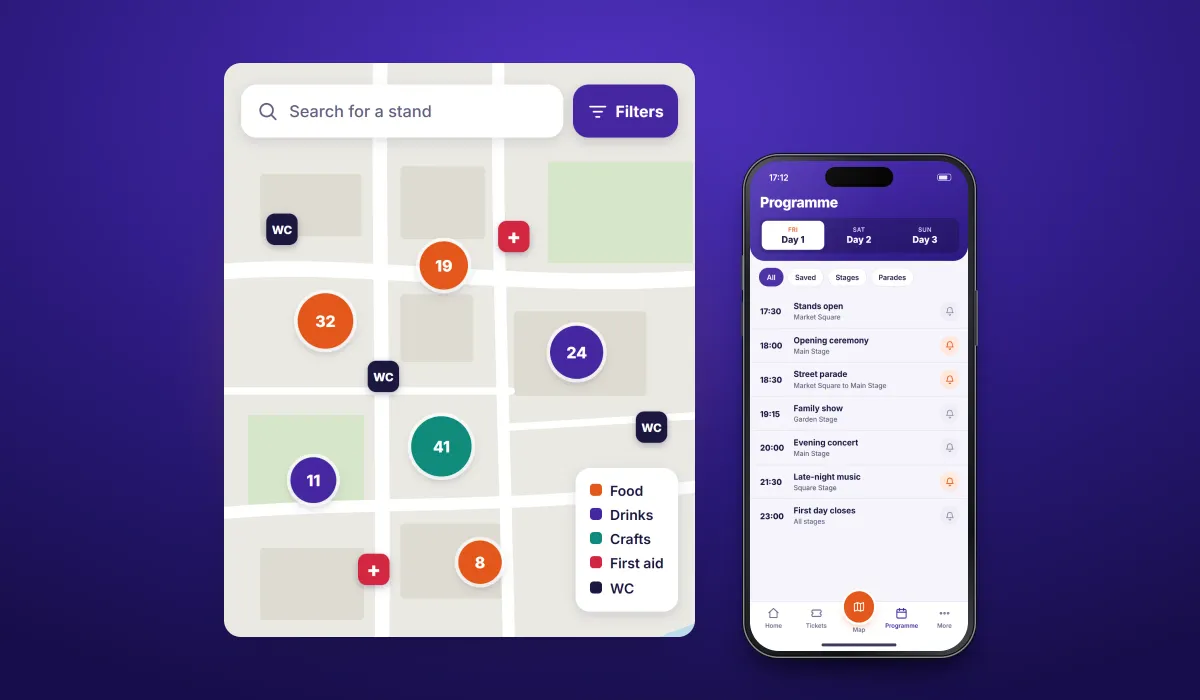
Each festival day has its own list of events with time and location, and each event can have a reminder.
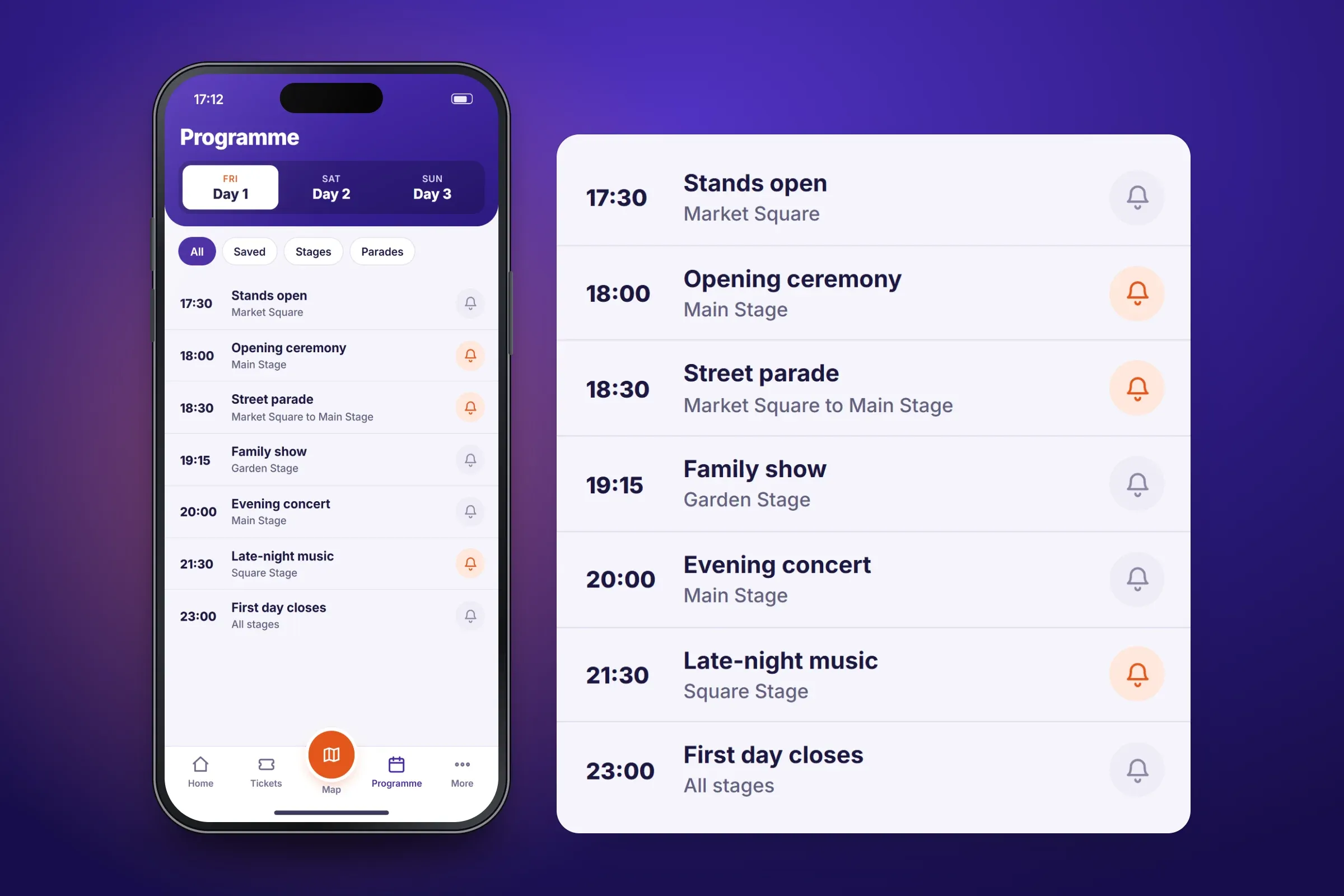
Day 1 of the programme. Close-ups on phones: tap any image for the full screen. Reminders, calendar and push alerts
An event's page sets a reminder or adds it to the phone's calendar. Push alerts are sent through Firebase Cloud Messaging.
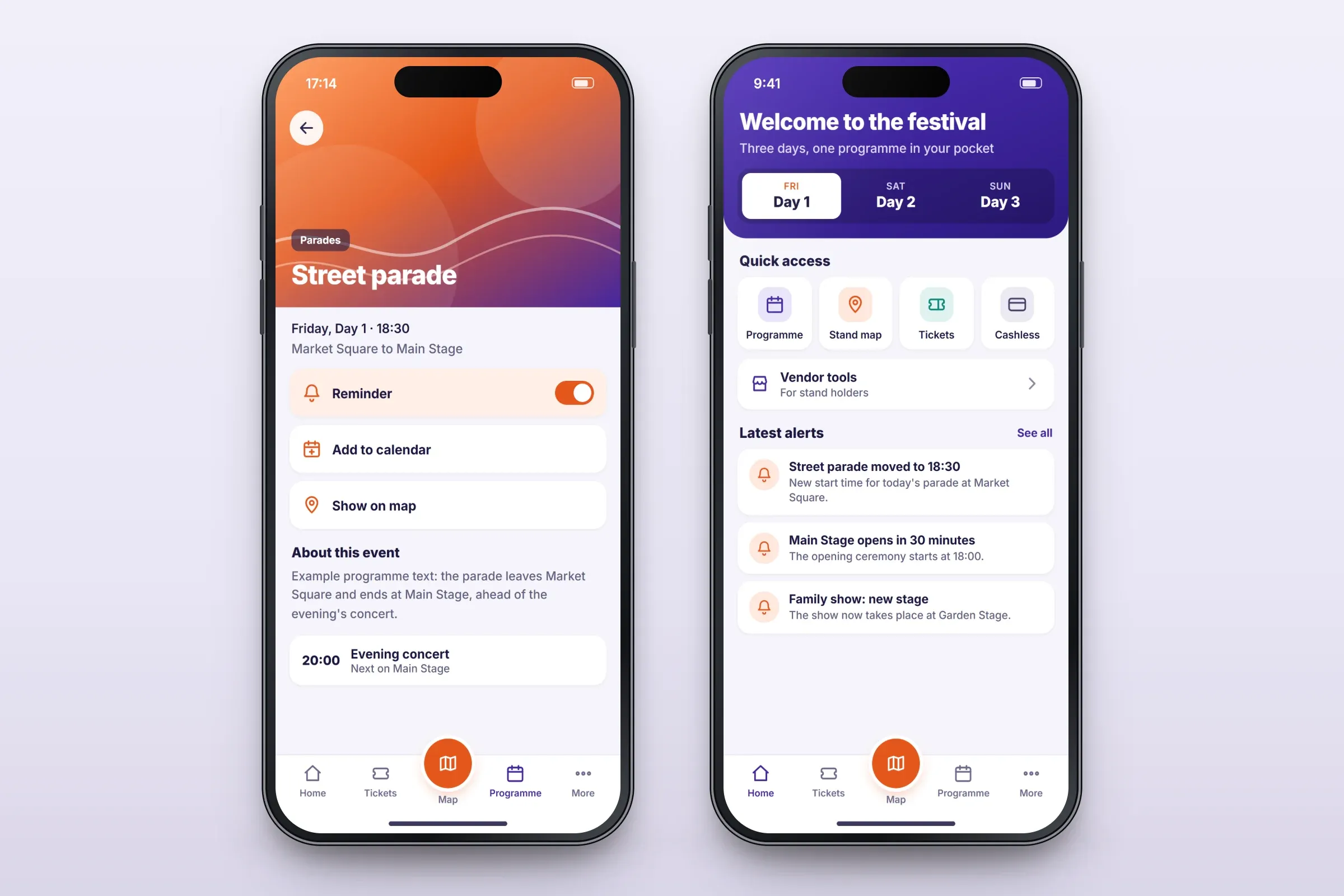
An event page and the home screen. Close-ups on phones: tap any image for the full screen. A stand map on Google Maps
Stands and facilities appear on the map, and people can get directions to a stand.
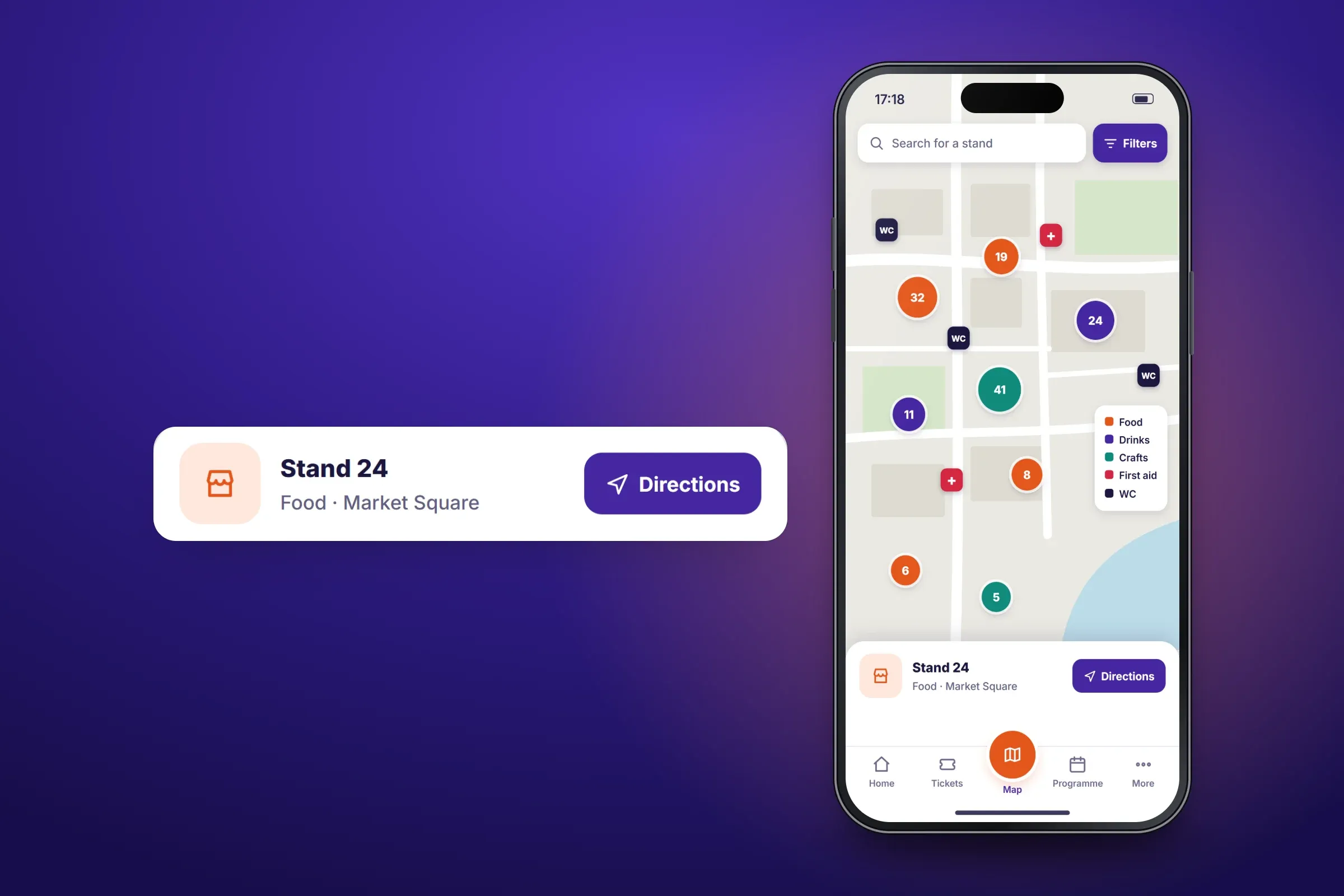
Stands, facilities and directions. Close-ups on phones: tap any image for the full screen.
About these images: the screens are recreated for this case study, with its own colours, neutral naming and an example programme in place of the client's brand and content. The map is a drawing. The layouts are illustrative and none of them are screenshots of the app.
Related services