Case study · Client name withheld
Hands-Only CPR Metronome App
Step-by-step hands-only CPR guidance with a compression metronome
A free assistant app that guides people through hands-only CPR. Our team developed the mobile app: a metronome that sets the rate and rhythm of chest compressions at 100–120 beats per minute, in line with published guidelines, together with a session timer, a one-tap emergency call and how-to guidance.
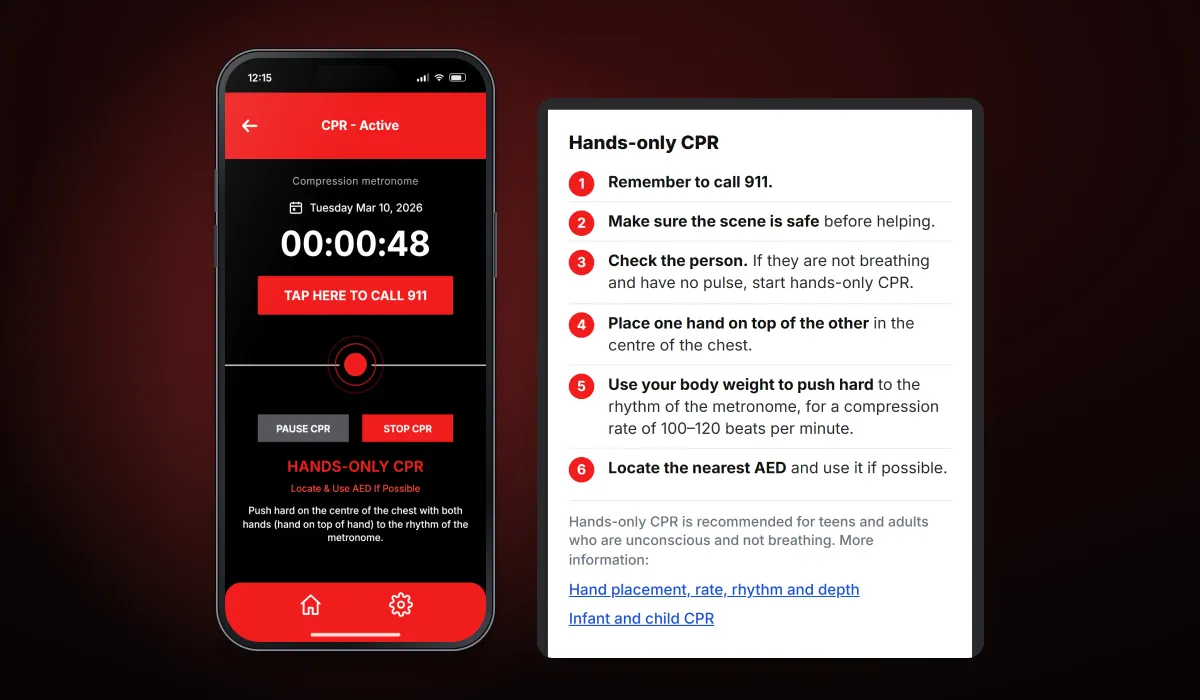
- Client
- Confidential client · Health and safety
- Platforms
- iOS
- Our scope
- CPR session · Emergency call · Guidance
The product
What it does, and for whom
In an emergency a bystander has to start chest compressions straight away and keep the right rate, which is hard to judge under stress. The app takes the guesswork out of the rhythm: one tap starts a session, the metronome sets the pace for compressions, and the screen keeps the emergency call and the essential instructions in view. It is meant for anyone with a phone, as well as first responders and medical staff.
Scope The medical guidance is based on published CPR guidelines, not our own. Our work was the mobile app. To keep the client confidential, the screens on this page are recreated from the delivered app with neutral naming and example data.
Our contribution
What our team built
CPR session
The compression metronome at 100–120 beats per minute, the pulsing rhythm marker, the session timer, and pause, stop and reset.
Emergency call
The large one-tap button that calls the emergency number from the session screen.
Guidance
The how-to guidelines in order, CPR facts, terms, disclaimer and contact pages.
User flow
A CPR session
The app is built to start instantly and stay readable under stress.
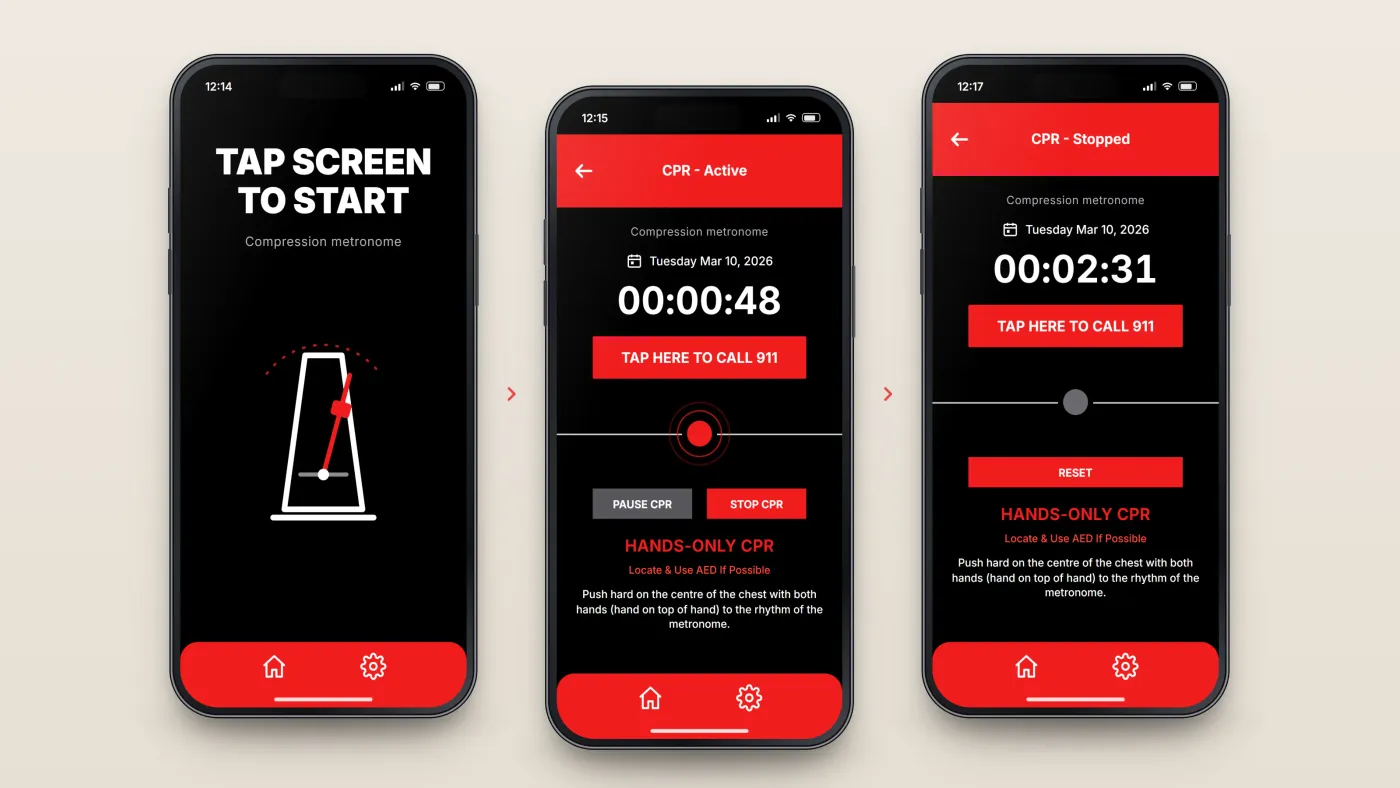
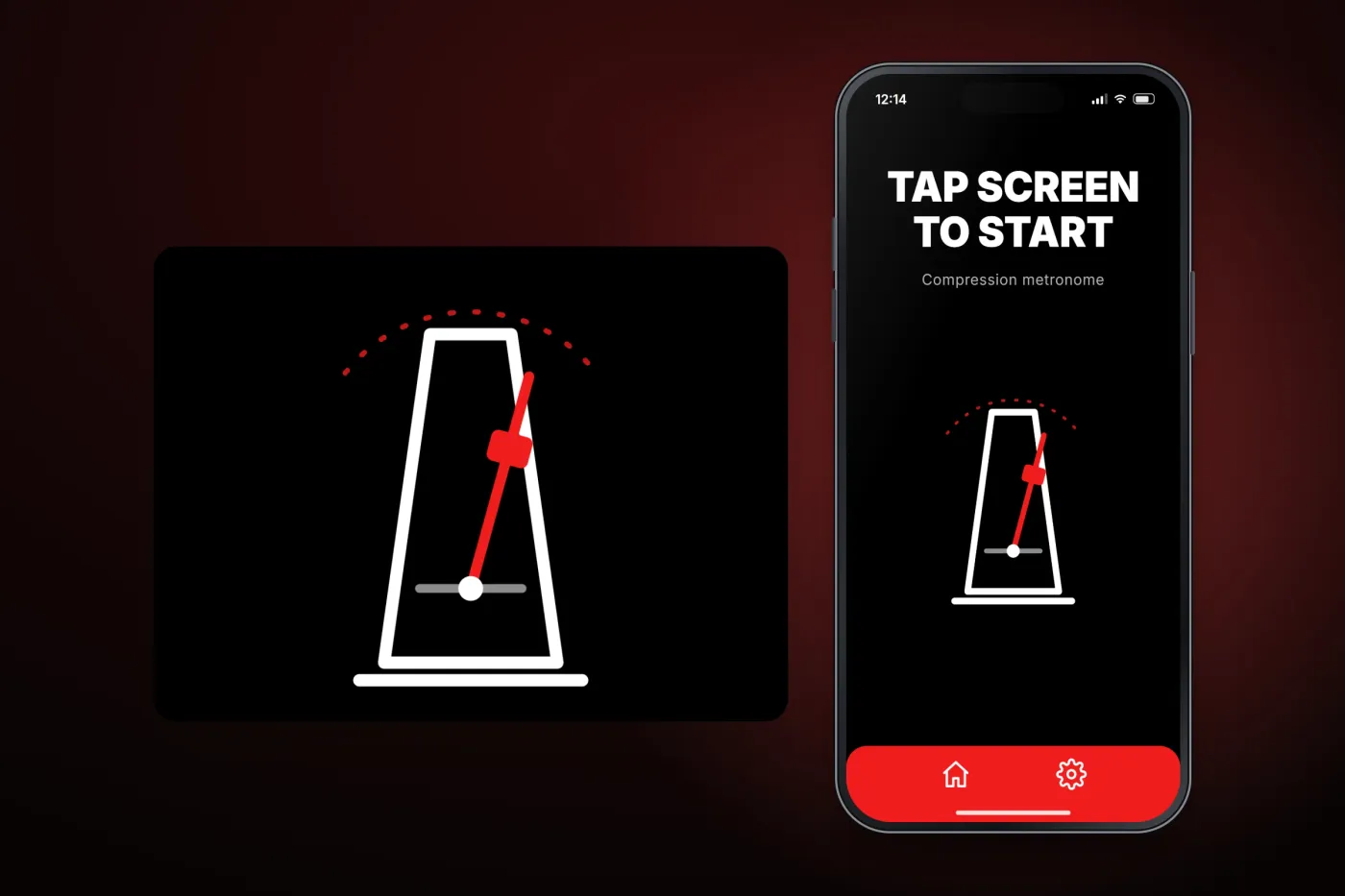
Tap anywhere to start
No menus or set-up before the first compression.
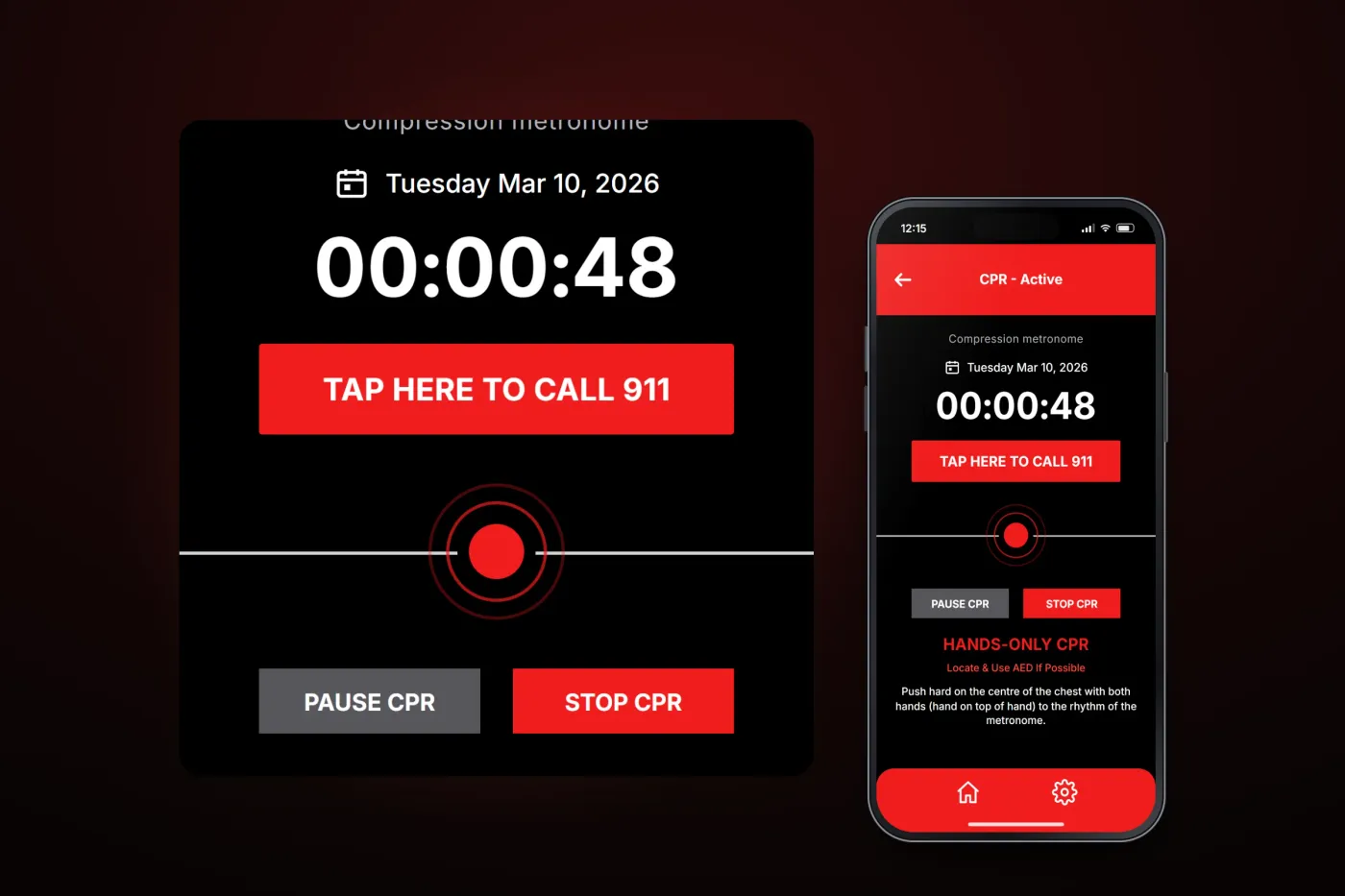
Push to the beat
The metronome beats at the compression rate, a timer counts up, and a large button calls the emergency number.
Pause, stop or reset
The session can be paused or stopped and the timer reset.
The product in use
Inside the app
A metronome for chest compressions
Once a session starts, the metronome beats at the compression rate and a pulsing marker shows the rhythm, while a timer counts the elapsed time. A large button calls the emergency number, and short reminders stay on screen: hands-only CPR, use an AED if possible, and push hard on the centre of the chest to the rhythm. The session can be paused, stopped and reset.
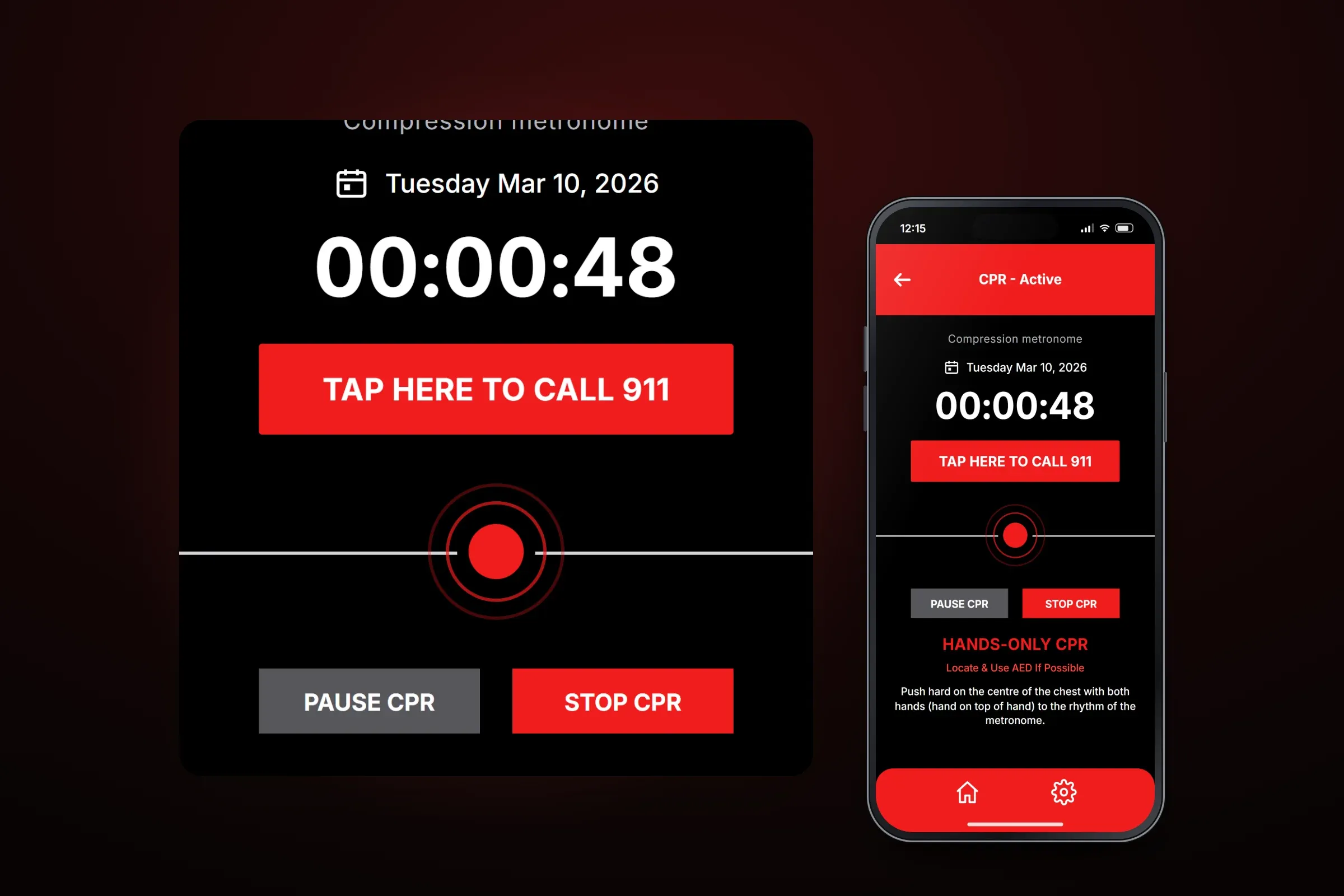
An active session, with its timer and controls enlarged. Close-ups on phones: tap any image for the full screen. Guidance in plain steps
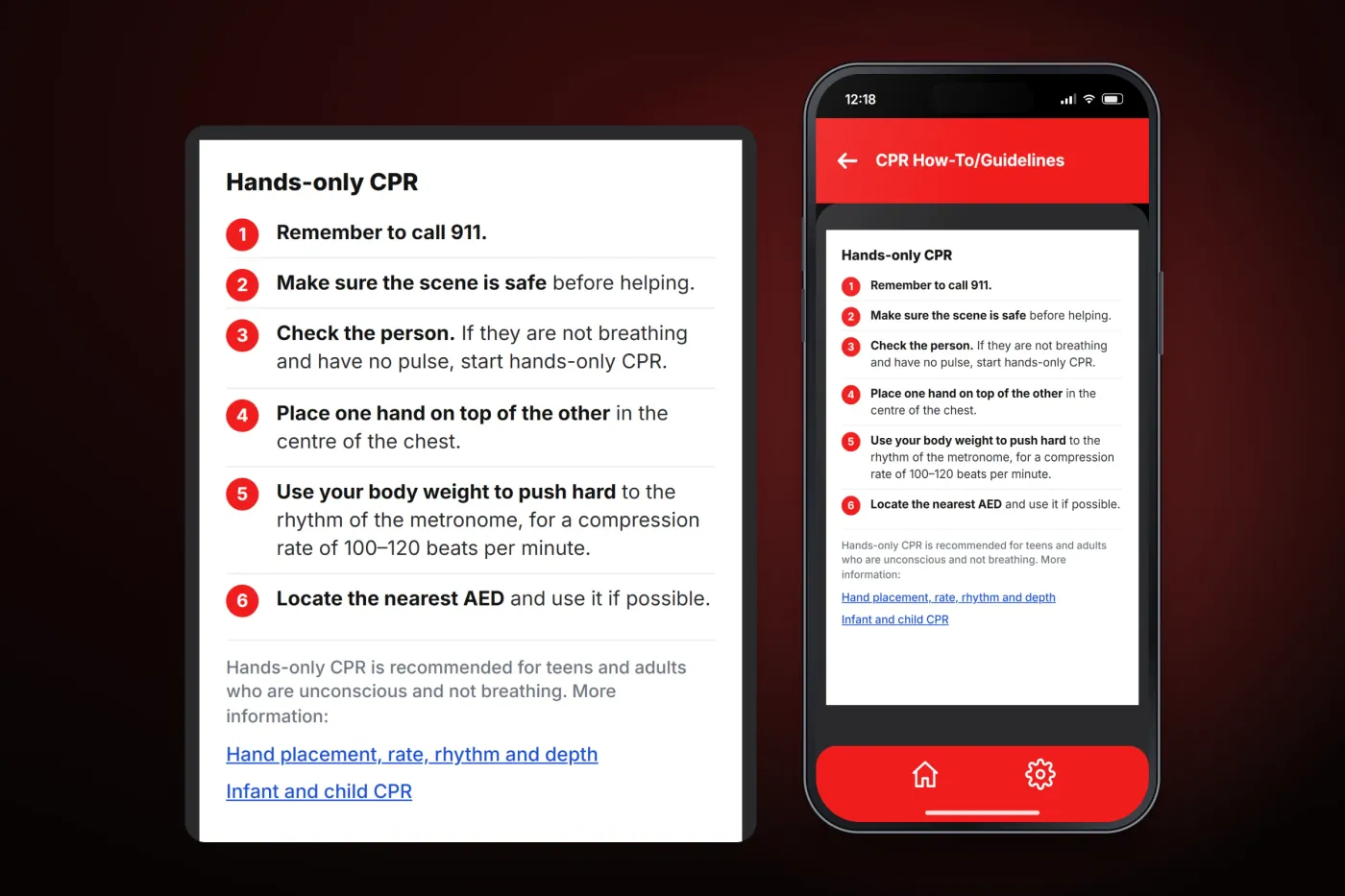
A menu leads to the how-to guidelines, CPR facts, terms and privacy policy, disclaimer and contact page. The guidelines set out what to do in order — call for help, check that the scene is safe, check the person, place the hands, and push to the metronome — with links to published guidance.
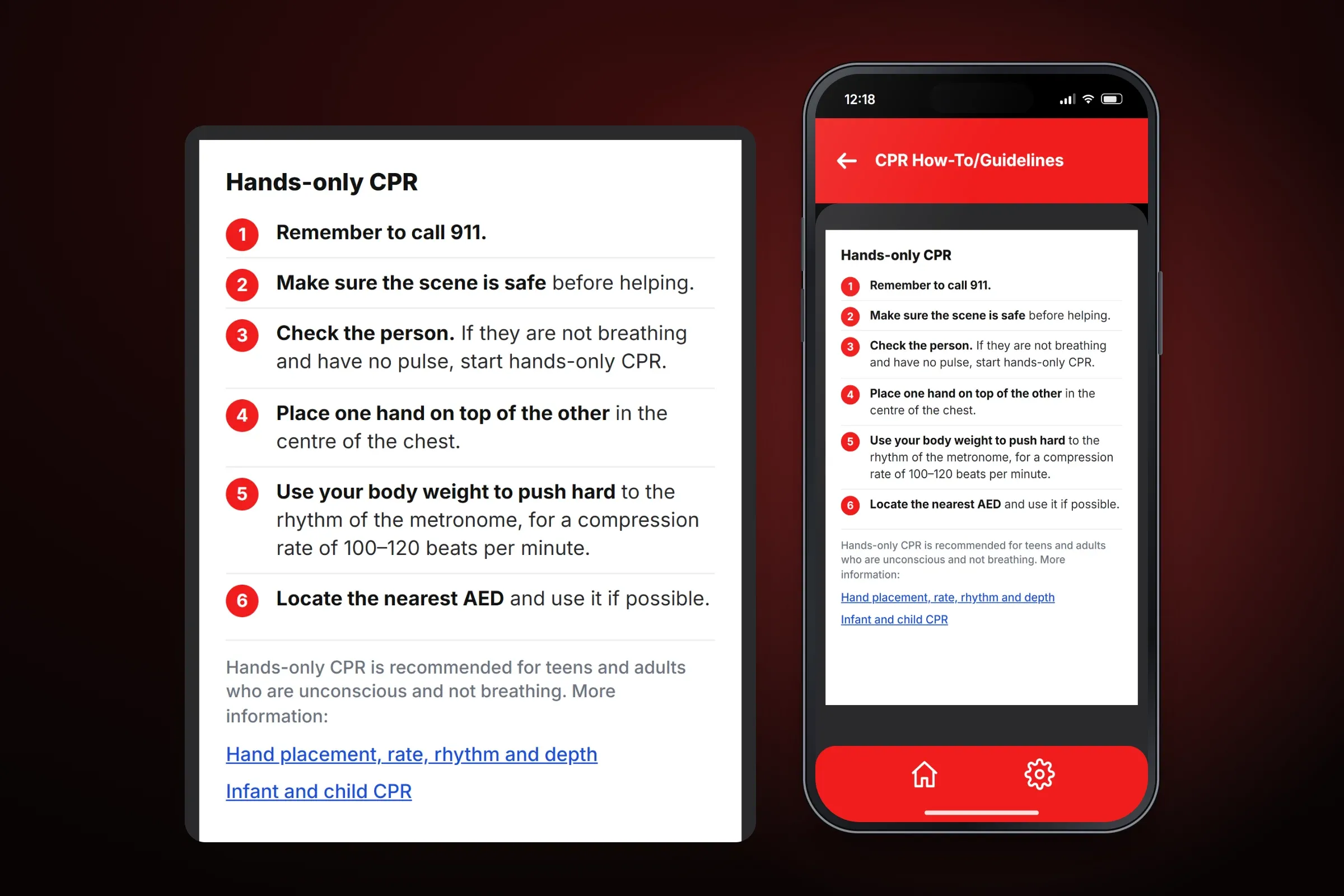
The step-by-step guidelines. Close-ups on phones: tap any image for the full screen. One tap to begin
The start screen has a single job: tap anywhere to begin, so a session starts without menus or set-up.
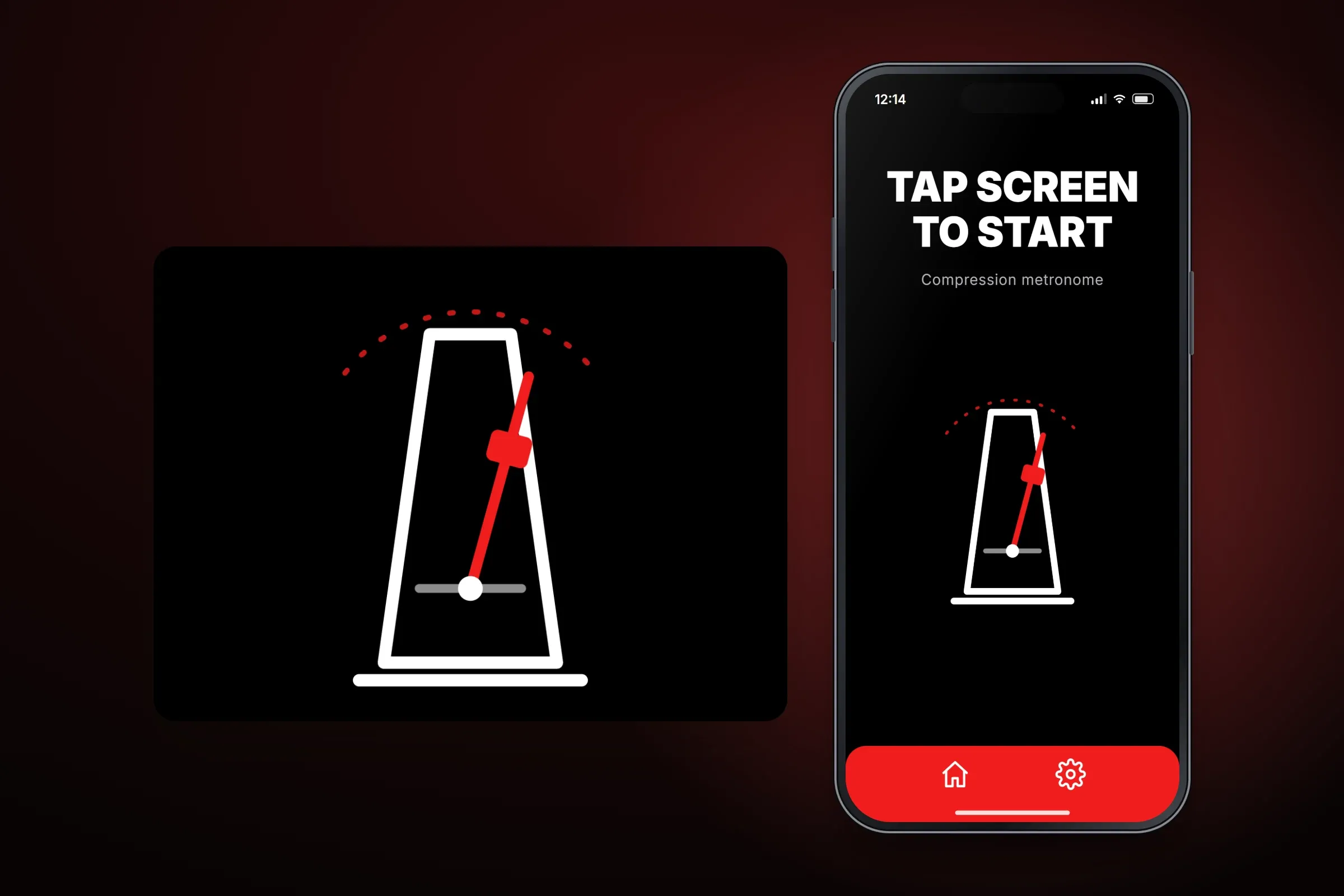
The start screen.
About these images: the screens are recreated from the delivered app for this case study, with neutral naming and example data in place of the client's brand. They follow the app's real screens and functions, but they are not screenshots of it.
Related services