Case study · Client name withheld
Classroom Management App
A native Android app with its own back end and admin panel, for teachers and students
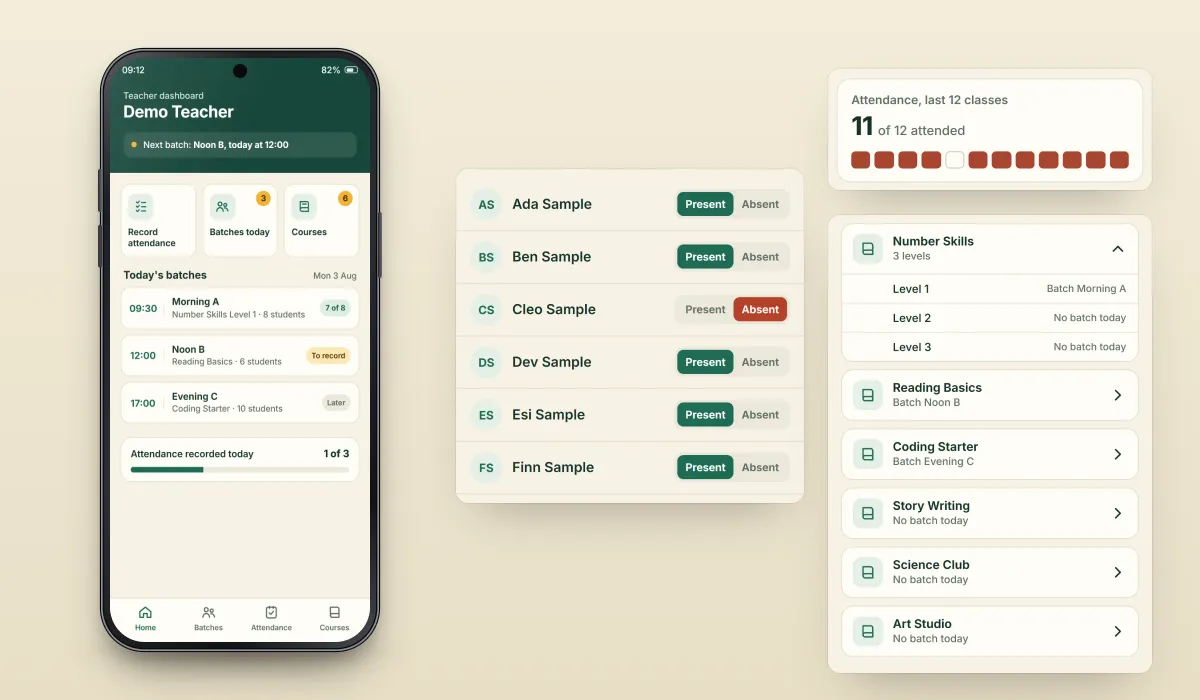
A classroom management app for teachers and students. Teachers see today's batches and record attendance; students see their next class, their attendance and their courses. Our team built the native Android app in Kotlin, along with the Laravel back end and the admin panel behind it.
- Client
- Confidential client · Education
- Platforms
- Android
- Our scope
- Native Android app · Back end and admin panel · Firebase services
- Period
- April 2025 to August 2026 on record
The product
What it does, and for whom
A teacher and a student need different things from the same system, so each role has its own dashboard. Batches, courses and attendance connect the two: the attendance a teacher records for a batch belongs to the students in that batch. The work has continued over a long period, with 19 separate orders from the same client on record between April 2025 and August 2026.
Scope: The product, its brand and its teaching content belong to the client. Our work was the Android app, the back end and the admin panel. The iOS app is still in development, so it is not shown here. To keep the client confidential, this page does not name the client or the product.
Our contribution
What our team built
Native Android app
Teacher and student dashboards, attendance, batches and courses, built in Kotlin with XML and View Binding and some Jetpack Compose, using Retrofit and OkHttp to talk to the back end.
Back end and admin panel
Our own Laravel and MySQL back end, and the admin panel that runs alongside the app.
Firebase services
Firebase Cloud Messaging, Firebase Authentication and Firebase Remote Config in the app.
Technologies: Kotlin · XML and View Binding · Jetpack Compose · Retrofit · OkHttp · Laravel · MySQL · Firebase Cloud Messaging · Firebase Authentication · Firebase Remote Config
User flow
From the teacher's dashboard to the student's
Four screens that show how the two roles connect through batches, attendance and courses.
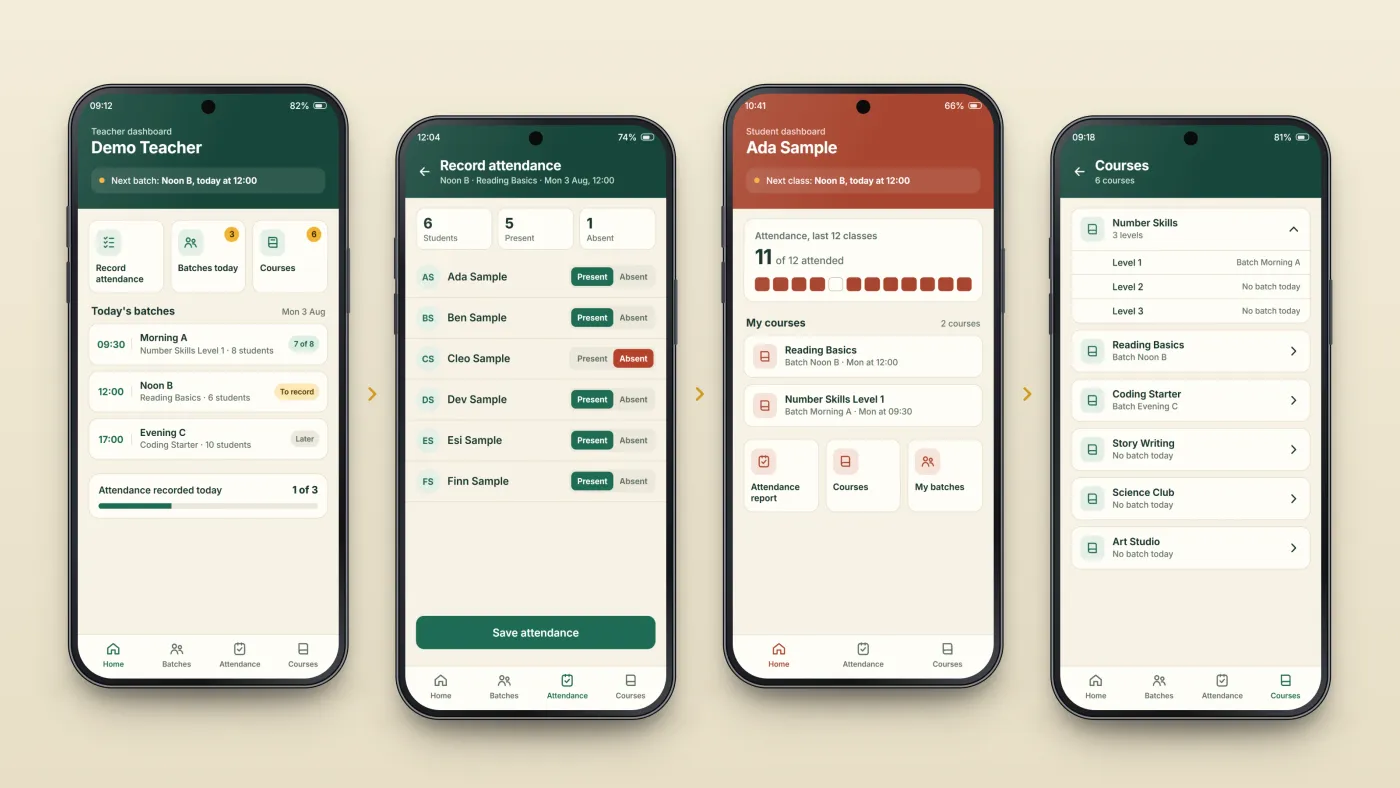
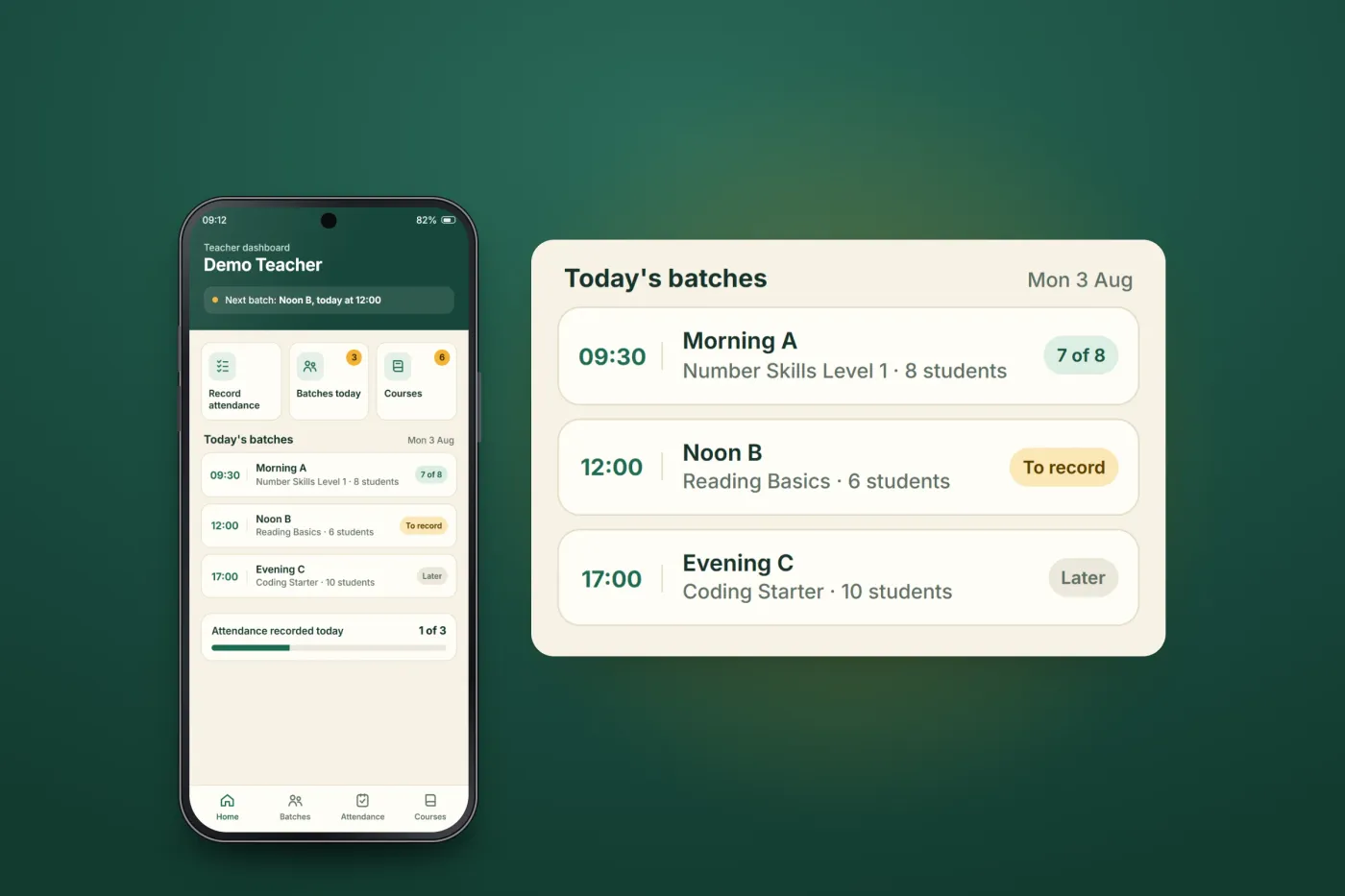
Teacher dashboard
The day's batches, with attendance and courses a tap away.
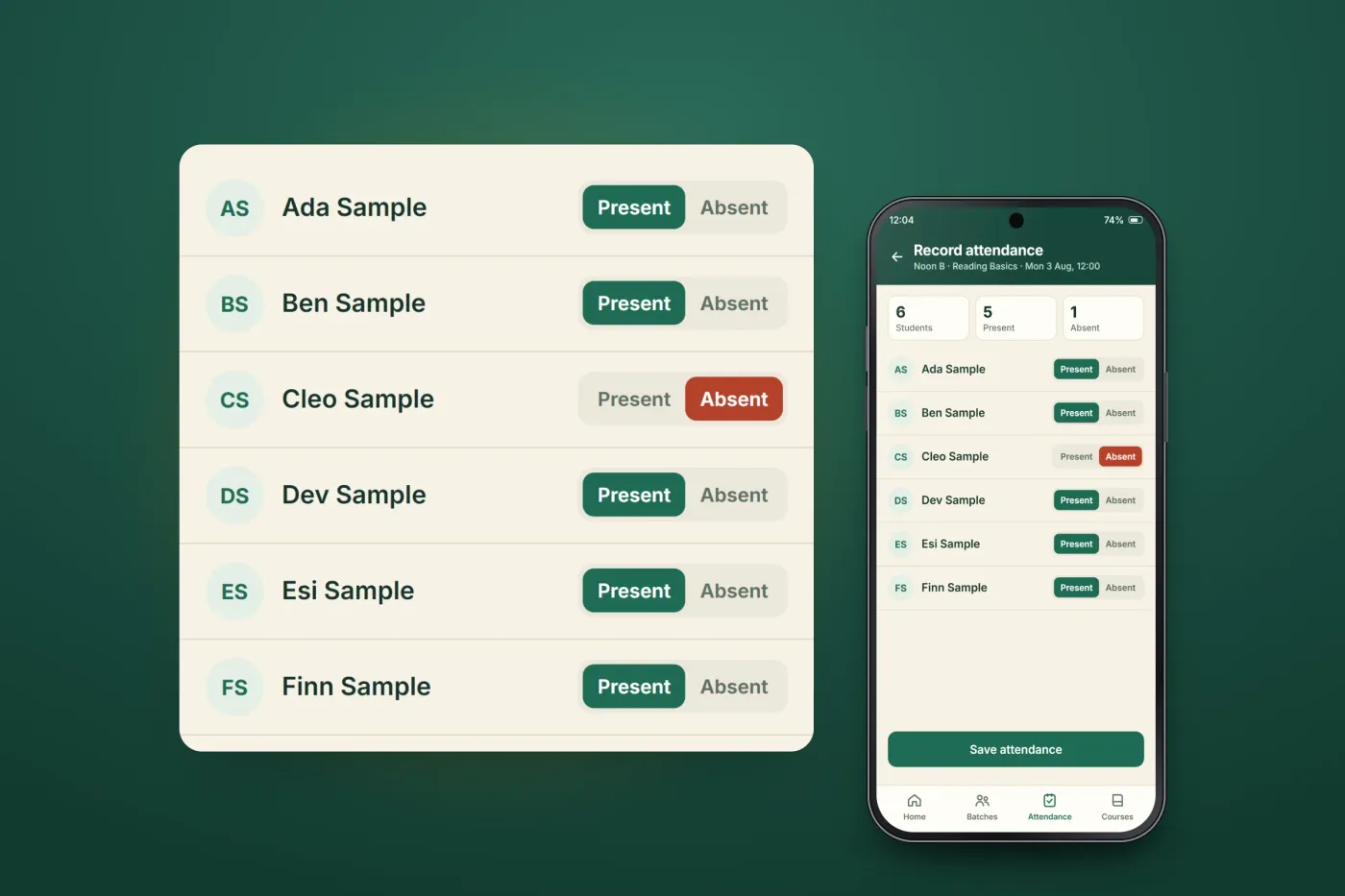
Record attendance
Each student in the batch is marked present or absent.
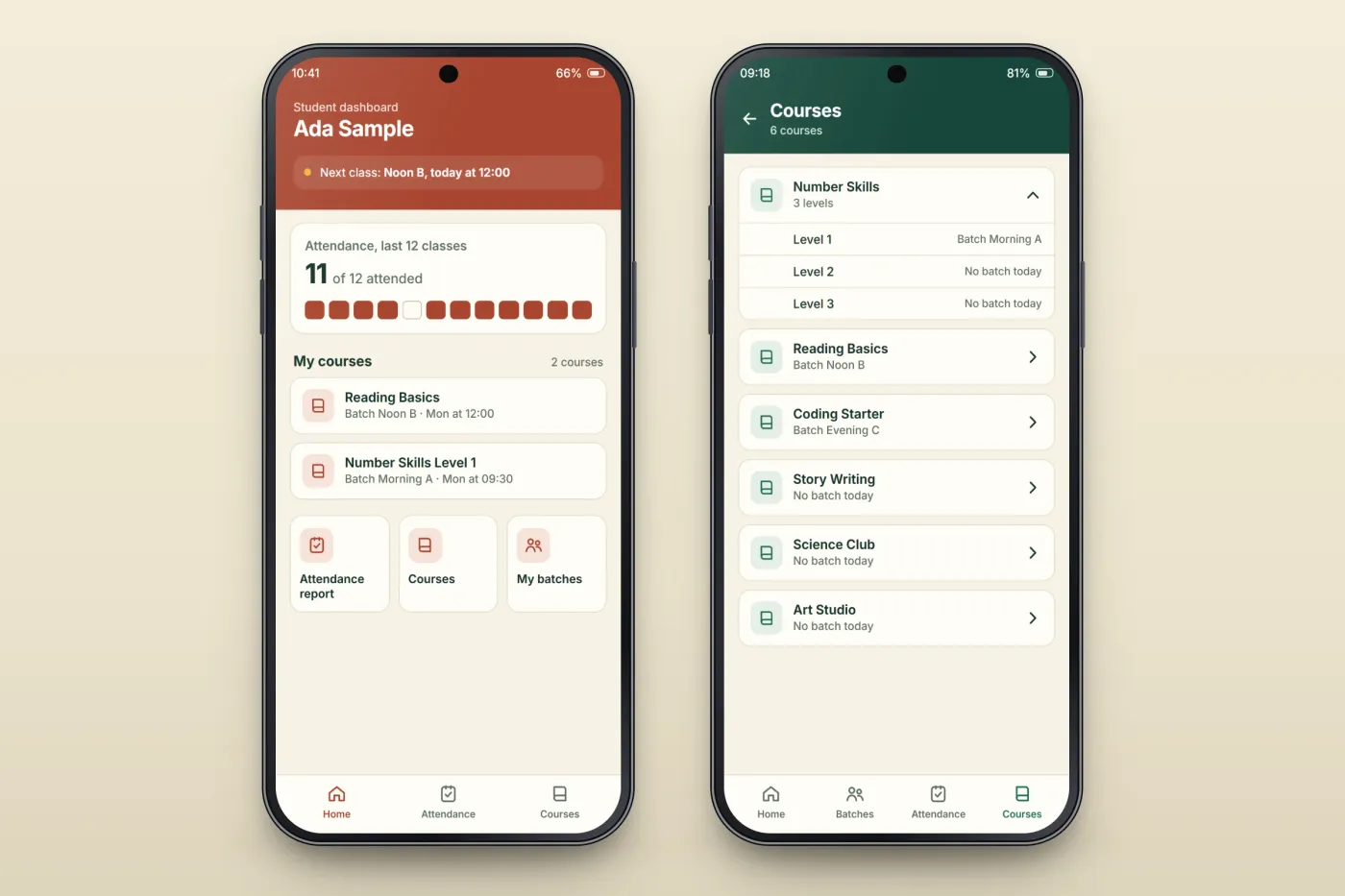
Student dashboard
Attendance and courses, from the student's side.
Courses
The courses offered, connected to batches.
The product in use
Inside the app
A teacher's day at a glance
The teacher dashboard brings a teacher's attendance, batches and courses together in one place, so the day's classes can be seen and acted on from the first screen.
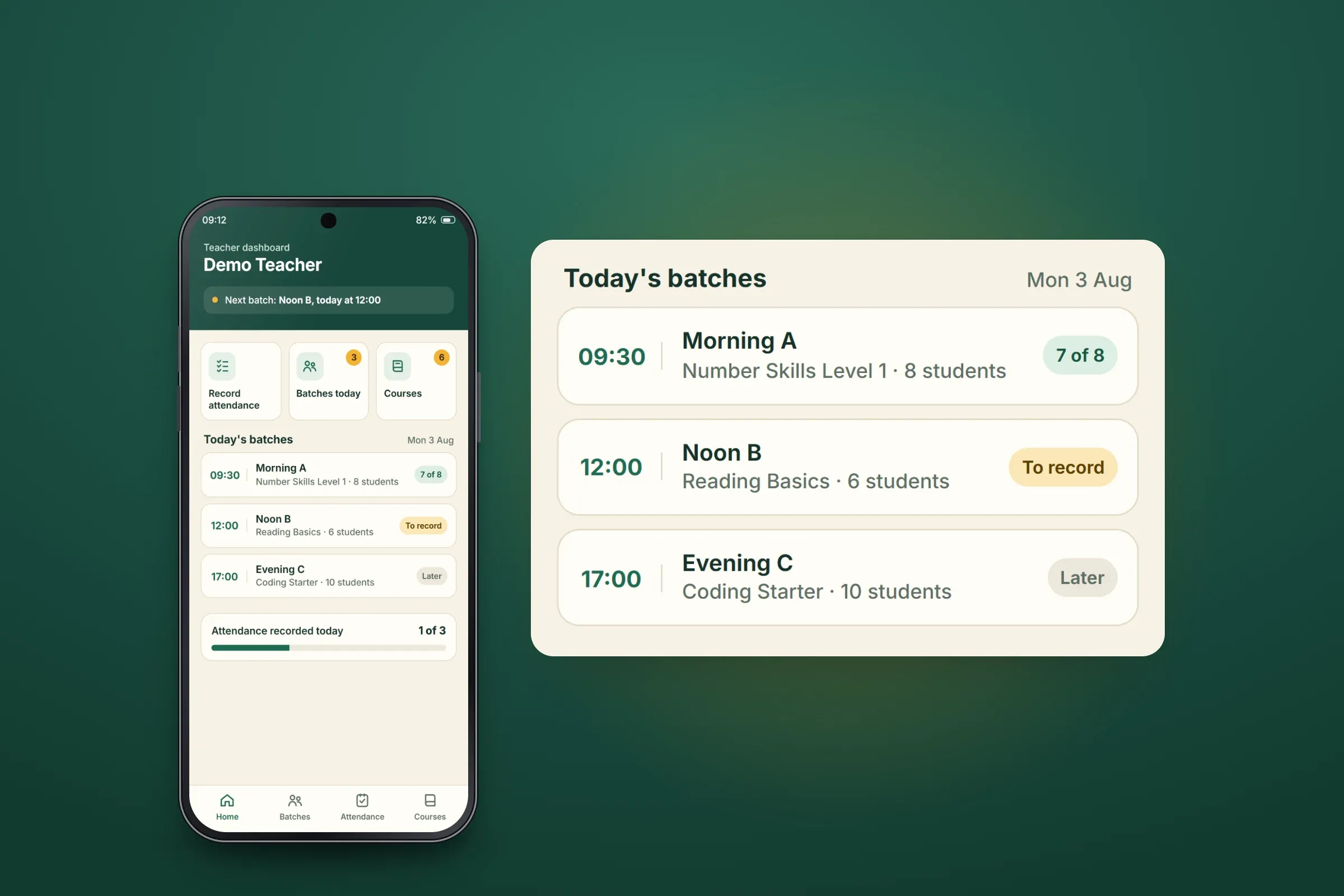
Teacher dashboard. Close-ups on phones: tap any image for the full screen. Attendance by batch
Teachers record attendance for their batches from the app, student by student.
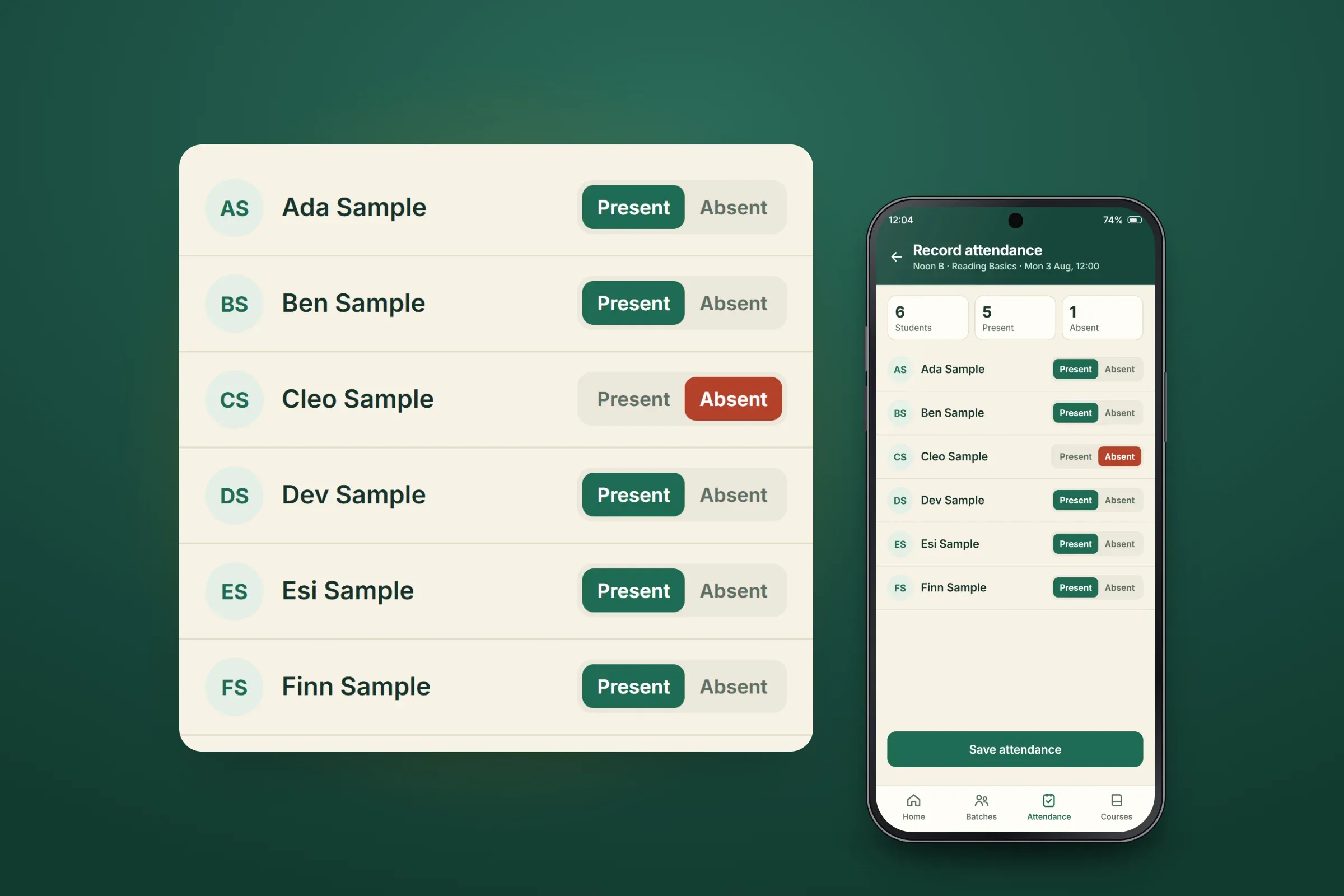
Recording attendance for one batch. Close-ups on phones: tap any image for the full screen. The student's view, and the course list
Students get their own dashboard, with their attendance and courses. Courses are organised in the app and connected to batches.
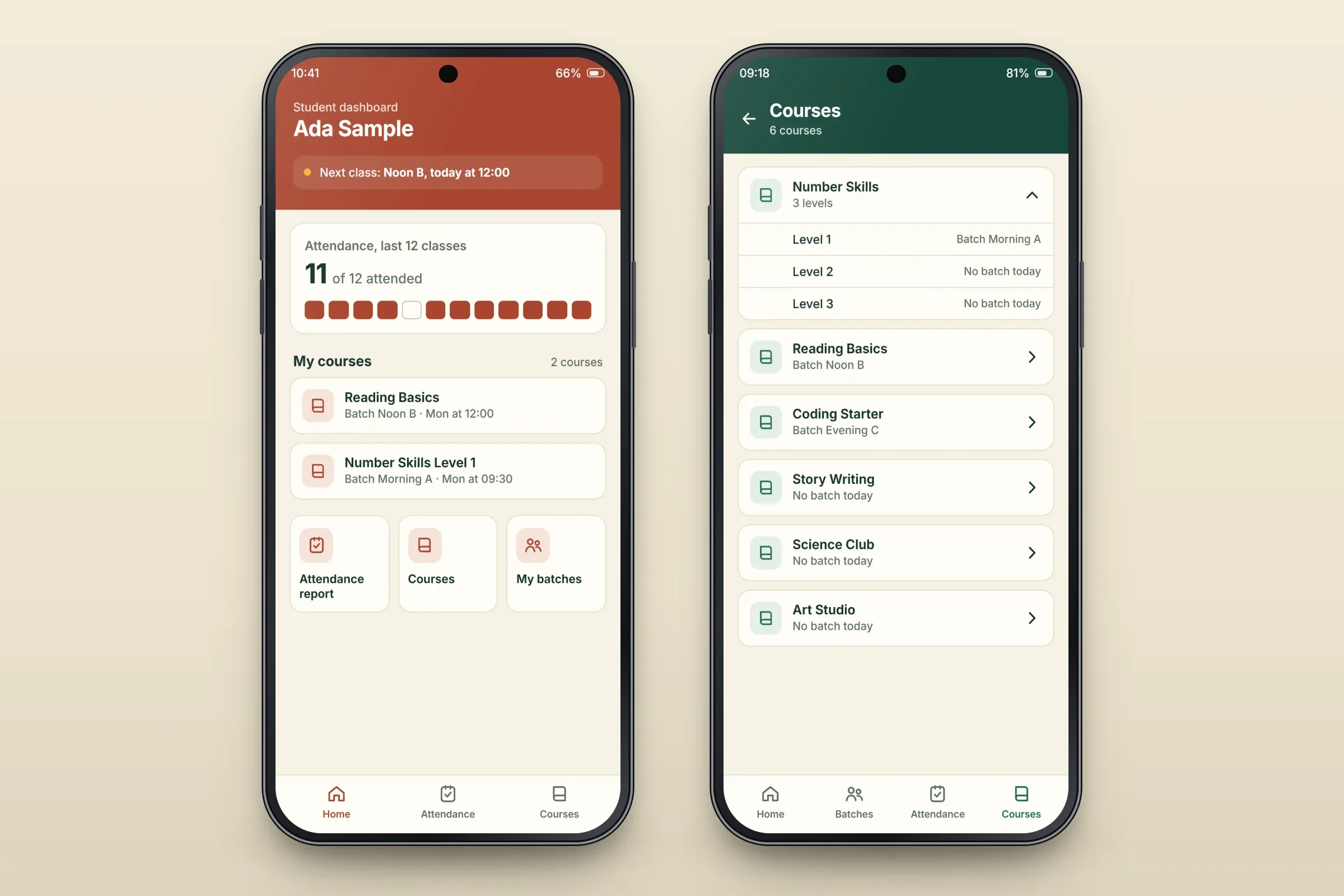
Student dashboard and courses. Close-ups on phones: tap any image for the full screen.
About these images: the screens are recreated for this case study, with neutral naming and example data in place of the client's brand, people and courses. All names are fictional. They follow the app's functions, but the layouts are illustrative and they are not screenshots of it.
Delivery
The engagement
- Android app live and in maintenance.
- iOS app in development.
- 19 separate orders from the same client, April 2025 to August 2026 on record.
Related services